~/guides/ALLOW.md
Stop clicking Yes in Claude Code: auto mode, allow and deny rules that still block the risky stuff
Not 40 clicks on Yes, not bypass mode. Shift+Tab into auto mode, allow your everyday commands, deny git push and .env. Official examples and limits inside.
The most annoying part of Claude Code is the endless "Do you want to proceed?". Plenty of people give up and run --dangerously-skip-permissions, which the docs say belongs in containers or VMs. This is the full version of my ALLOW reel: how to set up the middle path, checked against the docs on 30 Oct 2026.
01The result: routine commands go through, risky ones get stopped

The goal: Claude Code stops asking about routine work, but anything like pushing code or reading your secrets file is always blocked. No clicking Yes forty times, no switching every check off.
What you get from this guide:
- What each of the 4 options in the permission prompt means.
- How to Shift+Tab into auto mode, and how the modes differ.
- How to add everyday commands to allow with /permissions.
- A paste-ready settings.json that denies git push and .env.
- When bypass mode is actually OK.
02① The problem: not 40 clicks, not "allow everything"
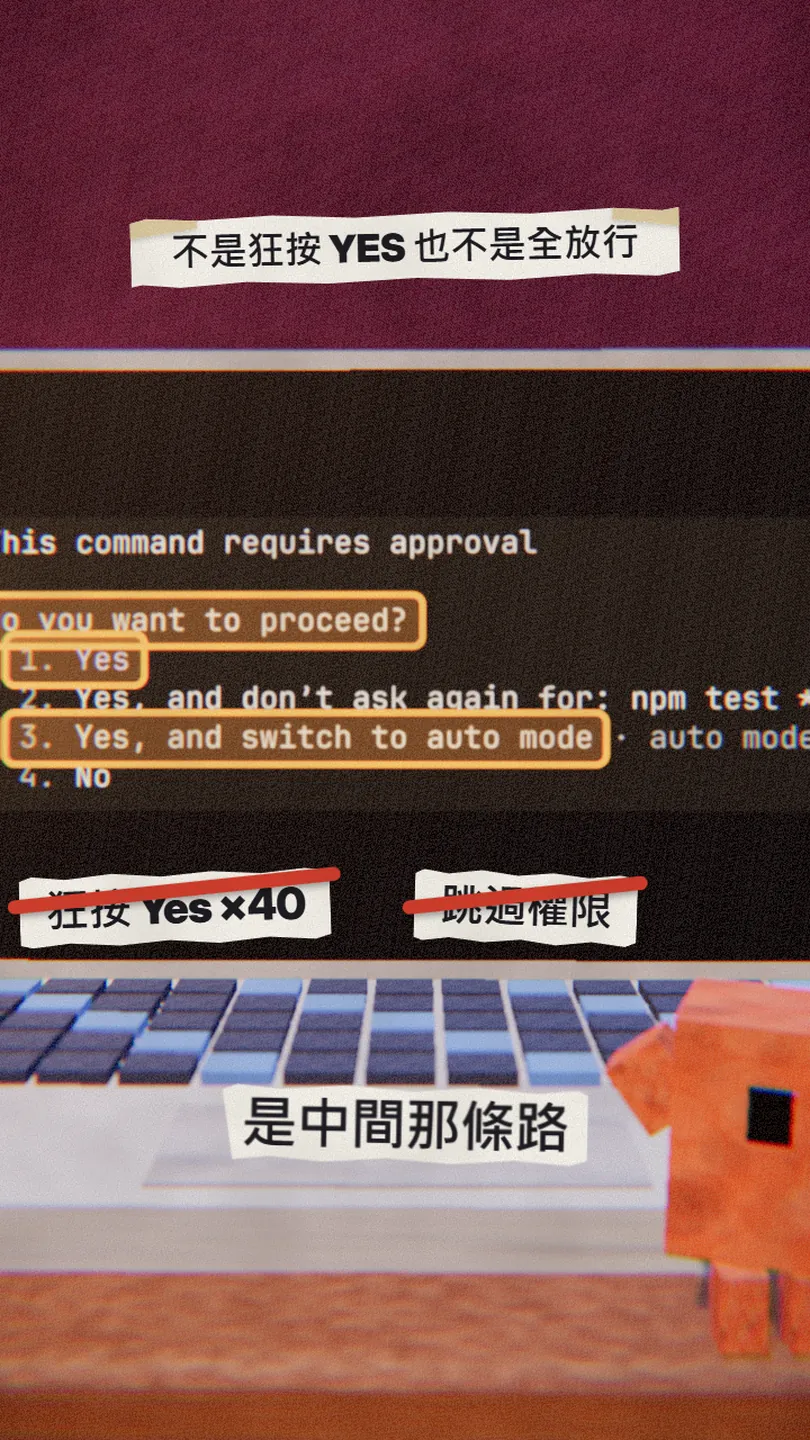
When Claude Code wants to do something that needs approval, it shows this prompt. The docs' example has four options:
- Yes: allow it this once.
- Yes, and don't ask again for: npm test *: stop asking for this kind of command; the rule is saved to .claude/settings.local.json at the repo root.
- Yes, and switch to auto mode: switch to auto mode (next step).
- No: refuse.
03② Press Shift+Tab to switch to auto mode
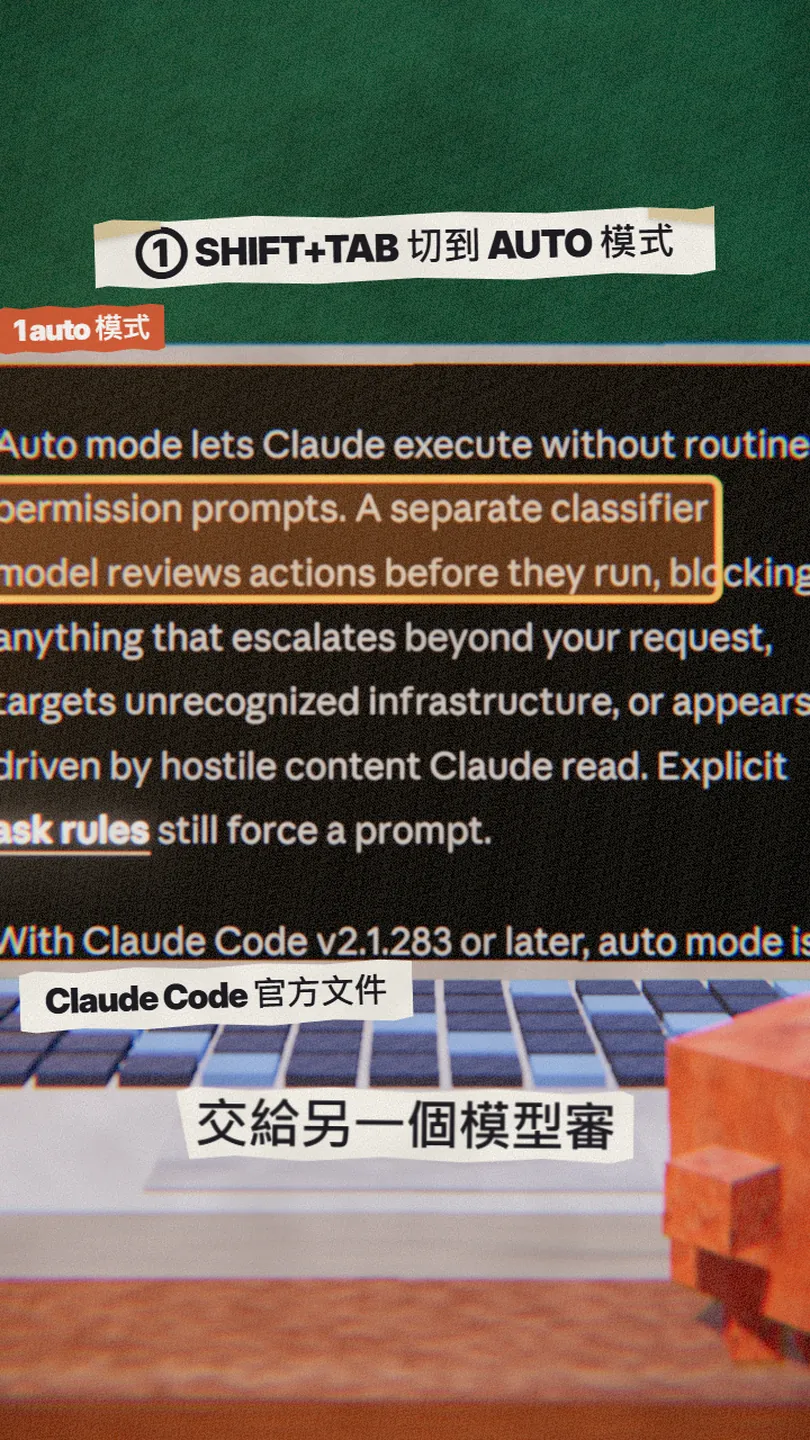
Auto mode lets Claude skip routine prompts. A separate classifier model reviews each action before it runs and blocks anything that goes beyond your request, targets unrecognised infrastructure, or looks driven by hostile content Claude read. The docs say it's on all plans, and from Claude Code v2.1.283 it's the default starting mode for interactive terminal and VS Code sessions.
- Press Shift+Tab during a session to cycle modes.
- From auto, the first press goes to default (called Manual in the UI), then default → acceptEdits → plan.
- The status bar shows the active mode.
- The differences: default only skips reads; acceptEdits also skips file edits and common file commands like mkdir and mv; plan plans without editing; auto hands every check to the classifier.
04③ Put everyday commands in allow
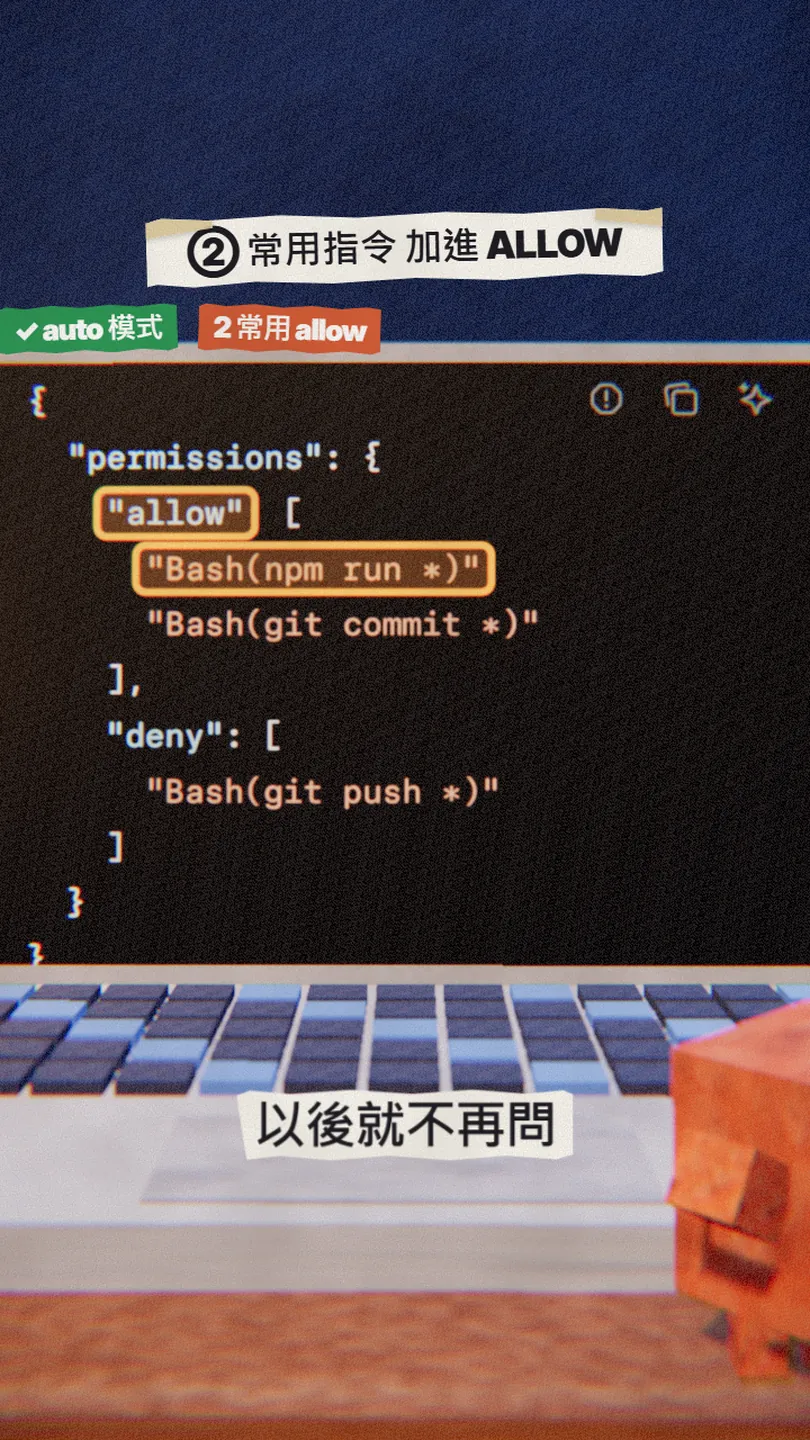
- Type /permissions in Claude Code: it lists every rule and the settings file it comes from.
- Add the commands you run every day to allow, such as npm run and git commit.
- Write the command and replace the parts that vary with *, and put the * after the subcommand (Bash(git commit *), not Bash(git *)).
{
  "permissions": {
    "allow": [
      "Bash(npm run *)",
      "Bash(git commit *)"
    ]
  }
}
05④ Even more important: deny blocks in every mode
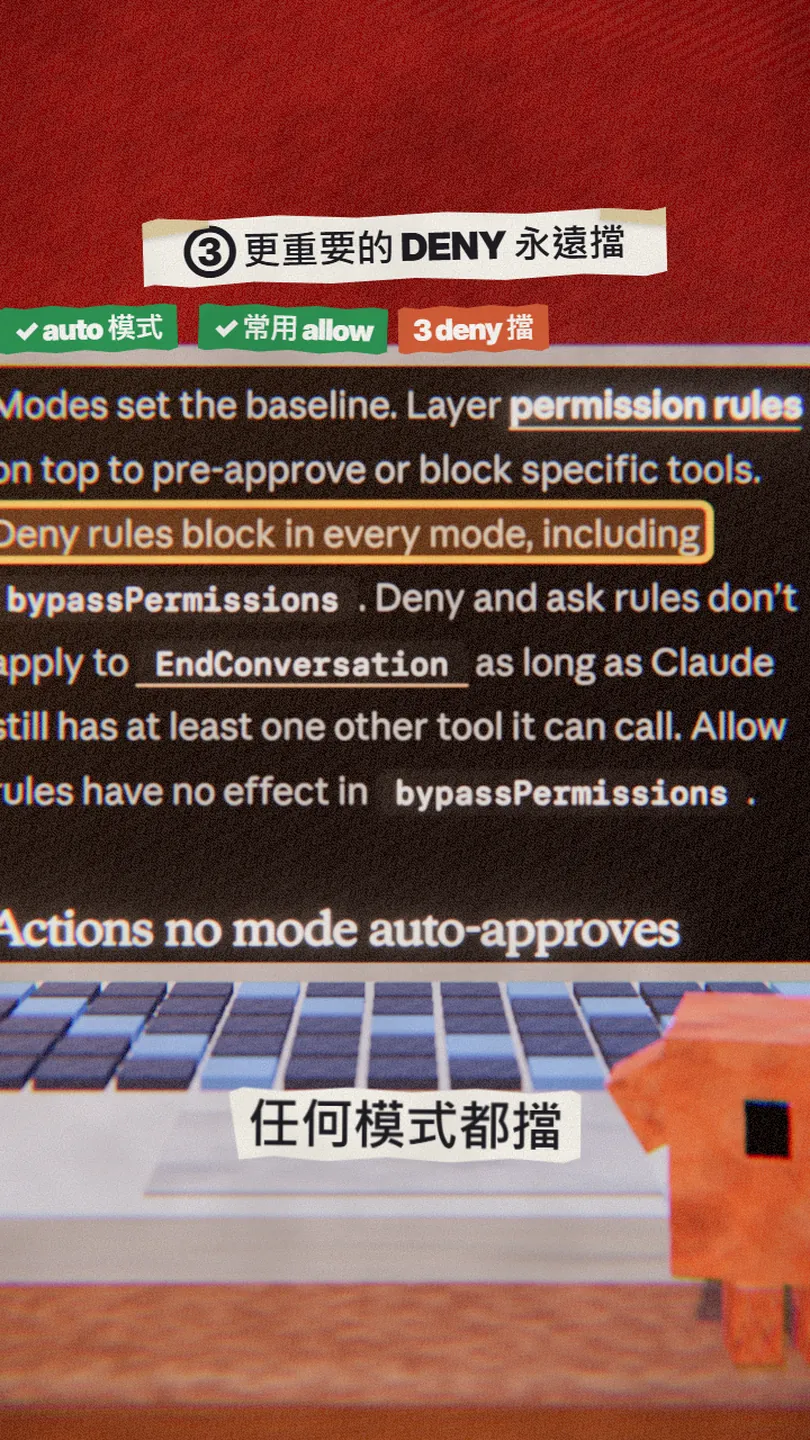
Allow saves clicks; deny saves you. Rules are checked deny → ask → allow, so deny always wins, and deny works in every mode, even bypass mode. These are the two I block first: pushing code on its own, and reading the .env file that holds your secrets.
{
  "permissions": {
    "allow": [
      "Bash(npm run *)",
      "Bash(git commit *)"
    ],
    "deny": [
      "Bash(git push *)",
      "Read(./.env)"
    ]
  }
}
In [this project], add permission rules to .claude/settings.json: allow "Bash(npm run *)" and "Bash(git commit *)", deny "Bash(git push *)" and "Read(./.env)". Don't touch any other setting, and show me the diff.
06⑤ Bypass mode: containers and VMs only
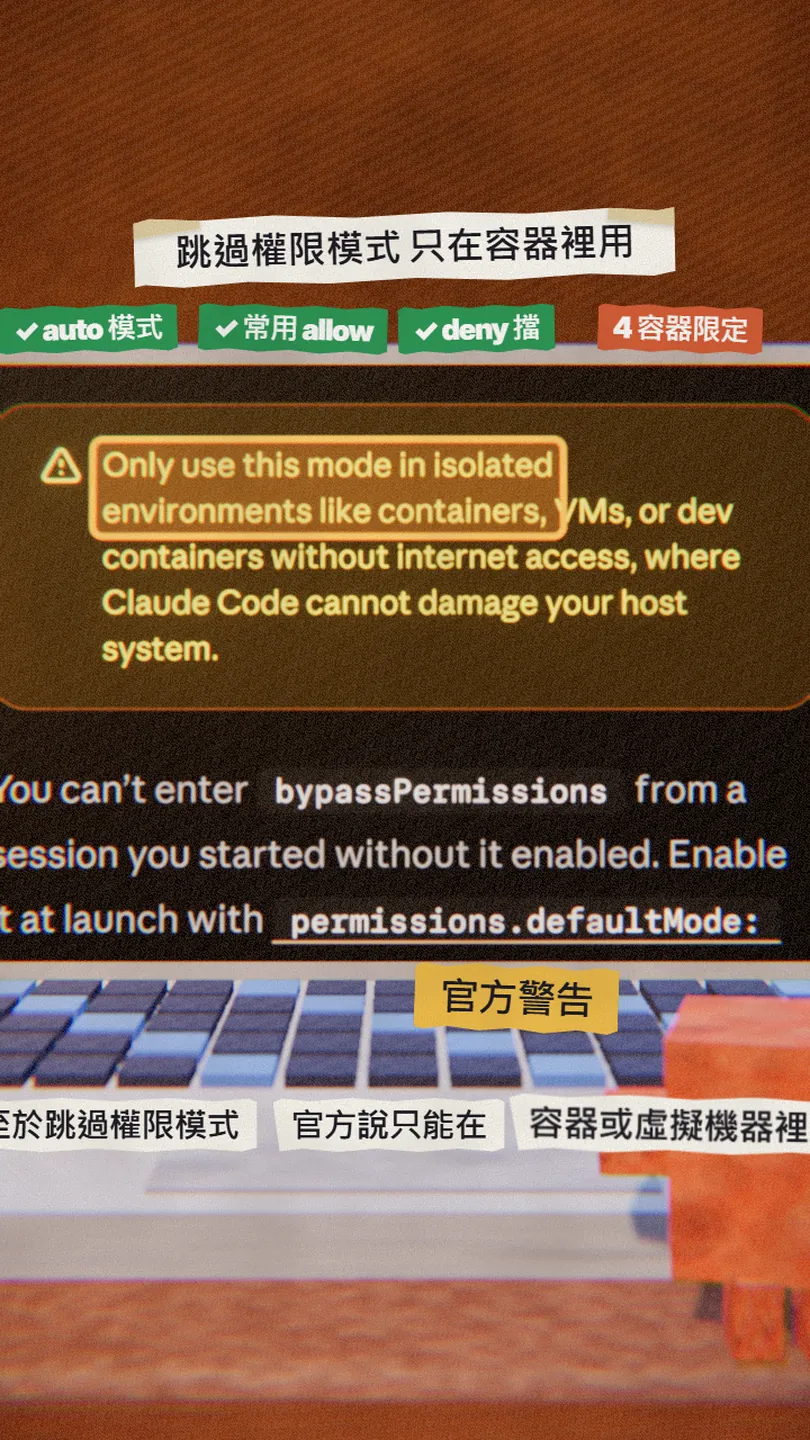
Bypass mode (bypassPermissions, launched with --dangerously-skip-permissions) asks almost nothing. The docs warn to use it only in isolated environments like containers, VMs, or dev containers without internet access, because it offers no protection against prompt injection or unintended actions. On your own machine, use auto + allow + deny instead.
07Good to know
- A Bash deny rule is not a vault: a command written another way (for example git -C . push) isn't matched by Bash(git push *). For strict control, see hooks and sandboxing in the docs.
- Auto mode reduces prompts but the docs say it does not guarantee safety; ask rules and a few actions still prompt in auto mode.
- "Runs start to finish" in the reel is how it feels once set up, not a promise of zero prompts.
- Everything here was checked against the docs on 30 Oct 2026; mode names and version numbers may change.
Sources
What should the next reel cover?
I test Claude and AI tools every day and turn the useful ones into reels. Follow @vivianlin.tech to catch each new guide.