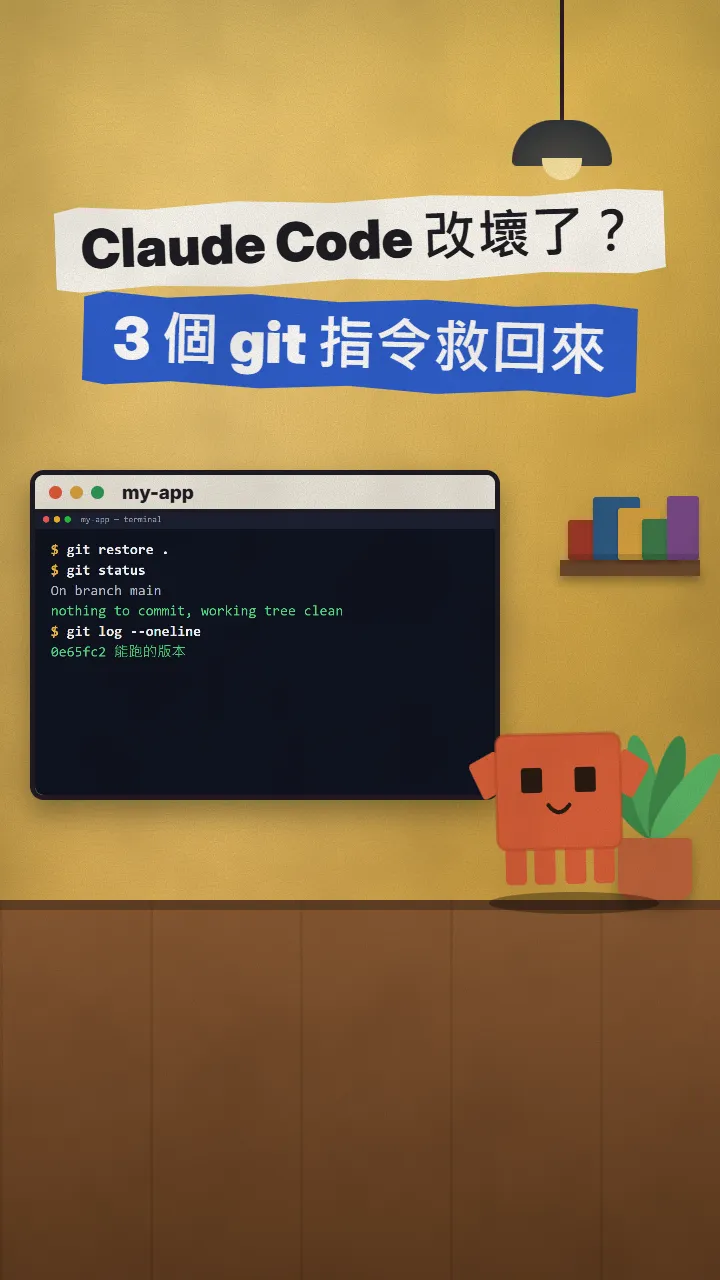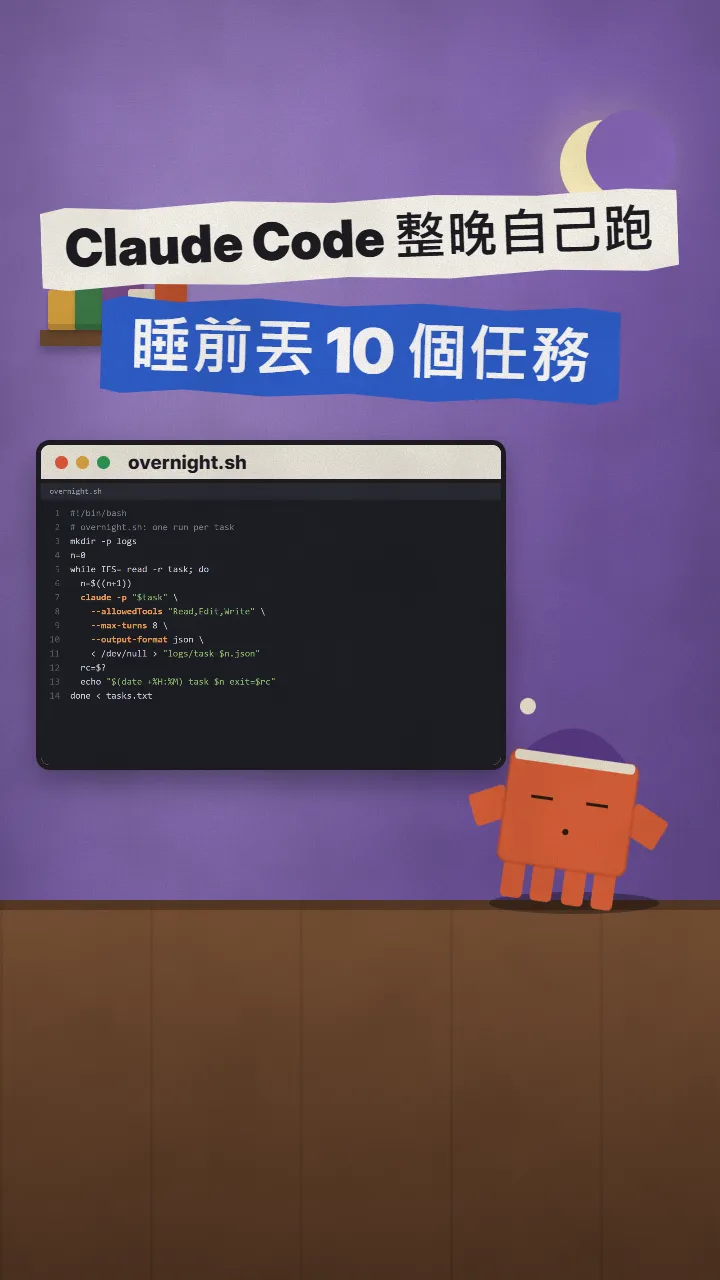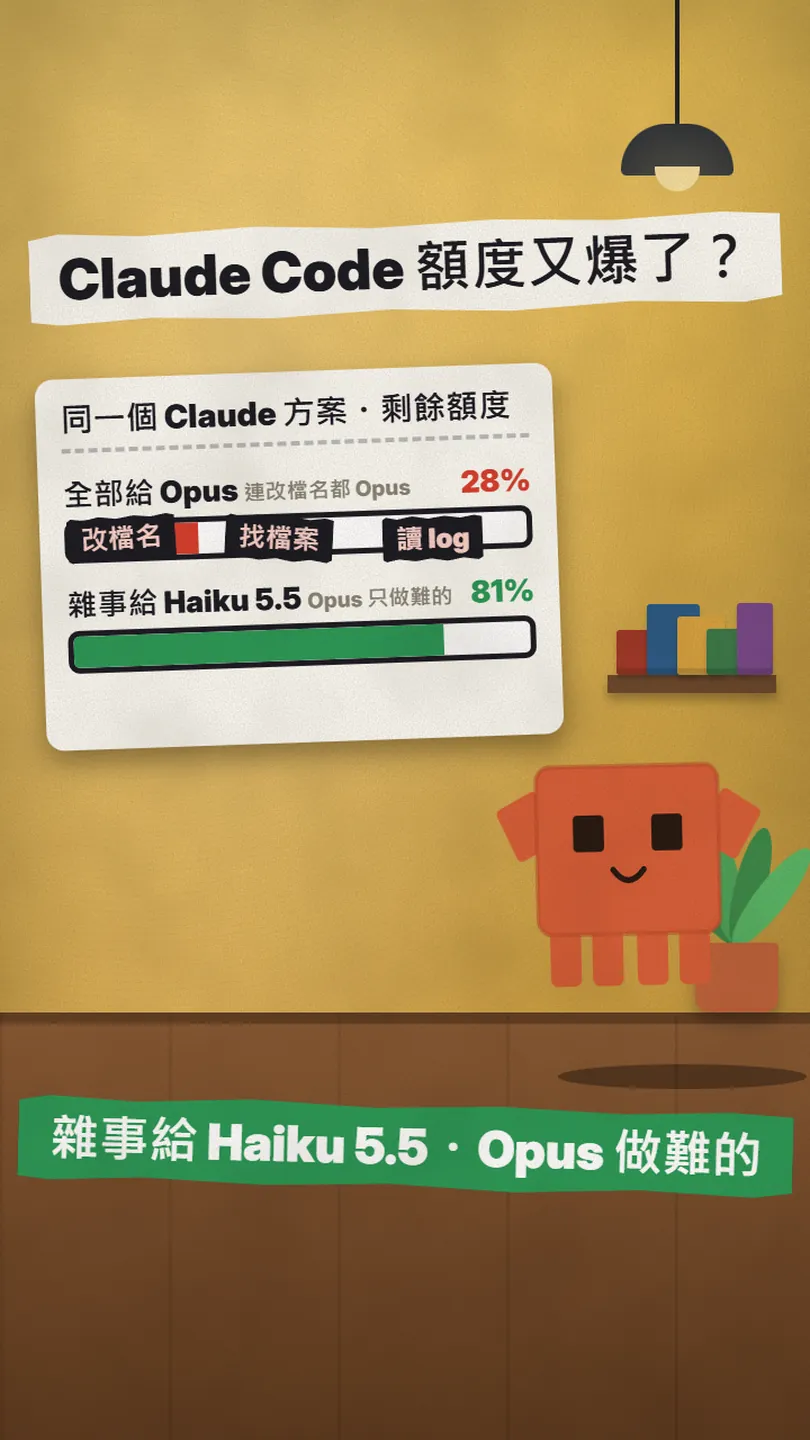
~/guides/LIMIT.md
Stop burning your Claude Code limit on grunt work: a Haiku 5.5 helper subagent plus one CLAUDE.md paragraph
Two paste-ready files: a Haiku 5.5 helper subagent in .claude/agents/ and one CLAUDE.md paragraph, so renames and file searches stop costing Opus turns.
Your Claude Code limit is gone again, and when you look back through the session, Opus just spent several turns renaming files, finding files and reading logs. This is the full version of my LIMIT reel. Anthropic's own help page says it plainly: Opus costs several times more per turn than Sonnet, and Sonnet more than Haiku; and by default one conversation runs on one model from start to finish, chores included. The fix is two files: a helper subagent that runs on Haiku, plus one paragraph in CLAUDE.md that says who does what. Both files are below, ready to copy, and everything was checked against the official docs and price list on 2026-11-20.
01What you get: renames and file searches stop costing Opus turns
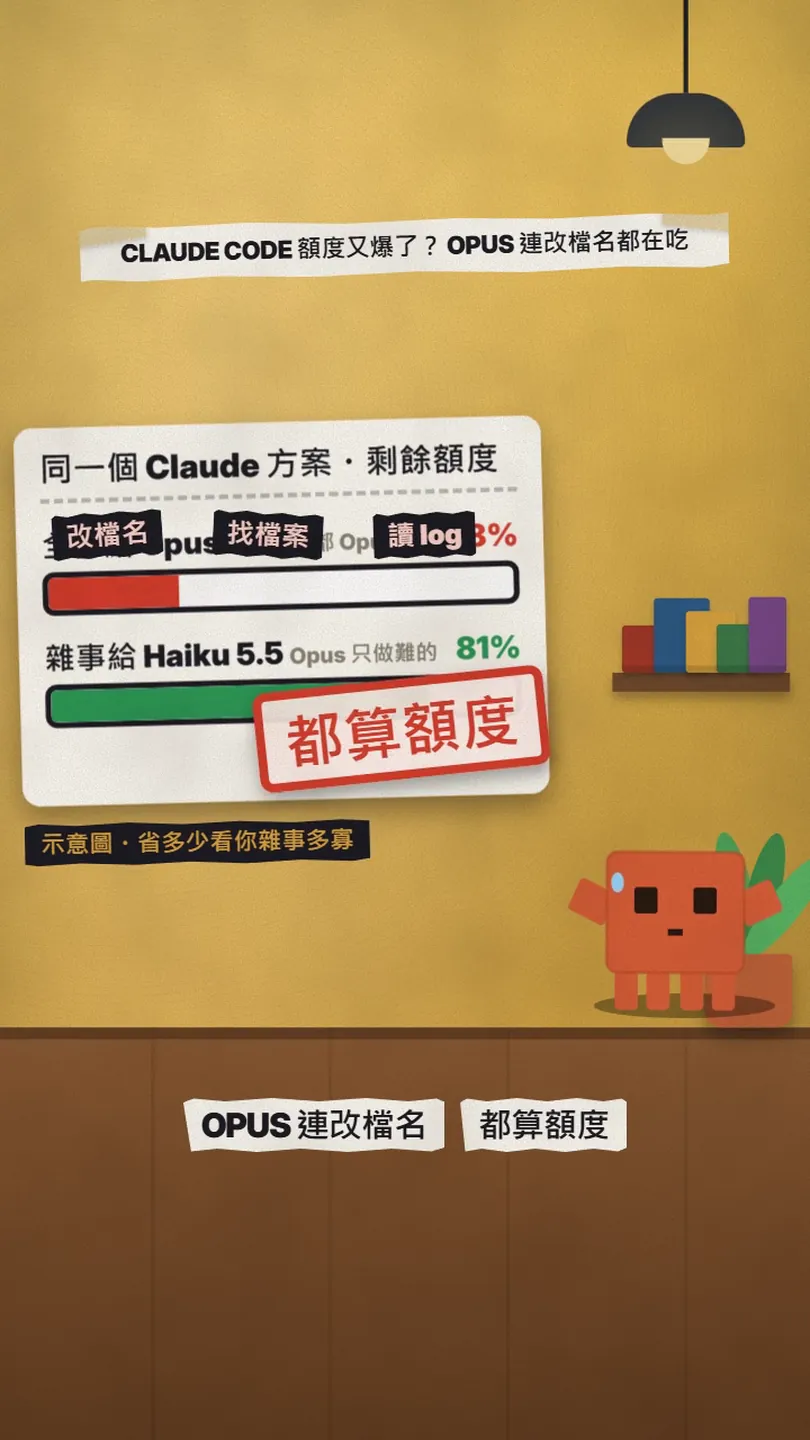
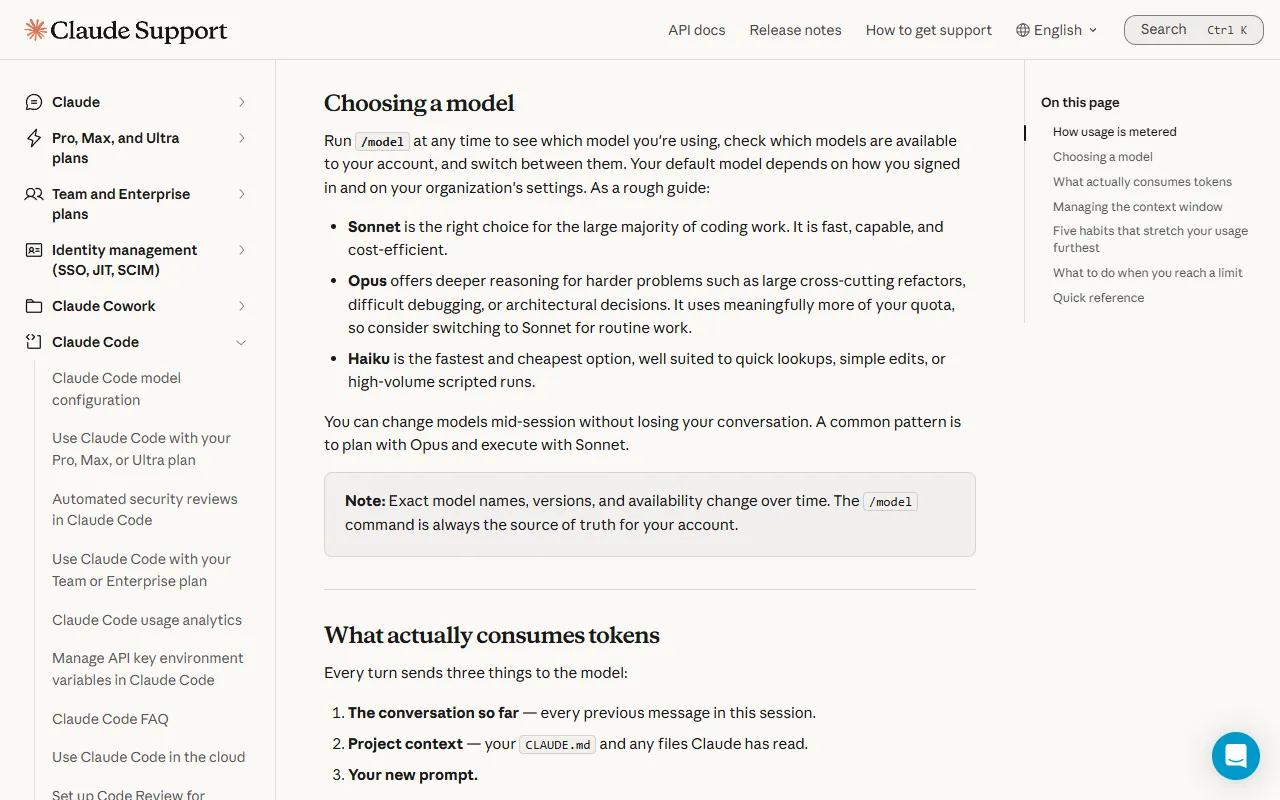
First, the problem. One Claude Code conversation runs on one model: pick Opus with /model and every turn after that, whether it is a refactor across ten files or a single rename, is Opus spending your limit. Anthropic's help page "Models, usage, and limits in Claude Code" says it directly: Opus costs several times more per turn than Sonnet, and Sonnet more than Haiku; Opus "uses meaningfully more of your quota, so consider switching to Sonnet for routine work"; Haiku "is the fastest and cheapest option, well suited to quick lookups, simple edits, or high-volume scripted runs".
By the end of this article your project has two more files, and the effect is:
- A subagent called helper that runs on Haiku and does only the no-brain work: searching files, reading logs, listing folders, renaming files, one-line edits.
- One extra paragraph in CLAUDE.md: when the main session sees that kind of chore it hands it to helper and keeps only planning, debugging and multi-file changes for itself.
- You stop switching /model back and forth by hand; the main session stays on the model you chose and the chores get split off automatically.
- Both files are plain text and take effect within seconds of landing in the project (the first time you create the agents folder you restart once; more on that below).
02File 1: .claude/agents/helper.md, the helper that runs on Haiku
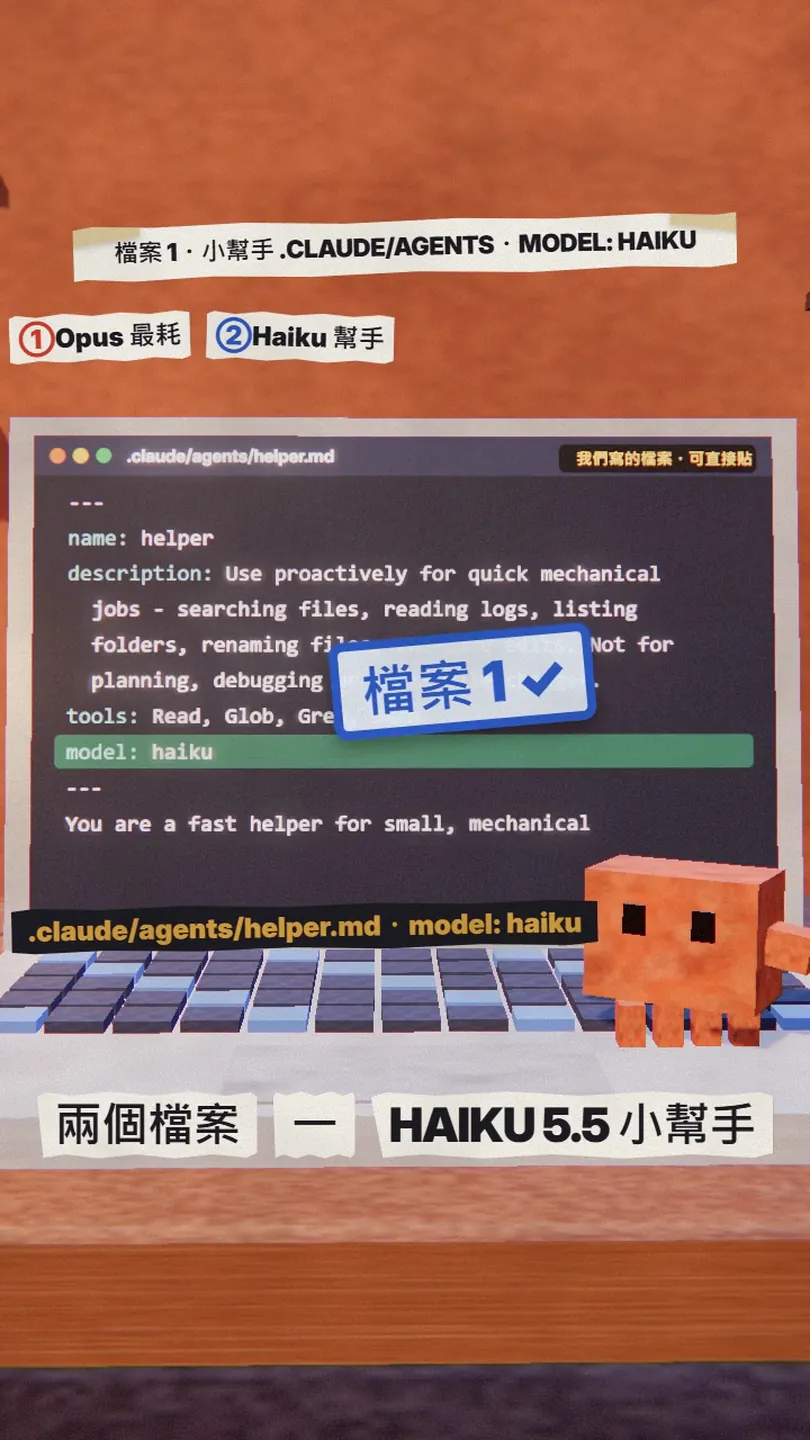
In Claude Code a subagent is just a Markdown file: a YAML frontmatter block on top with its name, when to use it, which tools it may use and which model, then its system prompt underneath. Put it in the project's .claude/agents/ and it works for that project only; put it in ~/.claude/agents/ in your home folder and it works in every project. I keep it in the project so it travels with git to the rest of the team.
- Create the folder .claude/agents/ at the project root (skip if it already exists).
- Add a file called helper.md inside it, paste the whole block below and save.
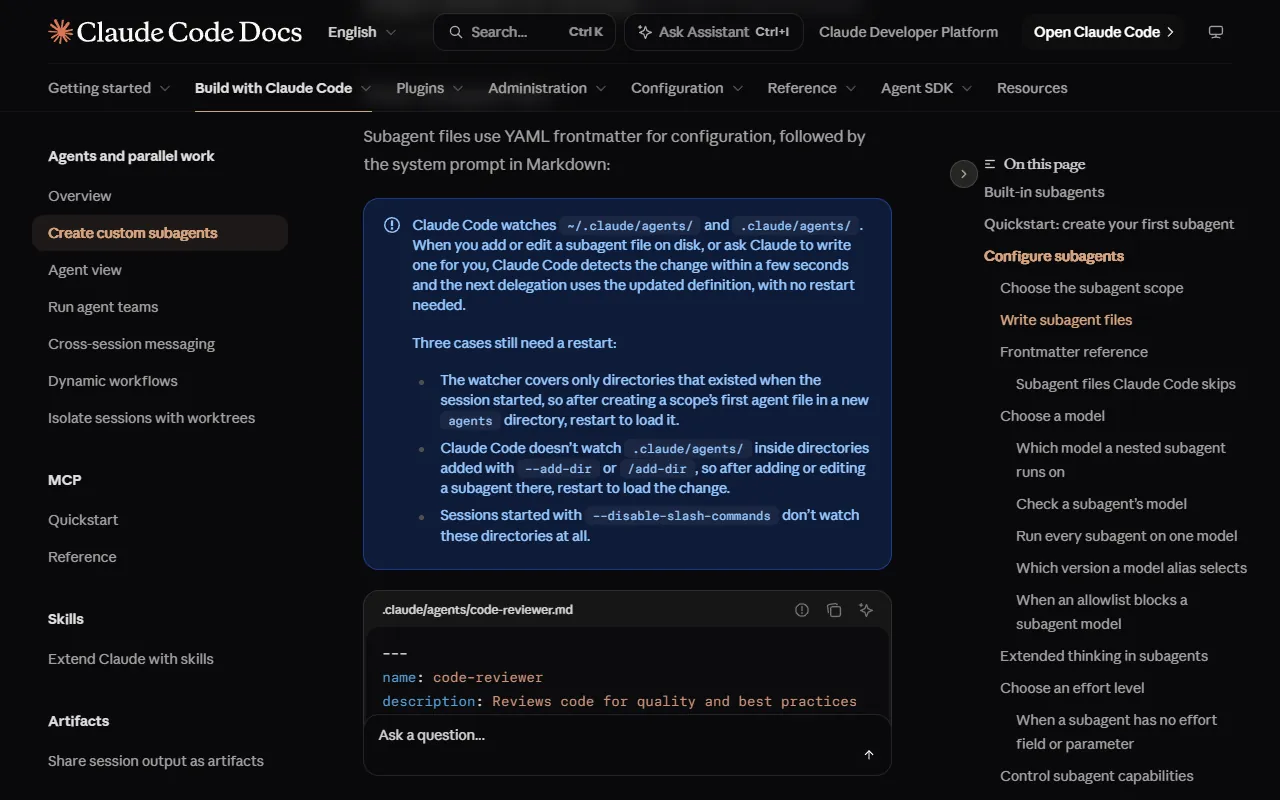
- If the agents folder is new, quit Claude Code and start it again: the docs say it only watches folders that existed when the session started. Later edits to the file take effect within seconds, no restart.
---
name: helper
description: Use proactively for quick mechanical jobs that need no judgement - searching files, reading logs, listing folders, renaming files, one-line edits. Not for planning, debugging or changes across several files.
tools: Read, Glob, Grep, Bash
model: haiku
---

You are a fast helper for small, mechanical jobs. Do exactly what was asked, nothing more.
Return the result in a few lines (the paths found, the log lines that matter, what you renamed or edited).
If the job turns out to need design decisions, debugging or changes in several files, stop and say so instead of guessing.
What the four fields mean, per the official frontmatter reference: name is required and is what you call it later; description is required, Claude reads it to decide whether to delegate, and "Use proactively" is the wording the docs suggest to encourage that; tools is optional, leave it out and the subagent inherits every tool, I give it only read, glob, grep and Bash; model takes one of the aliases sonnet, opus, haiku or fable, a full model ID, or inherit (the main conversation's model), and when you leave it out it defaults to following the main conversation too. The line that matters here is model: haiku.
03File 2: one paragraph in CLAUDE.md
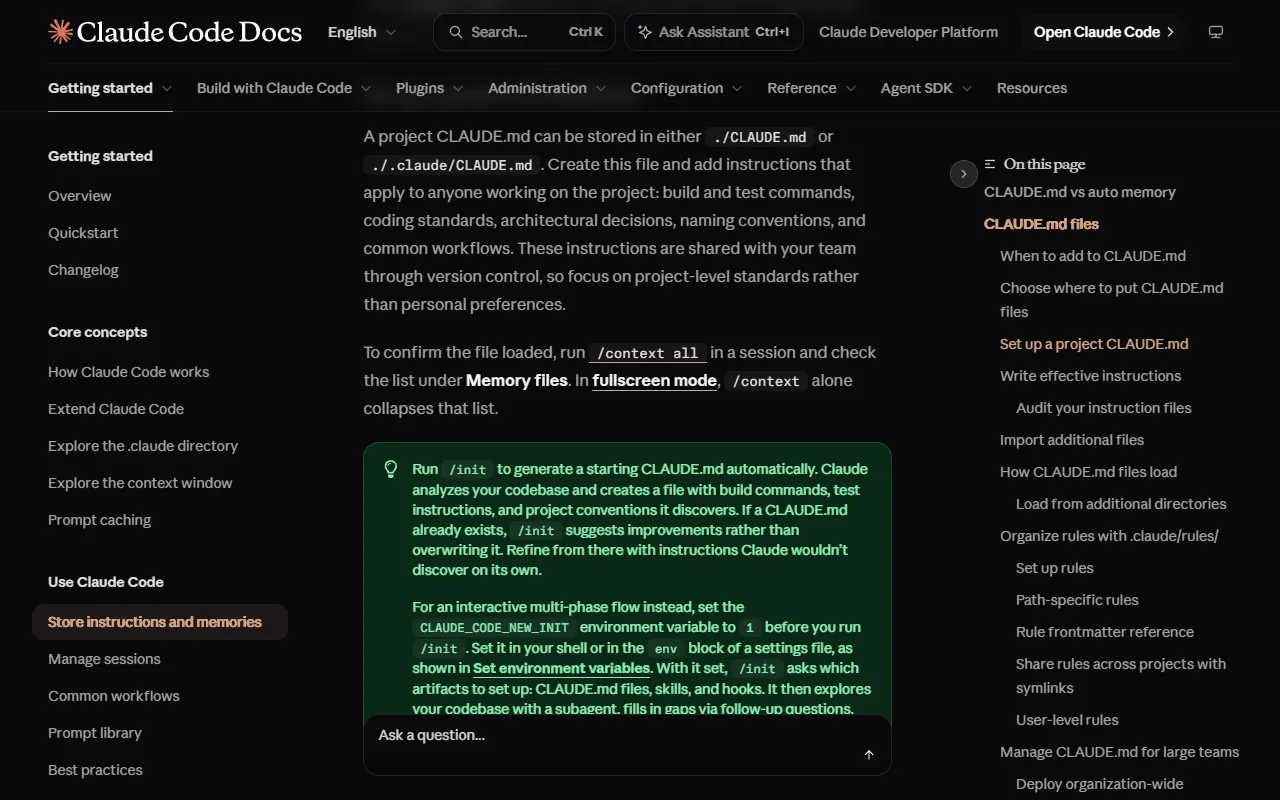
CLAUDE.md is the project note Claude Code reads at the start of every session; the docs say it can live at ./CLAUDE.md or ./.claude/CLAUDE.md. Having the helper is not enough: you have to tell the main session not to do these jobs itself, or it will still rename the file on its own when it sees one, and the limit gets charged as before.
- Open the project's CLAUDE.md. If there is none, run /init in Claude Code; the docs say it analyses the project and writes a starting file, and if one already exists /init only suggests improvements rather than overwriting it.
- Paste the paragraph below at the end of the file and save.
- Next time you start Claude Code, run /context all and check that CLAUDE.md appears under Memory files: that means it loaded.
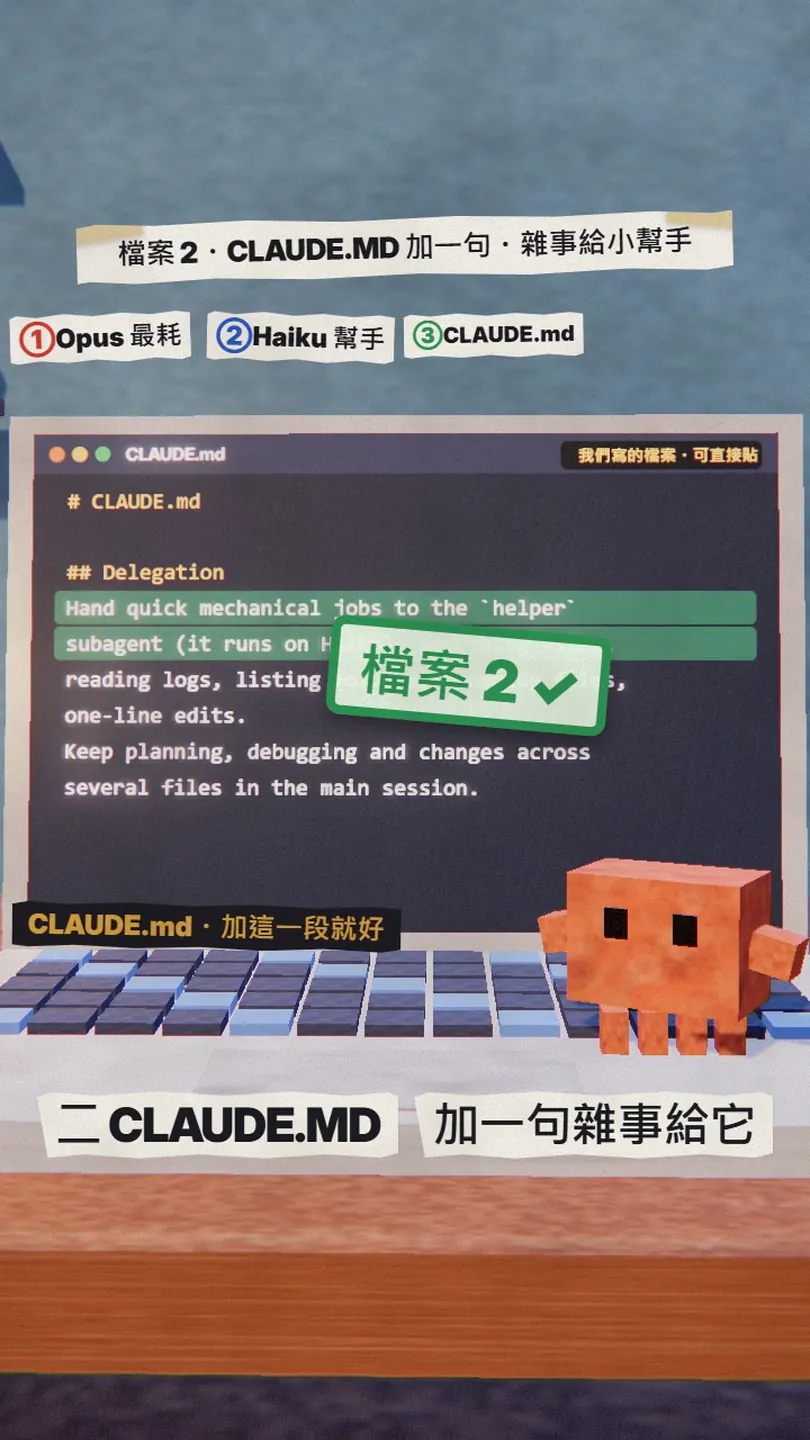
## Delegation

Hand quick mechanical jobs to the `helper` subagent (it runs on Haiku): searching files, reading logs, listing folders, renaming files, one-line edits.
Keep planning, debugging and changes across several files in the main session.
04The split: what goes to the helper, what stays in the main session
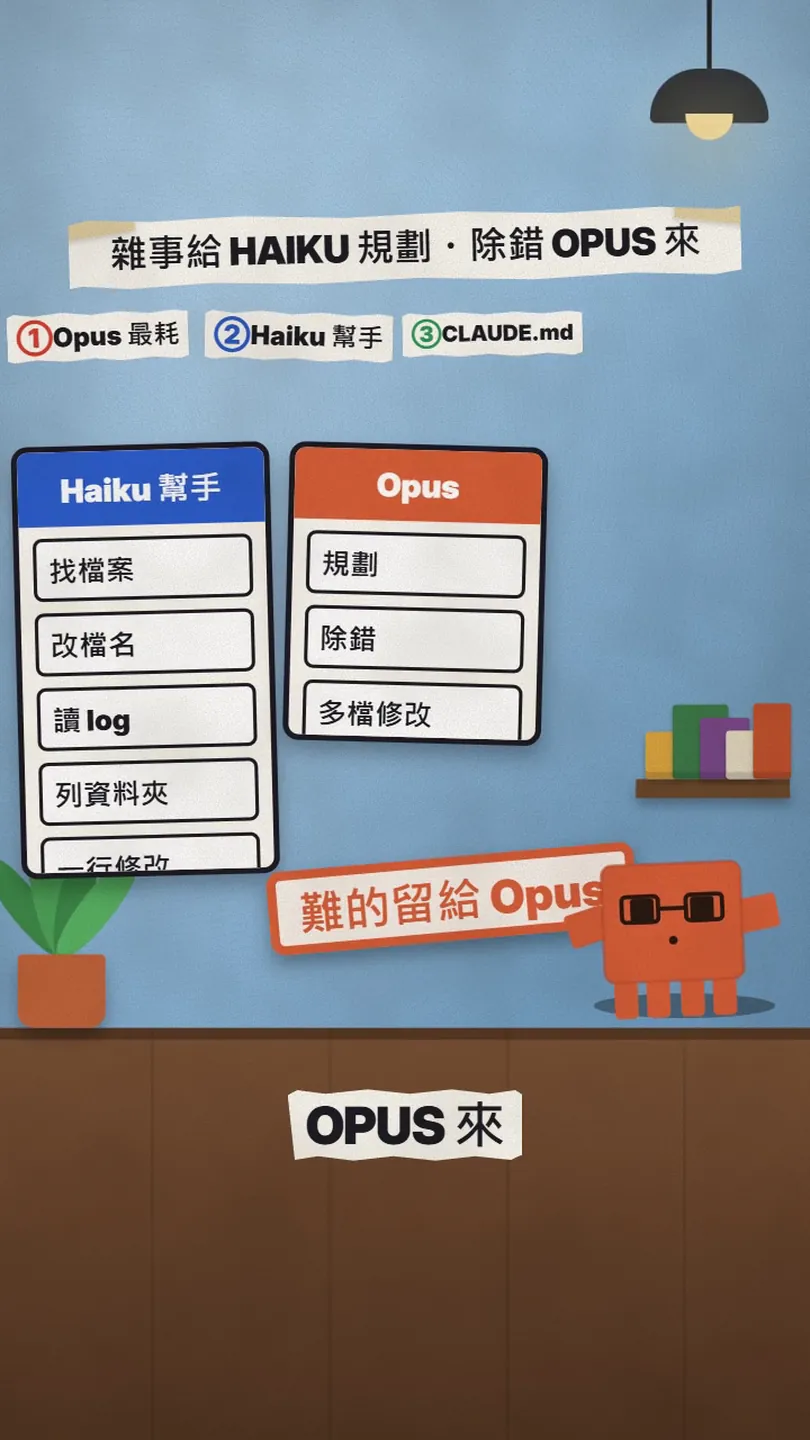
I did not invent this split; it follows the help page's "Match the model to the job" habit: Haiku for quick mechanical work (its own examples are renames, log lines, regex explanations and boilerplate), Sonnet for most coding, Opus for when you are genuinely stuck or the change is wide.
- To helper: find which files use a given function, list the files in a folder, read a log and pull out the error lines, rename a.js to b.js and update the imports, change one constant or one line of config.
- Stays in the main session: features that need an architecture decision first, bugs with no obvious cause, refactors that touch several files at once, anything that needs a judgement call.
- When in doubt, keep it in the main session. The last line of the helper's system prompt says exactly that: if the job turns out to need decisions, debugging or several files, stop and report instead of guessing.
Once both files are in, try one line:
Use the helper subagent to find every file in this project that uses fetchUser. Just list the paths, change nothing.
Per the docs, Claude decides whether to delegate from your request, the subagent's description and the current context; you can also name it directly as above. The delegated work runs in the subagent's own context and only a summary comes back to the main session, so the search output never floods your conversation, which is the other benefit of subagents.
05Price: how cheap Haiku 5.5 really is
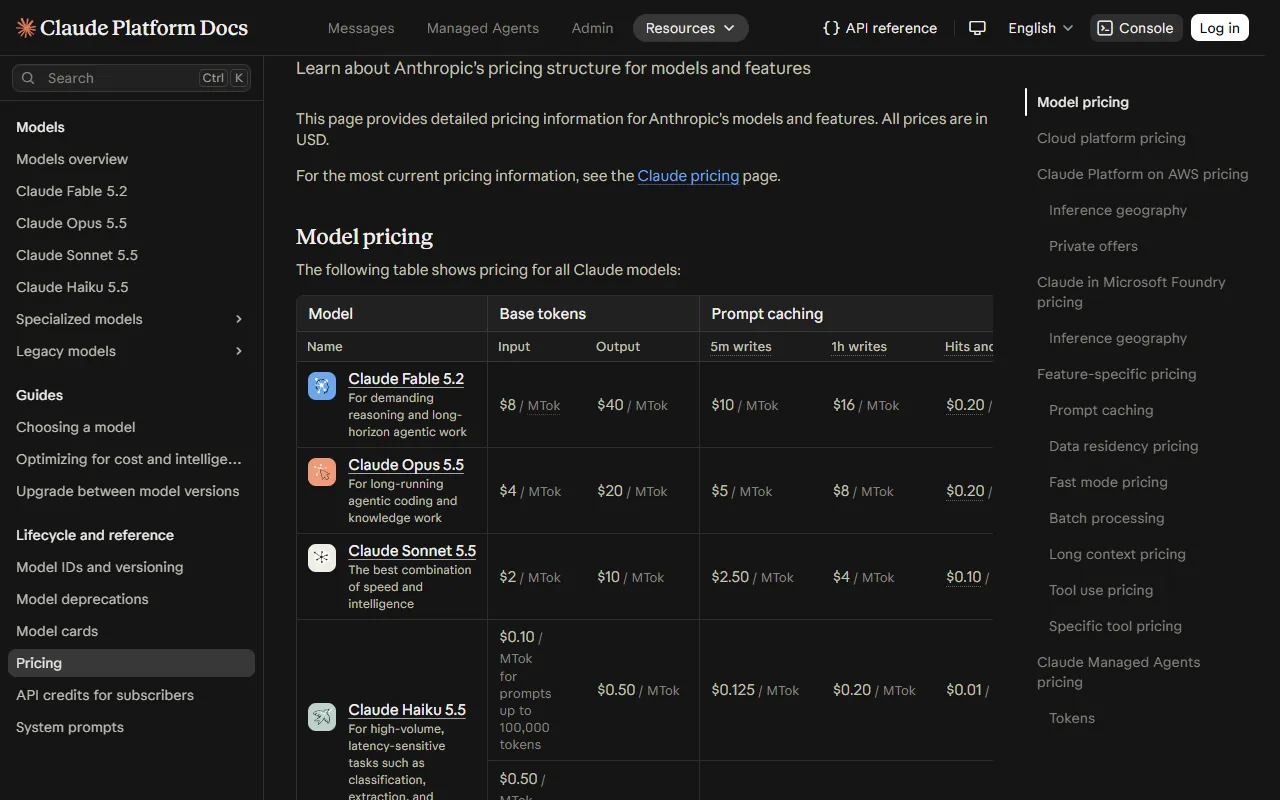
The official price list on 2026-11-20 (US dollars per million tokens): Haiku 5.5 is $0.10 input / $0.50 output for prompts up to 100,000 tokens, and $0.50 / $2.50 for prompts over 100,000 tokens. On the same table, Haiku 4.5 is $1 / $5, Sonnet 5.5 is $2 / $10 and Opus 5.5 is $4 / $20.
Anthropic's Haiku 5.5 announcement of 7 October 2026 says it is priced 90% lower than Haiku 4.5 for requests up to 100,000 tokens and 50% lower above that, "around 75% less" on average; it also says the model "pairs well with Opus 5.5 and Sonnet 5.5 as a subagent on coding work". That is why the helper says haiku rather than sonnet.
06Good to know
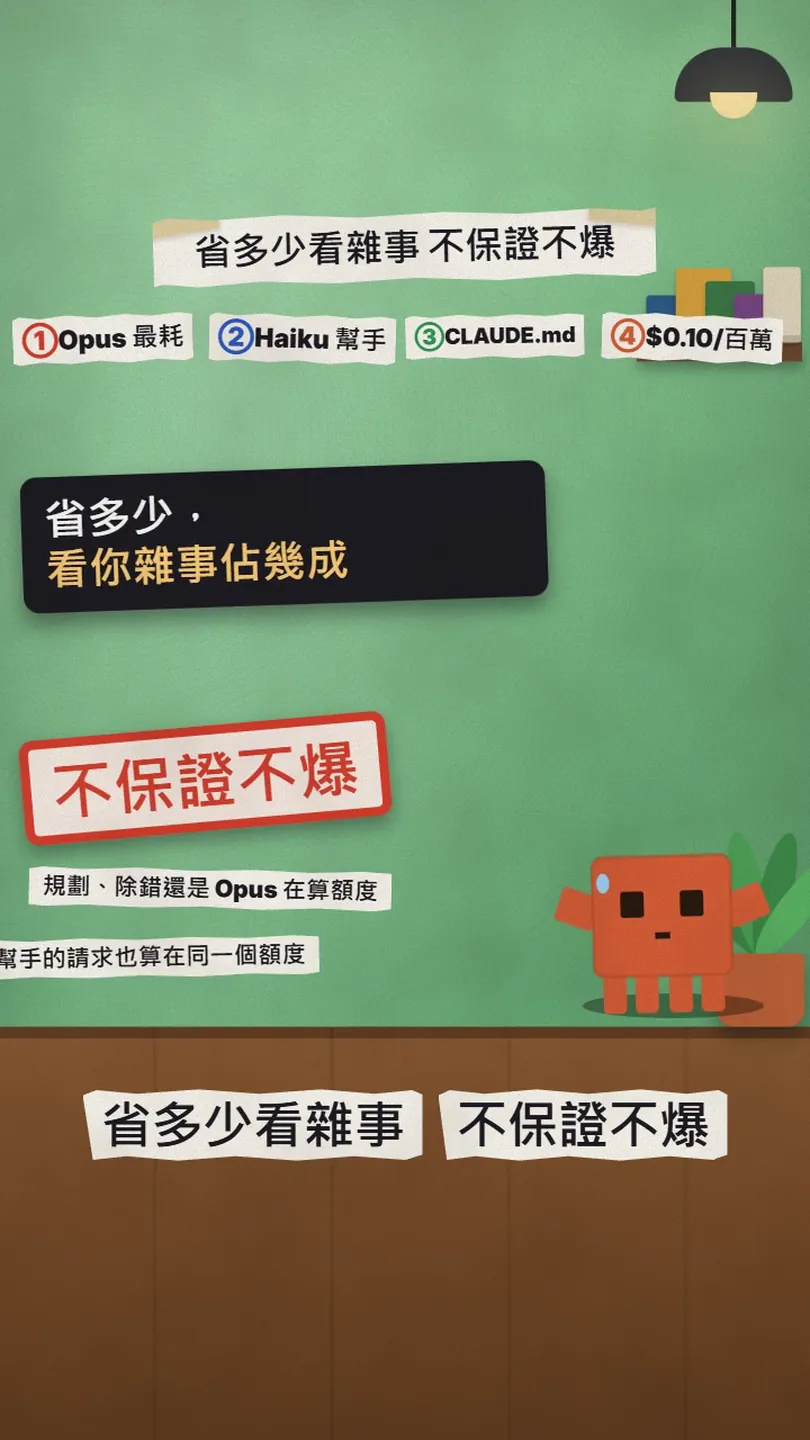
- No promise you will not hit the limit. How much you save depends entirely on what share of your work is chores; the planning and debugging turns still run on the original model. There is no official figure for how much delegating to Haiku saves, and the two 28% / 81% bars in the reel and on the cover are a drawn illustration, not a measurement.
- The helper's requests count too. The subagent docs say it directly: a subagent's own requests "count toward the same usage limits as your main conversation". It is cheaper, not free.
- Three cases need a restart of Claude Code before the file loads: the first time you create the .claude/agents/ folder; a .claude/agents/ inside a folder added with --add-dir or /add-dir (those are not watched); and sessions started with --disable-slash-commands (nothing is watched).
- On current versions /agents only prints a reminder to ask Claude or edit .claude/agents/ yourself; the interactive wizard exists only on v2.1.197 and earlier. To check that the subagent was picked up, ask Claude which subagents it has, or name it in a request as above.
- To check that CLAUDE.md loaded, run /context all and look under Memory files; in fullscreen mode, /context alone collapses that list.
- The main session's model can change too: the help page says /model switches at any time without losing the conversation, and a common pattern is to plan with Opus and execute with Sonnet. The helper splits off the lowest layer of chores on top of that; you can do both.
- We wrote the two files against the official docs as they read on 2026-11-20 and every field matches the frontmatter reference table; but we did not measure how much limit they actually save, and this article does not pretend otherwise.
- Another limit saver: Headroom, fewer tokens for the same Claude Code work — Works on token count; combine it with the model split in this article
Sources
- Claude Help Center: Models, usage, and limits in Claude Code (Choosing a model, Match the model to the job)
- Claude Help Center: Usage limit best practices (model choice is a usage-limit factor)
- Claude Code docs: Create custom subagents (file locations, frontmatter reference, model, usage limits, /agents)
- Claude Code docs: How Claude remembers your project (CLAUDE.md locations, /init, /context all, the 200-line target)
- Claude Platform docs: Pricing (Model pricing table, the 100K-token threshold for Haiku 5.5)
- Anthropic news: Claude Haiku 5.5 (2026-10-07, the 90% lower than Haiku 4.5 condition, subagent pairing)
What should the next reel cover?
I test Claude and AI tools every day and turn the useful ones into reels. Follow @vivianlin.tech to catch each new guide.