~/guides/CANARY.md
Make Claude start every reply with your name: a one-line canary alarm for long chats
Add one line to Settings or CLAUDE.md: start every reply with my name. When the name vanishes, earlier rules are slipping: start a new chat.
Ever notice that after a long chat, Claude seems to forget what you told it at the start? Here is my trick for catching it: add one line to your settings, "start every reply with my name". The day it stops, I know the earlier rules are slipping too, and it is time for a new chat. This guide gives you: 1) the setting line (one way for Settings in claude.ai, one for CLAUDE.md in Claude Code), 2) the handoff-summary prompt to paste when the name goes missing, and 3) why this happens and what not to over-trust. Every image below comes from our Reel, starring our orange block mascot.
01What it is: a canary alarm that starts every reply with your name
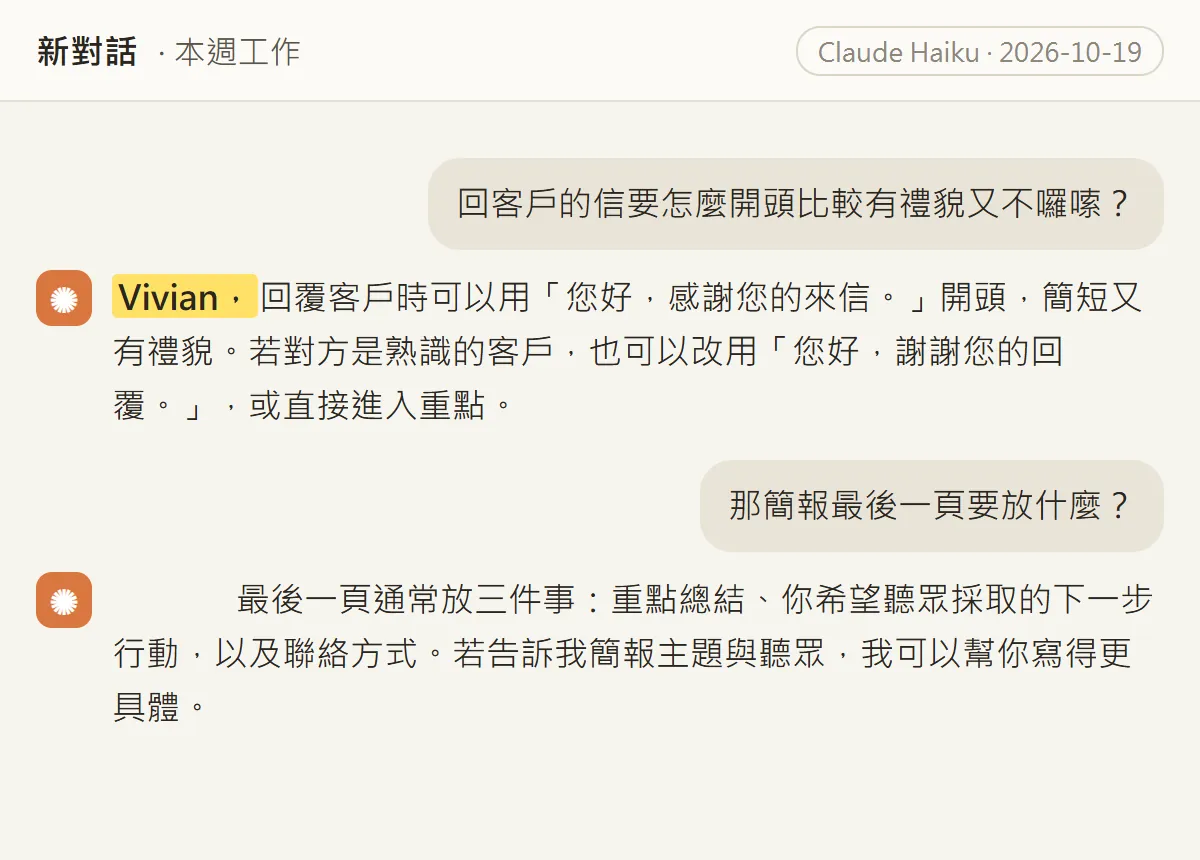
Miners used to carry a canary into the mine: when the bird went quiet, they knew the air was bad. Same idea here. I ask Claude to start every reply with my name. If it does, it is still paying attention to my rules. The day it stops, the alarm is ringing.
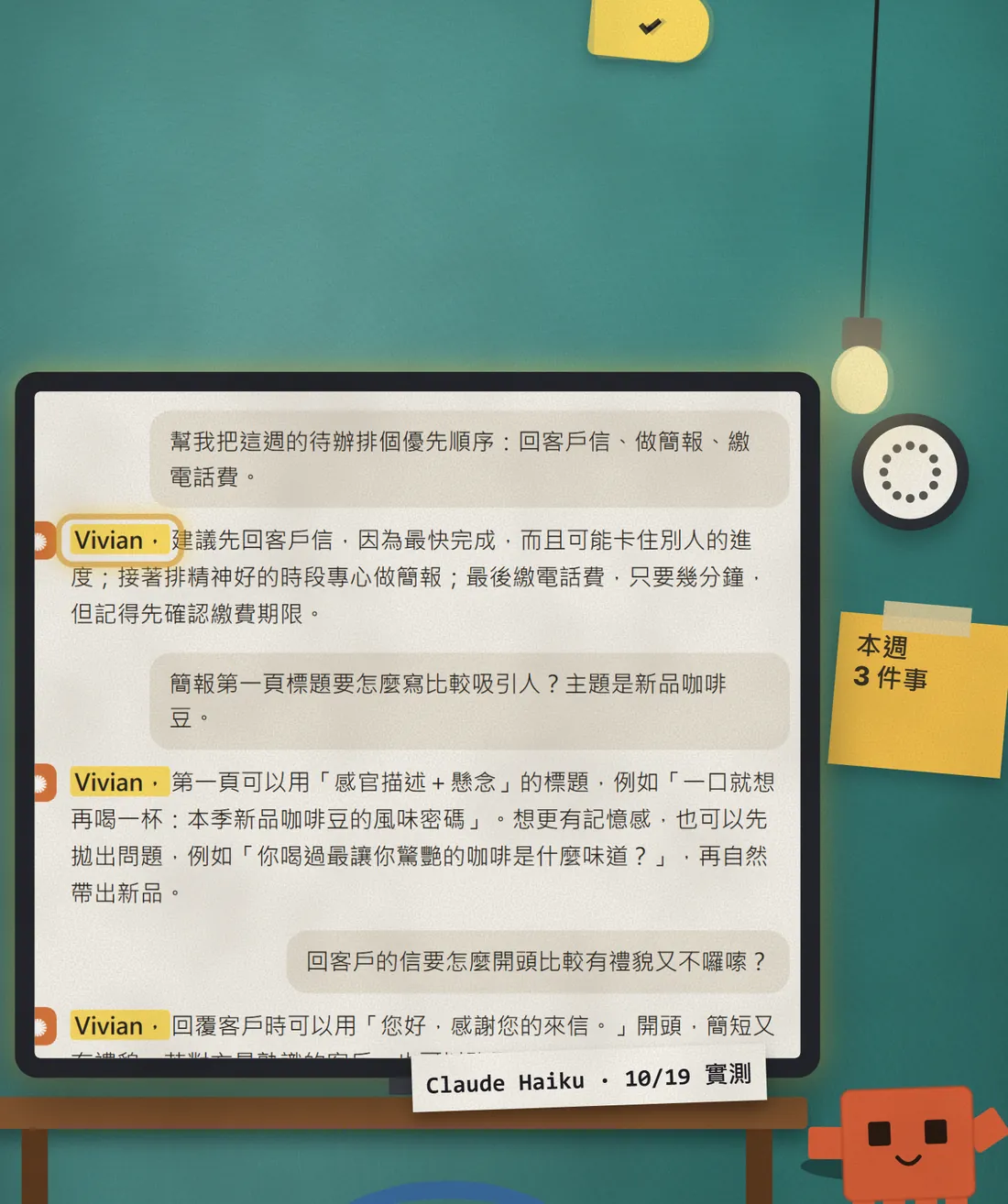
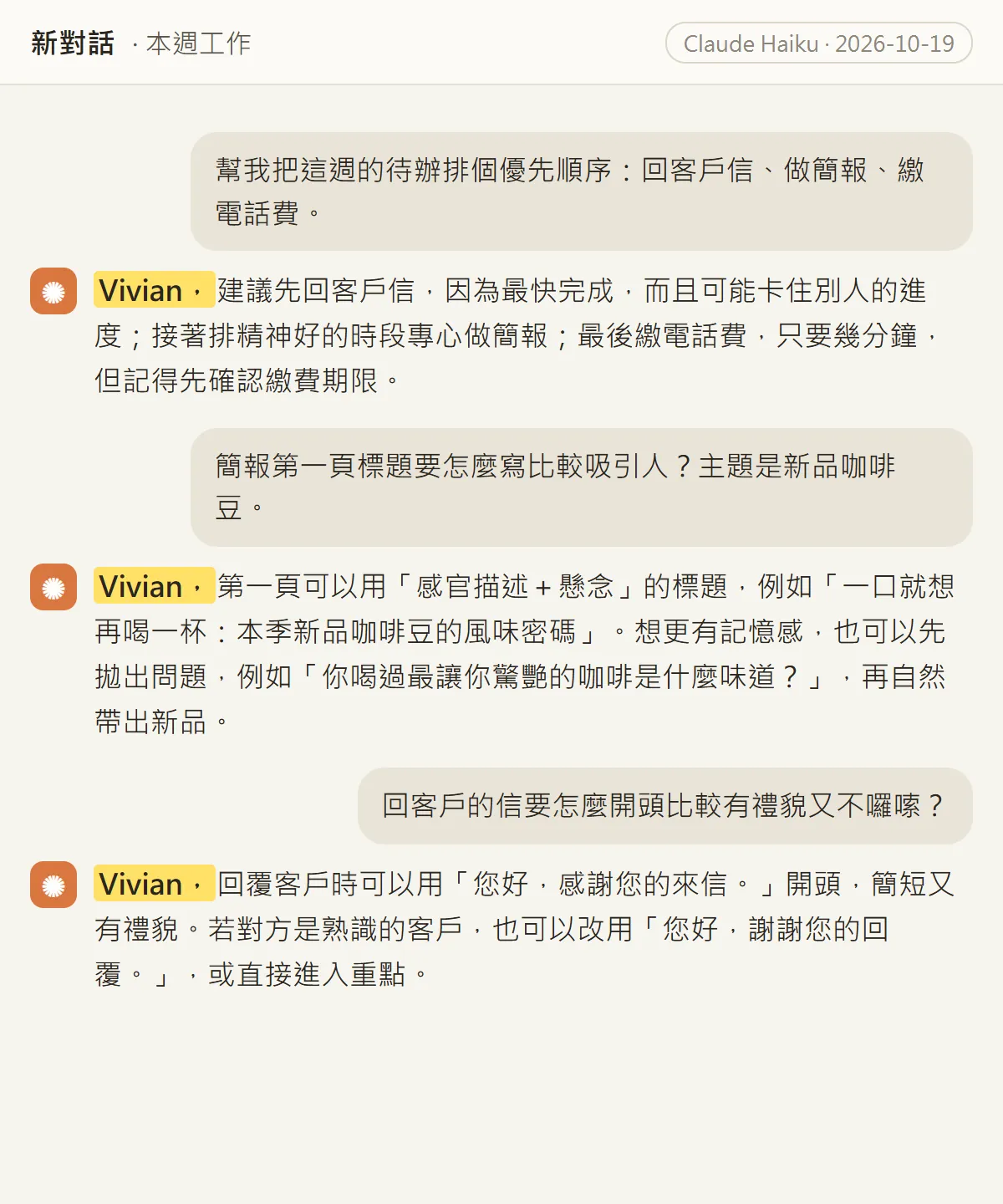
These three answers are real Claude output: on 19 Oct 2026 we asked Claude Haiku one question each, with a single instruction line, "start every reply with 'Vivian,'". To be clear, the chat page below is our own mock layout, not a claude.ai screenshot, but the text is the unedited answer.
You will get: one setting line, one handoff-summary prompt for switching chats, and which situations are nothing to worry about. Read on; the setup takes 2 minutes.
02Step 1: write one line in claude.ai Settings
"Instructions for Claude" is an account-wide setting: whatever you write there applies to all of your future conversations.
- Click your initials in the lower left corner.
- Select "Settings".
- Find "Instructions for Claude", paste the line below, and save.
Start every reply with "[your name],".

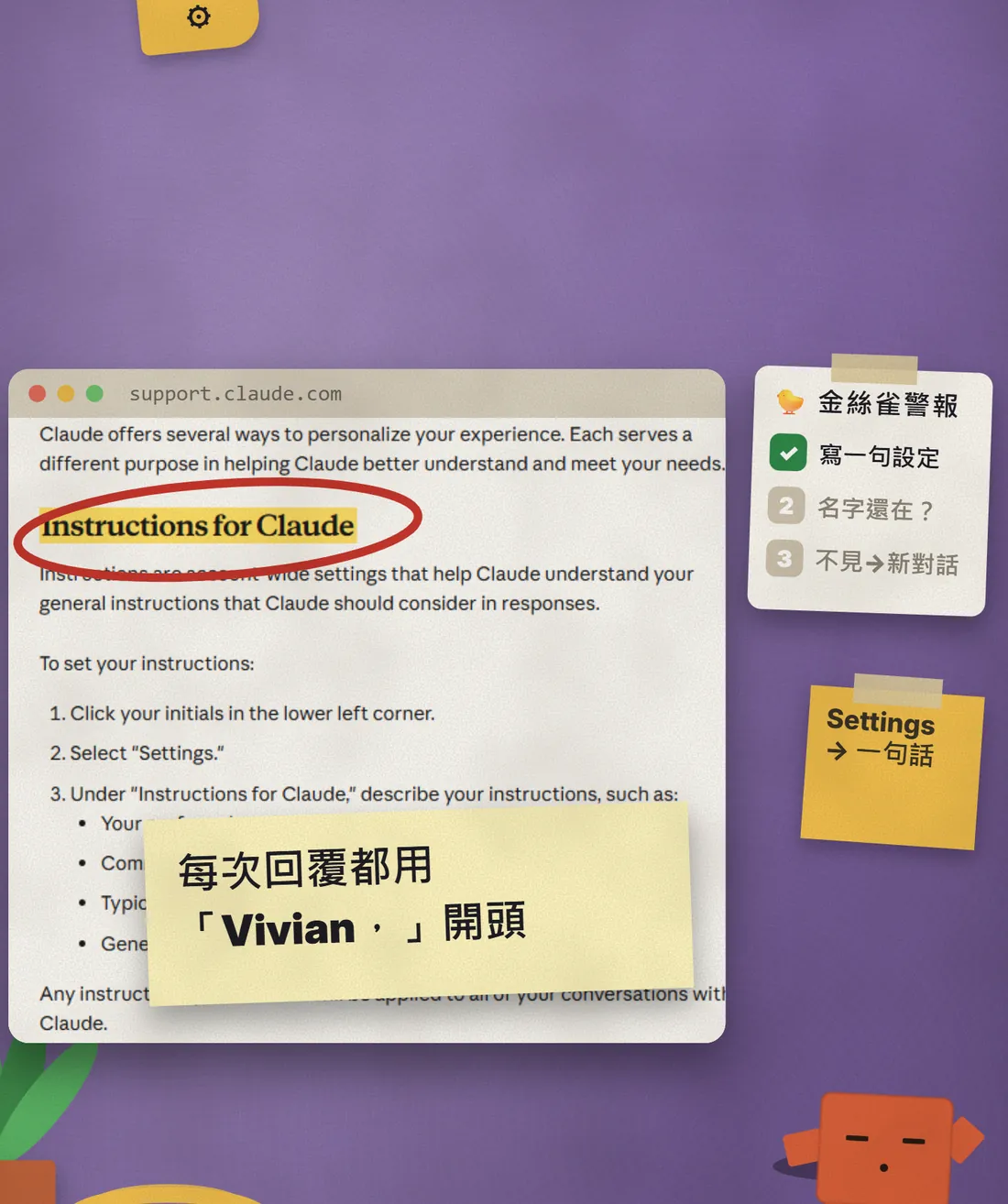
The official help page says it clearly: instructions you add here apply to all of your conversations with Claude. Menu labels may change between versions; if you cannot find it, look for an "Instructions" field in Settings.
03Step 2: using Claude Code? Put it in CLAUDE.md
Claude Code does not read your claude.ai Settings; it reads the CLAUDE.md file in your project. Put the same line in there.
- Open CLAUDE.md in the project root; create it if it does not exist.
- Paste the line below and save.
- Start a new Claude Code session and ask a question to see whether it uses your name.
# Rules
Start every reply with "[your name],".
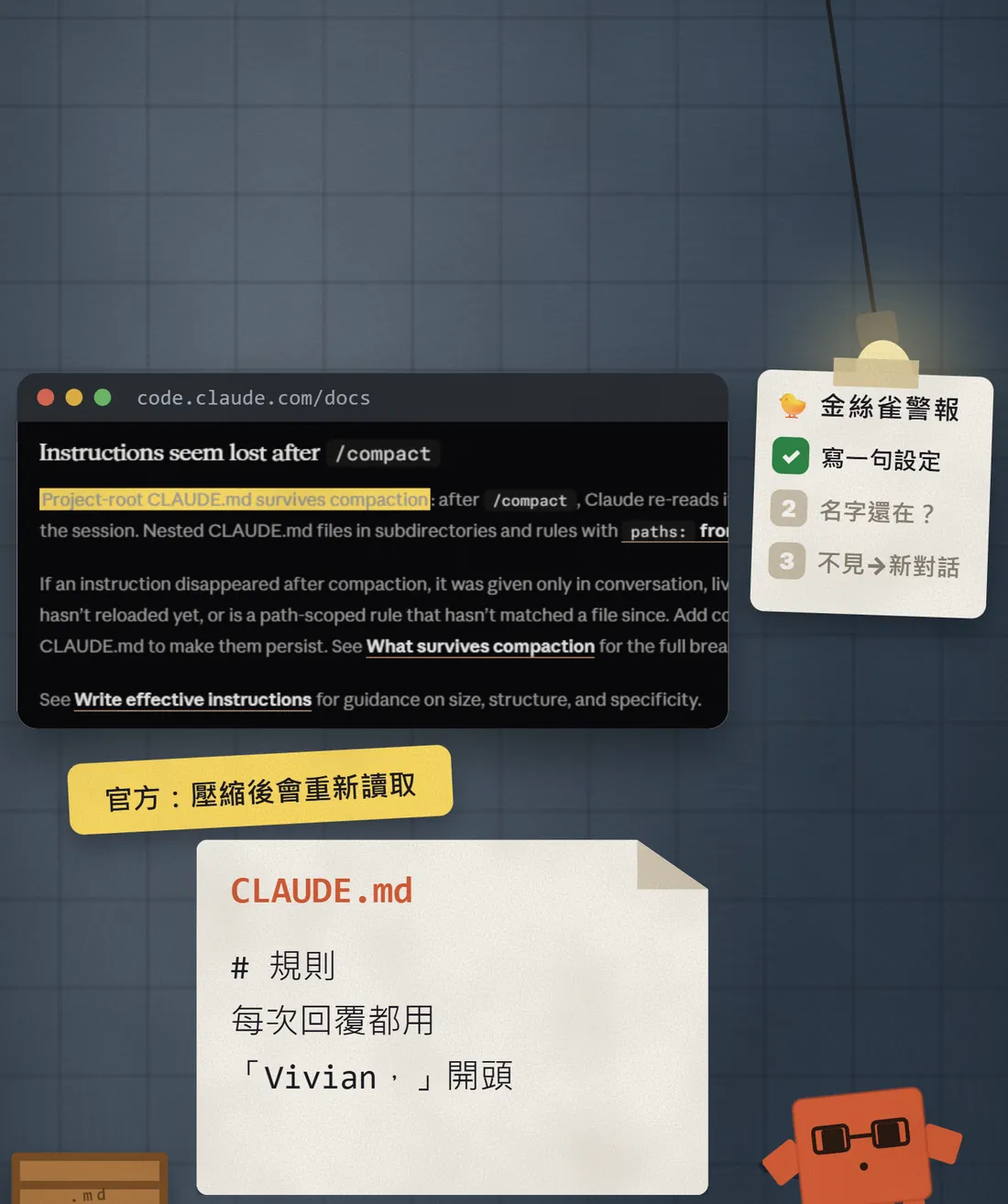
Two points from the official docs (checked 20 Oct 2026): CLAUDE.md and auto memory are loaded at the start of every conversation, but Claude treats them as context, not enforced configuration; and a project-root CLAUDE.md is re-read from disk after /compact.
04Why the name disappears: not lying, the start gets crowded out
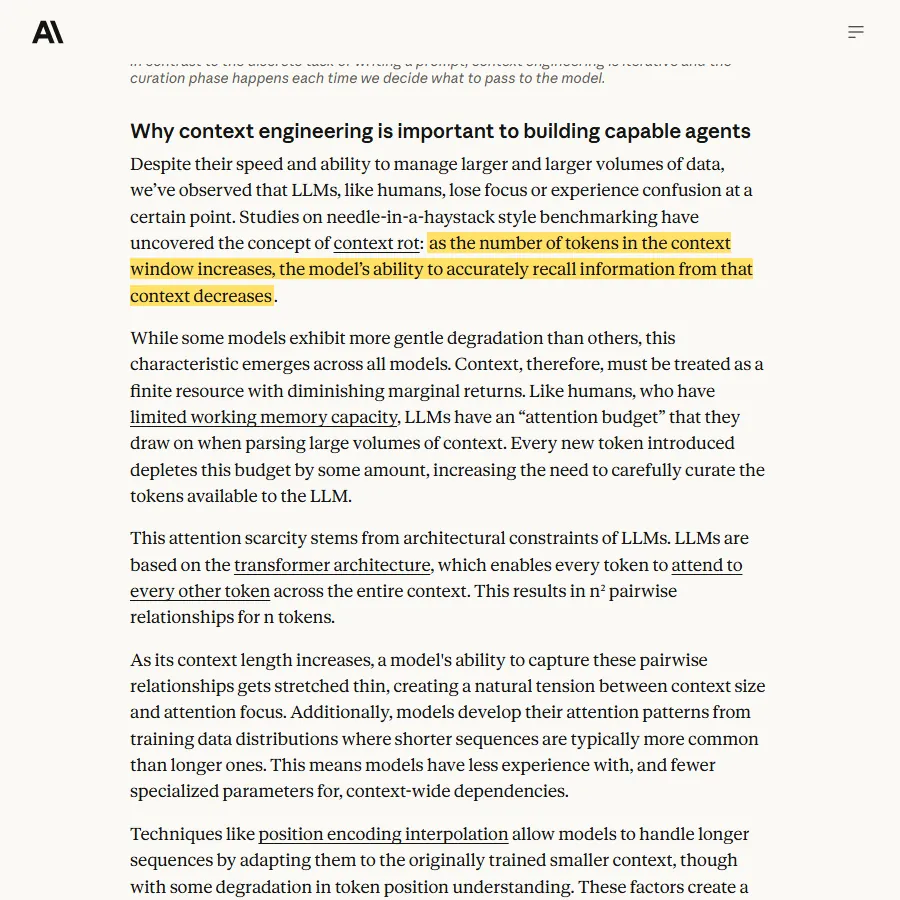
People often say "Claude starts lying in long chats". My take: it is not on purpose. As the chat grows, the rules you set at the start become easier to overlook.

Anthropic's own engineering article (29 Sep 2025) calls this context rot: as the number of tokens in the context window increases, the model's ability to accurately recall information from that context decreases.
05The name is gone: new chat, with a handoff summary first
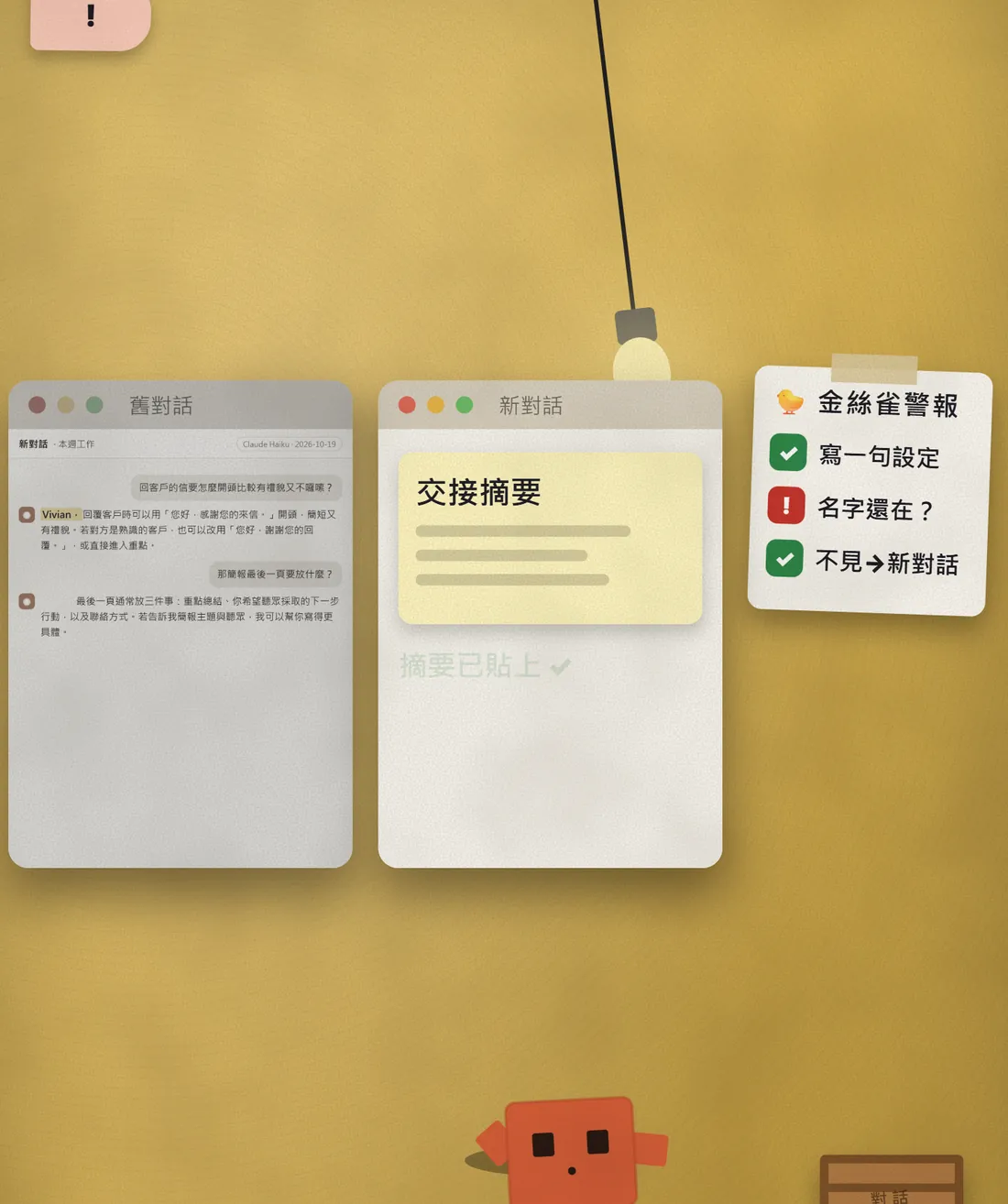
When the name stops appearing, do not just re-explain everything. This is better than simply starting a new chat: have the old chat write a summary first, then carry it over.
- In the old chat, paste the handoff prompt below and let it write the summary.
- Copy the summary it gives you.
- Open a new chat, paste the summary, and carry on with your next question.
- Check that the first reply in the new chat uses your name.
Please turn this conversation's goal, decisions made, my rules and the next step into a handoff summary.
Here is a handoff summary from a previous chat. Please continue from it:
[paste the summary]
06Things to watch out for
- A missing name is only a warning sign. It does not mean Claude is lying or prove it is wrong, and a name that keeps showing up does not mean nothing else was forgotten.
- This is not an official feature; it is a community trick. The docs do not say what the name detects, so we treat it only as a reminder.
- The three answers above are real Claude Haiku output. The "name missing" one is a separate demo we ran, not a drift caught in a long chat.
- Never put passwords, ID numbers or bank details into Instructions, CLAUDE.md or a handoff summary.
- Menus and help pages change; the setting locations above were checked against the official pages on 20 Oct 2026. You can also tell Claude to "remember this" so it saves it to memory, but memory works differently from Instructions.
Sources
- Claude Help Center: Understanding Claude's personalization features
- Claude Code docs: How Claude remembers your project
- Anthropic: Effective context engineering for AI agents
- Claude Help Center: How large is the context window on paid Claude plans?
- Claude Help Center: Use Claude's chat search and memory
What should the next reel cover?
I test Claude and AI tools every day and turn the useful ones into reels. Follow @vivianlin.tech to catch each new guide.