~/guides/SPRITE.md
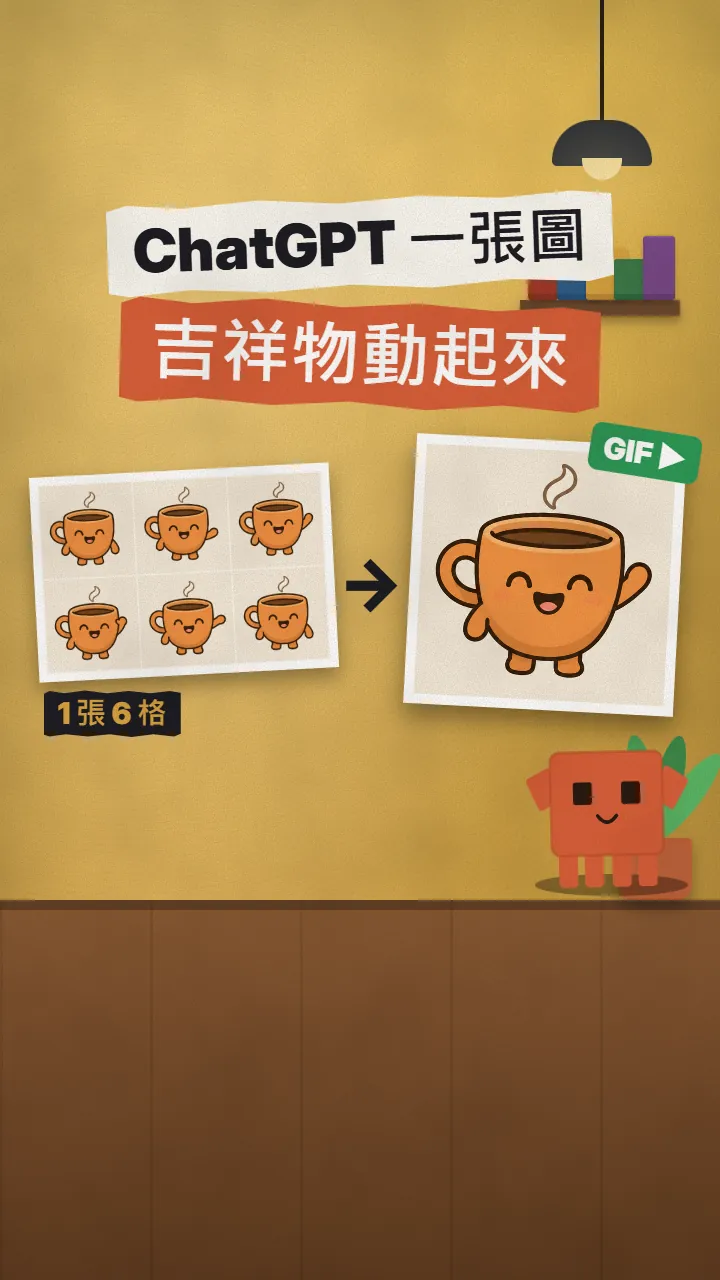
A waving mascot from one ChatGPT image: a 6-frame sprite sheet, a looping GIF, and Claude Code puts it on your page
No motion designer needed: ChatGPT makes 6 frames in one image, Claude Code cuts, aligns and loops them into a GIF and a CSS sprite, then adds it to your page.
A mascot that waves on your homepage or a product that spins at the top of your newsletter used to be a small motion-design job. Now one image does it: ask ChatGPT for 6 frames in the same image, same character, light and background, only the pose changing; then have Claude Code cut it apart, loop it into a GIF and put it on your page. This is the full version of the SPRITE reel: the prompt I actually used (swap the [] parts), the two instructions for Claude Code, and what to watch for in emails. The coffee-cup mascot, the 6 cut frames, the GIF and the demo page in the video were all really made on 10 November 2026.
01The result: one image becomes a waving mascot on your homepage

There are only three steps: ChatGPT makes one image with 6 frames, Claude Code cuts it into a GIF (or a CSS sprite), and it goes into your page. Every step below has text you can copy.

- The ChatGPT prompt that gets 6 frames of the same character in one go.
- The instruction for Claude Code: cut, align, loop into a GIF and a CSS sprite.
- The code for your homepage or newsletter (one img for the GIF, a few lines of CSS for the sprite).
- What to watch for: emails, file size, and results that change every time.
02Step 1: ask ChatGPT for all 6 frames in the same image
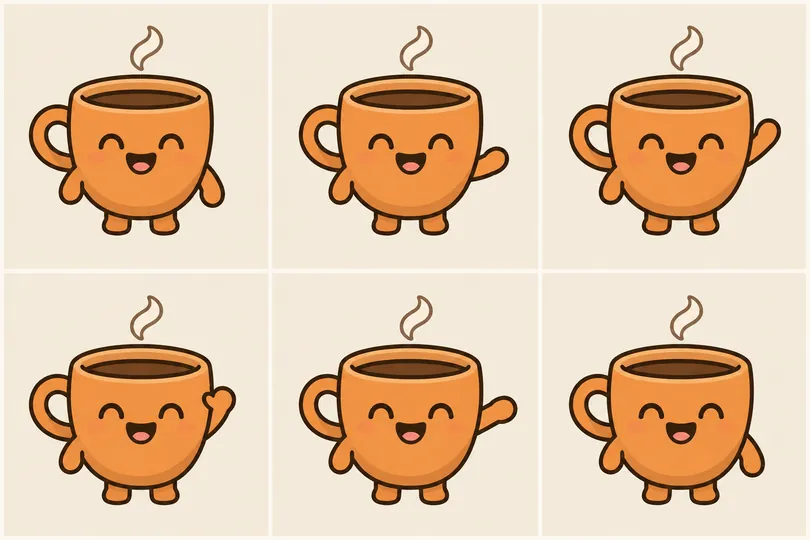
The key is generating all 6 frames at once in one image. Generate them separately and the size, colour and lines often drift from frame to frame, so the loop jumps. In one image, all 6 are the same character.
Create one image: a 3x2 grid of 6 equal square frames of the SAME character, for a looping [waving] animation (sprite sheet). Character: [a cheerful round orange coffee-cup mascot with small stubby arms, a tiny steam curl on top and a simple happy face], [flat 2D illustration with a clean dark outline]. Every frame must be identical except the pose: same character size and position, same soft light, same plain [cream] background ([#F5EEDF]), no text, no frame numbers, thin even gaps between frames. Only [the right arm] moves: frame 1 [arm down], frame 2 [arm rising], frame 3 [arm up], frame 4 [hand tilted left (wave)], frame 5 [hand tilted right (wave)], frame 6 [arm coming back down]. Frames read left to right, top row then bottom row. Wide 3:2 image.
- Open a new ChatGPT chat and paste the prompt.
- Swap the [] parts for your character, style, background colour and the 6 poses. Poses that go out and come back work best: frame 6 leads back into frame 1, so the loop is smooth.
- Check the result: are all 6 frames the same size and position? Are there thin white gaps between them? If one frame is off, regenerate the whole image instead of fixing one cell.
- For a spinning product: make each frame turn 60 degrees, so 6 frames make one full turn.
03Step 2: have Claude Code cut, align and loop it into a GIF and a sprite
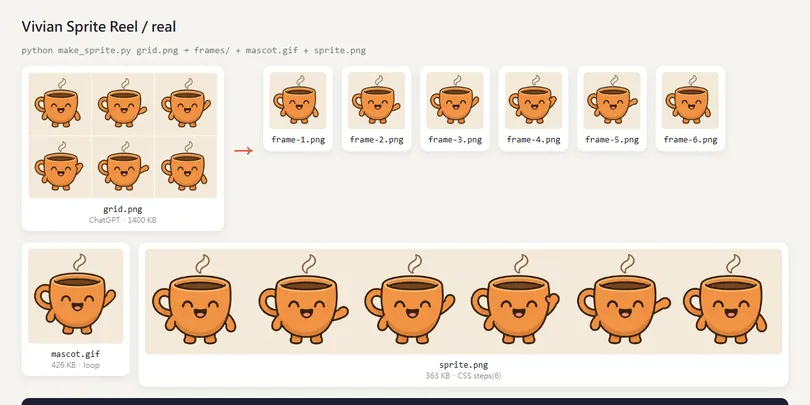
Save the image as grid.png in your project folder, open Claude Code there and paste this:
This [grid.png] is a 3x2 sprite sheet from ChatGPT: 6 frames of the same character. Write a Python script that:
1. Finds the white gaps between the cells and cuts along them into frame-1.png to frame-6.png (left to right, top row then bottom row).
2. Lines the 6 frames up on the part that doesn't move ([the left half: handle, face, feet]), then crops them to the same size.
3. Uses ffmpeg to turn the 6 frames into a [6] fps mascot.gif that loops forever (palettegen / paletteuse so the colours stay right).
4. Also writes one horizontal sprite.png (the 6 frames side by side) for a CSS animation.
Tell me the result of each step and the file sizes.
- Cut along the white gaps, not into equal thirds: ChatGPT's cells aren't always exactly the same width. My first try found the gaps by average brightness and cut through the cups; looking for near-white lines fixed it.
- Aligning matters: our character moved 2 to 4 pixels between frames, and without aligning the GIF shakes.
- Speed: 6 fps is about 0.17 s a frame, right for a wave; use 4 or 5 for slower.
ffmpeg -framerate 6 -i frames/frame-%d.png -vf "scale=360:-1:flags=lanczos,split[a][b];[a]palettegen=stats_mode=full[p];[b][p]paletteuse=dither=sierra2_4a" -loop 0 mascot.gif
04Step 3: put it on your homepage or in your newsletter
Put mascot.gif into [index.html] on [the right side of the homepage hero], [400px] wide.
Then use sprite.png to add a [96px] mascot to [the newsletter sign-up block]: a CSS background with an infinite steps(6) animation, 6 frames per second.
It must work on phones too. Show me which lines you changed.
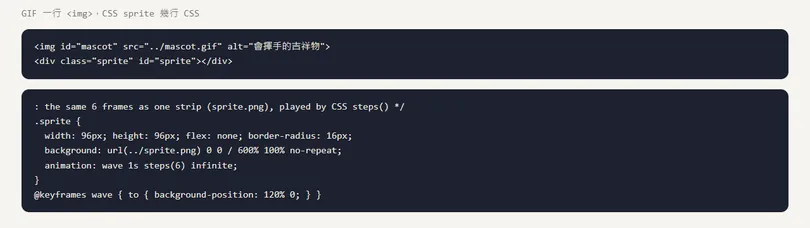
The result will look roughly like this. The GIF is one img; the CSS sprite puts the 6 frames side by side in one strip and jumps frame by frame with steps(6):
<!-- GIF: just one img -->
<img src="mascot.gif" alt="waving mascot" width="400">

<!-- CSS sprite: one sprite.png (6 frames side by side) -->
<div class="sprite"></div>

.sprite {
  width: 96px; height: 96px;
  background: url(sprite.png) 0 0 / 600% 100% no-repeat;
  animation: wave 1s steps(6) infinite;
}
@keyframes wave { to { background-position: 120% 0; } }
- On a web page either works: the GIF is simplest; the CSS sprite lets you control speed and pause with CSS.
- In a newsletter, use the GIF: most email clients don't support CSS animation.
- background-size 600% is because there are 6 frames; animating the position to 120% with steps(6) lands exactly on 0%, 20% … 100%, one per frame.
05Good to know
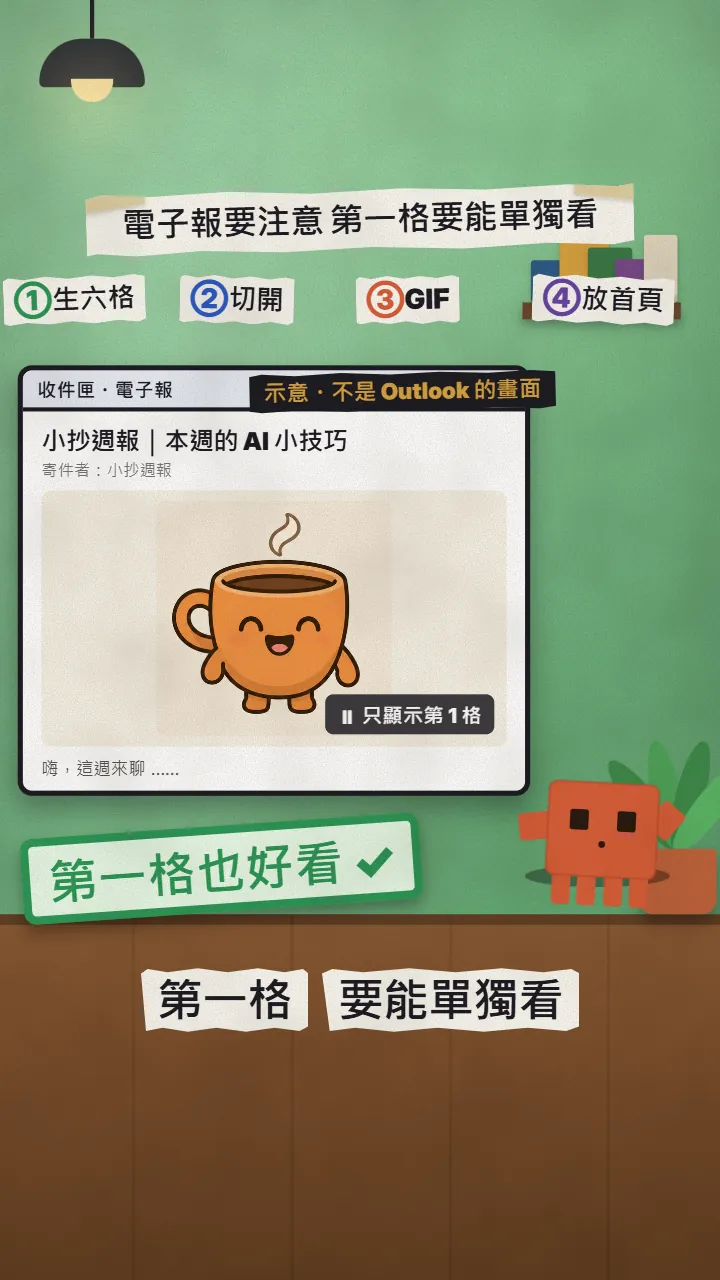
- Some Outlook shows only the first frame of a GIF. Microsoft says only the first frame appears when animated GIFs are turned off, and email testing sites report older desktop Outlook plays only frame 1. So make frame 1 a complete, good-looking picture.
- ChatGPT gives a different result every time. If the cells don't line up or the character changes in one frame, regenerate the whole image.
- File size: our GIF is 360 px wide and 426 KB. Big GIFs load slowly in emails; make it smaller if needed.
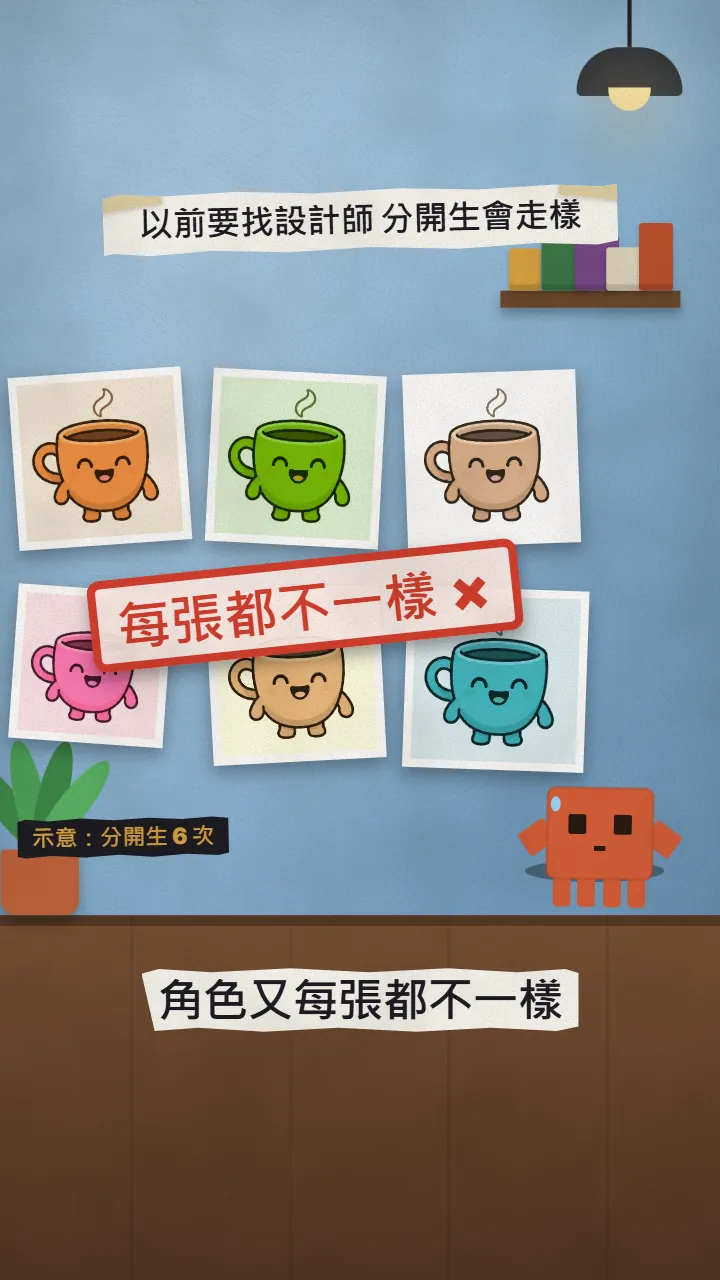
- The six differently coloured cups in the reel are an illustration; the coffee cup, the 6 frames, the GIF and the demo page are the real output.
Sources
What should the next reel cover?
I test Claude and AI tools every day and turn the useful ones into reels. Follow @vivianlin.tech to catch each new guide.