~/guides/STRIPE.md
Before Claude Code wires in Stripe: one $20 payment, 4 stations, and the 3 checks vibe-coded checkouts skip
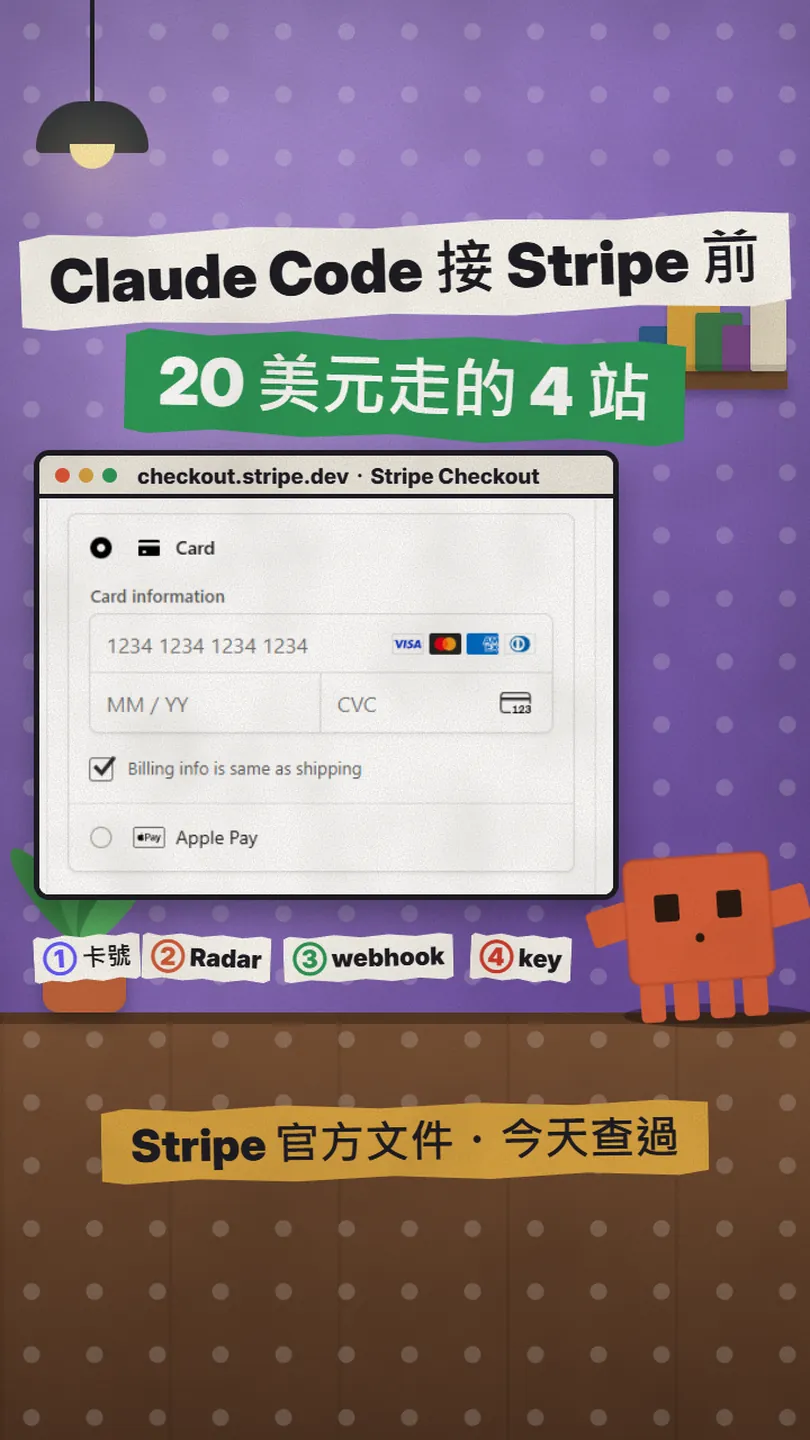
Card number straight to Stripe, Radar scores first, a signed webhook confirms payment, same idempotency key on a retry. From Stripe's docs, with a prompt.
Ask Claude Code to wire Stripe into your app and you have a working checkout page in minutes. But what happens to a payment once it leaves that page is something many vibe-coded checkouts never think about, so the checks that should be there are missing. This is the full version of my STRIPE reel: I follow one US$20 payment through the 4 stations it passes inside Stripe (card number, Radar, webhook, retry), explain what each one does and what the official docs say, and end with one paragraph you can paste into Claude Code to add the 3 checks. Everything was checked page by page on docs.stripe.com on 2026-11-20; neither the reel nor this guide charged anyone.
01What you get: the 4 stations one $20 payment passes inside Stripe
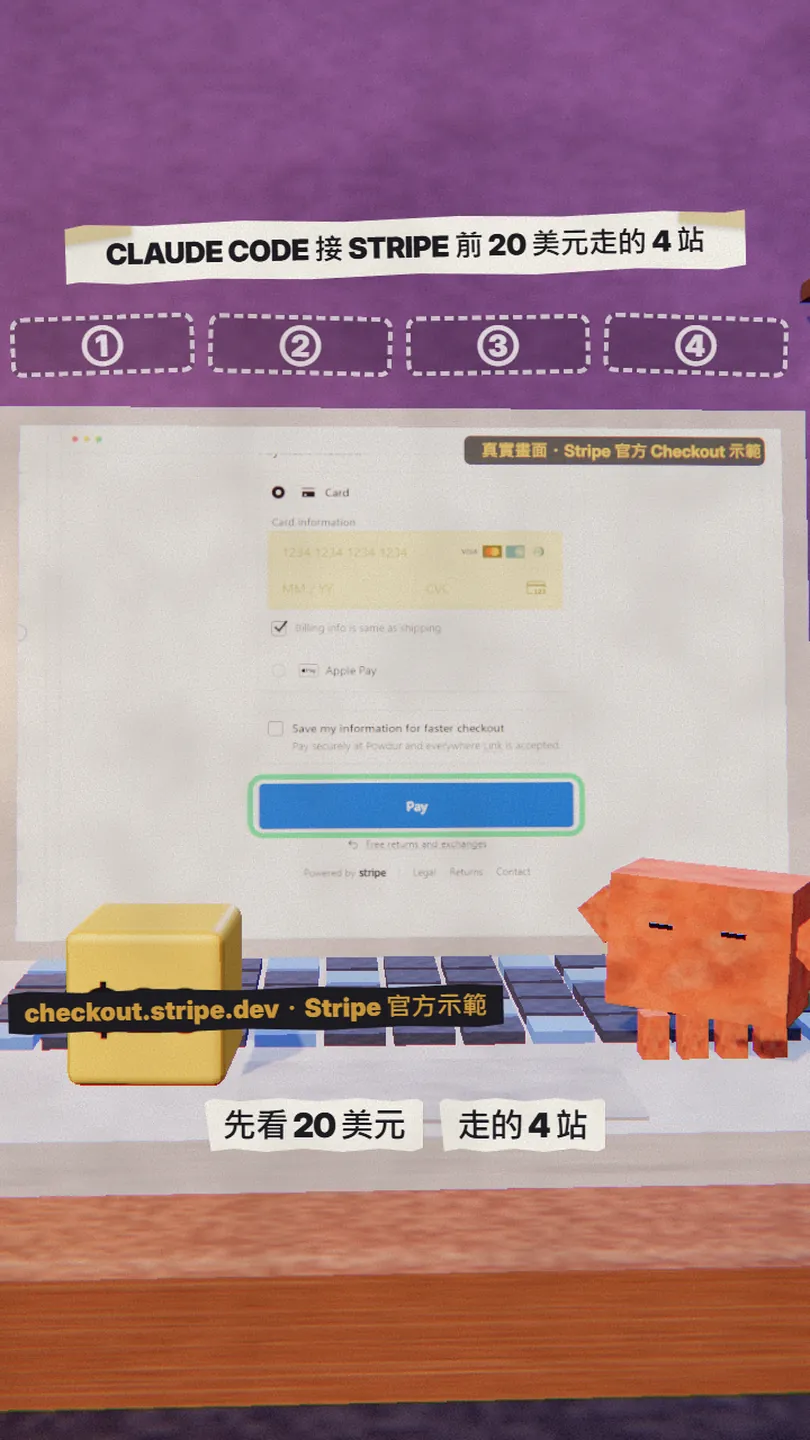
The result first. By the end of this guide you will know what each of the 4 stations does to a payment inside Stripe:
- Station 1, the card number: the input is a Stripe component (Elements or Checkout), the card number goes straight to Stripe, your server only gets a token.
- Station 2, Radar: every payment is scored in real time first; high-risk ones are blocked by default before the bank is even asked (the outcome reads not_sent_to_network).
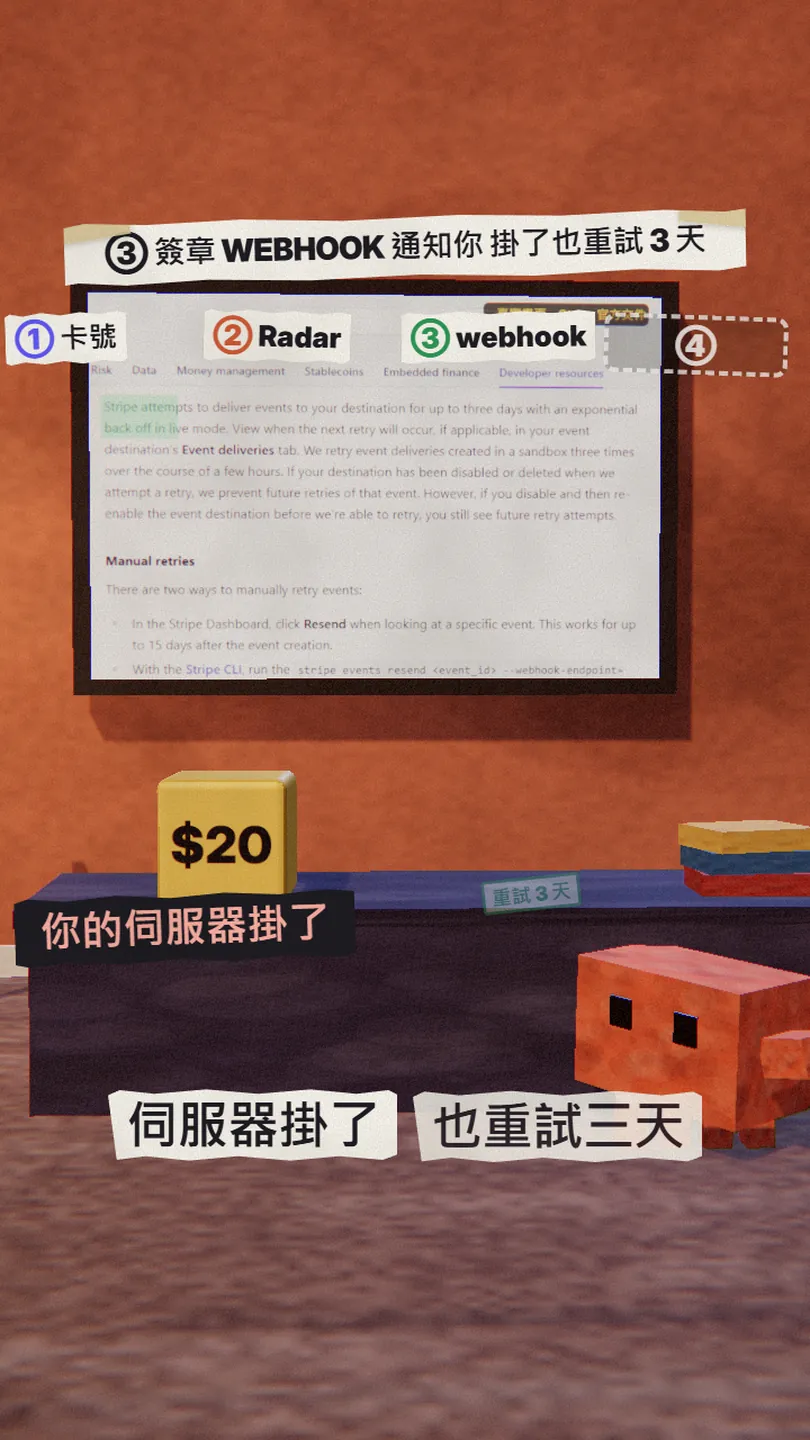
- Station 3, the webhook: once the money is in, Stripe tells your site with a signed event (Stripe-Signature header); if your server is down, live mode retries for up to 3 days.
- Station 4, the retry (the one most often missed): the connection drops and your code sends again; with the same Idempotency-Key, Stripe returns the first result instead of charging twice.
The last section has a paragraph to paste into Claude Code asking for 3 things: use Stripe's card component, send an idempotency key on every charge, verify the webhook signature and handle duplicate events. Radar is not on the list because it runs by default; there is nothing to write.
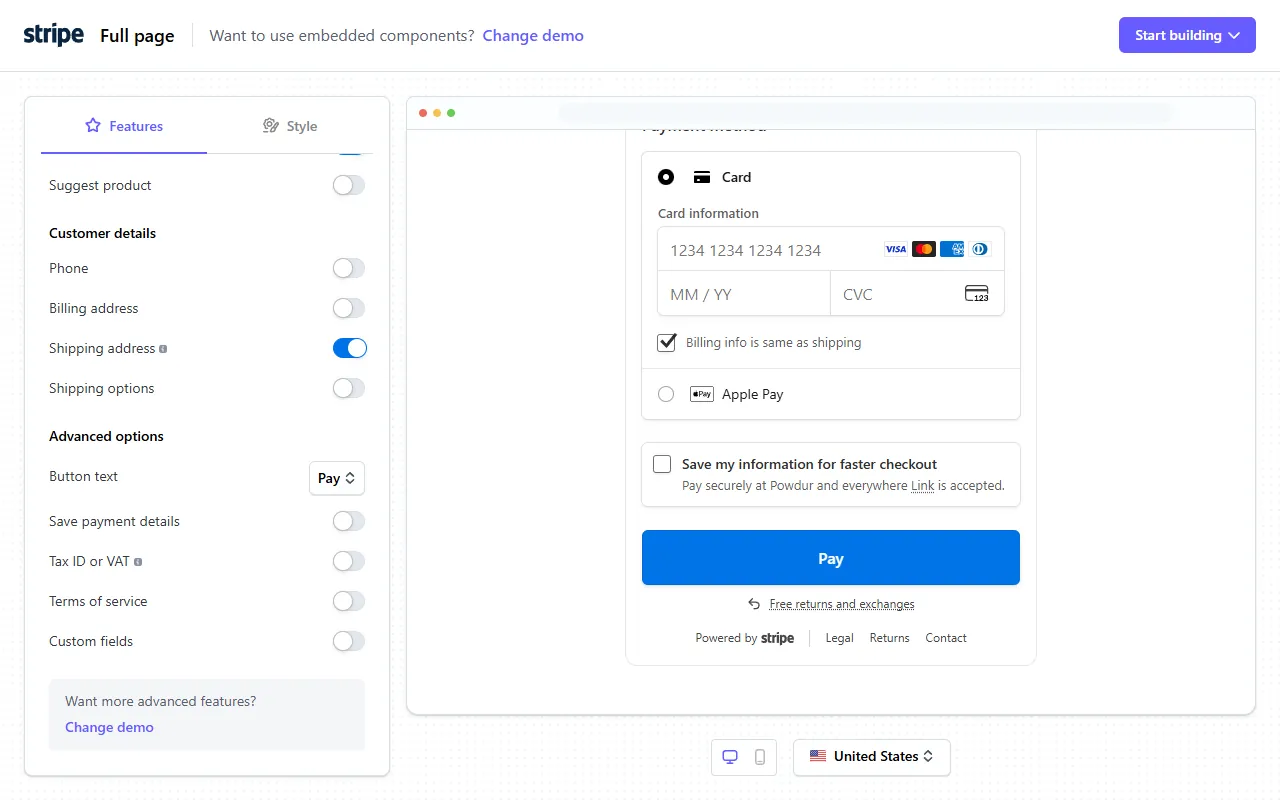
02Station 1: the card number goes straight to Stripe, your server only gets a token
When the customer types into the card field, that field is not your HTML input; it is a Stripe component. The first paragraph of the official Elements docs says it: Stripe.js tokenizes sensitive payment details within an Element without ever having them touch your server. What your backend receives is a token or PaymentMethod id that stands for the card, and that is what it uses to create the payment.
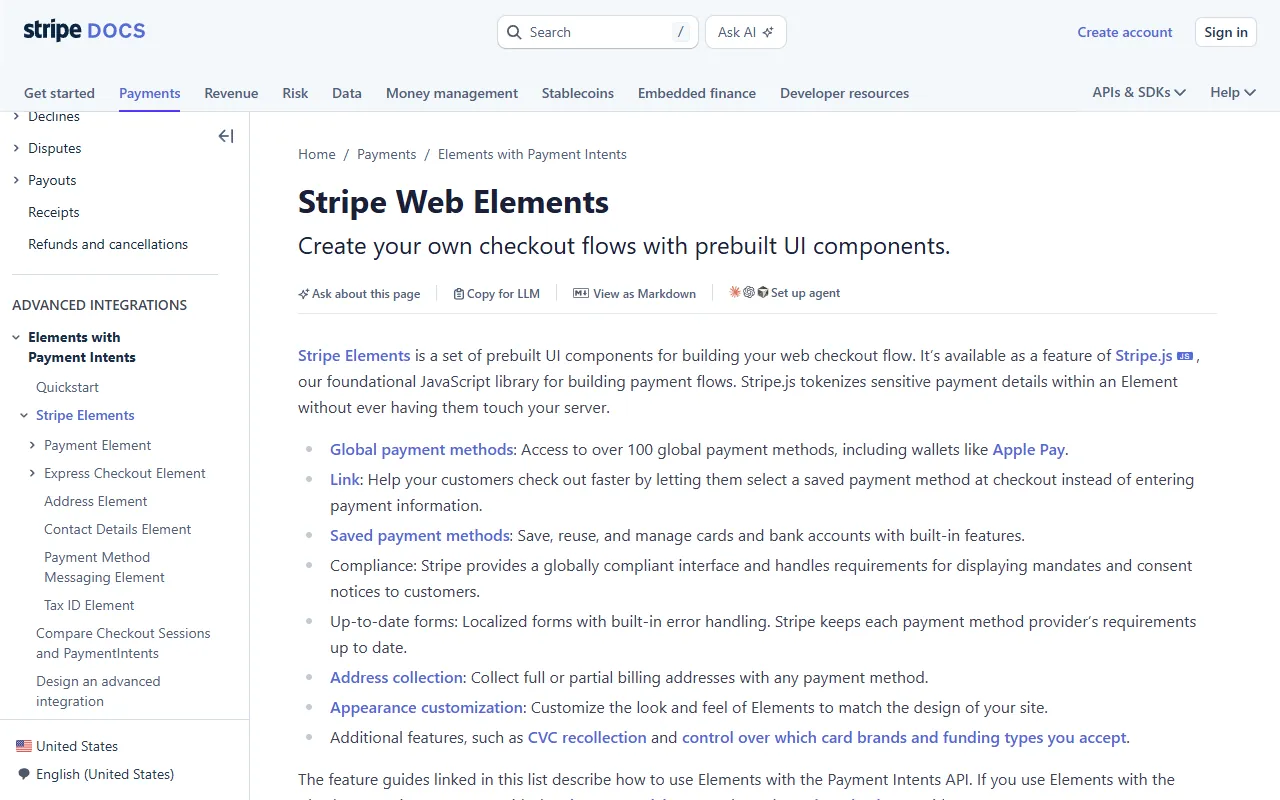
- Collect card numbers with Stripe Checkout (a Stripe-hosted or embedded payment page) or Elements (payment components you lay out yourself). The Elements docs now recommend the Checkout Sessions API with the Payment Element for most integrations.
- Ask Claude: "Which component collects the card number in this project? Does any code ever read a full card number?" If the answer is your own form field, have it switch to Checkout or Elements.
- You may store the card brand, last four digits and expiry date Stripe returns; the security guide says these are outside PCI scope.
03Station 2: Radar scores first, high risk never reaches the bank
Once the card number is inside Stripe, and before the bank is asked, the payment passes Radar. The docs say Radar's AI models use a risk score to evaluate the risk level of each payment in real time, using hundreds of risk factors about the payment plus data across Stripe's whole network. The result is one of three levels: normal, elevated or highest.
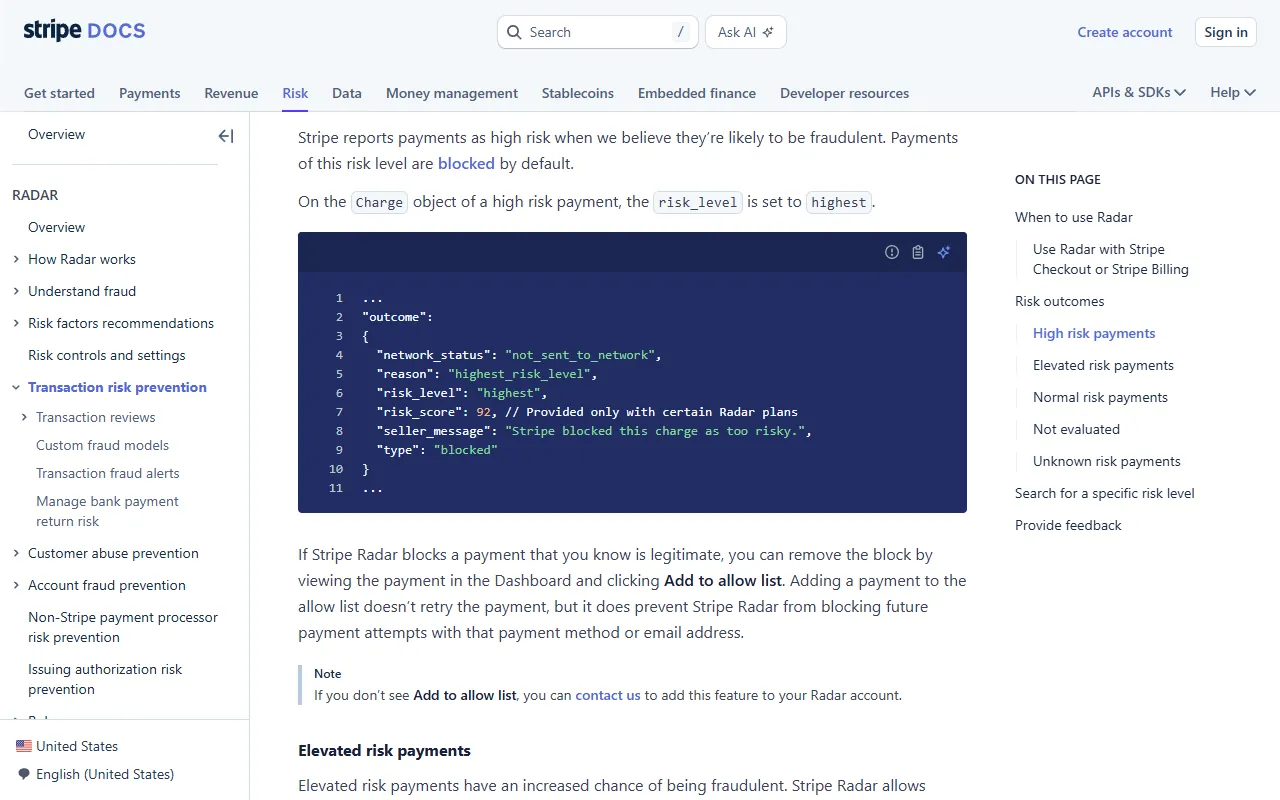
- High risk (highest): blocked by default. The Charge outcome is type: blocked, network_status: not_sent_to_network, and the seller_message reads Stripe blocked this charge as too risky.
- Elevated risk: allowed by default; on plans that support it, it can go to your manual review queue.
- Normal: sent to the bank for authorization as usual. The docs add that normal-risk payments can still turn out to be fraudulent later.
- By default a score of 65 or above is elevated and 75 or above is high; the score itself is visible only on Plus and Pro, Standard shows the level.
- Blocked a real customer? Open the payment in the Dashboard and click Add to allow list. That does not retry the payment, but it stops Radar blocking future attempts with that payment method or email.
04Station 3: a signed webhook says it is paid, and retries for 3 days if your server is down
The bank says yes, the money is taken, and Stripe has to tell your site. It does that with a webhook: a POST to the HTTPS URL you registered, carrying an event such as payment_intent.succeeded or checkout.session.completed. The docs say Stripe signs every webhook event by including a signature in the Stripe-Signature header; verify it with the official libraries and the endpoint secret that starts with whsec_ to confirm the event was not sent or modified by a third party.
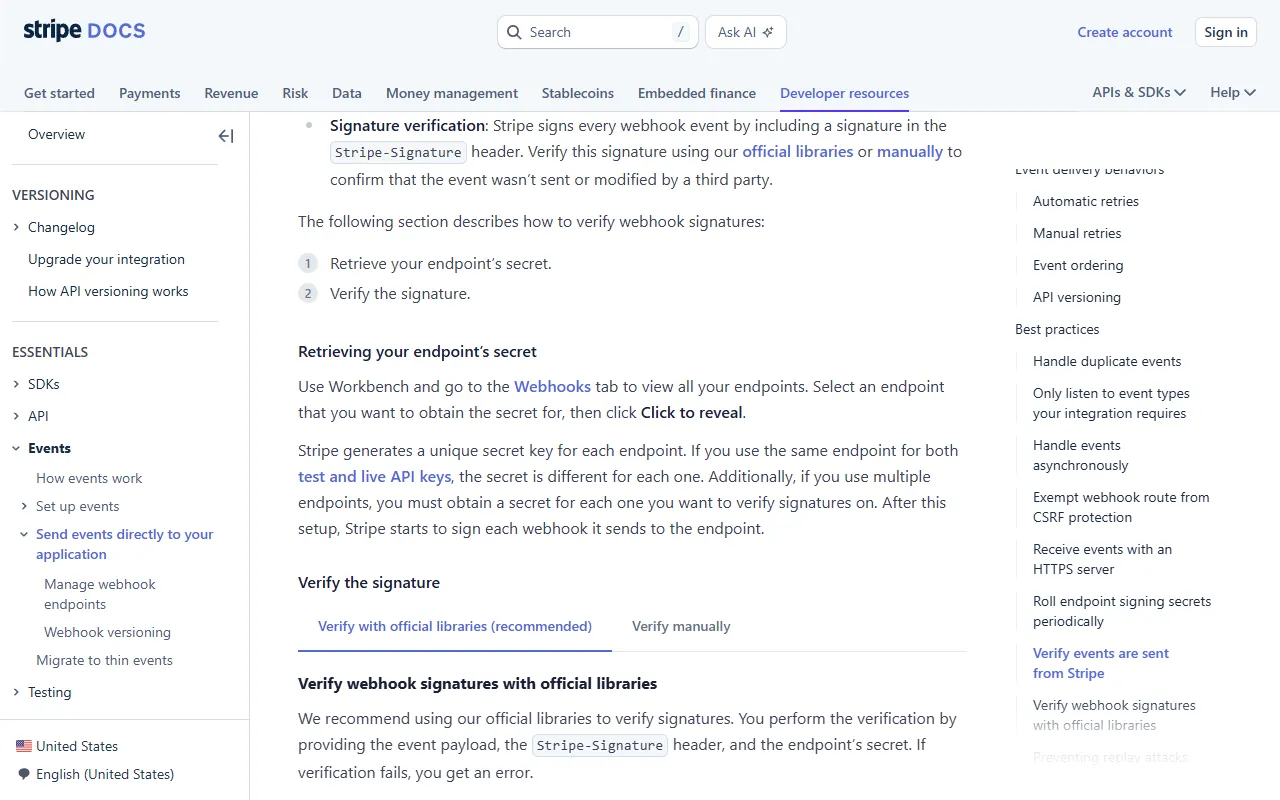
- Create the endpoint under Workbench → Webhooks in the Dashboard and put the whsec_ secret in an environment variable. To test locally run stripe listen --forward-to localhost:4242/webhook, which prints a test secret.
- Verify the signature with the raw request body; if your framework parses or changes the body first, verification fails.
- Return a 2xx first, then do the slow work such as shipping or granting access. A slow reply counts as a timed-out failure.
- The same event can arrive more than once: log the event ids you have processed and skip the ones you have seen.
- Order is not guaranteed either; do not use the created timestamp to decide whether you have handled an event, use the event id.
05Station 4 (the one most often missed): a retry after a dropped connection, same idempotency key, charged once
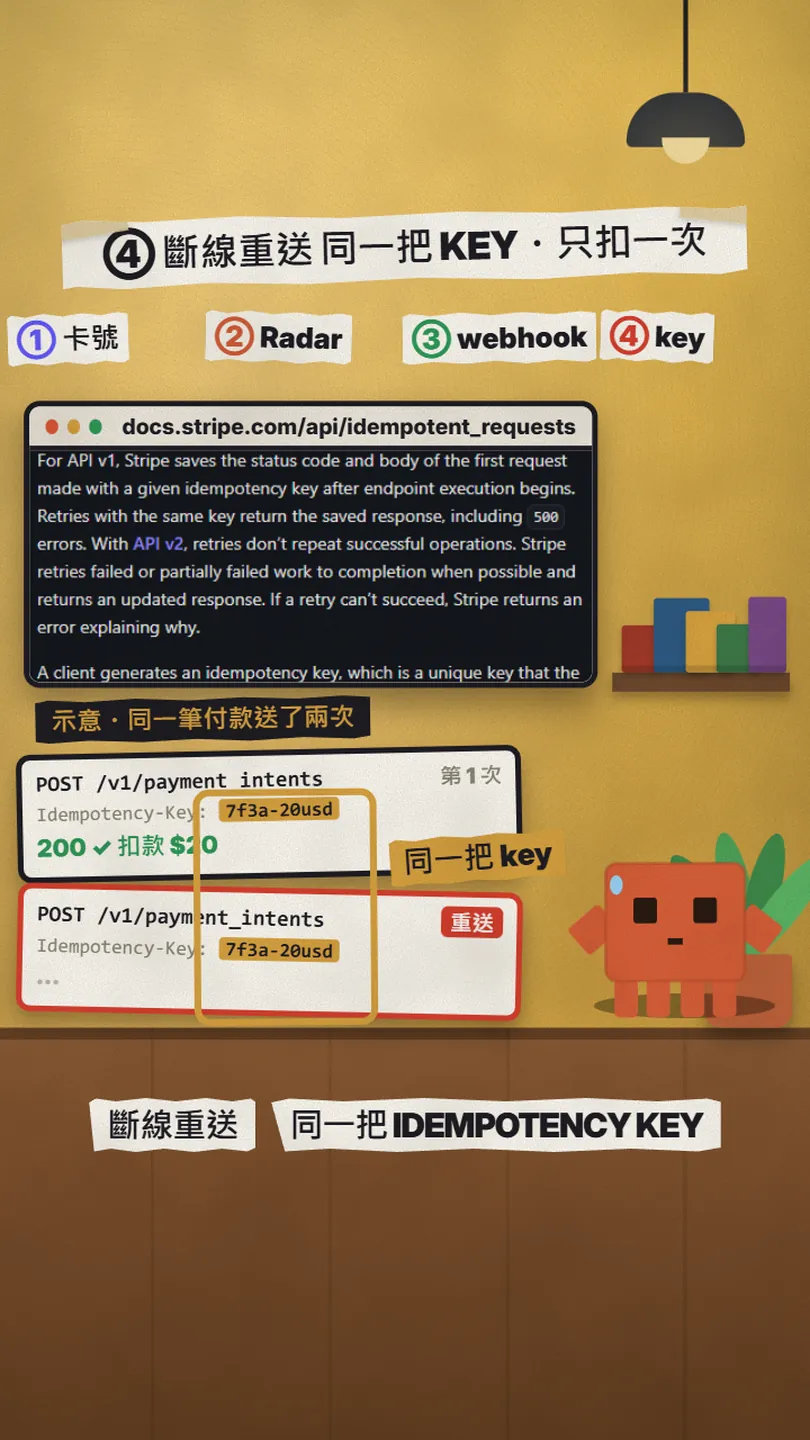
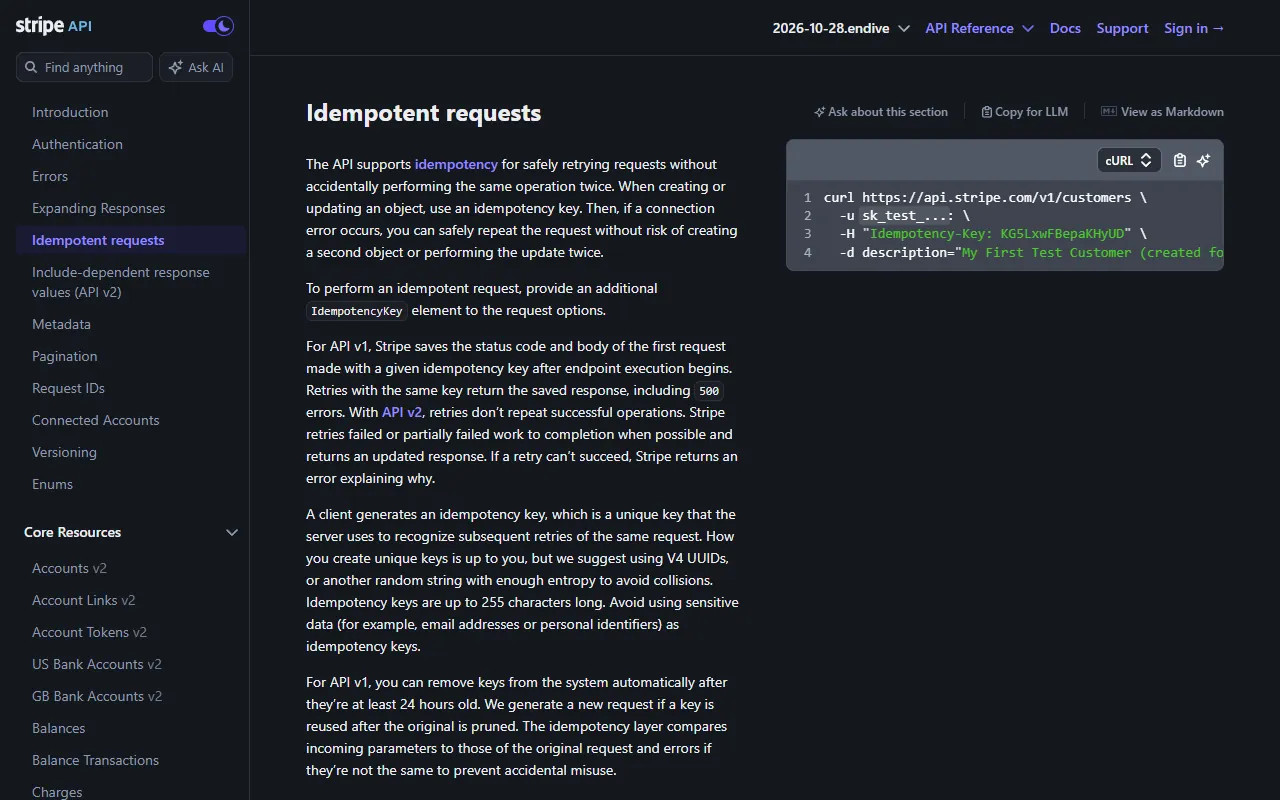
The first three stations are Stripe's work; this one needs your code to cooperate. The situation: your server sends the create-payment request and the connection drops before the reply arrives. Now you cannot tell whether Stripe never got it, or got it, charged the card, and only the reply was lost. If your code simply sends it again, Stripe treats it as a new payment. The docs' answer is the idempotency key: a unique string in the request's Idempotency-Key header. Stripe saves the status code and body of the first request made with that key, and when the same key comes in again it returns the saved response instead of doing the work twice.
- Send an Idempotency-Key header on every POST that charges (creating or confirming a PaymentIntent, creating a Checkout Session). All API v1 POST requests accept it; GET and DELETE are idempotent already and do not need one.
- One key per payment: Stripe suggests a UUID v4, or a key derived from your order or cart id; up to 255 characters, no emails or other personal data.
- Store the key with the order. On a retry after a dropped connection, send the same key with exactly the same parameters; Stripe returns the saved result of the first request (500s are saved too) and the response carries Idempotent-Replayed: true.
- The same key with different parameters returns an error; a 409 means a request with that key is still running, so wait and retry with the same key and parameters, never a new one.
- Keys can be removed once they are at least 24 hours old, and a reused key then starts a new request. If the outcome is still unknown after that window, stop retrying and look the payment up in the Dashboard, the API or your webhook events.
06Paste into Claude Code: add these 3 checks
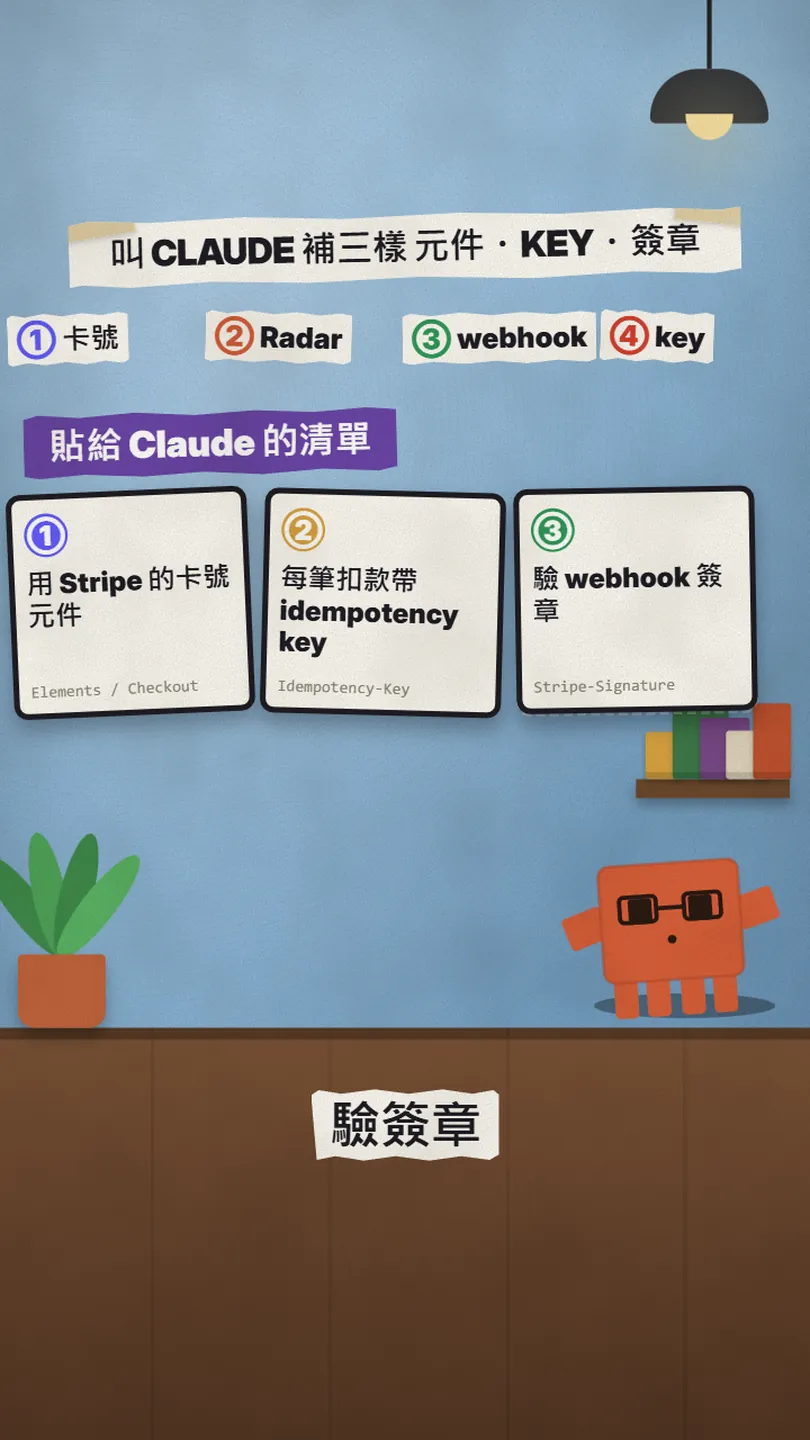
Paste the whole paragraph below into Claude Code. It audits what the project does today, adds what is missing, and ends with a diff.
Audit this project's Stripe checkout and add these 3 checks according to Stripe's official docs. When done, show me the diff and say which file each change is in:
1. Card component: card numbers may only be collected by Stripe Checkout or Elements and go straight to Stripe; my server may only receive a token / PaymentMethod id. Find any code that could read a full card number and replace it.
2. Idempotency-Key: every Stripe POST request that creates or confirms a charge ([e.g. PaymentIntent create / confirm, Checkout Session create]) must send an Idempotency-Key. Generate exactly one per [order / cart] (UUID v4 or derived from the order id, no personal data), store it with the order, and reuse the same key with unchanged parameters when the front end retries after a timeout or a background job runs again. If the outcome is still unknown after 24 hours, look the payment up instead of sending again.
3. Webhook: verify the signature with Stripe's official library using the raw request body, the Stripe-Signature header and the whsec_ secret from an environment variable; return 400 if it fails. Return 200 first, then handle the order; record processed event ids and skip an event seen a second time. Orders may only be marked paid by a verified event, never by the success page alone.
Do not change the Radar settings (it is on by default). Finally, tell me how to run through it in a sandbox with the test card 4242 4242 4242 4242 and stripe listen / stripe trigger, including double-clicking Pay on purpose and making the webhook return 500 first on purpose.
After Claude's changes, run through it yourself in a sandbox:
- Pay once with the test card 4242 4242 4242 4242, any future expiry date (12/34 for example) and any 3-digit CVC.
- Double-click Pay on purpose, and cut the connection after submitting and resend on purpose: the Dashboard should show exactly one payment.
- Make the webhook return 500 first and 200 after, and check the order is not marked paid twice; a sandbox retries three times.
- To see Radar block something: the test card 4100 0000 0000 0019 has a risk level of highest, Radar always blocks it and the error code comes back as fraud.
- Follow-up: a Stripe checkout Claude wrote can charge twice, the 4 things to ask it for before launch — My LEDGER guide from November: a full audit prompt plus separate prompts for the key and the webhook
- Stripe API: Idempotent requests — Idempotency-Key, 255 characters, 24 hours
- Stripe: Receive Stripe events in your webhook endpoint — Stripe-Signature, three-day retries, duplicate events
- Stripe: Testing (test cards) — 4242 4242 4242 4242, 4100 0000 0000 0019
07Good to know
- SDK retries and your own resends are two different things. Stripe's official SDKs attach a key to the retries they make themselves (how many depends on the SDK and version, e.g. max_network_retries); but a double-click, a front end re-sending after a timeout or a job running twice are resends across separate calls, which the SDK cannot see. Those need a key your code generates, stores and sends on every attempt.
- Keys are not forever. API v1 keeps a key for at least 24 hours and may remove it after that; a key reused after removal starts a new request. If the outcome is still unknown after 24 hours, do not resend with the old key or a new one; look the payment up first. API v2 works differently (different replay behaviour, a 30-day window), so read its own overview if you use v2.
- Webhook events repeat. The same event can be delivered twice, and Stripe can also generate two separate Event objects for one thing, which you recognise by the data.object id together with event.type. The function that handles the order must be safe to run many times.
- Radar charges per screened transaction from Standard up (Lite does not). The plan also decides what you can see: Standard shows the risk level, scores and custom rules need Plus or above. Rates are on the Radar pricing page and in your Dashboard.
- Test and live retries differ: live mode retries for up to three days with exponential back-off; a sandbox retries three times over a few hours. The same endpoint also has separate test and live whsec_ secrets.
- When verifying signatures, the official libraries allow a 5-minute difference between the signature timestamp and now by default; never set the tolerance to 0 (that disables the recency check), and keep your server clock on NTP. Stripe signs each retry afresh, with a new timestamp.
- I did not run a real checkout for this reel and nobody was charged. The $20 cube and the two request cards in the video are illustrations; only the doc screens with an address bar and the Checkout demo are captures of Stripe's official pages.
- Never paste a live secret key into a chat or into code; keep it in an environment variable, and Stripe suggests a restricted key with only the permissions you need.
Sources
- Stripe: Stripe Web Elements (tokenizes sensitive payment details within an Element)
- Stripe: Integration security guide (low-risk integrations, PCI, card data you may store)
- Stripe: Transaction risk prevention (real-time scoring, risk levels, not_sent_to_network)
- Stripe: How Radar works (plan comparison, fee per screened transaction)
- Stripe: Receive Stripe events in your webhook endpoint (Stripe-Signature, automatic retries, duplicate events)
- Stripe API: Idempotent requests
- Stripe: Advanced error handling (SDK retries, persist a key for the operation, 24 hours)
- Stripe: Testing (test cards)
What should the next reel cover?
I test Claude and AI tools every day and turn the useful ones into reels. Follow @vivianlin.tech to catch each new guide.