~/guides/GTA.md
GTA 6 live-stream auto-clipper: Claude Code wires streamlink, Twitch chat, ffmpeg and Whisper; a chat spike cuts 30 s
Four free tools and one Python script: record from second one, read Twitch chat anonymously, count per 10 s, cut 30 s on a 1.6× spike, caption. Live only.
Watch the reel on InstagramComment #GTA to get this guide
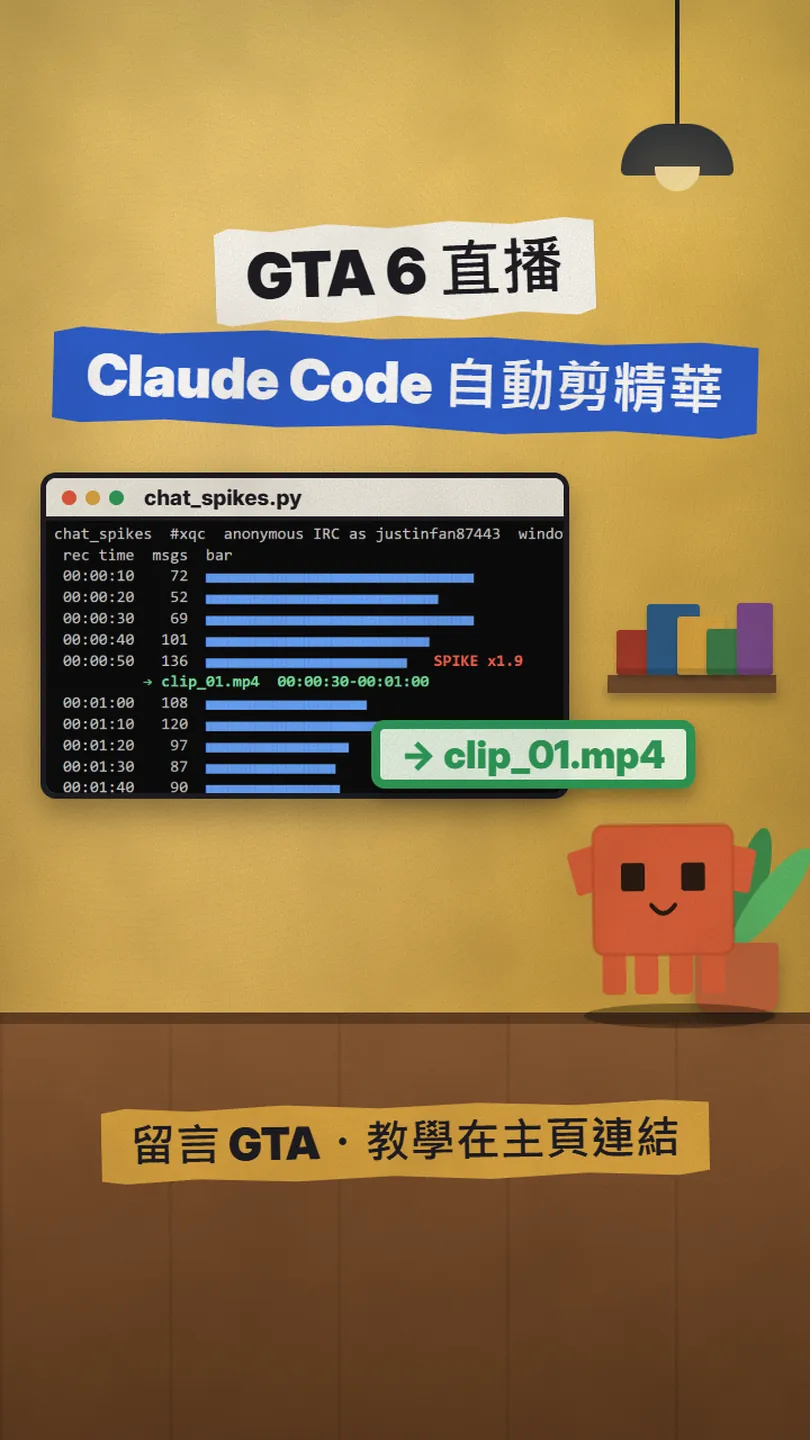
GTA VI is out this week, and what people watch are the clips cut out of live streams. Instead of downloading the VOD overnight and letting an AI scan it, this watches the chat while the stream is live: when chat spikes, it cuts those 30 seconds and captions them. This is the full version of my GTA reel: a small project written with Claude Code, four free tools that need no account (streamlink, Twitch chat over IRC, ffmpeg, openai/whisper) plus one Python counter, with all the code below to copy, and a prompt you can paste into Claude Code to have it write the whole thing for you. I checked the tool pages, the Twitch docs and the GTA VI release date on 2026-11-18; the counter really ran against live channels the same day, and the result is below too. Made for clipping your own stream, or a streamer you work with.
01What you get: 30-second highlights landing in a folder while the stream is still running
GTA VI launched on 19 November 2026 on PS5 and Xbox Series X|S (on 2026-11-18 the official site said Coming November 19, 2026, with no PC listed). In launch week, people watch the clips cut out of live streams. The usual way is to wait for the VOD, download it overnight, let an AI scan it for highlights, and by the time you have cut them, the moments are already everywhere. This is the full version of my GTA reel: a small project I wrote with Claude Code that watches the chat while the stream is live, and the moment chat spikes, marks those 30 seconds.
Four free tools plus one small Python script. Wired together, you have:
- Recording from the first second of the stream (streamlink), no account needed.
- One chat_spikes.py: reads Twitch chat anonymously, counts messages every 10 s, and when a window is 1.6× the median it prints SPIKE and the 30 seconds to cut, into spikes.txt.
- One cut.sh: cuts clip_01.mp4, clip_02.mp4… with ffmpeg from spikes.txt (20 s before the spike to 10 s after).
- One captions.sh: openai/whisper writes an .srt for each clip, ffmpeg burns it in.
- All of it runs during the stream, so the highlights are in the folder before the stream ends.
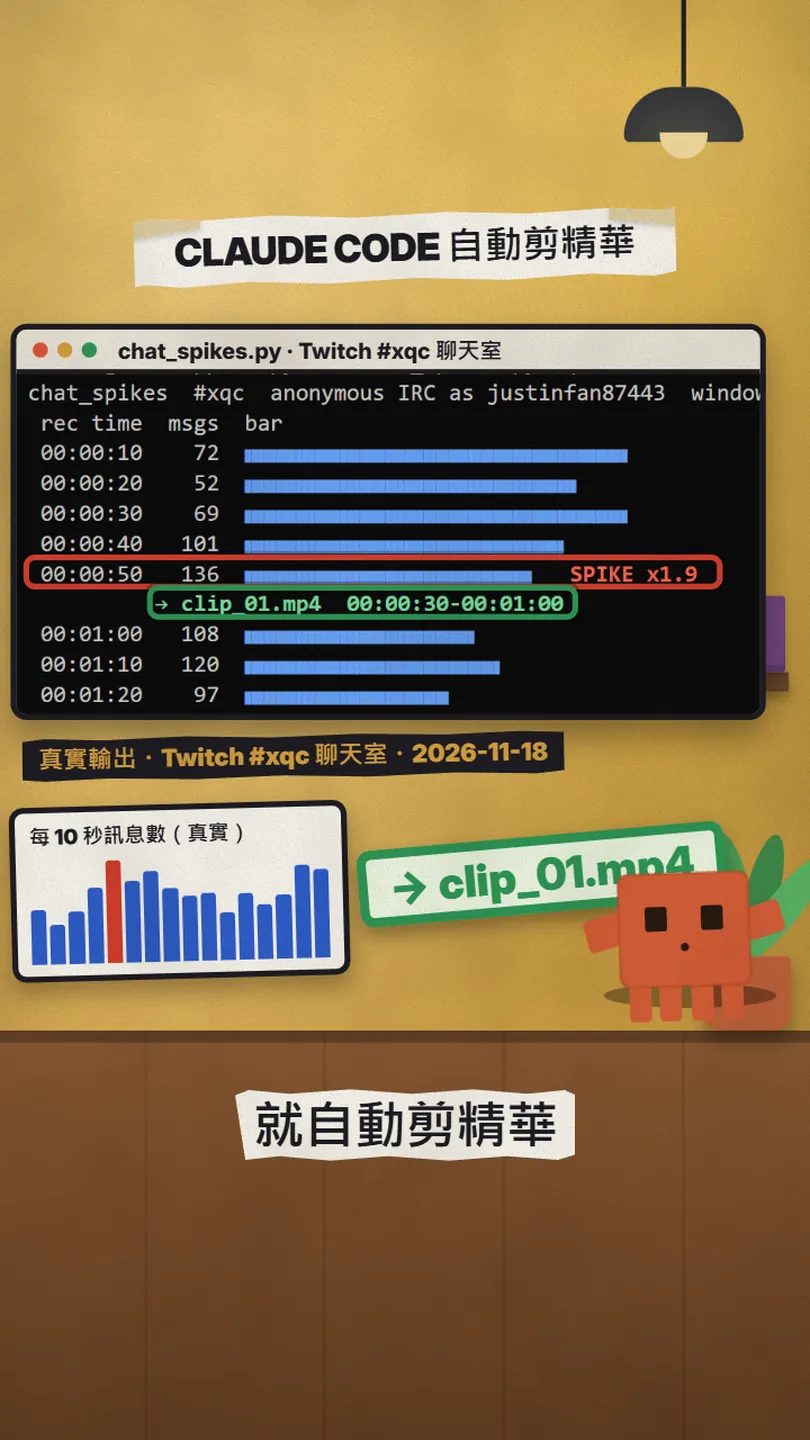
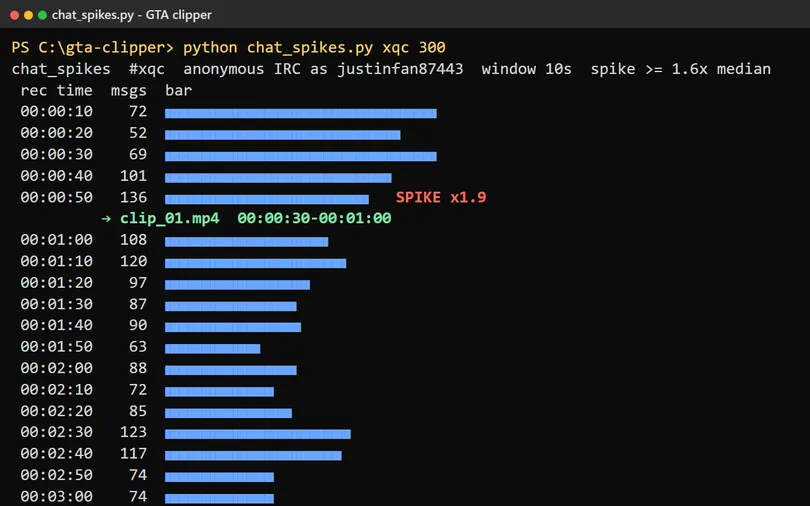
On the evening of 18 November 2026 I ran the counter for 300 seconds against a Twitch channel streaming GTA VI (twitch.tv/xqc, over 100k viewers on the public directory at the time): 30 ten-second windows, 2,734 messages, 1 spike. The 00:00:50 window had 136 messages, 1.9× the median of the windows before it, and the script printed → clip_01.mp4 00:00:30-00:01:00. A run on a second channel in the same minutes (twitch.tv/alanzoka, a Portuguese-speaking chat) found 8 spikes in 5 minutes, the first at 00:01:40. Chats have different personalities, so the threshold is yours to tune; more on that below.

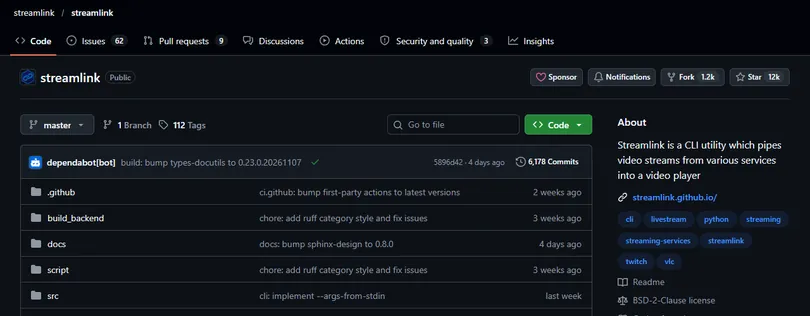
All four tools are free, need no account, and are public official projects (checked 2026-11-18):
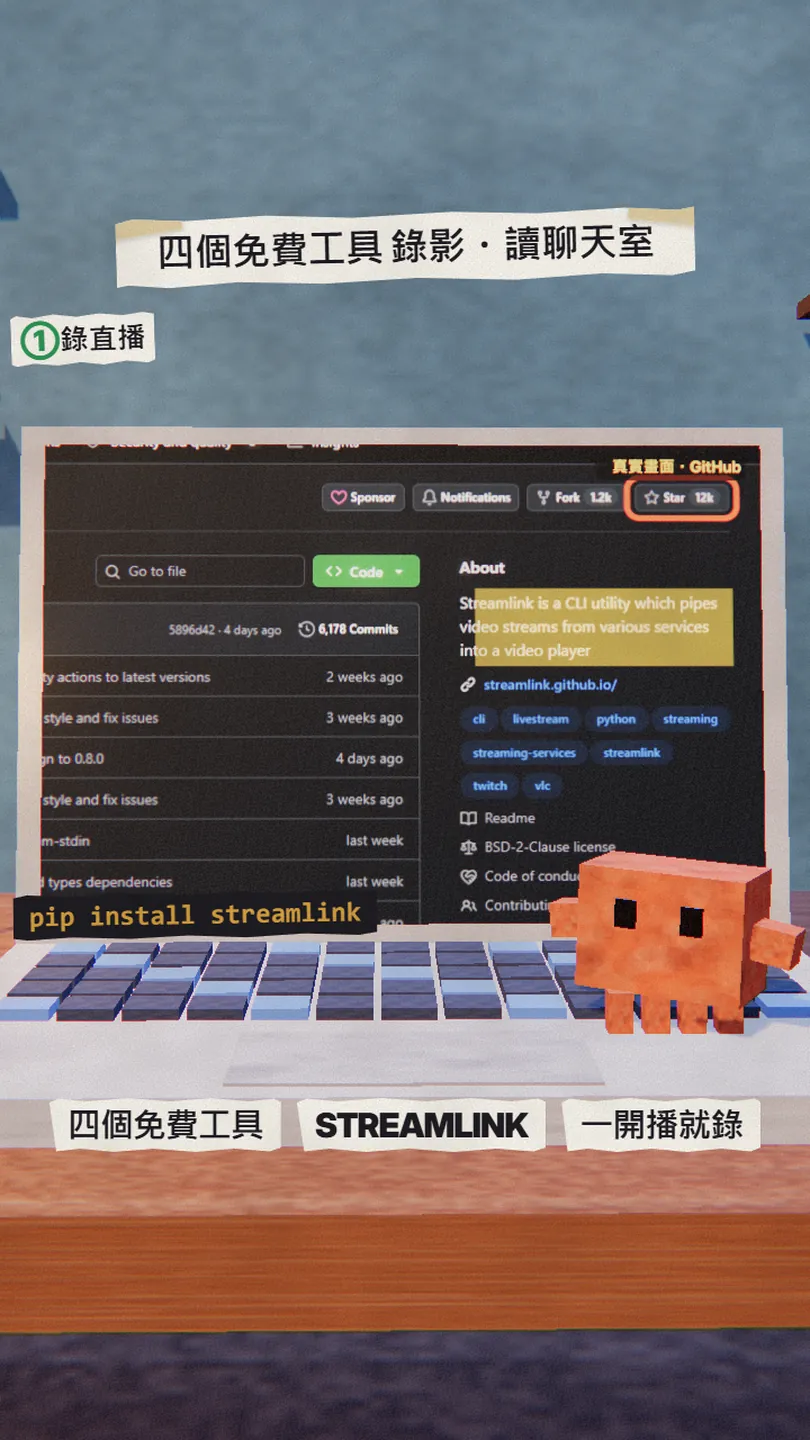
- streamlink (record the stream) — Python CLI that pipes live streams into a player or a file; BSD-2-Clause, the page shows Star 12k
- streamlink install page — pip install -U streamlink, brew install streamlink, a Windows installer
- Twitch developer docs: IRC Concepts (read the chat) — server irc://irc.chat.twitch.tv:6667; the docs describe only the OAuth login
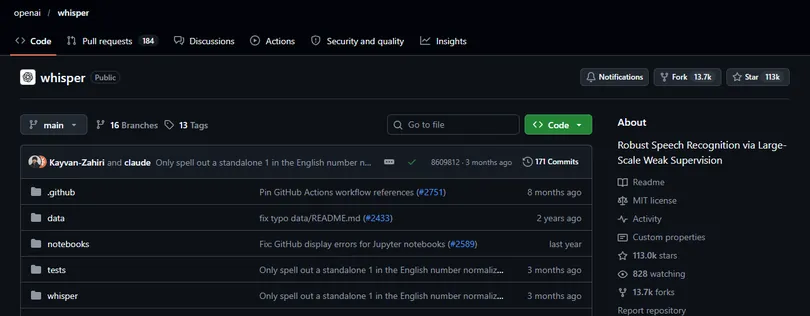
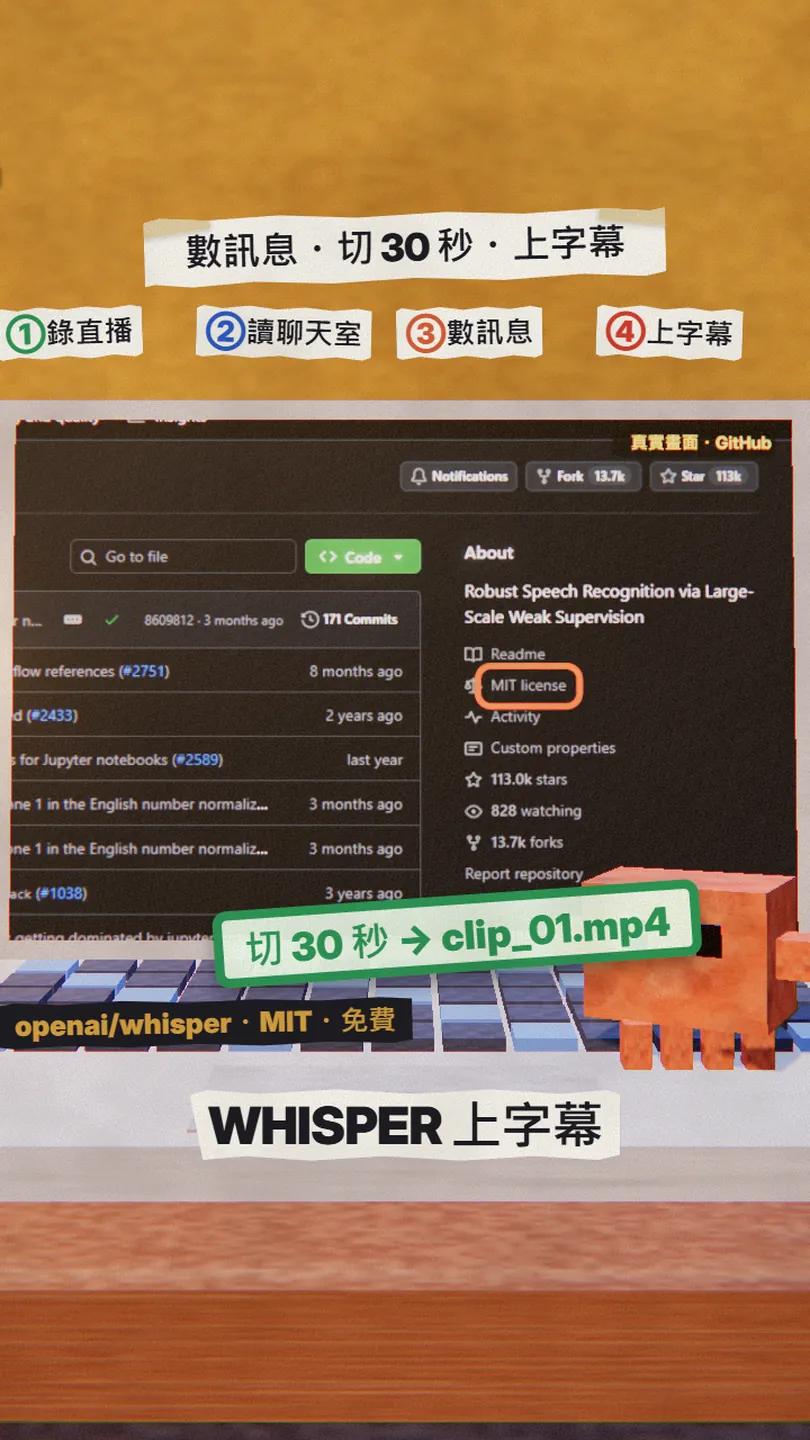
- openai/whisper (captions) — MIT, the page shows Star 113k; needs ffmpeg
- Grand Theft Auto VI official site — Coming November 19, 2026; PS5, Xbox Series X|S
02Step 1: streamlink records from the first second
streamlink is a Python command-line tool; the official README describes it as piping streams from various services into a video player, and Twitch is the first supported service it lists. It can also skip playback and write the stream straight to a file, which is what we want. Install (official install page, 2026-11-18):
pip install -U streamlink
This is the project's record.sh. -o writes the stream to a .ts file; --retry-open and --retry-streams keep it retrying while the channel is still offline, so you can start it before the stream and it records from the first second:
# record.sh <channel>: streamlink records the live stream from the first second (no account needed)
CH=${1:?channel}
streamlink --twitch-disable-ads --retry-open 999 --retry-streams 5 \
  -o "rec_${CH}_$(date +%Y%m%d-%H%M%S).ts" "https://twitch.tv/${CH}" best
bash record.sh [channel]
03Step 2: read Twitch chat anonymously (IRC, no account)
Twitch chat sits on an IRC server. The official docs (dev.twitch.tv/docs/chat/irc/, checked 2026-11-18) list irc://irc.chat.twitch.tv:6667 (non-SSL) and :6697 (SSL), and wss://irc-ws.chat.twitch.tv:443 for WebSocket clients. The login the docs describe is: get a User Access Token with the chat:read and chat:edit scopes, send PASS oauth:<token>, then NICK (your Twitch login, lowercase).
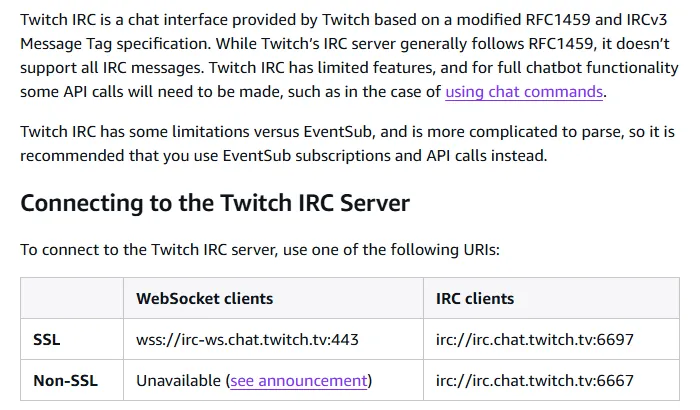
We take another route: no PASS, a NICK of justinfan plus some digits (for example justinfan12345), then JOIN #channel. This is the long-standing anonymous read-only way into Twitch chat, and it works in practice: the 2,734 and 1,569 messages from the two channels above all arrived this way. But to be clear, the official docs do not describe it; they only document the OAuth path, so if it changes one day there will be no announcement. Get a token the official way and add the PASS line, and nothing else in the script needs to change.
NICK justinfan12345
JOIN #[channel name, lowercase]
(when the server sends PING :tmi.twitch.tv, reply PONG :tmi.twitch.tv; after that, every PRIVMSG line is one chat message)
04Step 3: count messages every 10 s and mark the spikes (chat_spikes.py in full)
This is the core of the build, and the one script that really ran. Python standard library only (socket, statistics, argparse), nothing to install. The logic: count PRIVMSG lines per 10-second window; from the fourth window on, a window with ≥ 1.6× the median of the previous windows and at least 20 messages is a spike. It prints a SPIKE line and appends "clip_NN.mp4 <start> 30" to spikes.txt, where start is 20 s before the spike (chat usually reacts a few seconds late, so we reach back).
#!/usr/bin/env python3
"""chat_spikes.py  -  count Twitch chat messages per 10 s window and print spikes.

Reads the channel's chat anonymously over IRC (irc.chat.twitch.tv, nick justinfanNNNN:
no account, no OAuth token). When a window has >= RATIO x the median of the previous
windows (and at least MIN messages) it is a spike: we print a clip window of 30 s
(20 s before the spike, 10 s after) relative to the recording start, for cut.sh.

usage: python chat_spikes.py <channel> [seconds] [--out spikes.txt]
"""
import socket, sys, time, random, statistics, argparse

ap = argparse.ArgumentParser()
ap.add_argument("channel")
ap.add_argument("seconds", nargs="?", type=int, default=150)
ap.add_argument("--window", type=int, default=10)
ap.add_argument("--ratio", type=float, default=1.6)
ap.add_argument("--min", type=int, default=20)
ap.add_argument("--out", default="spikes.txt")
ap.add_argument("--log", default="", help="also append every line to this file")
a = ap.parse_args()

LOG = open(a.log, "w", encoding="utf-8") if a.log else None
_print = print
def print(*x, **k):
    if LOG:
        _print(*x, file=LOG, **k); LOG.flush()
    _print(*x, **k)

HOST, PORT = "irc.chat.twitch.tv", 6667
nick = f"justinfan{random.randint(10000, 99999)}"
s = socket.create_connection((HOST, PORT))
s.sendall(f"NICK {nick}\r\nJOIN #{a.channel.lower()}\r\n".encode())
s.settimeout(1.0)

def hms(sec):
    sec = max(0, int(sec)); return f"{sec//3600:02d}:{sec%3600//60:02d}:{sec%60:02d}"

print(f"chat_spikes  #{a.channel}  anonymous IRC as {nick}  window {a.window}s  spike >= {a.ratio}x median")
print(f"{'rec time':>9} {'msgs':>5}  bar")
t0 = time.time(); win_end = t0 + a.window
count, hist, clips, buf = 0, [], [], b""
while time.time() - t0 < a.seconds:
    try:
        buf += s.recv(65536)
    except socket.timeout:
        pass
    while b"\r\n" in buf:
        line, buf = buf.split(b"\r\n", 1)
        if line.startswith(b"PING"):
            s.sendall(b"PONG :tmi.twitch.tv\r\n")
        elif b" PRIVMSG #" in line:
            count += 1
    if time.time() >= win_end:
        at = win_end - t0
        med = statistics.median(hist) if len(hist) >= 3 else None
        bar = "\u2588" * min(60, count // max(1, (max(hist + [count]) // 40) or 1))
        spike = med is not None and count >= a.min and count >= a.ratio * med
        print(f"{hms(at):>9} {count:>5}  {bar}" + (f"   SPIKE x{count/med:.1f}" if spike else ""))
        if spike:
            n = len(clips) + 1; st, en = at - 20, at + 10
            clips.append((f"clip_{n:02d}.mp4", st, en))
            print(f"          \u2192 clip_{n:02d}.mp4  {hms(st)}-{hms(en)}")
        hist.append(count); count = 0; win_end += a.window
s.close()
with open(a.out, "w", encoding="utf-8") as f:
    for name, st, en in clips:
        f.write(f"{name} {hms(st)} 30\n")
print(f"done: {len(hist)} windows, {sum(hist)} messages, {len(clips)} clip(s) -> {a.out}")
python chat_spikes.py [channel] 300 --out spikes.txt
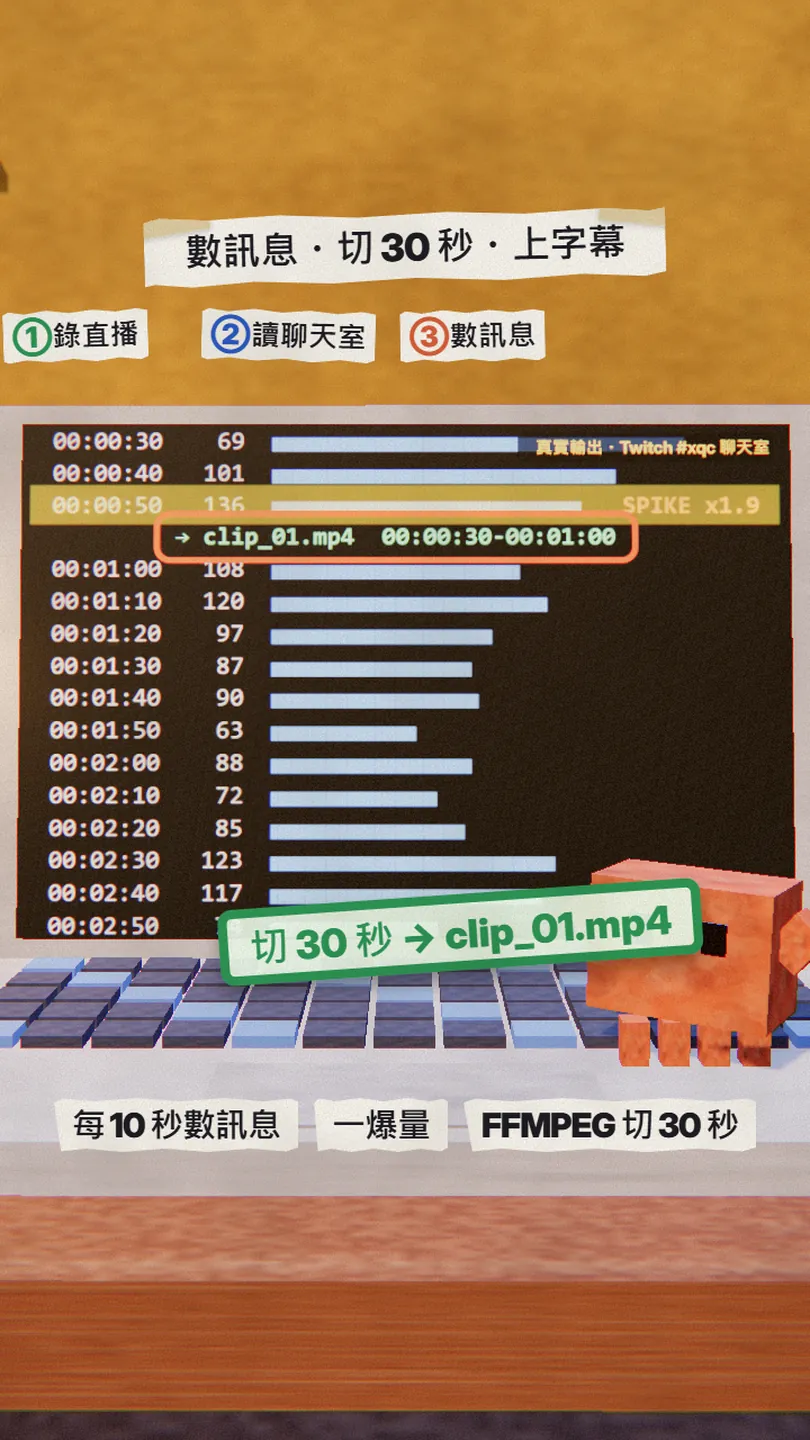
Everything is a flag: --window 10 is the window length in seconds, --ratio 1.6 the multiple that counts as a spike, --min 20 the minimum messages (1.6× fires too easily on a small channel), --out the list file, --log also saves the output to a file. The resulting spikes.txt looks like this (the xqc run): clip_01.mp4 00:00:30 30.
05Step 4: ffmpeg cuts 30 seconds
cut.sh reads spikes.txt and cuts one clip per line: -ss is the start time (placed before -i, so ffmpeg seeks first and then decodes, fast even on a huge file), -t 30 the length. It re-encodes to H.264 + AAC, so the cut points are exact and every player opens the file.
# cut.sh <recording.ts> [spikes.txt]: ffmpeg cuts a 30 s clip around every spike chat_spikes.py found
REC=${1:?recording}; LIST=${2:-spikes.txt}
while read -r NAME START LEN; do
  ffmpeg -y -ss "$START" -i "$REC" -t "$LEN" -c:v libx264 -crf 20 -c:a aac "$NAME"
done < "$LIST"
bash cut.sh rec_[channel]_[time].ts spikes.txt
06Step 5: captions with Whisper
openai/whisper is OpenAI's open-source speech recognition model; the code and the model weights are MIT-licensed, it runs on your own computer and needs no API key. From the official README (checked 2026-11-18): install with pip, ffmpeg must be installed on the system, Python 3.8-3.11 and a recent PyTorch.
pip install -U openai-whisper
captions.sh runs whisper once per clip, writes an .srt, then uses ffmpeg's subtitles filter to burn it into a new clip_NN_cap.mp4 (the easiest form to post to Reels or Shorts):
# captions.sh clip_01.mp4 ...: openai/whisper writes an .srt per clip; ffmpeg burns it in
for CLIP in "$@"; do
  whisper "$CLIP" --model small --output_format srt --output_dir .
  ffmpeg -y -i "$CLIP" -vf "subtitles=${CLIP%.mp4}.srt" "${CLIP%.mp4}_cap.mp4"
done
bash captions.sh clip_*.mp4
07The lazy version: one message and Claude Code writes the whole thing
The four files above are what I asked Claude Code to write. You don't have to type them: open Claude Code in an empty folder, paste this, and it writes the same four files and first runs the counter on a channel that is live so you can see the output:
Build me a small Twitch live-stream auto-clipper in this folder, using only free tools that need no account, in four files:
1. record.sh: use streamlink to record https://twitch.tv/[channel] at best quality to rec_<channel>_<time>.ts, with --retry-open and --retry-streams so it waits before the stream goes live.
2. chat_spikes.py: Python standard library only. Connect to irc.chat.twitch.tv:6667, NICK justinfan plus five random digits, no PASS, JOIN #[channel], reply PONG to every PING. Count PRIVMSG lines per 10 s window; a window with ≥ 1.6× the median of the previous windows and ≥ 20 messages is a spike: print the time and the ratio, and append "clip_NN.mp4 <start> 30" to spikes.txt (start = 20 s before the spike, relative to the moment the script started, HH:MM:SS). Make --window, --ratio, --min and --out options.
3. cut.sh: read spikes.txt and for every line run ffmpeg -ss <start> -i <recording> -t 30 to write clip_NN.mp4.
4. captions.sh: for every clip run whisper --model small --output_format srt, then burn the .srt into clip_NN_cap.mp4 with ffmpeg.
Put a one-line usage comment at the top of each file. Add nothing that needs an account, a key or a paid service. When done, run chat_spikes.py for 60 seconds on a channel that is live right now and show me the output, then tell me the order to run things for real.
When it is done, glance at chat_spikes.py to make sure it did not sneak in a PASS line or extra packages, and check that record.sh's file name is the one cut.sh reads. If something is off, just tell it: "cut.sh needs to add the offset between the recorder's and the counter's start times", and let it fix it.
08Running it: record first, then count, cut as soon as a spike prints
The order matters, because all of this only works while the stream is live. I use three terminal windows:
- Before the stream: start record.sh. It keeps retrying and records from the first second once the stream begins.
- The moment the stream starts: start chat_spikes.py with the whole stream length in seconds (4 hours = 14400). Its 00:00:00 is this moment.
- When a SPIKE line prints: you can cut. cut.sh reads spikes.txt; delete or comment out the lines already cut, then run captions.sh for the captions.
- When the stream ends: stop record.sh (Ctrl+C) and run cut.sh and captions.sh one last time for whatever is left.
# 1. Start waiting to record before the stream goes live (its own terminal window)
bash record.sh [channel]
# 2. The moment the stream starts, open the counter in a second window (300 = run 5 minutes; use the whole stream length for real)
python chat_spikes.py [channel] 300 --out spikes.txt
# 3. When a SPIKE line prints, or after the run, cut by spikes.txt, then caption
bash cut.sh rec_[channel]_[time].ts spikes.txt
bash captions.sh clip_*.mp4
09Good to know
- Live only; no rewind once the stream ends. streamlink records the stream that is playing now and IRC delivers the chat happening now; when the stream ends, both are gone, and past chat is not replayed to you. Clipping a VOD afterwards is a different build.
- The anonymous justinfan route is not in the official docs. It worked when tested on 2026-11-18, but Twitch can change it without notice; the documented way is an OAuth token, and Twitch recommends EventSub over IRC. Adding the PASS line switches the script over.
- Clip only your own stream, or a streamer you work with who has agreed. Recording someone else's stream and posting cuts of it is a copyright and platform-rules problem, not a technical one.
- The Twitch and Grand Theft Auto VI footage and names belong to their owners (Twitch; Rockstar Games / Take-Two). This article and the reel contain no streamer footage, only our own terminal output and official page captures.
- whisper needs Python, ffmpeg and PyTorch; a GPU makes it much faster but is not required. The model downloads on first use (a few hundred MB for small).
- As of 2026-11-18 the official GTA VI site lists no PC release date, only PS5 and Xbox Series X|S.
- What I really ran is the counter (step 3). The recording, cutting and captioning steps did not run on my machine against that stream this time, so this article shows no finished clip; the commands are each tool's standard usage, so run them once yourself before relying on them.

Sources
- streamlink/streamlink README (description, supported services, basic usage; checked 2026-11-18)
- streamlink official install page (pip install -U streamlink, brew, Windows installer; checked 2026-11-18)
- Twitch developer docs: IRC Concepts (servers, OAuth login, PING / PONG, JOIN, EventSub advice; checked 2026-11-18)
- openai/whisper README (pip install, ffmpeg requirement, model table, MIT licence; checked 2026-11-18)
- Grand Theft Auto VI official site (Coming November 19, 2026; PS5, Xbox Series X|S; checked 2026-11-18)
What should the next reel cover?
I test Claude and AI tools every day and turn the useful ones into reels. Follow @vivianlin.tech to catch each new guide.