~/guides/WAITER.md
What is an API? It's the waiter: connect a real one with Claude Code, using Taipei's live YouBike data
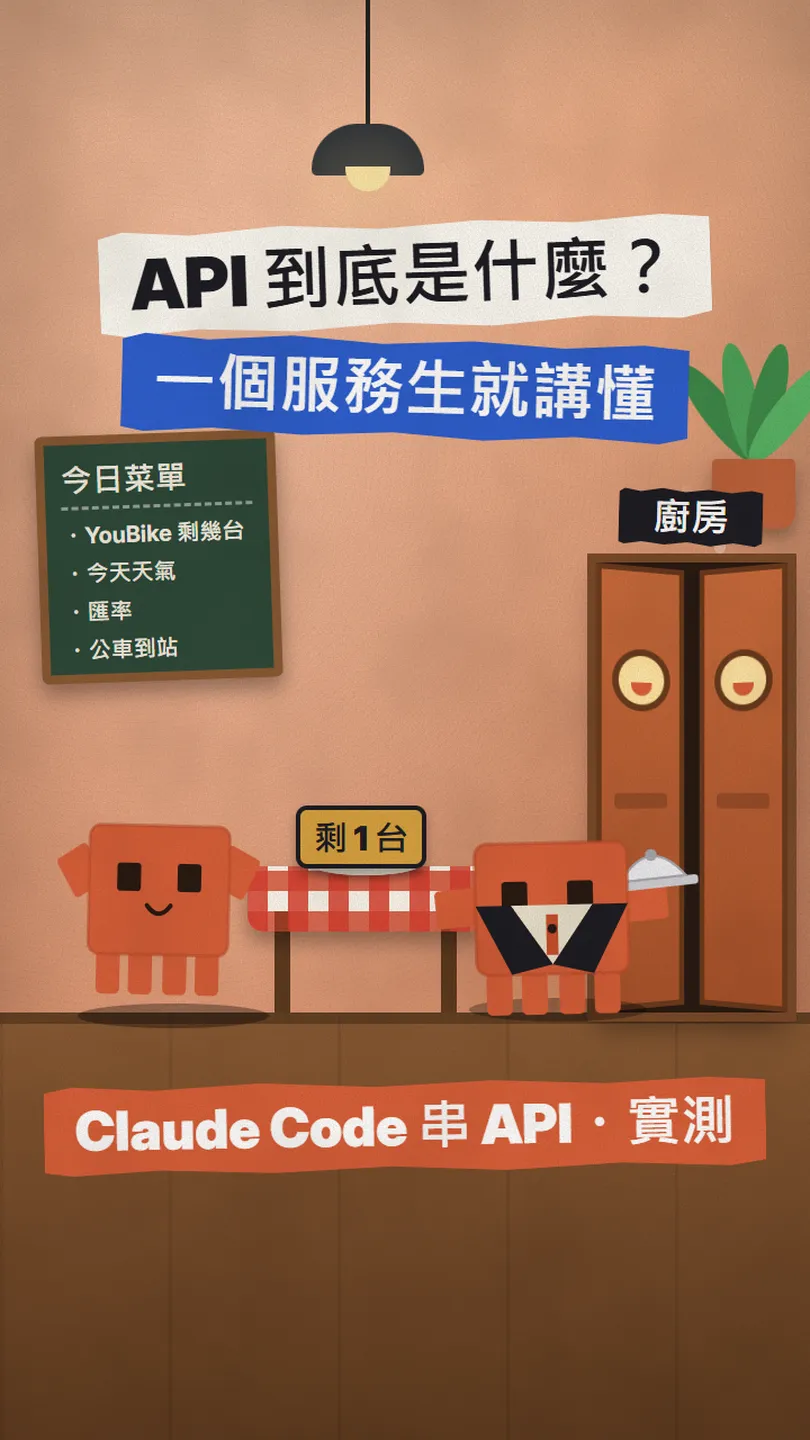
Your app is the table, the server is the kitchen, the API is the waiter. Then a real keyless API: Taipei's live YouBike data, its JSON, a prompt, the licence.
People say "connect the API" all the time, but what is an API? Picture a restaurant: the food is in the kitchen and you can't walk in, so a waiter takes your order, goes into the kitchen and brings the dish out. That waiter is the API. This is the full version of the WAITER reel: first the restaurant, so API, request, response and JSON make sense, then a real connection to Taipei City's public YouBike data. No sign-up, no key, and a prompt you can paste into Claude Code. I checked the dataset page and the licence on 12 November 2026.
01The result first: how many YouBikes are left at Taipei Main Station, in about a second
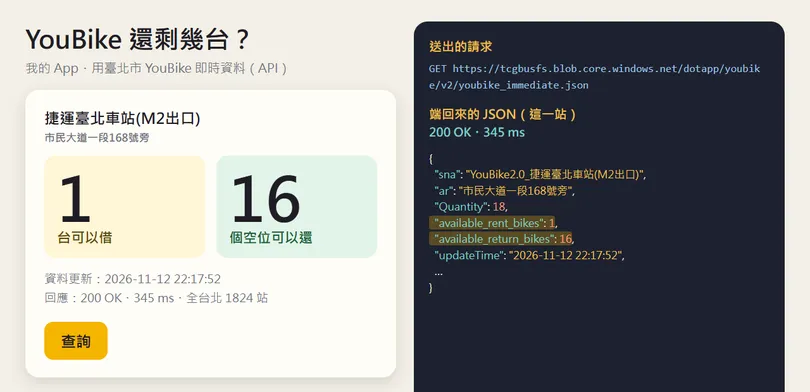
The page does one thing: it sends one request to Taipei's live YouBike data URL, gets back all 1,824 stations in the city, picks MRT Taipei Main Station (Exit M2) and shows how many bikes you can rent and how many docks are free. The whole connection is one request and one response.
- The restaurant version of an API: what the table, the kitchen, the waiter, the order slip and the dish stand for.
- Taipei's live YouBike data: where the URL is and how to read the JSON that comes back.
- The prompt I gave Claude Code for this page, ready to copy.
- What to watch: credit the source, some APIs need a key, the numbers change every minute.
02What an API is: the waiter in a restaurant
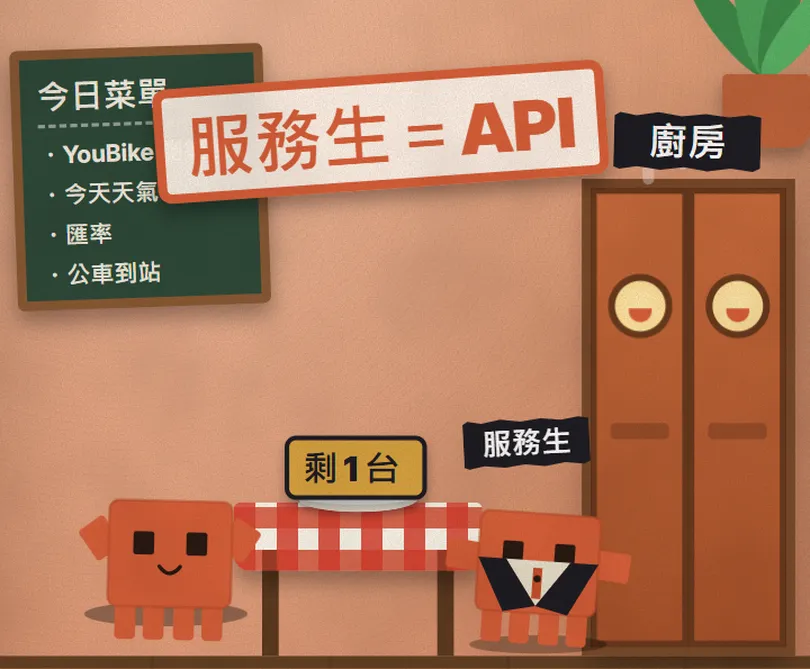
You sit at the table and the food is in the kitchen. You can't walk in and open the fridge yourself, so there is a waiter: you order, he goes in, he brings the dish out. In code terms:
- The table = your app (the part people see).
- The kitchen = the server, where the data and the work are; outsiders can't go in.
- The waiter = the API: he carries your order in and the result out, and only takes orders that are on the menu.
- The order slip = the request, usually a URL, sometimes with a few parameters.
- The dish that comes back = the response, most often JSON, text made of "field name: value" pairs.
So when you tell Claude Code to "connect to X's API", this is what it writes: the waiter. Code that knows which URL to order from, can read the JSON that comes back, and puts the field you want on the screen.
03The order slip: the URL of Taipei's live YouBike data
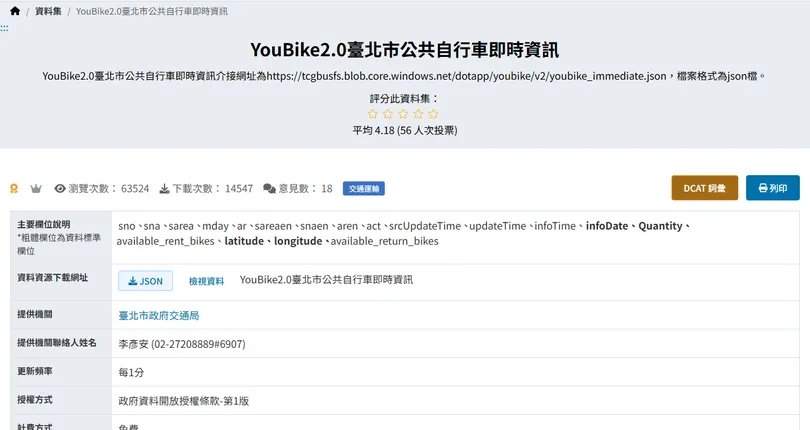
Taipei City's Department of Transportation publishes the live status of every YouBike 2.0 station on the government open data portal. It updates every minute, it's free, and it needs no sign-up and no key. The order slip is this URL; open it in a browser and you'll see the JSON:
https://tcgbusfs.blob.core.windows.net/dotapp/youbike/v2/youbike_immediate.json
It returns every station in Taipei at once (1,824 when I checked), one record per station. The fields you'll use most:
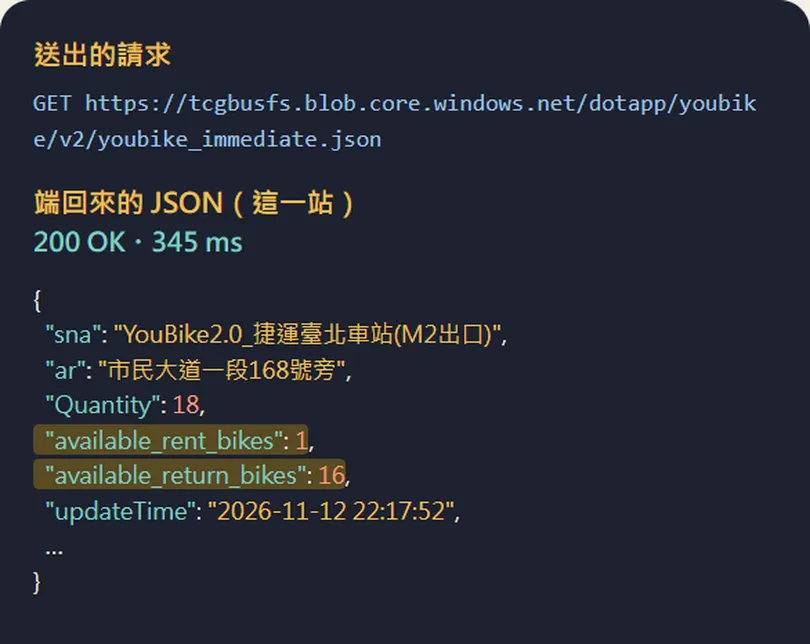
- sna: the station name, e.g. YouBike2.0_捷運臺北車站(M2出口).
- ar: the address (snaen and aren are the English name and address).
- available_rent_bikes: bikes you can rent right now.
- available_return_bikes: free docks you can return to right now.
- Quantity: the station's total number of docks.
- updateTime: when this record was updated; latitude / longitude are coordinates for a map.
04The dish: read the JSON, then have Claude Code build the page
Open Claude Code in an empty folder and paste this in. Replace the part in [] with your own station (the name must match the sna field exactly; open the URL in a browser and search for it first):
幫我串 YouBike 的 API,做一個網頁:顯示[捷運臺北車站(M2出口)]那一站還剩幾台可以借、幾個空位可以還,加一個「查詢」按鈕,順便把送出的請求網址和這一站的原始 JSON 列出來,介面用繁體中文。資料網址:https://tcgbusfs.blob.core.windows.net/dotapp/youbike/v2/youbike_immediate.json
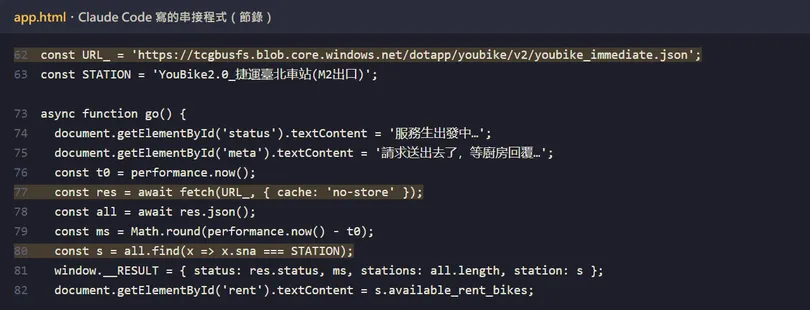
Run it, click 查詢, and the page sends the request, gets the JSON and fills in the numbers. Next step: ask Claude to refresh it every minute or to show your three usual stations, since the data updates every minute anyway.
05What to watch
- Licence: the data is under Taiwan's Open Government Data License, version 1.0. You can use it for free, commercial use included, but you must credit the source (the provider, the dataset name, the licence); without that credit the licence counts as never granted. On a web page, one source line in the footer does it.
- Some APIs need a key, like a restaurant asking for your table number so it knows whose bill it is. The Claude API, for example, reads your key from the Authorization or x-api-key header. Never paste a key online, in a screenshot or in a GitHub push.
- The numbers change every minute: the 1 bike and 16 docks in the reel and here are one moment, not how busy that station usually is.
- The URL returns the whole city at once (about 1 MB), so don't ask every second; once a minute matches how often it updates.
- The page in the reel is my own demo on my computer, not the official YouBike app; use the official app to rent and return.
Sources
What should the next reel cover?
I test Claude and AI tools every day and turn the useful ones into reels. Follow @vivianlin.tech to catch each new guide.