~/guides/SHORTS.md
SupoClip: the self-hosted OpusClip alternative. One long video in, scored vertical shorts out. Docker, 3,600 stars
An LLM picks the 3-7 best segments and scores each for hook / engagement / value / shareability, crops to 9:16, adds word captions. Noncommercial only.
You have an hour-long podcast or stream VOD and want a few Reels or Shorts out of it. Tools like OpusClip do that well, but the Pro plan lists at US$29 a month and your video and workflow live on their servers. This is the full version of my SHORTS reel: SupoClip is a GitHub project with 3,627 stars (2026-11-20) whose README calls it "An open-source OpusClip alternative". The same pipeline (AI clip picking, scoring, vertical cropping, word-synced captions) runs on your own machine with Docker, free for noncommercial use. What you need, how to install it and the licence catch were all checked against the official README, LICENSE and .env.example on 2026-11-20.
01What you get: one long video in, 3-7 scored vertical shorts out
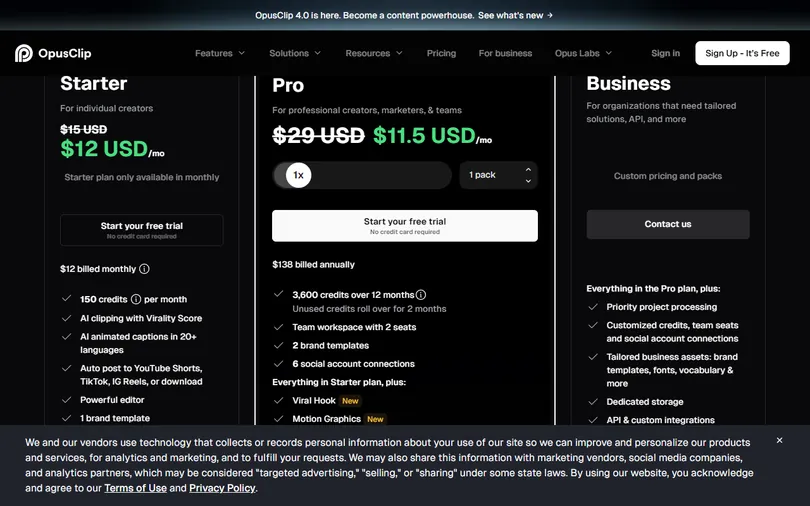
OpusClip does one simple thing: give it a long video and it uses AI to find the segments most likely to take off, crops them vertical, adds captions and gives each a virality score. It works, but usage is metered by plan, Pro lists at US$29 a month (the monthly price on opus.pro/pricing on 2026-11-20; the page also showed an annual promo that day), and your footage and output sit on their side.
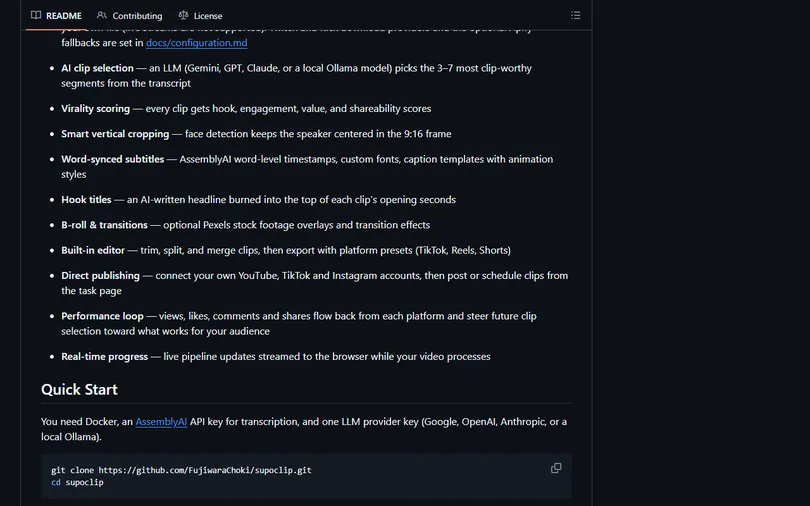
SupoClip is the open-source version of the same pipeline: paste a YouTube link, a Twitch or Kick VOD, or upload your own file. It transcribes with AssemblyAI first, then the LLM you chose (Gemini, GPT, Claude or a local Ollama model) picks the 3-7 most clip-worthy segments from the transcript, and for each one:
- Four scores: hook (does the opening grab?), engagement (does it hold?), value (is there substance?), shareability (would people pass it on?). The README calls this virality scoring.
- Automatic 9:16 crop with face detection that keeps the speaker centred (README: Smart vertical cropping).
- Word-synced subtitles from AssemblyAI's word-level timestamps, with custom fonts and caption templates.
- A hook title: an AI-written headline burned into the top of the clip's opening seconds.
- Optional B-roll (Pexels footage) and transitions, a built-in editor to trim, split and merge, and export presets for TikTok / Reels / Shorts.
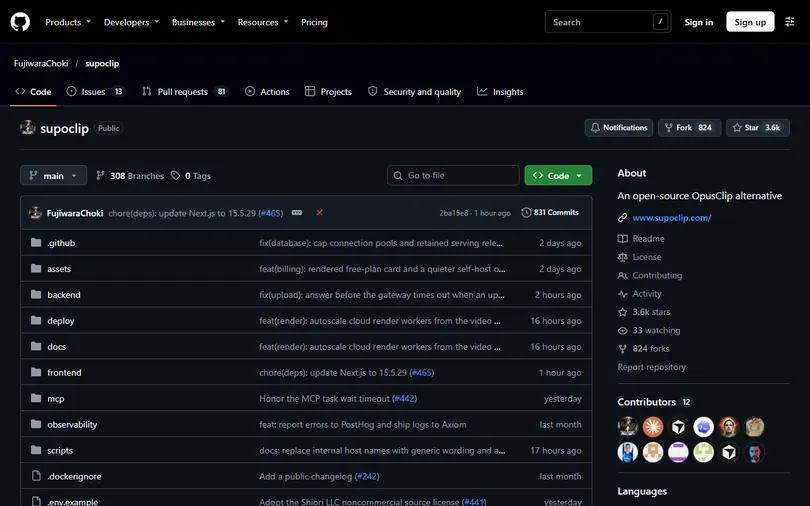
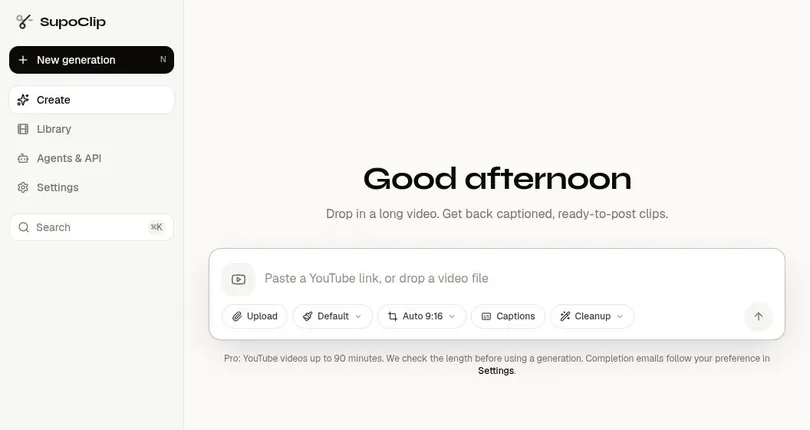
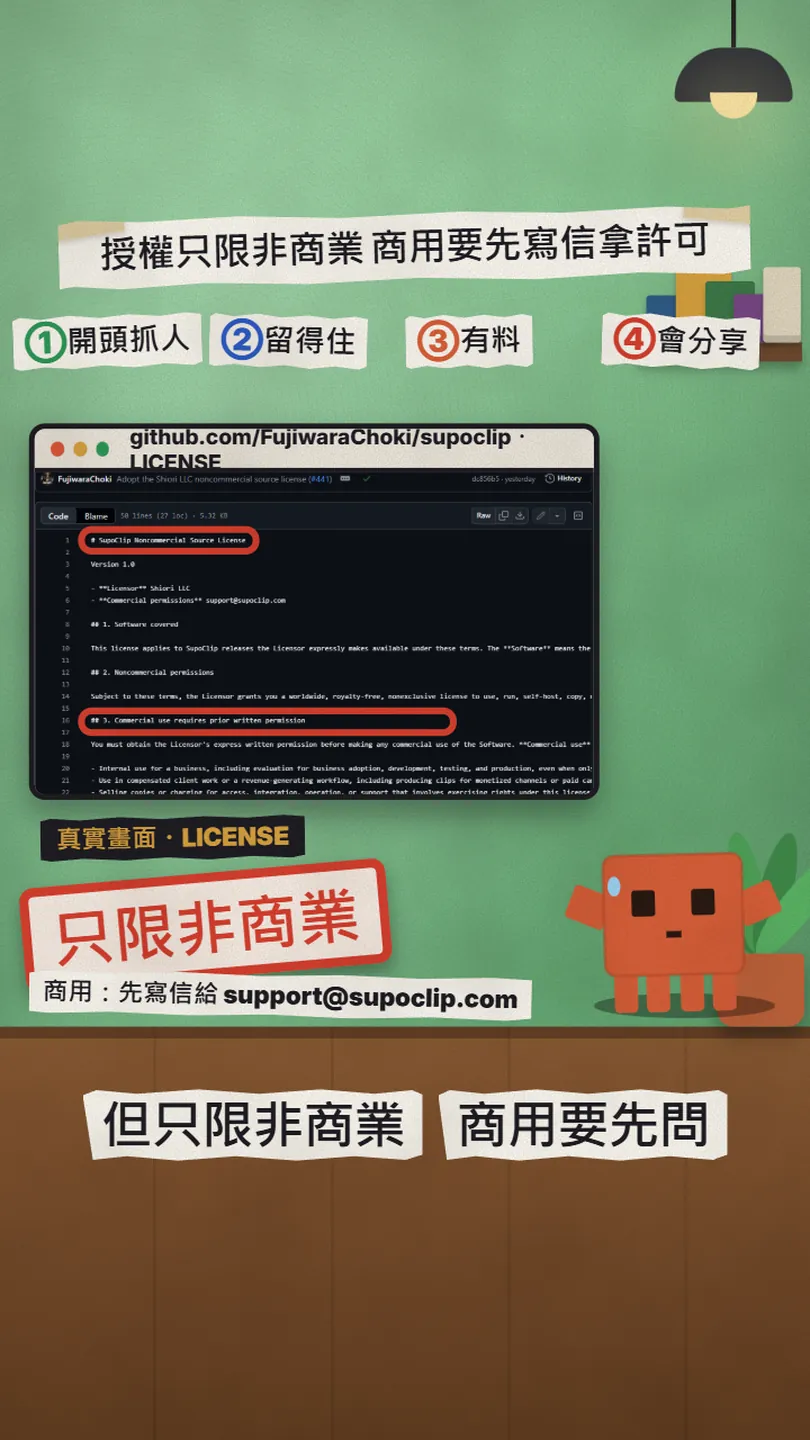
To be clear up front: the pictures here and in the reel are real captures of the official README, the official demo page and the LICENSE; the one-hour filmstrip in the reel is an illustration. We did not run SupoClip on our own machine, so the steps below follow the README as it read on 2026-11-20. And "free" means noncommercial self-hosting: company use, client work and clips for monetised channels all need written permission first. Details in the last section.
02Step 1: get three things ready (Docker, an AssemblyAI key, one LLM key)
The README's Quick Start asks for exactly three things: Docker, an AssemblyAI API key (for the transcript) and one LLM key (to pick clips, score them and write titles). The LLM is one of four: Google, OpenAI, Anthropic, or a local Ollama (Ollama needs no key).
- Docker: on Mac / Windows install Docker Desktop and keep it running. The official self-hosting tutorial lists Docker with Compose v2 plus Git.
- AssemblyAI key: sign up at assemblyai.com and create an API key in the dashboard. Their pricing page (2026-11-20) says new accounts get $50 in free credits with no credit card; after that you pay per hour of audio at the rate card prices.
- LLM key: the README example uses Google's Gemini (create an API key in Google AI Studio); OPENAI_API_KEY or ANTHROPIC_API_KEY work too, or install Ollama and run a local model with no key if your machine can take it.
03Step 2: clone, write .env, docker-compose up -d
Following the README's Quick Start, pull the project first:
git clone https://github.com/FujiwaraChoki/supoclip.git
cd supoclip
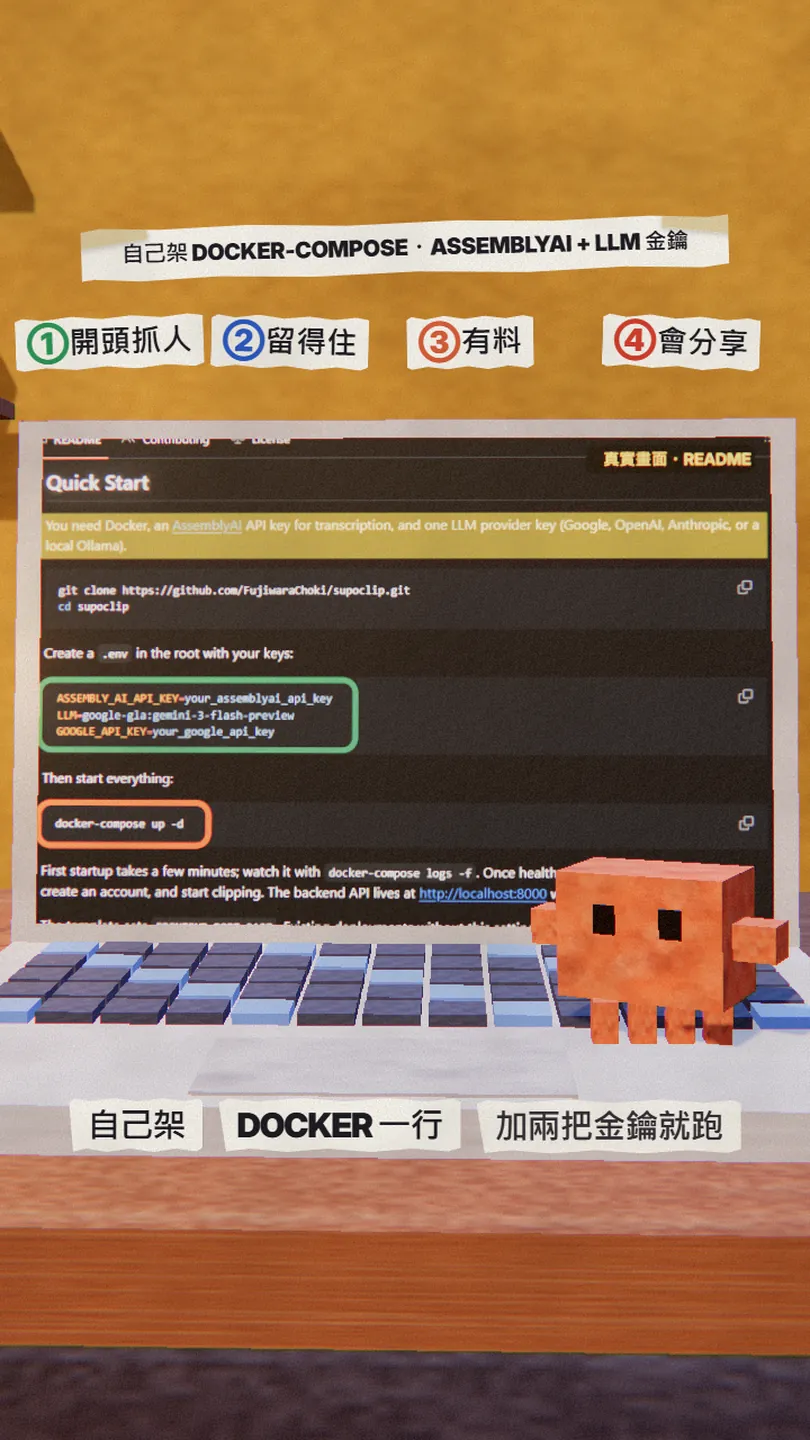
Create a .env file in the project root with your two keys. The README's example uses Gemini:
ASSEMBLY_AI_API_KEY=your_assemblyai_api_key
LLM=google-gla:gemini-3-flash-preview
GOOGLE_API_KEY=your_google_api_key
The LLM line is "provider:model-name". The other forms listed in .env.example (each needs its matching key):
# OpenAI
LLM=openai:gpt-5.2
OPENAI_API_KEY=your_key

# Anthropic
LLM=anthropic:claude-4-sonnet
ANTHROPIC_API_KEY=your_key

# Local Ollama (no key)
LLM=ollama:gpt-oss:20b
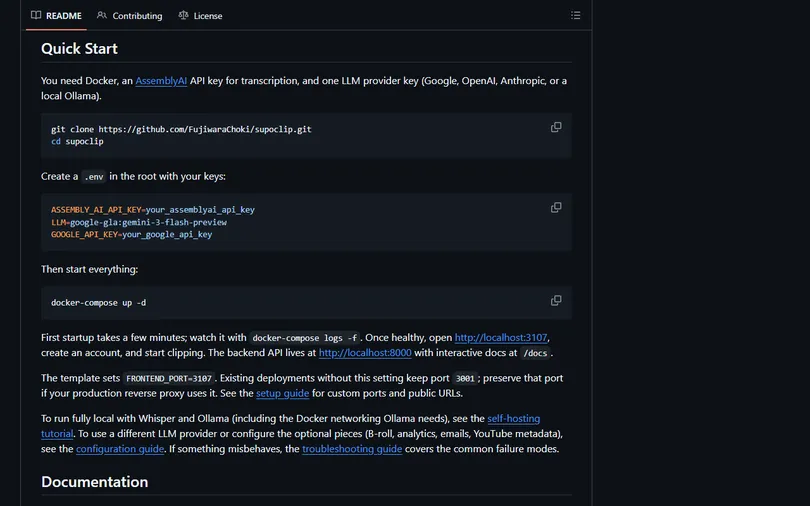
Then one line brings up the whole stack (frontend, backend API, worker, database, Redis):
docker-compose up -d
docker-compose logs -f
The README says the first start takes a few minutes. Once the services are healthy, open http://localhost:3107 in a browser, create an account and start dropping videos in. The backend API is at http://localhost:8000, with interactive API docs at /docs.
04Step 3: drop in a long video and read the four scores
At localhost:3107 the home page is one input box: paste a YouTube link, a Twitch or Kick VOD / clip link, or drag a video file in (live streams in progress are not supported; wait for the VOD). After you submit, the pipeline is: AssemblyAI transcript → the LLM reads it and picks 3-7 segments → four scores per segment → 9:16 crop with the face centred → word captions and a hook title. Progress streams live to the browser.
How to read the four scores (the README's four words, turned into four questions):
- hook: do the first seconds grab? Low-scoring segments usually open on setup, with no line that makes anyone stop.
- engagement: once someone starts, do they stay to the end?
- value: is there substance? Does the viewer leave with a point, a number, a method?
- shareability: would someone send it to a friend?

Each finished clip can go into the built-in editor to trim, split or merge, and export with TikTok / Reels / Shorts presets. The README also lists direct publishing (connect your own YouTube, TikTok and Instagram accounts and post or schedule from the task page) and a performance loop where views, likes, comments and shares flow back and steer future clip selection. Both need extra setup beyond the Quick Start.
05Going further: fully local, MCP, API
The official self-hosting tutorial has a local mode: transcription with a local Whisper, clip selection with a local Ollama, no keys at all. The .env looks like this:
TRANSCRIPTION_PROVIDER=whisper
WHISPER_MODEL_SIZE=medium
LLM=ollama:gpt-oss:20b
The tutorial's caveats: YouTube links still need internet to download the video, while uploads are fully offline; on Linux with Docker Engine, Ollama has to listen on all interfaces, which exposes port 11434 with no authentication, so firewall it; Apple Silicon works, but the backend runs as linux/amd64 under emulation and never uses the Apple GPU.
The README lists two more entry points: the mcp/ folder is an MCP server, so Claude, Cursor and other MCP clients can drive SupoClip directly; REST API keys are created at /settings/api-keys in the web app, documented in docs/api-reference.md. This article does not go into them; the links are below.
- FujiwaraChoki/supoclip (README: Features, Quick Start) — 3,627 stars, 2026-11-20
- Official tutorial: Self-host SupoClip with Docker — local mode (Whisper + Ollama) and production settings
- .env.example (every setting explained) — LLM forms, TRANSCRIPTION_PROVIDER, TRANSCRIPTION_LANGUAGE
- docs/configuration.md (all environment variables) — B-roll, Twitch / Kick, publishing accounts
- LICENSE: SupoClip Noncommercial Source License v1.0 — commercial use: write to [email protected] first
- supoclip.com pricing (the hosted paid version) — Self-Hosted $0, Pro $9.99/mo, Creator $24.99/mo
- AssemblyAI pricing — $50 free credits for new accounts (2026-11-20)
06Good to know
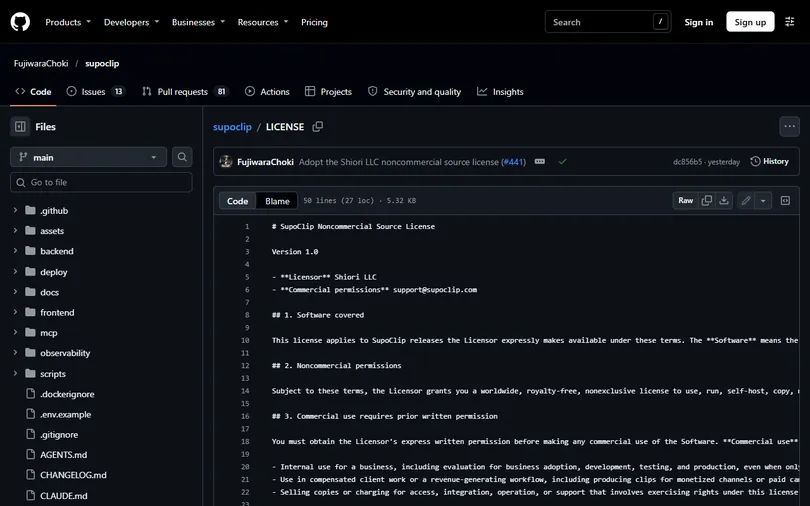
- The licence is not a standard open-source licence. On 2026-11-19 the project switched to its own "SupoClip Noncommercial Source License v1.0" (licensor Shiori LLC); GitHub's licence field shows Other. It allows noncommercial use, self-hosting, modification and sharing; commercial use needs prior written permission, and the LICENSE draws that line wide: internal business use (including evaluation and testing), client work, and clips for monetised channels or paid campaigns all count. For commercial use, write to [email protected] first. The README says earlier releases keep the licence they shipped under (AGPL-3.0), but that is older code, not this release.
- Both keys cost money. AssemblyAI gives new accounts $50 in free credits (official pricing page, 2026-11-20) and then bills per hour of audio; the LLM is called several times per video, and Gemini / GPT / Claude all meter tokens. Zero cost means the fully local route (Whisper + Ollama), which is much slower.
- No live streams. YouTube, Twitch and Kick sources must be a finished VOD or clip before you paste them.
- The "$29/month" in the reel is OpusClip Pro's list price; when we captured opus.pro on 2026-11-20 it showed an annual promo of $11.5/month, and another fetch the same day showed only $29. Check the page before you pay.
- We did not run SupoClip on our own machine. The images here and in the reel are captures of the official README, demo page and LICENSE; the one-hour filmstrip is an illustration, and the four scores come from the README (the demo page itself shows no scores).
- The same company (Shiori LLC) sells a hosted version: supoclip.com Pro at $9.99/month, Creator at $24.99/month, plus an iOS app. If you don't want to touch Docker you can use that, but then your video is back on someone else's server.
- The project moves fast (831 commits, pushed the day before). Quick Start commands and the default model names in .env can change; glance at the README the day you install.
Sources
- FujiwaraChoki/supoclip README (Features, Quick Start, License section)
- GitHub API: repos/FujiwaraChoki/supoclip (3,627 stars, 825 forks, pushed 2026-11-19)
- LICENSE: SupoClip Noncommercial Source License v1.0
- .env.example (TRANSCRIPTION_PROVIDER, TRANSCRIPTION_LANGUAGE, LLM examples)
- Official tutorial: Self-host SupoClip with Docker (local mode, secrets, ports)
- supoclip.com pricing (Self-Hosted $0, Pro $9.99, Creator $24.99)
- opus.pro pricing (Free $0, Starter $15, Pro $29, Business)
- AssemblyAI pricing ($50 free credits)
What should the next reel cover?
I test Claude and AI tools every day and turn the useful ones into reels. Follow @vivianlin.tech to catch each new guide.