~/guides/HERDR.md
Herdr: close the window or lose SSH and Claude Code keeps running. Free, Apache-2.0, 50k GitHub stars
Install Herdr in one line and Claude Code lives in a background server: ctrl+b q to detach, herdr to reattach; panes marked working / blocked / idle.
Watch the reel on InstagramComment #HERDR to get this guide
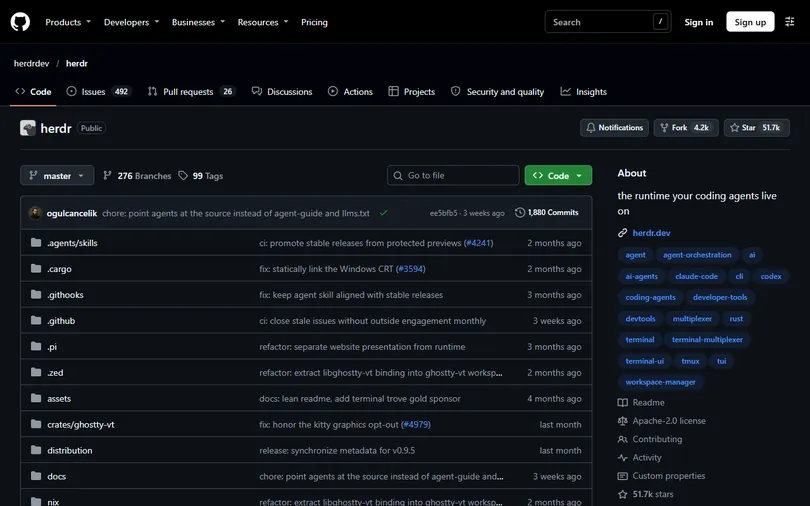
Claude Code is halfway through a job when SSH drops, the laptop lid closes or you shut the wrong terminal, and the work is gone. This is the full version of my HERDR reel: Herdr is a free, open-source terminal runtime (about 50k GitHub stars, Apache-2.0, latest release 0.9.5) that keeps coding agents like Claude Code and Codex alive in a background server, so they keep running when the window closes. Install commands, keys and what survives a restart were checked against the official README and herdr.dev docs on 2026-11-18.
01What you get: close the window, lose SSH, Claude Code keeps running
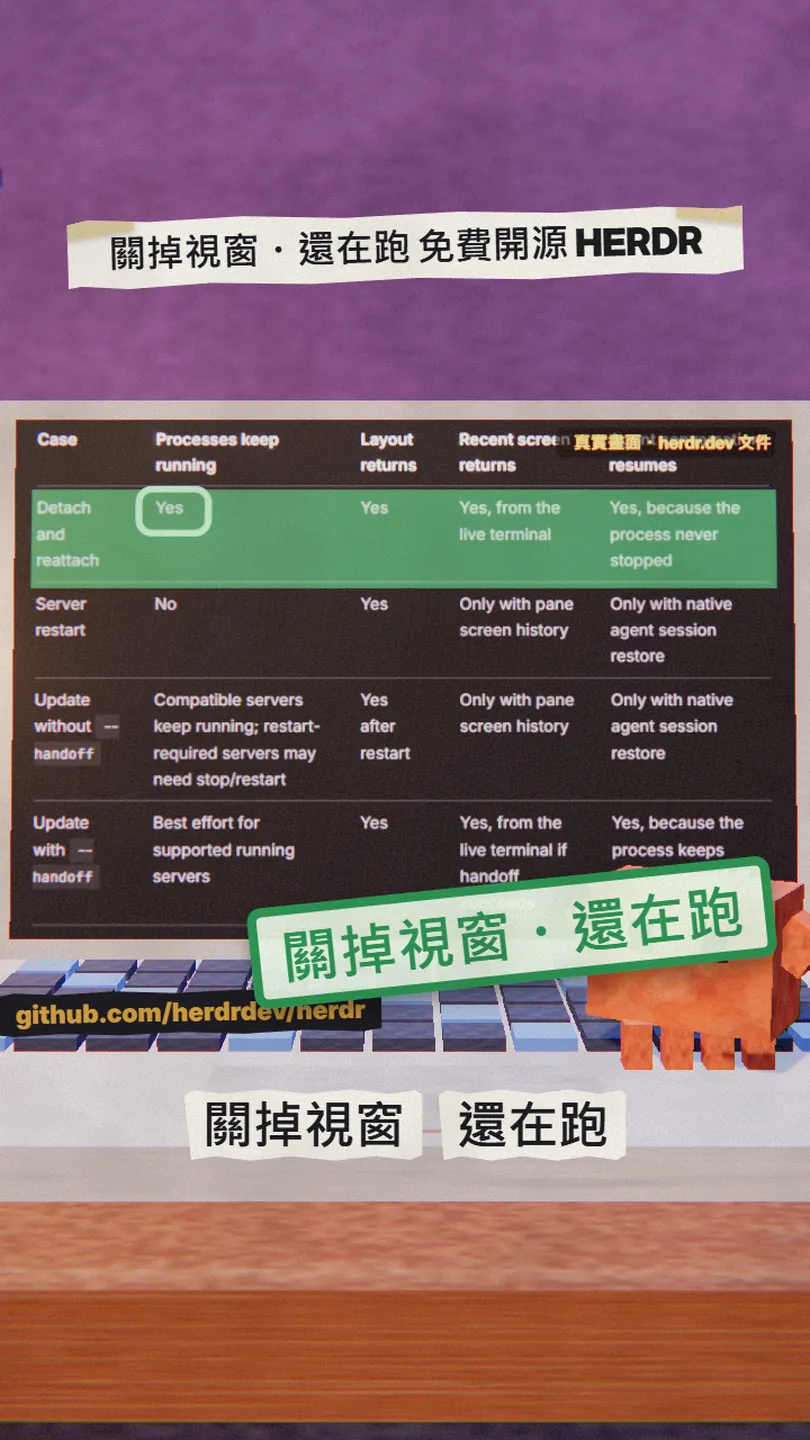
Normally when you run claude in a terminal it lives in that window: close the window or lose SSH and the process dies with it. Herdr turns that around. You type herdr, it starts a server in the background, and from then on every pane's shell and agent live inside that server; the window you see is only a client attached to it. Close the client or drop the connection and the server, with Claude Code inside, keeps running.
Once it is installed you have:
- One command, herdr: run it once in a project folder and that is your workspace; run it again and you are back in the same set of panes.
- ctrl+b q to detach, or just close the window, and Claude Code carries on; type herdr again and the screen and conversation pick up where they were.
- Every pane marked working / blocked / idle / done, so the agent that is stuck waiting for your answer is obvious at a glance.
- Several machines (local plus the SSH hosts you saved) in one window and one combined agent list.
- Claude Code, Codex, Cursor and OpenCode run exactly as before: Herdr doesn't wrap or replace them, it only owns their terminals. One Rust binary, no Electron.
02Step 1: install in one line
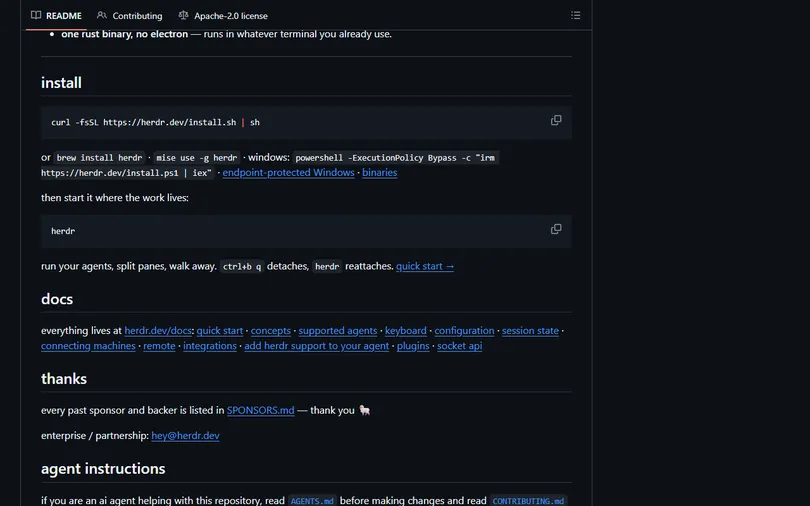
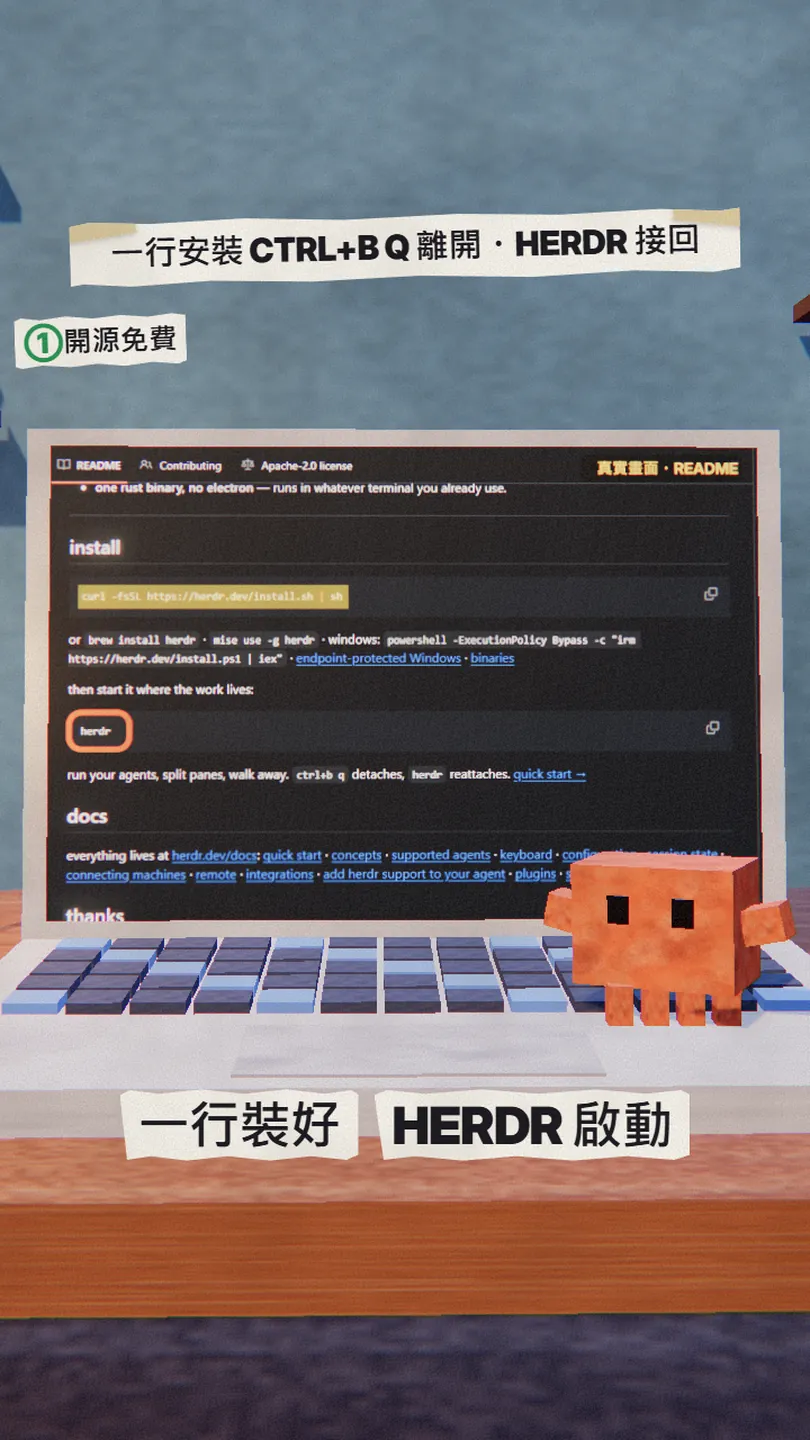
On Mac or Linux use the official install script (it downloads the binary for your platform and puts it on your PATH); on a Mac Homebrew works too:
curl -fsSL https://herdr.dev/install.sh | sh
brew install herdr
# or
mise use -g herdr
powershell -ExecutionPolicy Bypass -c "irm https://herdr.dev/install.ps1 | iex"
03Step 2: start, detach, reattach
In your project folder type herdr. It starts (or attaches to) your default background session; you never manage sockets. Inside a pane, type claude as usual and Herdr detects it as an agent.
cd [your project folder]
herdr
claude
To leave, press the prefix key then q (the default prefix is ctrl+b: press ctrl+b, release, then q), or simply close the terminal window. The official docs put it plainly: the Herdr server and every agent keep running. When you come back, type herdr again and you are reattached to the same session.
ctrl+b q
herdr
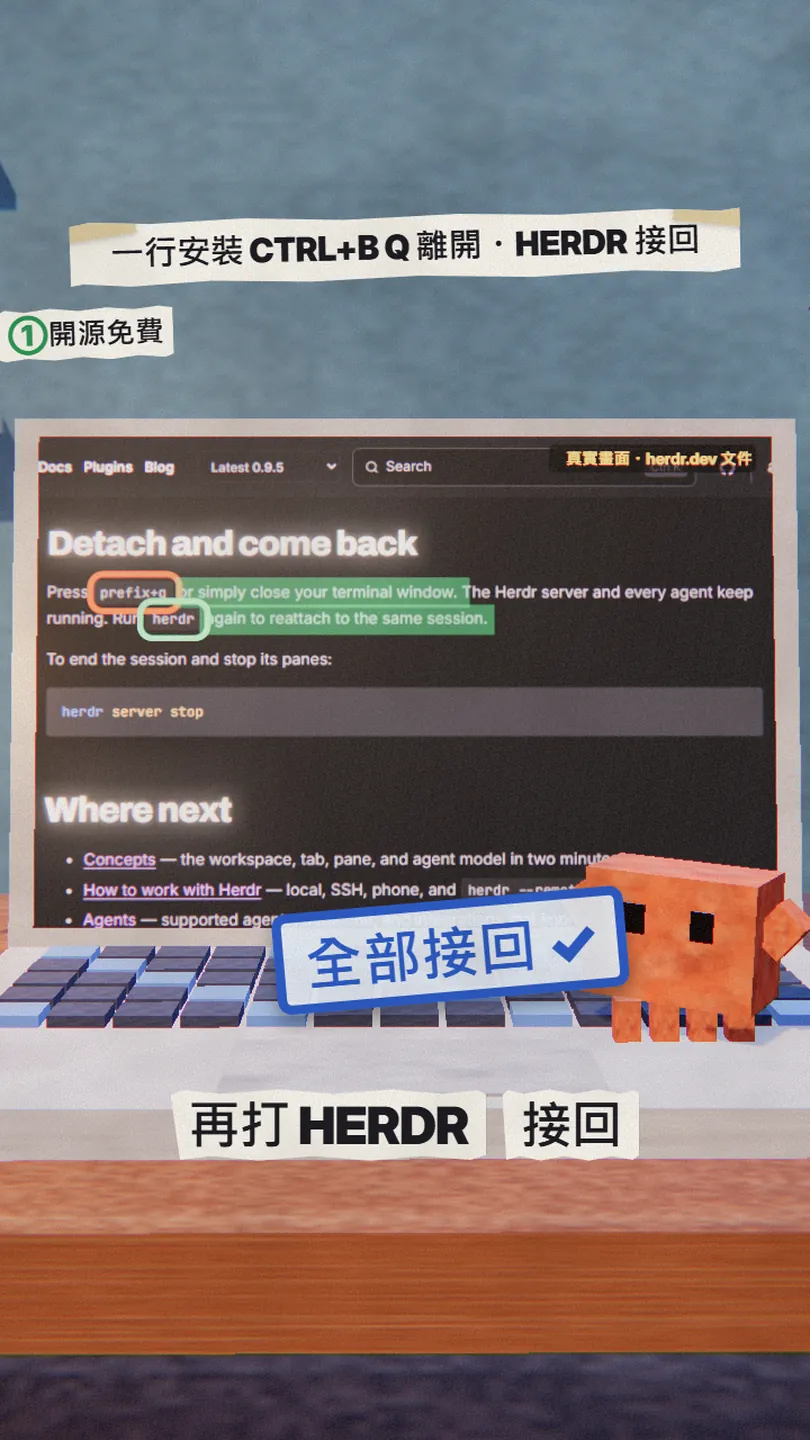
Only stop the server when you are really done for the day. This line ends the session and stops its panes and processes with it:
herdr server stop
04Step 3: the status board, see who is stuck at a glance
With three or four agents open, the annoying part is switching through them to find the one waiting on you. Herdr's sidebar marks each pane with a status (the four the quick start lists):
- working: the agent is busy, leave it alone.
- blocked: the agent has stopped and needs an answer from you (run this or not, which option); Herdr calls these out.
- done: this round is finished.
- idle: the pane is free, no agent running.

05Step 4: several machines, one window
One agent on the laptop, one on the office server, one on a cloud VM used to mean three terminals. Herdr lets you add your saved SSH hosts; after that, herdr lists those machines in the sidebar and the agent list is combined, so you can see where the work is running and which agent needs an answer.
herdr machine add [label, e.g. workbox]
The target can be a host from your SSH config or a form like ssh://you@server:2222. The official docs' prerequisites: check first that a plain ssh command gets you in, and the remote machine needs Herdr installed; if it is missing, setup offers to install it and only does so after you confirm. Linux, macOS and Windows clients can connect to Linux, macOS or Windows servers.
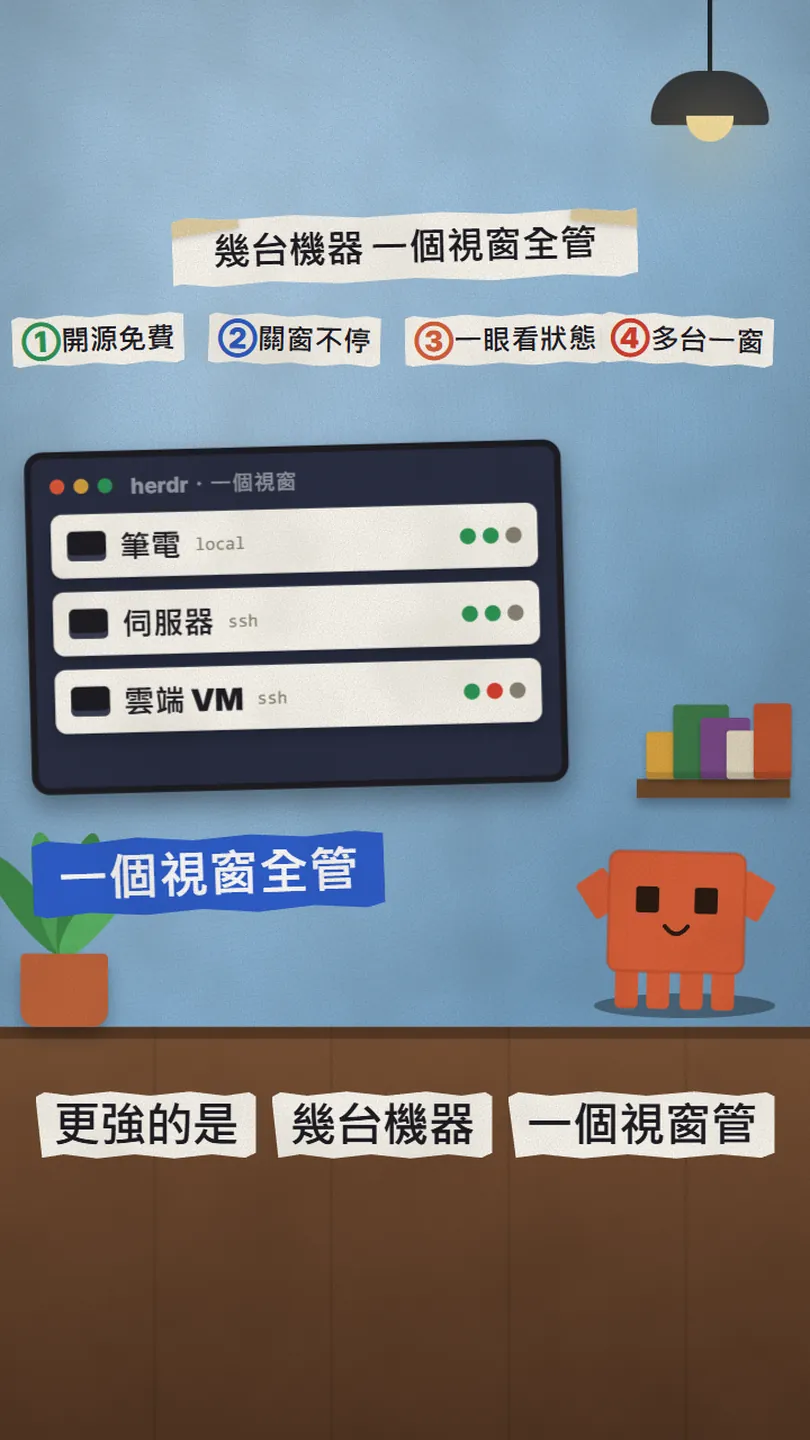
The key point: every machine runs its own Herdr server. So when the laptop sleeps or you change Wi-Fi, the Claude Code on the remote box keeps running; Herdr retries the connection by itself and shows the last known state dimmed (that is a cache, not live, and you can't type into those panes until it reconnects). Losing one machine doesn't affect the others.
06Going further: the agent skill that lets Claude Code drive Herdr itself
Herdr ships an official Agent Skill. With it installed, a Claude Code running inside a Herdr pane can use the herdr CLI itself to inspect workspaces, split panes, run commands in a sibling pane without taking focus, read another pane's output, wait for tests or a server to finish, and even start a helper agent next door.
npx skills add herdrdev/herdr --skill herdr -g
herdr --skill
The safety rule: the skill only acts when the environment variable HERDR_ENV=1 is set, meaning the agent really is in a Herdr-managed pane; otherwise it stops and tells you. So installing it in a plain terminal doesn't make anything run wild.
- herdrdev/herdr (README, install) — 51,693 stars, Apache-2.0, v0.9.5, 2026-11-18
- Official docs: Quick start (start, detach, reattach) — Herdr 0.9.5
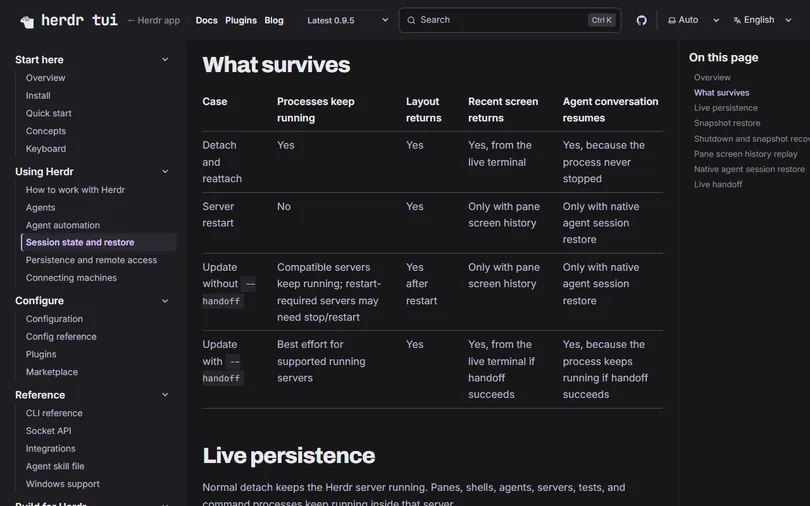
- Official docs: Session state (the What survives table) — what is left after a restart
- Official docs: Connecting machines (SSH machines) — herdr machine add
- Official docs: Agent skill — npx skills add herdrdev/herdr --skill herdr -g
07Good to know
- What survives is closing the window or losing the connection; what doesn't is a restart. After the server restarts or the whole machine reboots, the original processes (a half-finished Claude Code run, a dev server, tests) do not come back. Herdr restores the layout: workspaces, tabs, panes, each pane's folder and the focus, with a fresh shell in each pane. Agents with native session restore, Claude Code and Codex among them, resume their conversation in the new pane (on by default, resume_agents_on_restore = false turns it off), but that is a conversation picked back up, not a process that never stopped. For long jobs that matter, have the agent write files or commit before you walk away.
- On Linux with systemd-logind, Herdr listens for the shutdown warning and asks for a short delay to save and stop first; forced shutdowns, power loss and systems without logind get none of that protection.
- curl … | sh, irm … | iex and npx skills add all download someone else's code and run it. Read the script and the README first; the install on a remote machine also only proceeds after you confirm.
- The herdr.dev home page now leads with a different product: the desktop app herdr-app (github.com/herdrdev/herdr-app, Apache-2.0, about 3,100 stars on 2026-11-18). This article is about the terminal version (officially Herdr TUI, docs at herdr.dev/tui); the two don't share agents, so don't install the wrong one.
- Windows: the official Windows page says native support is generally available, but the same page lists a string of partial or unsupported items (IME candidate placement for Chinese input, image paste in local panes, direct attach, live handoff, and unsigned binaries that SmartScreen will flag). Windows users should read that page before installing.
- The status cards and the multi-machine window in the reel are illustrations and the SSH-drop terminal is drawn; this reel did not run Herdr on our own machines, so everything above follows the official README and docs as they read on 2026-11-18.
- Everything here is from the 0.9.5 docs (released 2026-10-14). The project moves fast and commands or prefix keys may change, so glance at the README before you run it.

Sources
- herdrdev/herdr README (features, install)
- GitHub API: repos/herdrdev/herdr (stars, licence) and releases/latest (v0.9.5)
- Herdr docs: Quick start (Run an agent, Detach and come back, herdr server stop)
- Herdr docs: Session state (What survives, Snapshot restore, Native agent session restore)
- Herdr docs: Connecting machines (herdr machine add, disconnect behaviour)
- Herdr docs: Agent skill
- Herdr docs: Install
- Herdr docs: Windows support
- GitHub API: repos/herdrdev/herdr-app (the desktop app, a separate project)
What should the next reel cover?
I test Claude and AI tools every day and turn the useful ones into reels. Follow @vivianlin.tech to catch each new guide.