~/guides/API.md
public-apis: 2,000+ free APIs on GitHub; pick one and Claude Code turns it into an app in one sentence
public-apis lists 2,000+ free APIs, over 1,000 with no key. How to search it, three checks before you pick one, and the prompt behind my Taiwan quake map.
Want to build a side project but have no data? public-apis is a GitHub list with nearly 500K stars: over 2,000 free APIs (weather, earthquakes, stocks, anime…), more than a thousand of them with no key. This is the full version of the API reel: first the Taiwan earthquake map Claude Code built from one of them in a single sentence, then how to search the list, three things to check before you pick, and a prompt you can copy.
01The result first: a Taiwan earthquake map from one sentence
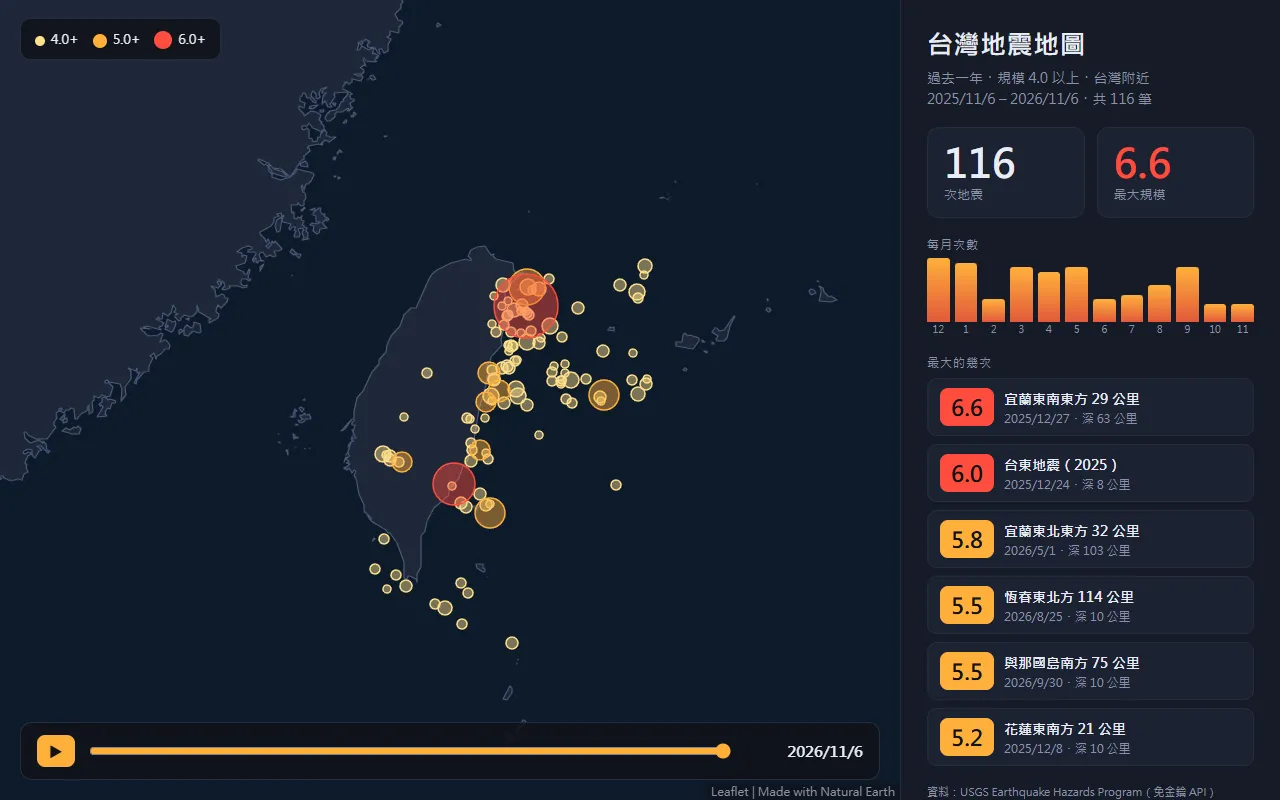
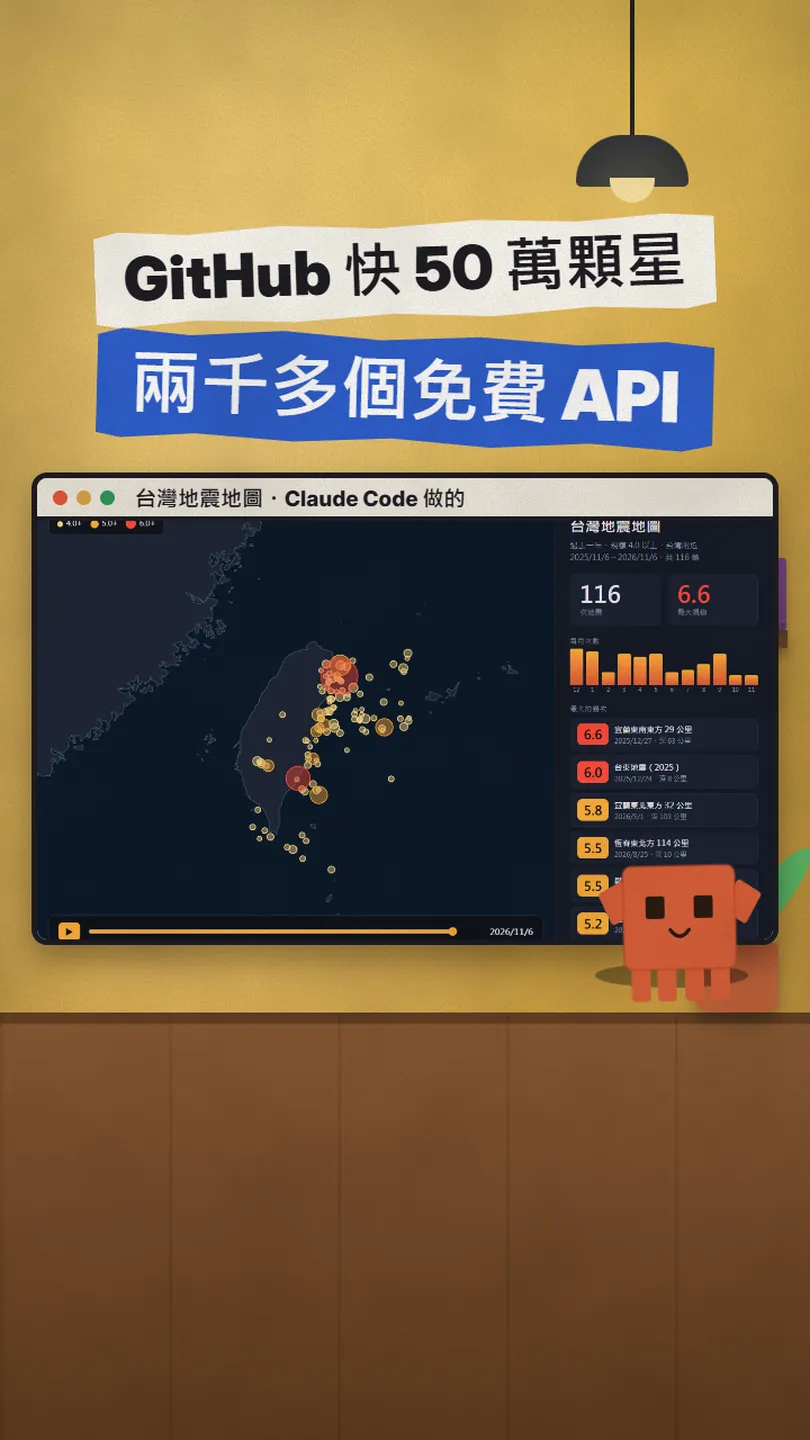
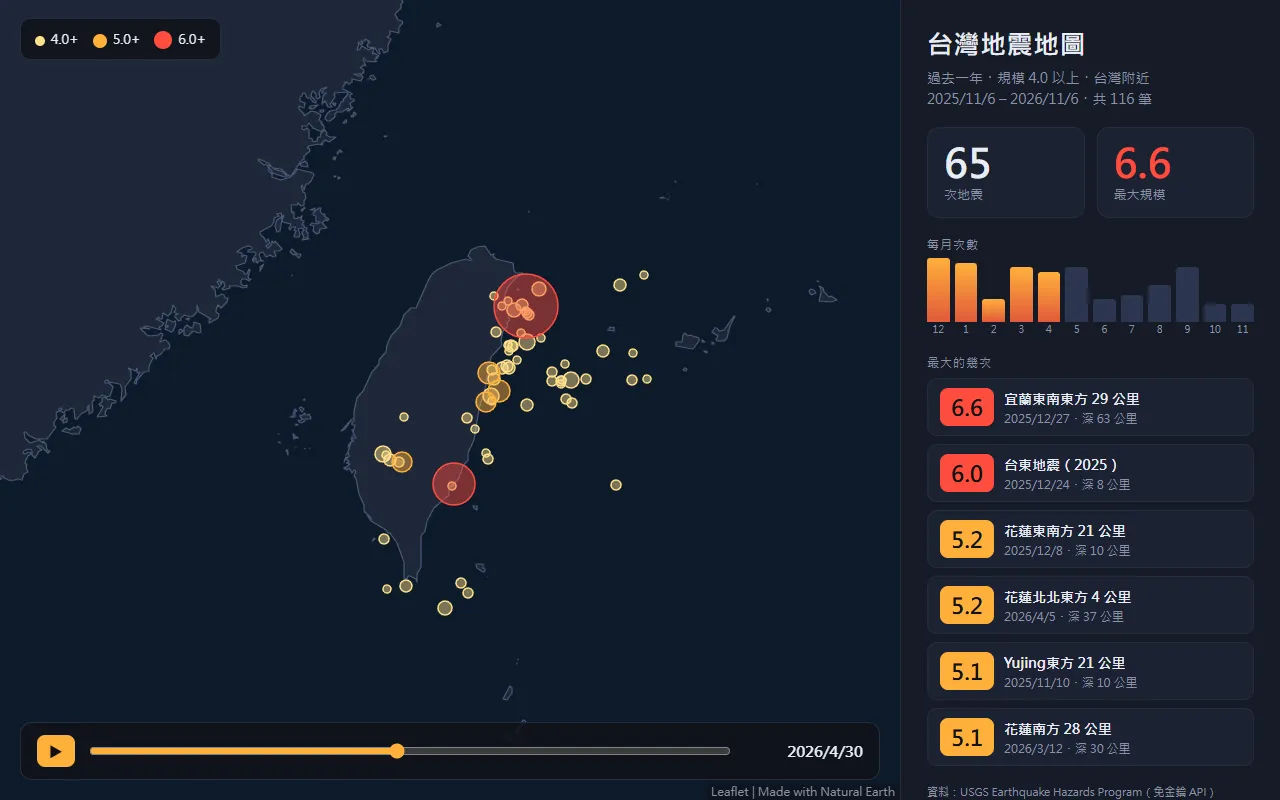
public-apis is a GitHub list with nearly 500K stars: over 2,000 free APIs in fifty-odd categories, more than a thousand of them with no key needed. I picked the USGS earthquake API, gave Claude Code one sentence, and it read the docs, wrote the code and made the map above: 116 earthquakes of magnitude 4+ near Taiwan between 6 Nov 2025 and 6 Nov 2026, the largest a 6.6 off Yilan on 27 Dec 2025.
Here's what you get by the end:
- How to search public-apis: the categories and what the Auth / HTTPS / CORS columns mean.
- A list of APIs that need no key (the official site counts 1,038).
- Three checks before you pick an API, so you do not find a paywall or a non-commercial licence halfway through.
- The exact prompt I used for the map, plus a fill-in version for your own API.
02Step 1: find an API in public-apis
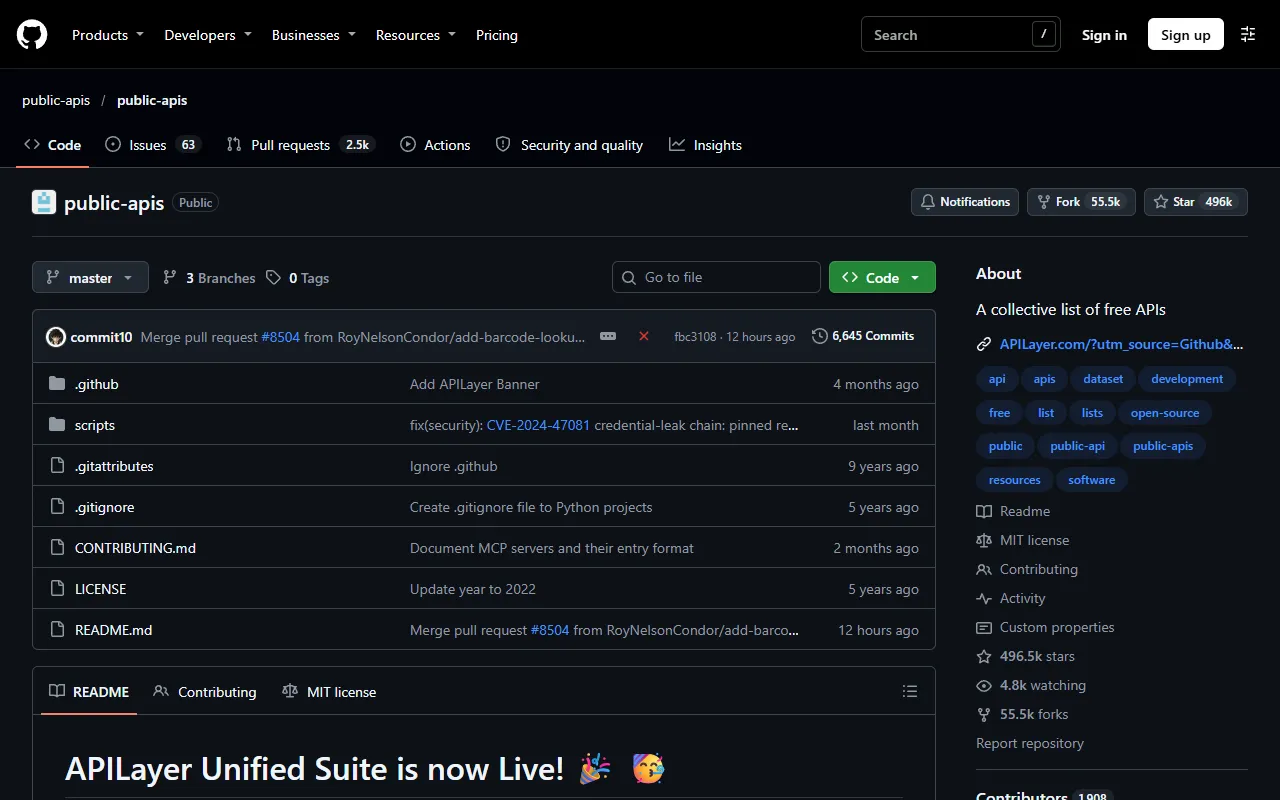
- Open github.com/public-apis/public-apis, scroll to the Index and pick a category (weather; earthquakes are under Science & Math, stocks under Finance, anime under Anime…).
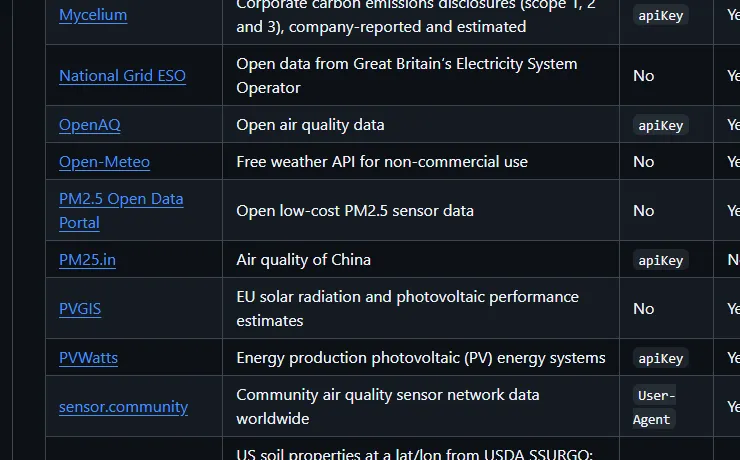
- Each row is one API: name, description, and three columns: Auth, HTTPS, CORS.
- Auth "No" means no key, call it right away. "apiKey" or "OAuth" means you sign up on its site first.
- HTTPS "Yes" is safer; CORS "Yes" means a web page can call it straight from the browser (with "No" or "Unknown", ask Claude Code to fetch it from a backend).
- If the README feels long, search and filter on the official site, publicapis.lol.
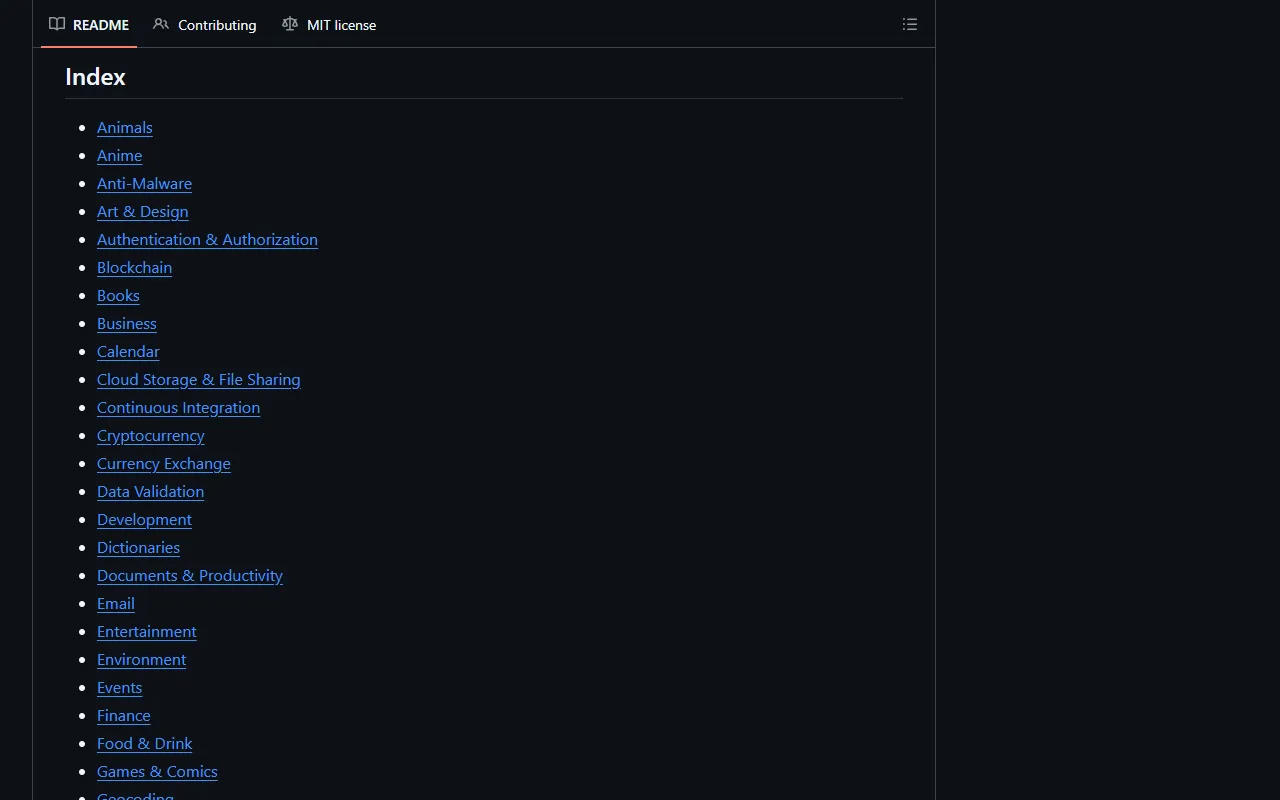
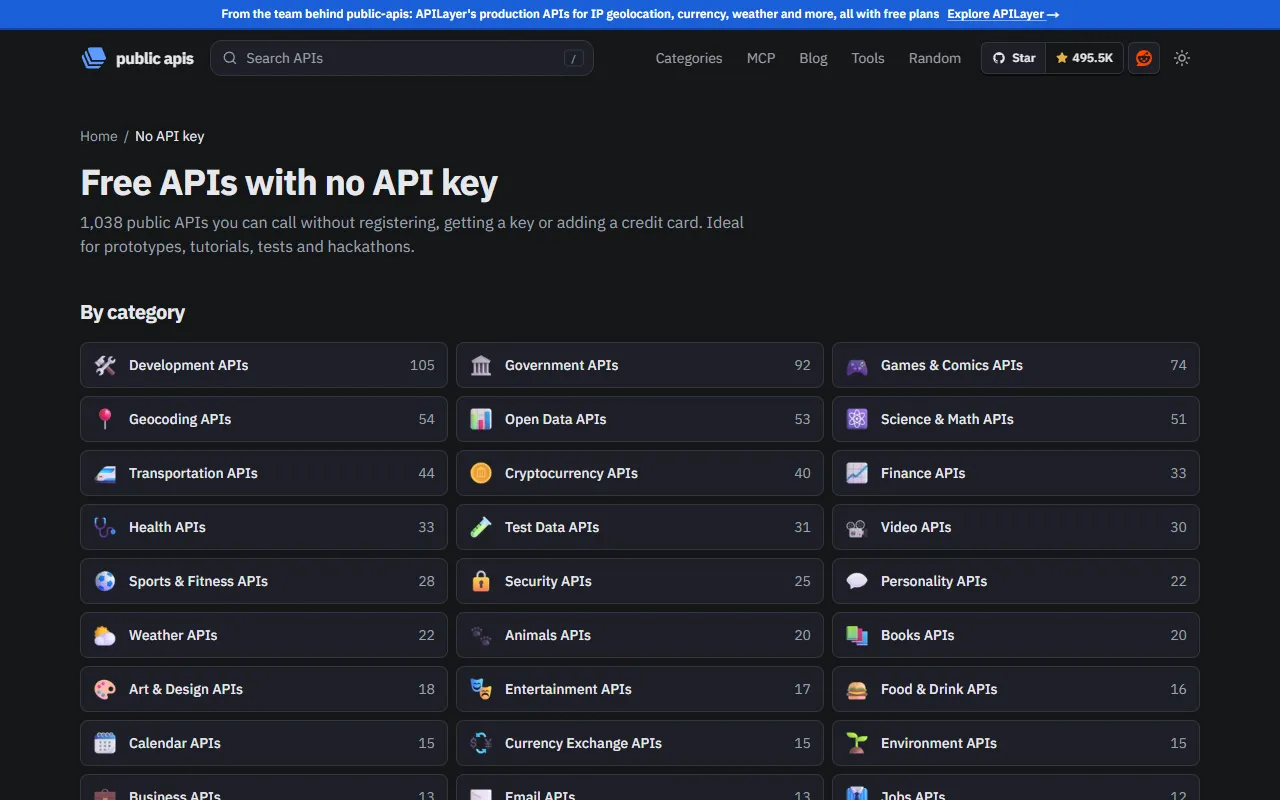
- public-apis (GitHub) — the full list, by category
- APIs with no key (official site) — 1,038, filterable
- publicapis.lol — search, categories, daily status checks
03Step 2: pick an API and check three things first
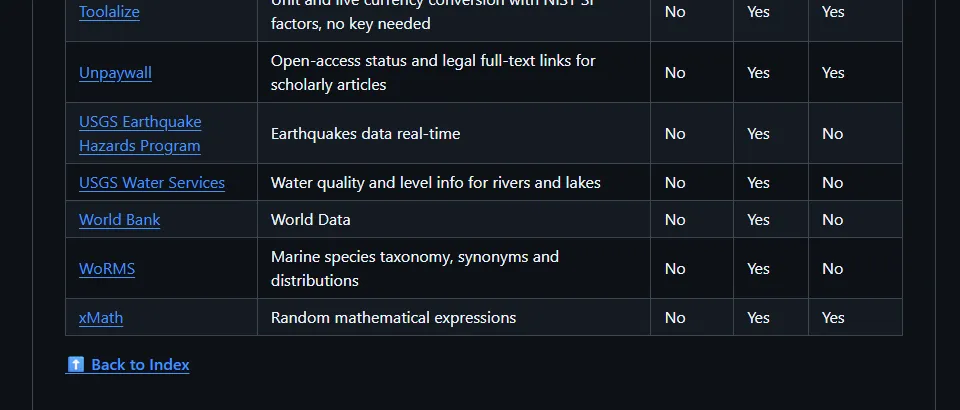
- Key or no key: the Auth column. For a first try, pick a "No" one; it is the fastest.
- Commercial use: open the API's own site and read the terms. Open-Meteo's free API, for example, is non-commercial only; check before you ship a paid product.
- Still alive: the list is community-curated and some APIs shut down or start charging. Check that the docs still load, or look at publicapis.lol's status page.
04Step 3: hand the API to Claude Code and say what you want
Open Claude Code in an empty folder, give it the API name and its official docs link, and describe the screen you want in one sentence. Here is the one I used for the earthquake map:
Use the USGS Earthquake API (from the public-apis list) to build a web page: earthquakes of magnitude 4 or more near Taiwan in the past year, drawn on a map, bigger ones redder, with the largest few listed beside it. Interface in Traditional Chinese.
Use [API name] (docs: [official docs link]) to build a web page that shows [what data] as [a map, a chart, a list…]. Make it a single index.html that works when I open it.
- It reads the API docs, picks the parameters, writes the code and tells you how to open it.
- Open it and say what is off: "the dots are too small", "translate the place names", "add a time slider".
- For APIs that need a key: tell it "keep the key in .env, not in the code", and never push .env to GitHub.
- USGS Earthquake API docs — no key, parameters
05Good to know
- Auth "apiKey" / "OAuth" means signing up first, and some sign-ups ask for a card; pick another one if you do not want that.
- Some are non-commercial only (Open-Meteo's free API, for example): read the terms before launching or charging.
- A key is your quota: never put it in front-end code, a public repo or a screenshot.
- The list is community-maintained and APIs can disappear or change rules; confirm on the API's own site before building a real product.
- My map only counts a box around Taiwan and magnitude 4+; USGS's catalogue and Taiwan's Central Weather Administration count differently, so the numbers will not match exactly.
- The numbers (500K stars, 2,000+, 1,038 keyless, 116 quakes) were checked on 6 Nov 2026 and will change.
- You found this guide by typing API at the link in bio; there is no DM.
Sources
What should the next reel cover?
I test Claude and AI tools every day and turn the useful ones into reels. Follow @vivianlin.tech to catch each new guide.