~/guides/TESTER.md
Claude Code built the form, Playwright found 3 bugs: testing empty fields, bad emails, double clicks and phone width
Have Claude Code test your form with Playwright like a careless user: install, a copyable test prompt, the report, the fix loop, plus the MCP and CLI.
Watch the reel on InstagramComment #TESTER to get this guide
Click through it once yourself and it works, but real users fill in nonsense, double-click and use phones. Playwright is Microsoft's free, open-source tool that opens several invisible Chrome windows in the background, clicks through your form at the same time and hands you a report. This is the full guide to the TESTER reel: I really ran it, 3 of 6 tests broke, and here is how to install it, the prompt that makes Claude Code write the tests (ready to copy), how to read the report and how to hand it back to Claude to fix. Every command follows the official pages, checked on 12 Nov 2026.
01The result first: 6 tests, 3 broke
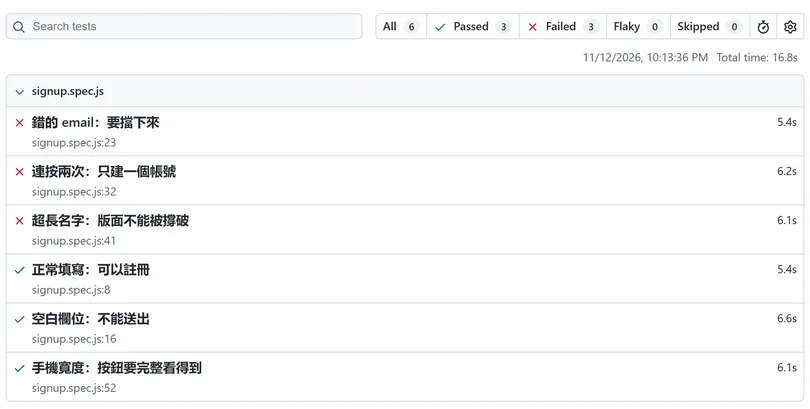
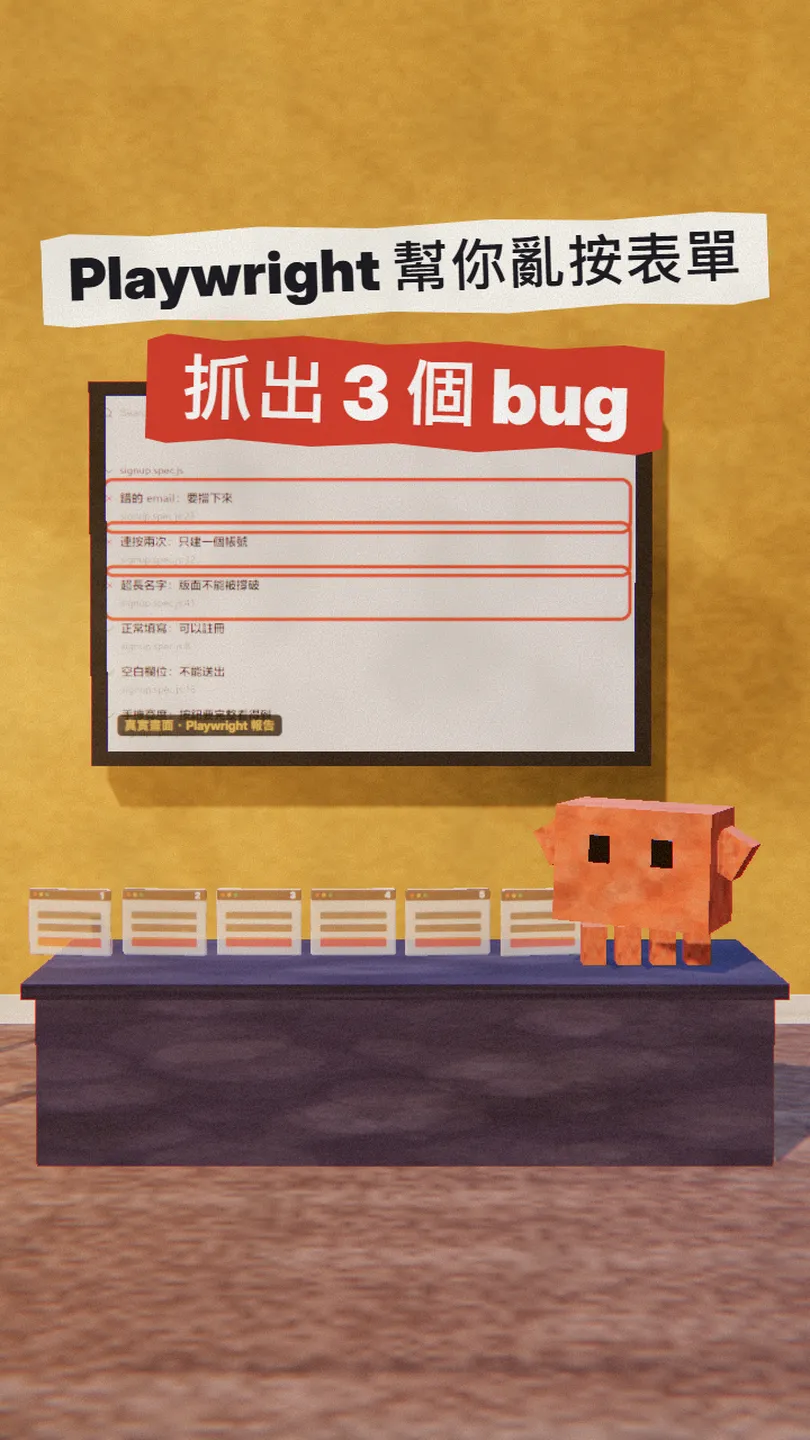
I had Claude Code build a very simple sign-up form: a name, an email and a "create account" button. Clicked through once by hand, everything worked. Then I asked Claude to test it with Playwright as a user who does everything wrong: 6 tests ran at the same time in the background, and 3 of them broke.
In this guide you get:
- The one command that installs Playwright.
- The prompt that makes Claude Code write the tests (empty, wrong email, double click, very long name, phone width), ready to copy.
- How to read the report and send the failing tests back to Claude to fix.
- Two other ways to use it: the Playwright MCP, which lets Claude open a browser itself, and the official Playwright CLI for coding agents.
02Step 1: install Playwright in your project
Playwright is Microsoft's open-source testing tool (Apache-2.0, free). It opens your page in Chromium, Firefox or WebKit, fills in forms and clicks buttons like a person, then checks the result. The official docs are clear: by default it runs headless (browsers you can't see) and runs several tests in parallel.
npm init playwright@latest
- It asks TypeScript or JavaScript, which folder for the tests, whether to add GitHub Actions and whether to download the browsers. Pressing Enter for the defaults is fine.
- It works in an existing project too: it adds Playwright to your current package.json and doesn't overwrite your files.
- Node.js 22, 24 or 26 (what the official docs say in November 2026).
03Step 2: have Claude Code test the form as a user who does everything wrong

The key is listing the ways people get it wrong, one by one. Claude thinks of some on its own, but when you spell them out, it doesn't skip any.
Write Playwright tests for [the sign-up form at /signup] as a user who does everything wrong:
1. Normal sign-up must work
2. All fields empty: must not submit
3. Wrong email (e.g. vivian@gmail): must be blocked
4. Double-click the button: only one account
5. A very long name (120 characters): the layout must not break
6. Phone width (375 px): the button must be fully visible
Run them all headless in parallel, then tell me which ones failed and why.
- Empty: many forms block it in the browser but not on the server.
- Wrong email: the browser's built-in email check lets vivian@gmail (no .com) through. My form really missed this one.
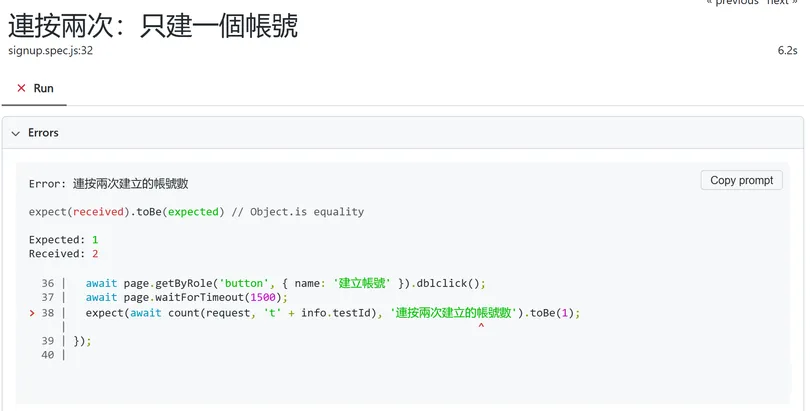
- Double click: if the button isn't locked while sending, the form submits twice. Mine created two accounts.
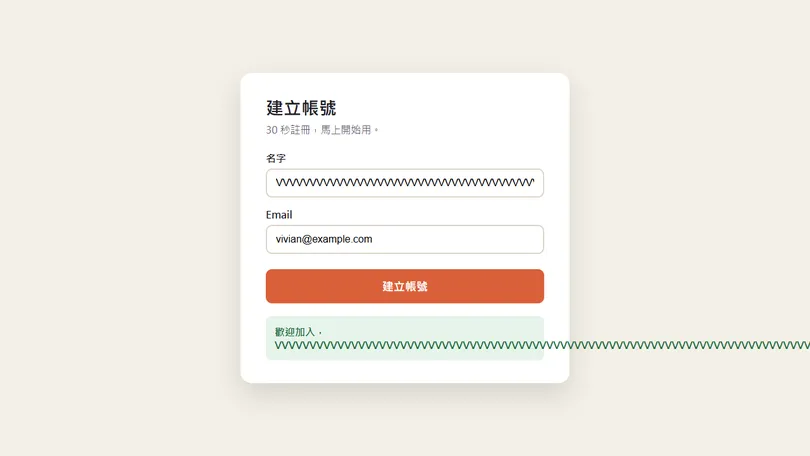
- Very long name: a long string of letters with no spaces doesn't wrap and runs out of the card.
- Phone width: fine on a laptop, but on a phone the button can get cut off.
04Step 3: run the tests and read the report
npx playwright test
npx playwright show-report
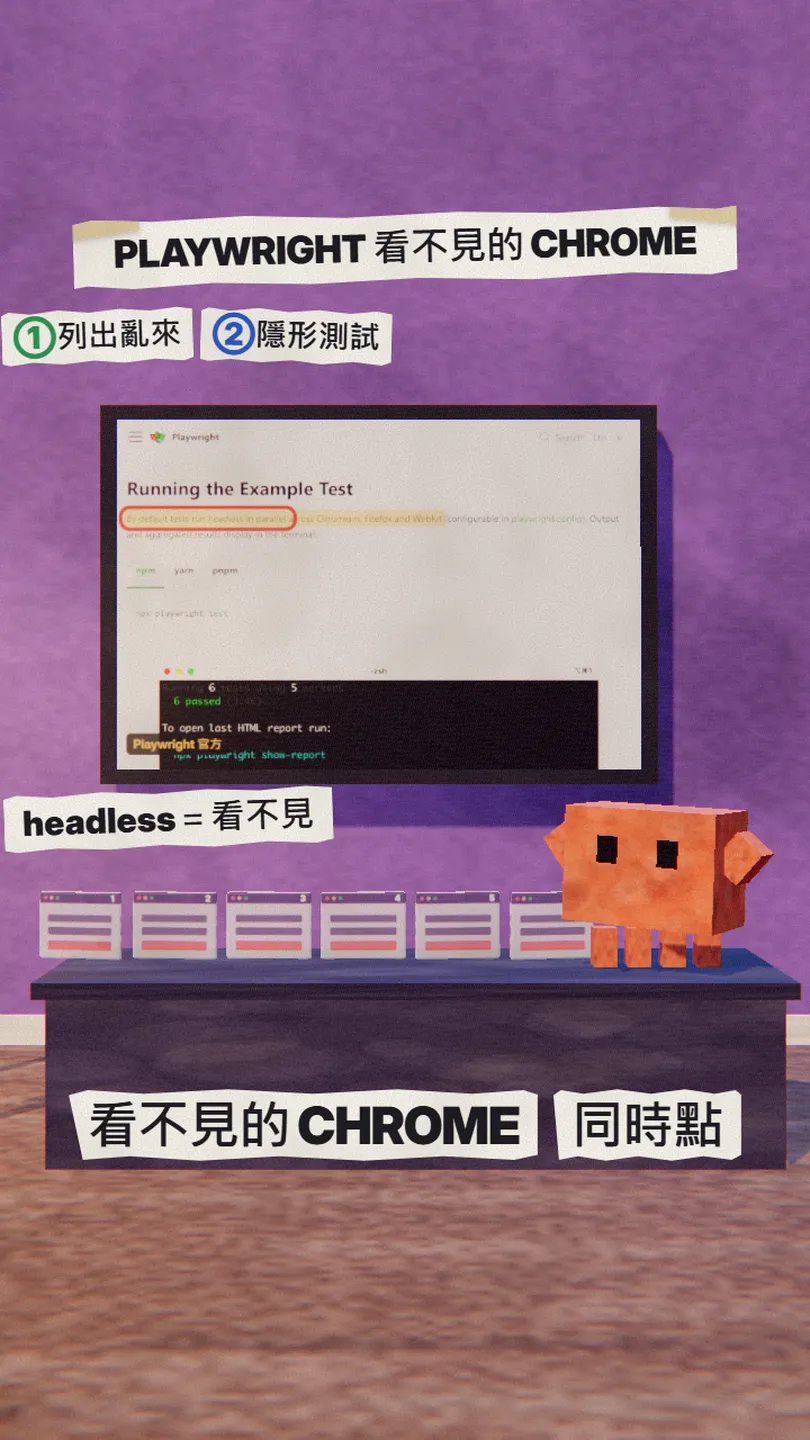
Mine said "Running 6 tests using 6 workers": 6 invisible Chrome windows at the same time, one per test. When a test fails, the report opens by itself, and every failed test has its error message and a screenshot from that moment.
05Step 4: give the report back to Claude, fix, run again
Every failed test in the report has a "Copy prompt" button at the top right that packs the error and the related code into one block of text. Click it and paste it into Claude Code.
Here's the Playwright report, [3] tests failed: [paste the Copy prompt text]
Fix the form, don't change the tests, then run npx playwright test again. It's only done when everything passes.
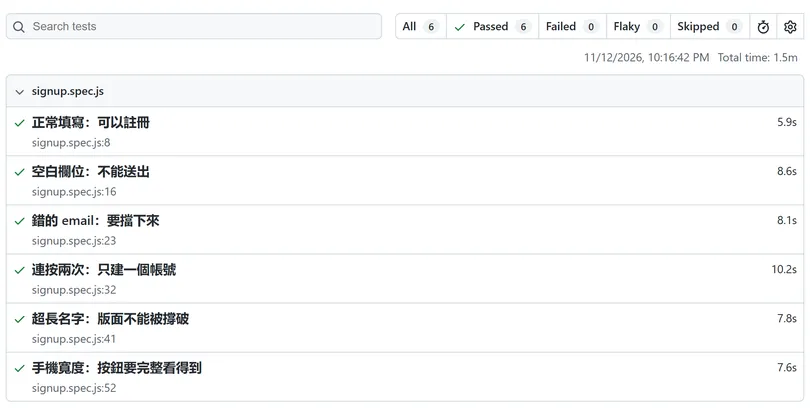
My form got four changes: the email needs a domain with a "." after the @, the button is locked while sending, the welcome message wraps long words, and the name goes into the page as plain text.
06Two other ways: Playwright MCP and Playwright CLI
The steps above give you test files you can rerun after every change. If you just want Claude to open the page right now and click around, Microsoft has two more official tools.
claude mcp add playwright npx @playwright/mcp@latest
Playwright MCP opens a visible browser window by default. To run it in the background, add --headless; because the server now has its own flag, put -- before the server command (as the Claude Code docs show):
claude mcp add playwright -- npx @playwright/mcp@latest --headless
npm install -g @playwright/cli@latest
playwright-cli install --skills
The Playwright CLI uses invisible browsers by default and needs Node.js 20 or newer. I tried it on the unfixed form: open the page, fill it in, double-click, and it also found 2 accounts.
07Good to know
- Playwright only tests the cases you write down. The fuller the list, the more it catches; it won't think of the missing ones by itself.
- Only test your own sites, or sites you are allowed to test.
- Copy install commands only from the official pages: playwright.dev, github.com/microsoft/playwright-mcp, github.com/microsoft/playwright-cli.
- My form is a small demo; "3 of 6 broke" is that one run, not a statement about your site.
- Versions change: Playwright 1.65.0, Playwright MCP 0.0.85, Playwright CLI 0.1.24 and the Node requirements were checked on 12 Nov 2026.
Sources
What should the next reel cover?
I test Claude and AI tools every day and turn the useful ones into reels. Follow @vivianlin.tech to catch each new guide.