~/guides/MCP.md
What is MCP? Claude is the phone, apps are the plugs: one claude mcp add line connects DeepWiki
MCP in plain words: one standard cable between Claude and your apps. How it differs from an API, which end is the server, and one command to connect DeepWiki.
Watch the reel on InstagramComment #MCP to get this guide
Everyone tells you to "install MCP", but hardly anyone says what MCP actually is. This is the full version of my MCP reel: first what you get once it's connected (I asked a GitHub project how to run it and got three steps), then MCP explained with a phone and plugs, which end is the server and which is the client, how it differs from an API, and finally, step by step, connecting a free, no-login MCP server (DeepWiki) in Claude Code, with commands you can copy. Everything about MCP and Claude Code follows the official docs, checked on 12 November 2026.
01The result first: one more line, and you can ask any public GitHub project
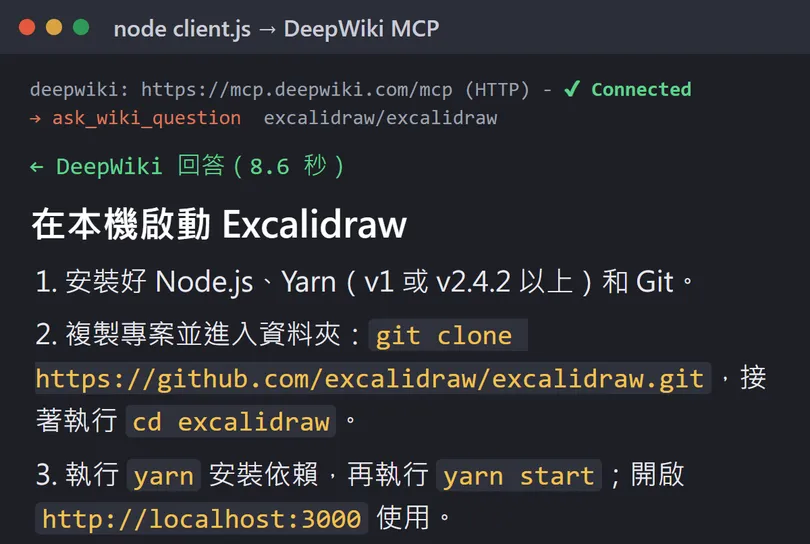
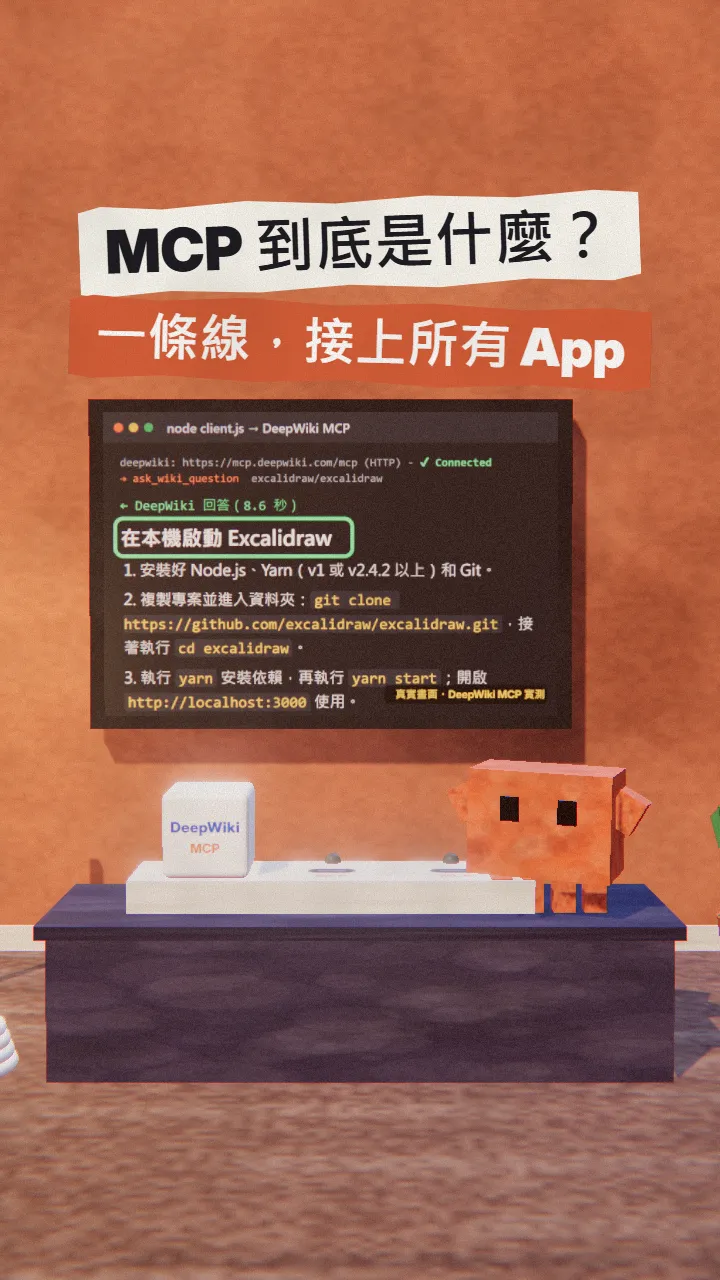
I asked about excalidraw/excalidraw, the open-source whiteboard on GitHub: "How do I run this project on my own computer?" DeepWiki has read the whole project and answered in three steps: install Node.js, Yarn and Git; git clone and go into the folder; run yarn and yarn start, then open http://localhost:3000.
What you get from this guide: MCP in plain words (a phone, plugs, one cable), which end is the server and which is the client, how it differs from an API, and the full commands to connect your first MCP server in Claude Code: add it, check it's connected, and what to ask once it is. If you'd rather not touch a terminal, the Claude app way is at the end.
02What MCP is: Claude is the phone, apps are the plugs, MCP is the one cable
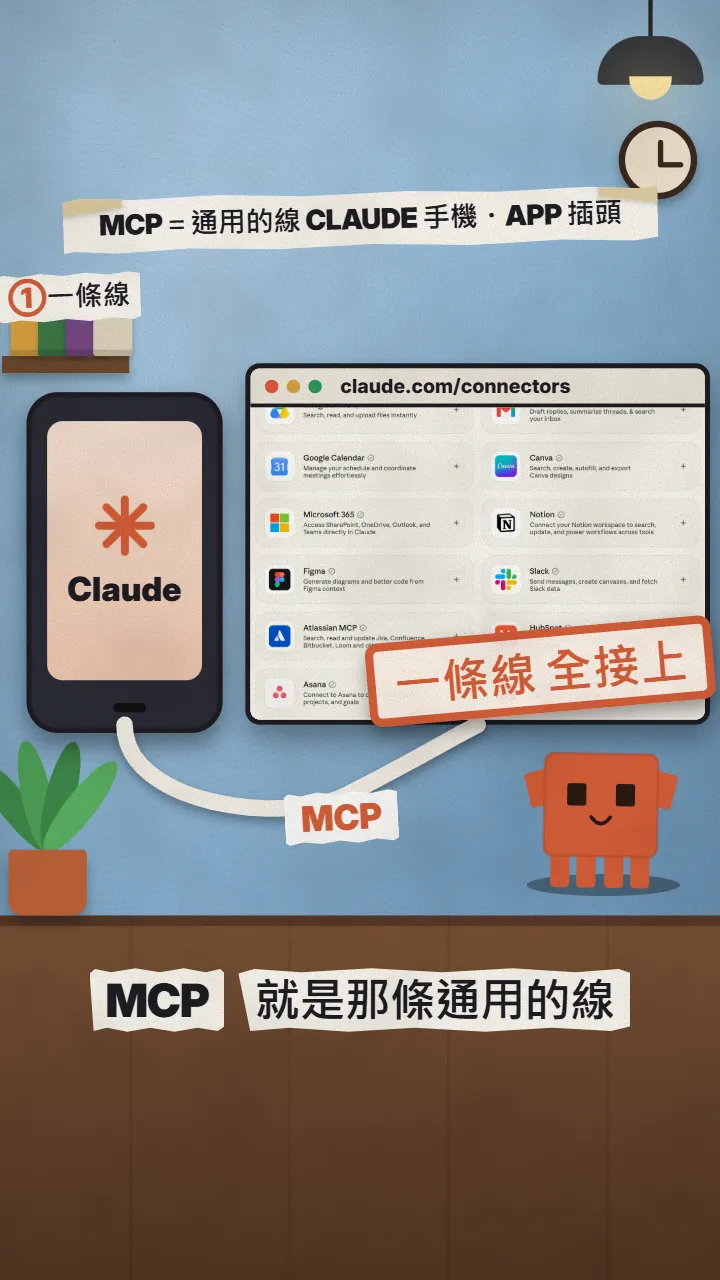
MCP stands for Model Context Protocol. The official definition: an open-source standard for connecting AI applications to external systems, such as your files, databases, search tools or calendar. The official analogy is "a USB-C port for AI applications": USB-C gives devices one plug, MCP gives AI one way to connect to tools.
The way I picture it: Claude is the phone, your apps (calendar, Notion, GitHub, a database) are the plugs, and MCP is the one cable. Once an app has built its MCP end, Claude can plug in, read its data and use its features.
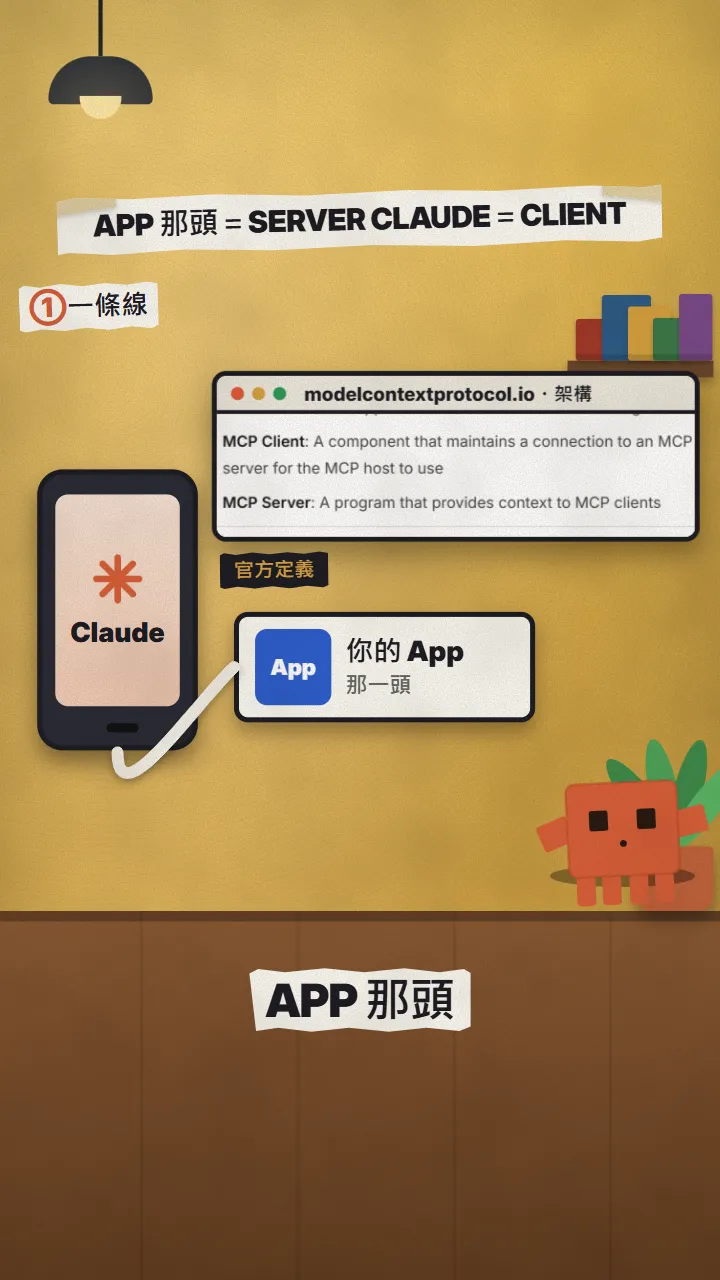
- MCP server: the app's end. Officially "a program that provides context to MCP clients". It can run on your own computer (local) or on the internet (remote).
- MCP client: Claude's end, which keeps the connection to one server and hands what it gets to Claude.
- MCP host: strictly, an AI application like Claude Code or Claude Desktop is the host, and it opens one client for each server it connects to. "Claude is the client" in the reel is the simple version.
03MCP vs an API: every socket becomes the same shape
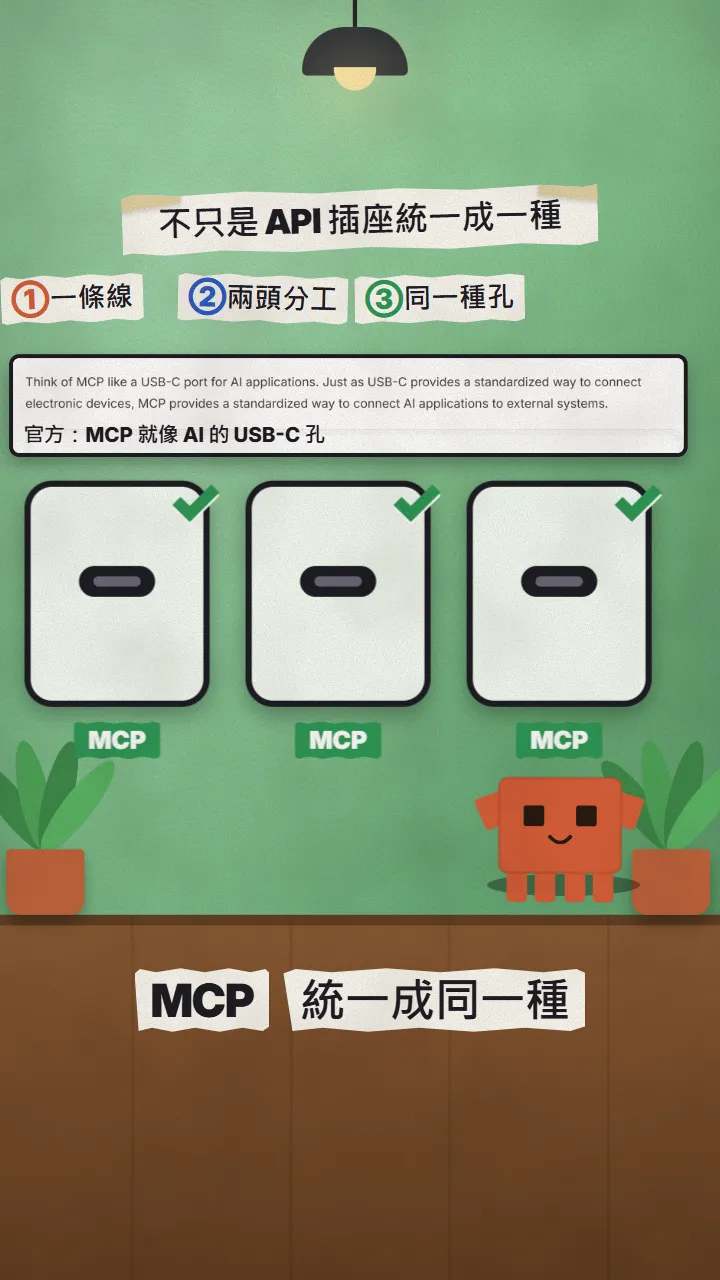
An API is a socket each app opens for itself: one shape for the calendar, another for notes, another for email, each with its own parameters, sign-in and response format. To let an AI use three apps, you used to wire a special cable for each one.
MCP makes every socket the same shape: each MCP server tells Claude in the same way which tools it has and what each one needs, so Claude learns once and can plug into any server. MCP doesn't replace APIs: many MCP servers still call the app's own API behind the scenes; MCP wraps it in one plug for AI.
04Connect one in Claude Code: DeepWiki (free, no login)
DeepWiki is an MCP server from the team behind Devin. Its official docs call it a "free, remote, no-authentication-required service" for public GitHub repositories. That makes it a good first one: no API key to request, and it never touches your own accounts.
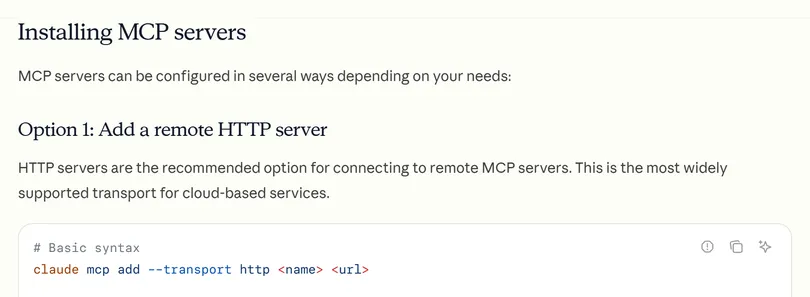
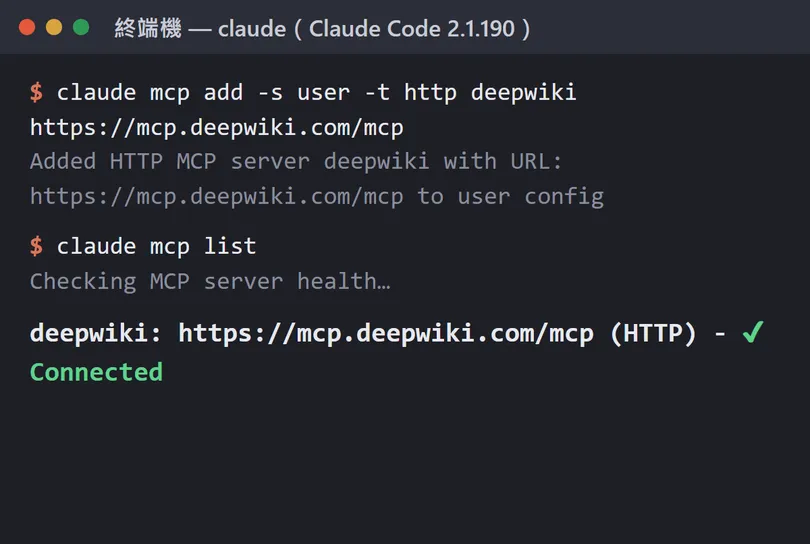
- Open a terminal (with Claude Code installed) and paste the first command below. -s user means "available in all your projects"; without it, the default scope is the current folder only.
- Run the second command to check. ✔ Connected means it's plugged in. Inside Claude Code you can also type /mcp to see every server's status.
- Open Claude Code and just ask, replacing [owner/repo] with the GitHub project you want. The first time the tool is used, Claude Code asks whether to allow it.
claude mcp add -s user -t http deepwiki https://mcp.deepwiki.com/mcp
claude mcp list
Use DeepWiki on [owner/repo]: how do I run this project on my computer? Answer in 3 steps.
DeepWiki has three tools: read_wiki_structure (lists the project's documentation topics), read_wiki_contents (reads them) and ask_wiki_question (answers a question). You don't need to remember them; Claude picks. To learn a project's architecture, try "first list the documentation topics of [owner/repo]".
05No terminal: add a connector in the Claude app
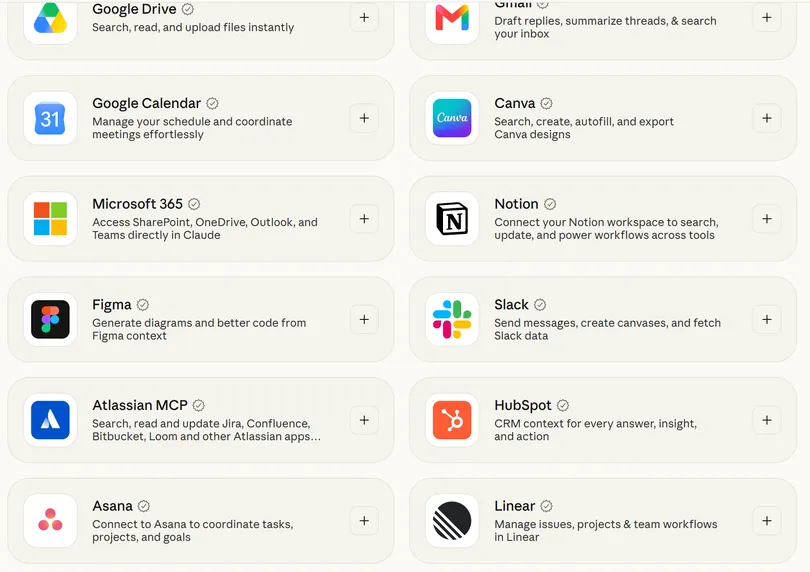
In Claude on the web and desktop, MCP is called Connectors. Common apps (Google Calendar, Gmail, Notion, Slack, Figma) are one click away in the connectors directory; you sign in to the app to authorise it.
- For anything not in the directory, add a custom connector: on Pro and Max, Customize → Connectors → + Add → Add custom connector.
- Enter a name and the MCP server's URL (remote servers only, e.g. [https://server-url/mcp]), review the authentication settings and click Add.
- The Free plan is limited to one custom connector; on Team and Enterprise an admin adds them under Organization settings → Connectors.
06Watch out
- Only connect MCP servers you trust. Claude Code's docs warn that servers which fetch external content can expose you to prompt injection (malicious instructions hidden in a page or document).
- Once connected, Claude can do whatever that app's tools can do. For tools that change data, send messages or delete things, Claude Code asks before running them: read before you allow.
- For servers that need an API key, put the key in an -e environment variable or the config file; never paste it into the chat or commit it to GitHub.
- DeepWiki only sees public GitHub projects, and its answers are AI summaries of the project that can be wrong: check the project's own README before you follow them.
- The DeepWiki answer in the reel and in this guide came from my test program calling DeepWiki's MCP server directly (12 November 2026), not from a Claude Code chat screenshot; claude mcp add and claude mcp list were really run in Claude Code 2.1.190.
Sources
What should the next reel cover?
I test Claude and AI tools every day and turn the useful ones into reels. Follow @vivianlin.tech to catch each new guide.