
~/guides/MARKETING.md
Google Pomelli, a free AI marketing tool: paste your website, get a full set of on-brand posts
Google Labs' Pomelli reads your site, builds a brand DNA, suggests campaigns and makes editable posts; Photoshoot turns product photos into studio shots. Free.
Google has a free marketing tool called Pomelli. Paste your website address and it learns your brand: fonts, colours, tone of voice and images. Then it suggests campaign ideas and makes a whole set of social posts you can edit and download. Since 2026 it also has Photoshoot, which turns a phone photo of your product into a studio shot. This guide shows what it makes first, then walks you through it step by step, and ends with the limits I think you should know.
01The result first: one website, a whole set of posts
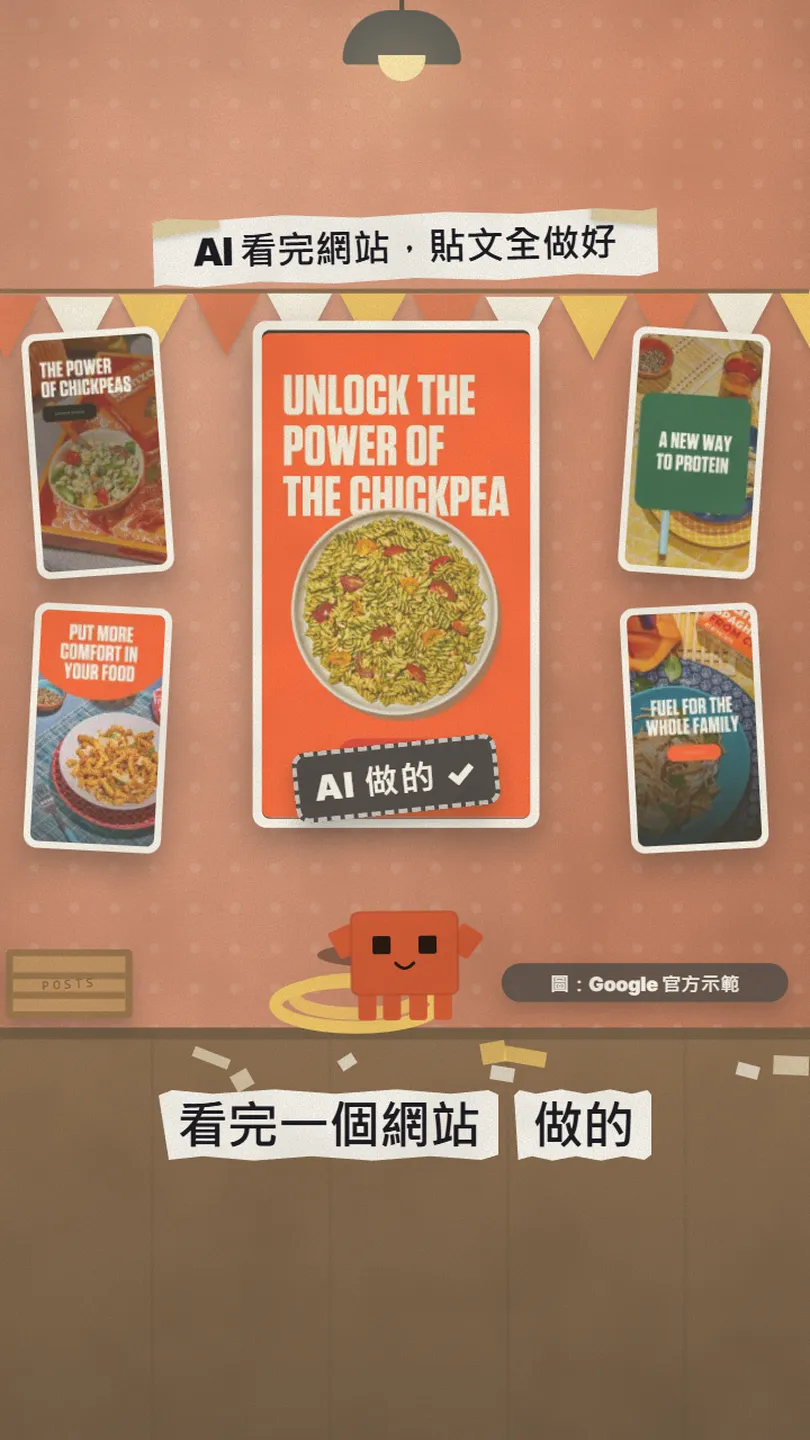
These are the official examples from Google's Pomelli launch post. The demo brand is a chickpea pasta company: after reading its website, Pomelli came up with 4 campaign ideas, each with a headline, an image and a button. The fonts and colours match the brand because it first pulled a "Business DNA" from the site.
- ① Paste your URL: Pomelli reads your site and builds a brand DNA (fonts, colours, tone, images).
- ② Campaign ideas: it suggests campaigns from that DNA, or you type your own idea.
- ③ Edit and download: change the headline, image and button, then download and post to Instagram, Facebook or TikTok.
- Bonus, Photoshoot: one ordinary product photo becomes studio and lifestyle shots.
02Before you start: who can use it, and does it cost anything
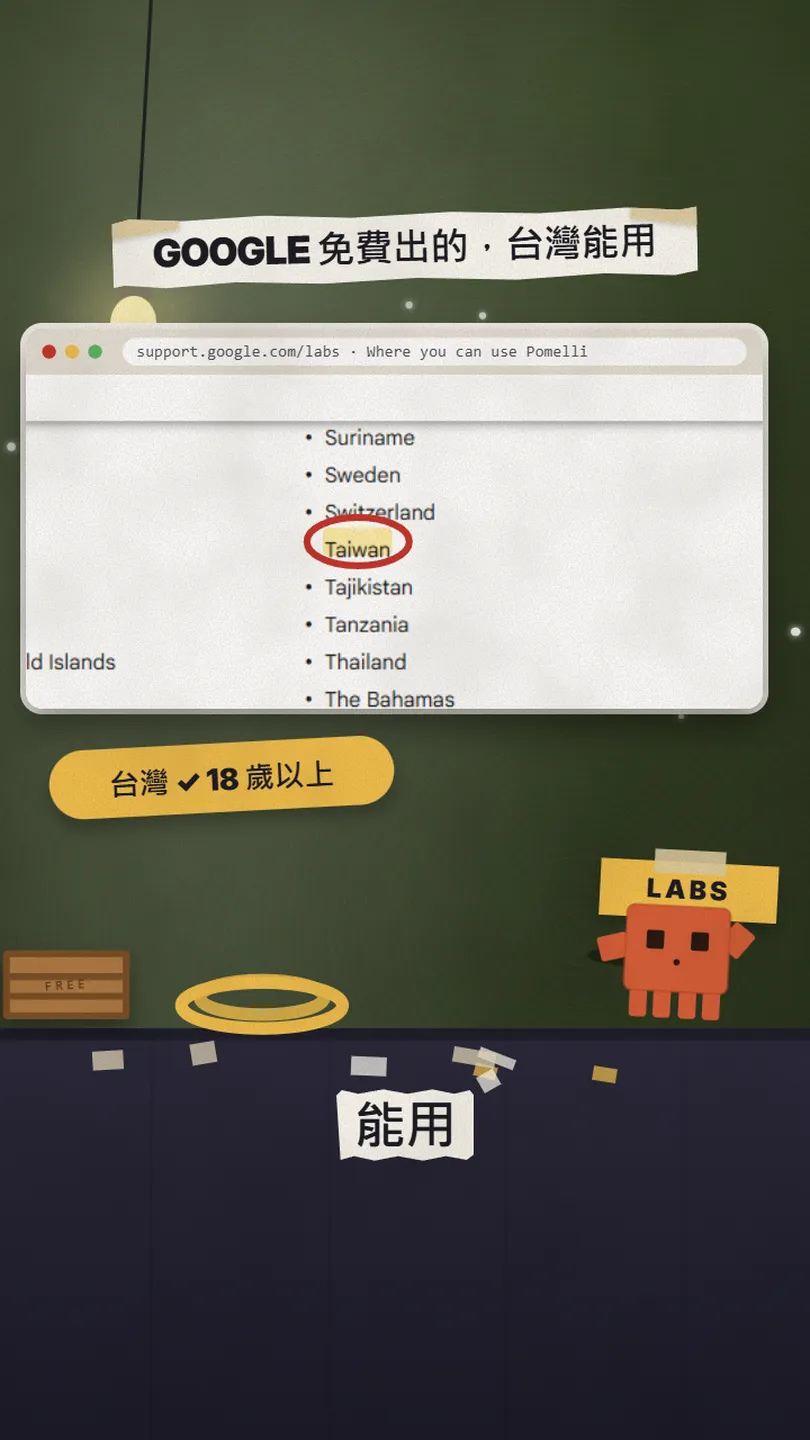
Pomelli is a Google Labs experiment built with Google DeepMind. At launch on 28 Oct 2025 it was only open in the US, Canada, Australia and New Zealand. When I checked the help centre on 27 Oct 2026, about 200 countries and territories were listed, including Taiwan (Hong Kong is not), for users 18 and over, and the only supported language was English.
Price: the official FAQ says you can currently use Pomelli at no charge, with several hundred image and video generations; any change to these caps will be posted in the help centre.
- Open labs.google.com/pomelli on a computer or phone and tap Let's get started.
- Sign in with a Google account. If your company's Google Workspace account doesn't work, ask your admin to allow it, or use an @gmail.com account.
- Have your website address ready. No website works too (see step 1).
- Pomelli official page — Google Labs
- Where you can use Pomelli — countries and languages
03① Paste your URL and get your brand DNA
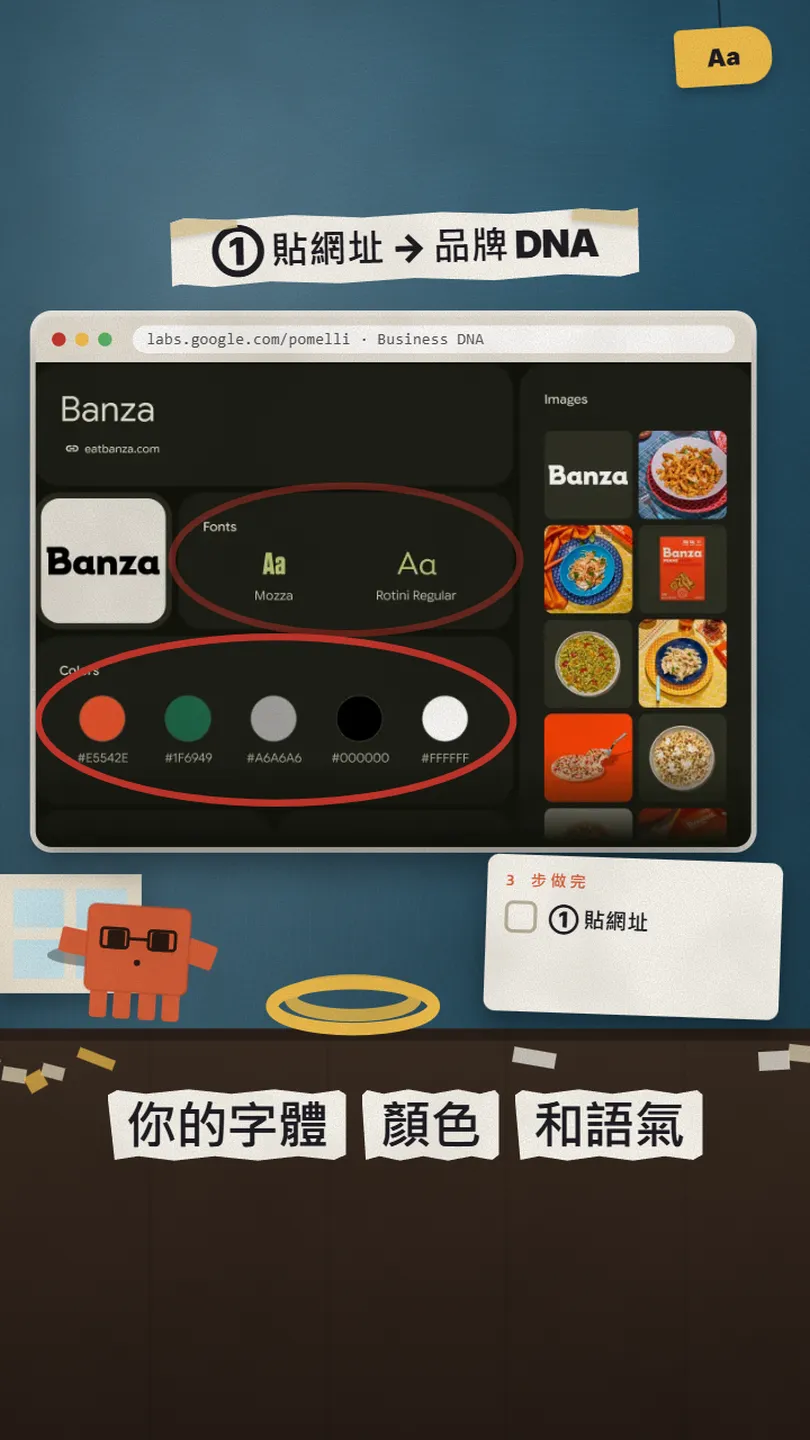
- On the welcome page, select Let's go.
- Enter your website address. If you have a Google Business Profile, Pomelli uses it too; untick the box if you don't want that.
- Select Continue. Pomelli analyses your site; Google says this can take up to eight minutes.
- Check the Business Profile it builds (fonts, colours, values, images). Fix anything wrong directly, or type to Pomelli Agent on the right and ask it to change things.
Our tone of voice is [warm, playful and simple]. Our main customers are [young parents in Taipei]. Please use [our green #1F6949 as the main colour] and remove [the stock photos of the office] from our images.
04② Let it come up with campaign ideas
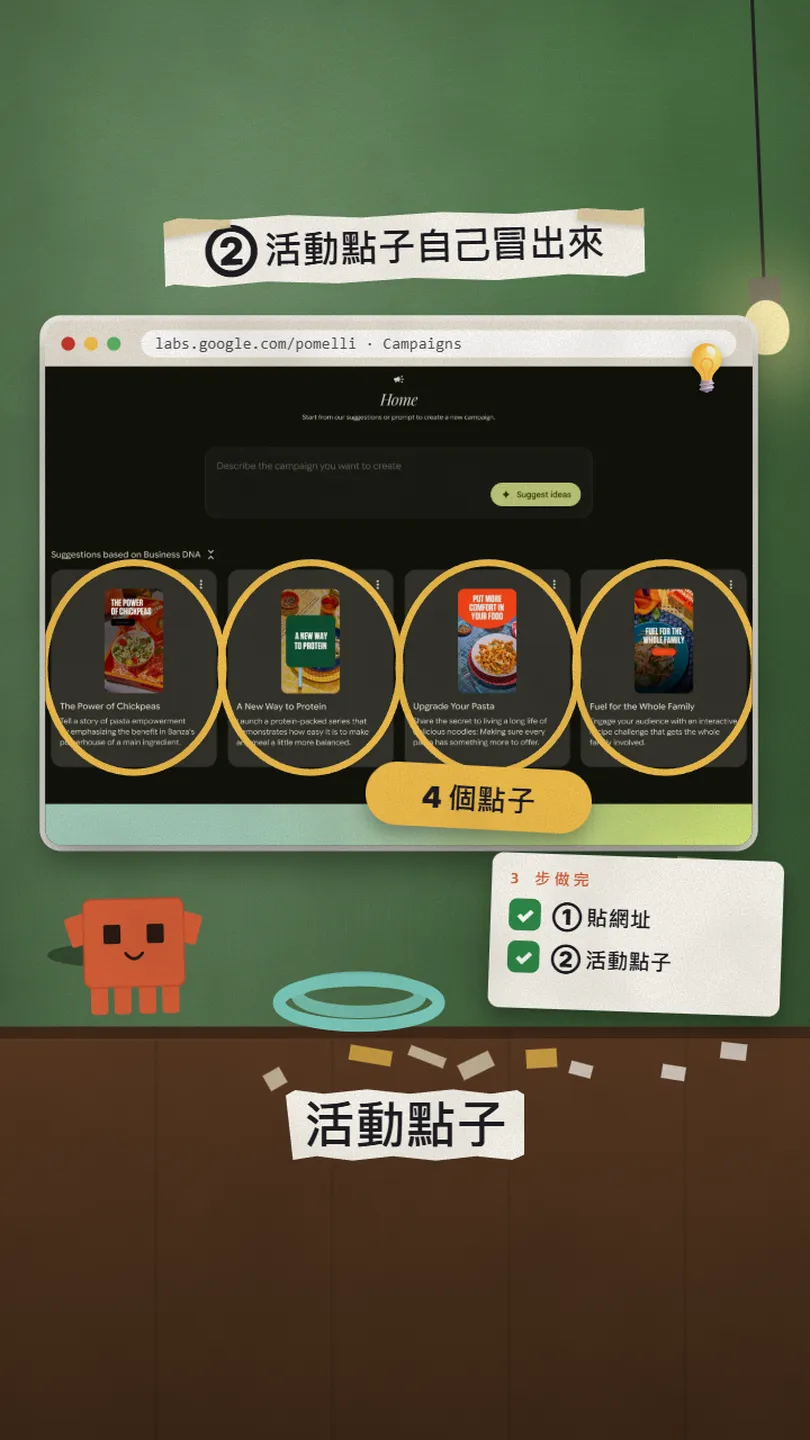
- On the left, select Campaigns.
- Pick one of the ideas it suggests from your brand DNA, or type your own campaign idea in the box.
- To push one product: in the prompt box select Product, pick it, then select Generate.
- Read the Campaign brief it writes, edit it if you like, then select Confirm.
A [Christmas] campaign for [our handmade candles]. Goal: [get people to order before Dec 15]. Audience: [office workers buying small gifts]. Tone: [cosy and friendly]. Make [4] posts for Instagram in 9:16.
05③ Edit the headline and image, then download
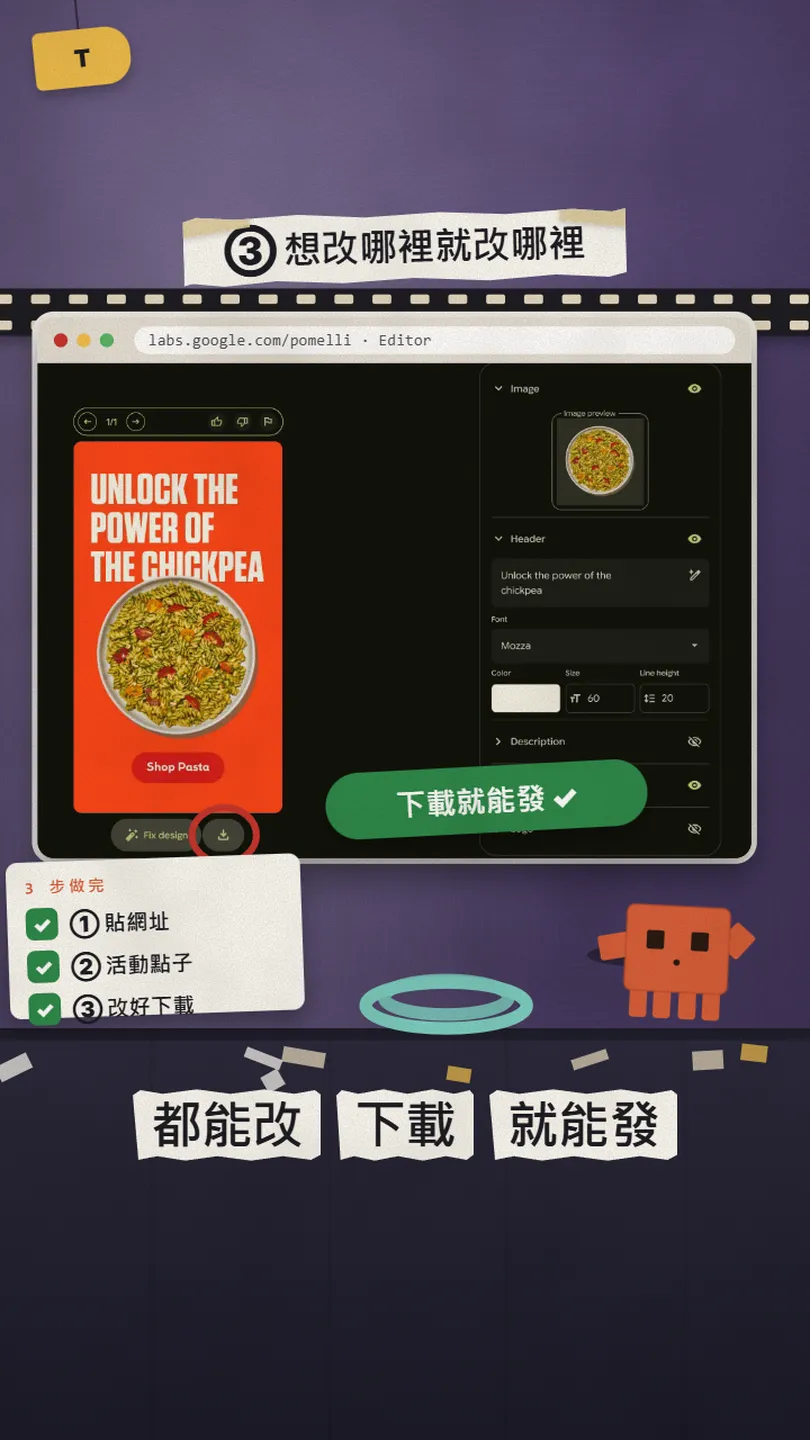
- Select any generated asset to open the editor.
- Change the image: generate a new one, or pick one from your Business Profile images.
- Change the header, description and call to action; adjust the typography.
- If something looks out of place, use Fix layout.
- Want motion? Hover over the creative and select Animate (9:16 format only).
- When you are happy, download and post to Instagram, Facebook, TikTok, YouTube, LinkedIn and more.
06Bonus, Photoshoot: product photos become studio shots
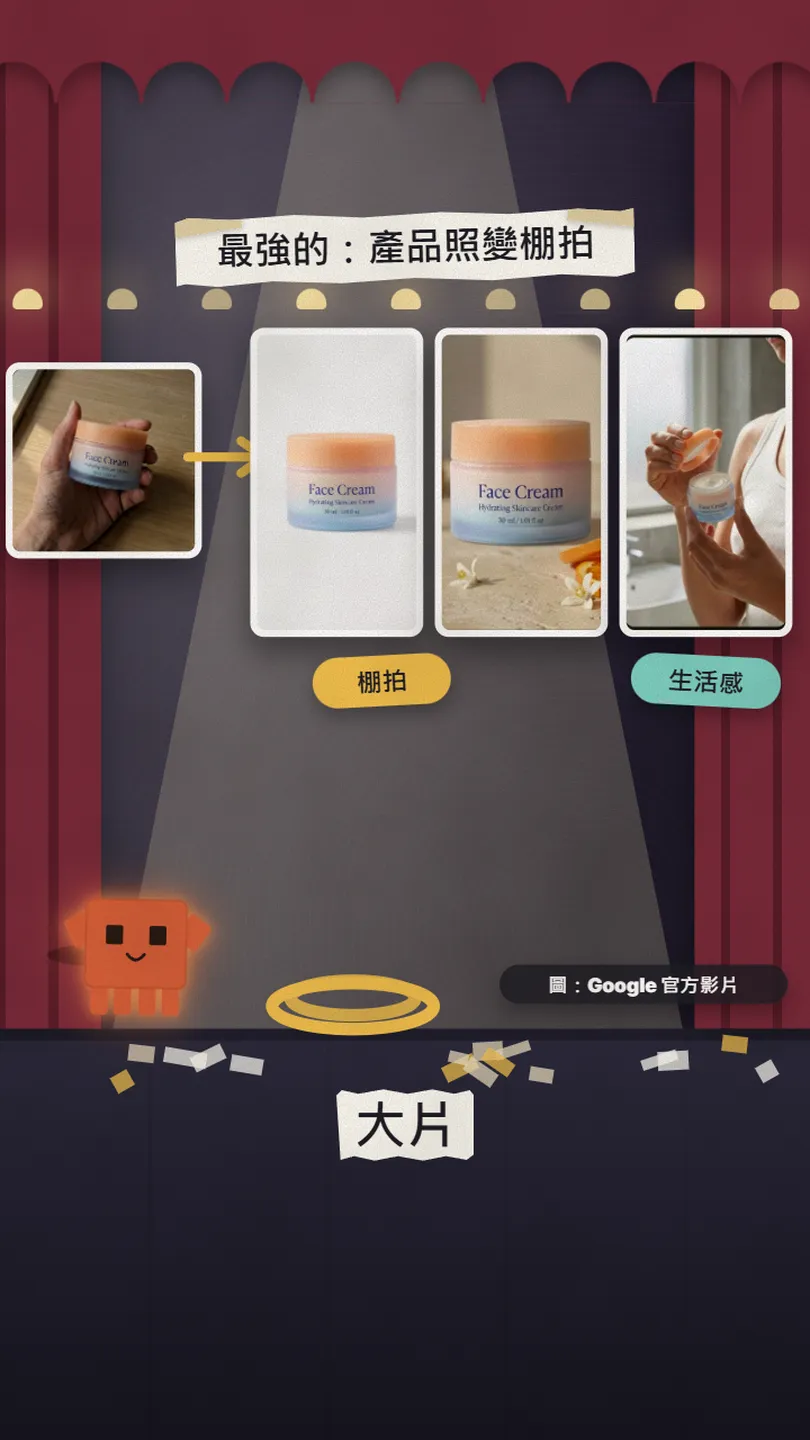
Photoshoot was added in February 2026. Google describes it as turning simple product photos into professional-grade studio and lifestyle imagery, with your brand's look applied automatically.
- Build your Business Profile first (step 1).
- On the left, select Photoshoot, then Create a product Photoshoot.
- Select your product image, then Choose Templates: up to 6 preset or custom templates.
- Select Generate. Not happy? Describe the edit in the prompt box on the right.
- Select Animate for motion and download it as MP4 or GIF, or select Create Campaign to use the photos in a campaign.
07Good to know
- English only for now: ideas, headlines and copy come out in English. For Chinese posts, swap the words after downloading, or use only the images.
- AI can change product details: Google warns that colours, logos or textures may be altered, so check every image before you post it.
- Free "currently": Google says several hundred generations, and any change will be posted in the help centre.
- The demo posts and Photoshoot images are Google's own showcase material, and the official video notes results are for illustrative purposes; your site will give different results.
- Don't upload images or content you don't have the rights to use.
Sources
- Google Labs: Pomelli official page (checked 27 Oct 2026)
- Google help centre: Get started with Pomelli (FAQ: no charge, several hundred generations, Workspace; 27 Oct 2026)
- Google help centre: Where you can use Pomelli (Taiwan, 18+, English only; 27 Oct 2026)
- Google help centre: Build your Business Profile & Catalog (27 Oct 2026)
- Google help centre: Create Campaigns in Pomelli (27 Oct 2026)
- Google help centre: Create Photoshoots in Pomelli (27 Oct 2026)
- Google blog: Pomelli launch post (28 Oct 2025)
- Google Labs official video: Introducing Pomelli Photoshoot (18 Feb 2026)
What should the next reel cover?
I test Claude and AI tools every day and turn the useful ones into reels. Follow @vivianlin.tech to catch each new guide.


