~/guides/WEBHOOK.md
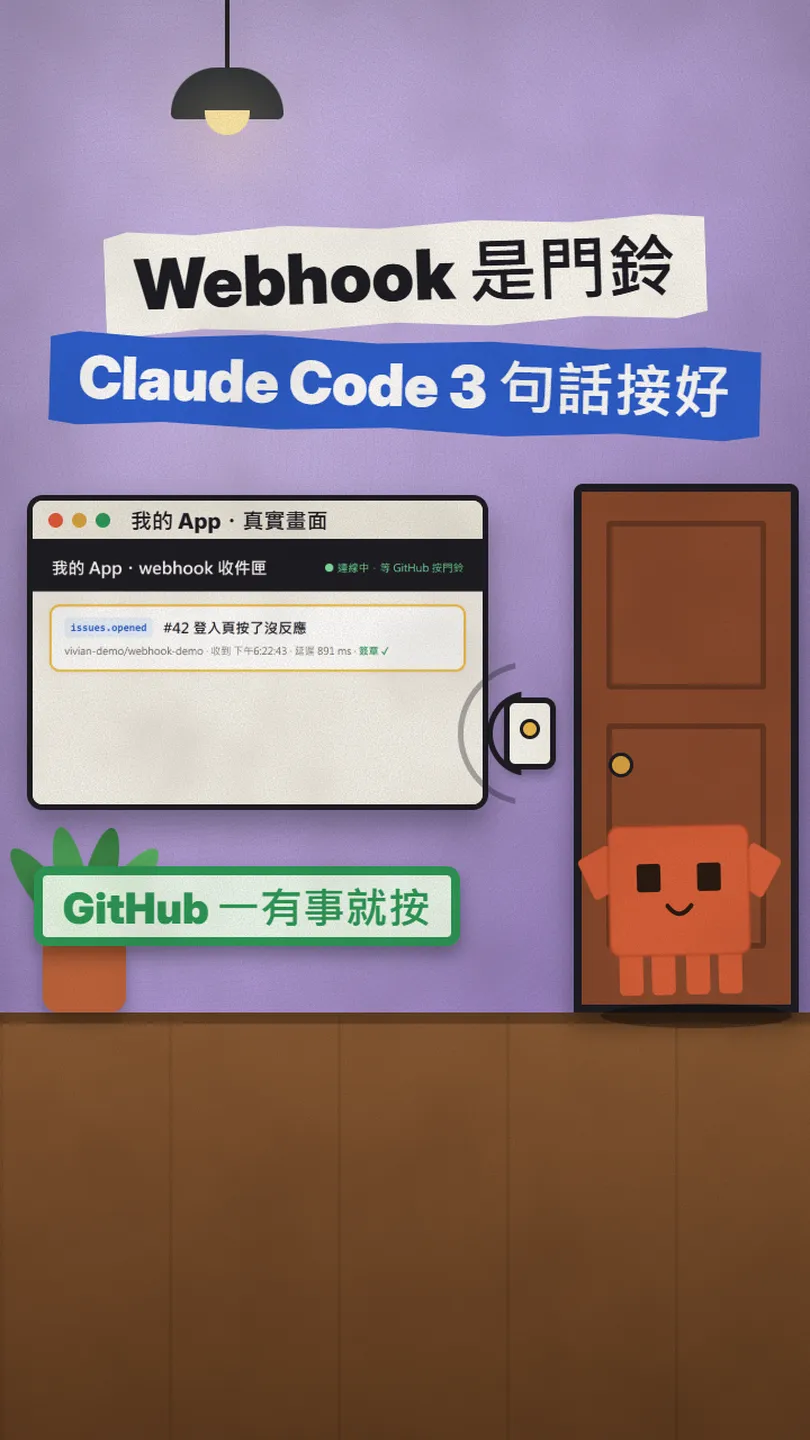
A webhook is a doorbell: wire a GitHub webhook with 3 Claude Code prompts, then test it locally with smee.io
Stop asking "anything new?" every minute: GitHub pushes events to your app. Three prompts, GitHub settings, signature checks, the 10-second rule, smee.io.
Lots of apps ask every minute: "anything new?" It's like walking to the mailbox again and again, and it's usually empty. A webhook flips that: you give GitHub a URL once, and the moment something happens, it sends the data to you. This is the full version of my WEBHOOK reel: how the little inbox app running on my computer works, the three things to tell Claude Code (copy them), what to fill in on GitHub, and how to test it on your own machine with smee.io. Everything about GitHub follows the official docs, which I checked on 10 November 2026.
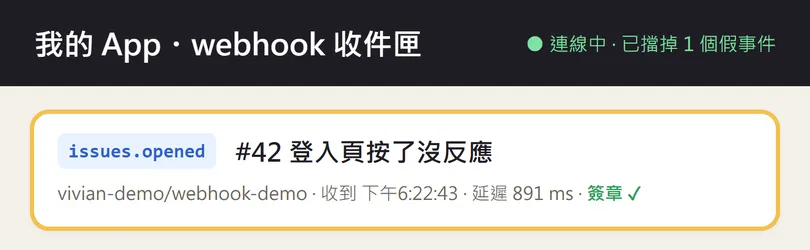
01The result first: someone opens an issue on GitHub, my app gets it right away
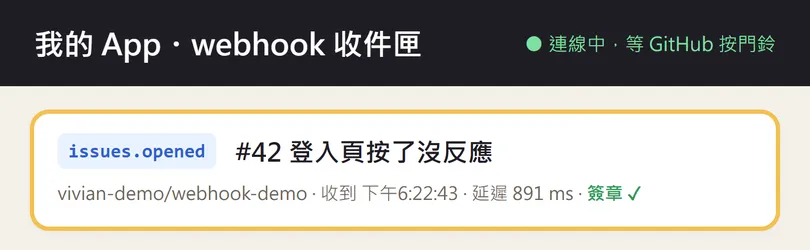
The inbox is a tiny Node program that only uses built-in modules, with nothing to install. Events come in through smee.io, the app checks the signature, keeps the event only if it matches, and the page updates live. It's the same path a real GitHub webhook takes; the only difference is that I sent the test events myself, in GitHub's format.
- How a webhook differs from asking every minute (in GitHub's own words).
- The three prompts for Claude Code, ready to copy.
- The Payload URL and Secret you fill in on your GitHub repo.
- Testing on your own computer with smee.io, plus GitHub's one-click redeliver.
02What a webhook is: stop checking the mailbox, wait for the doorbell
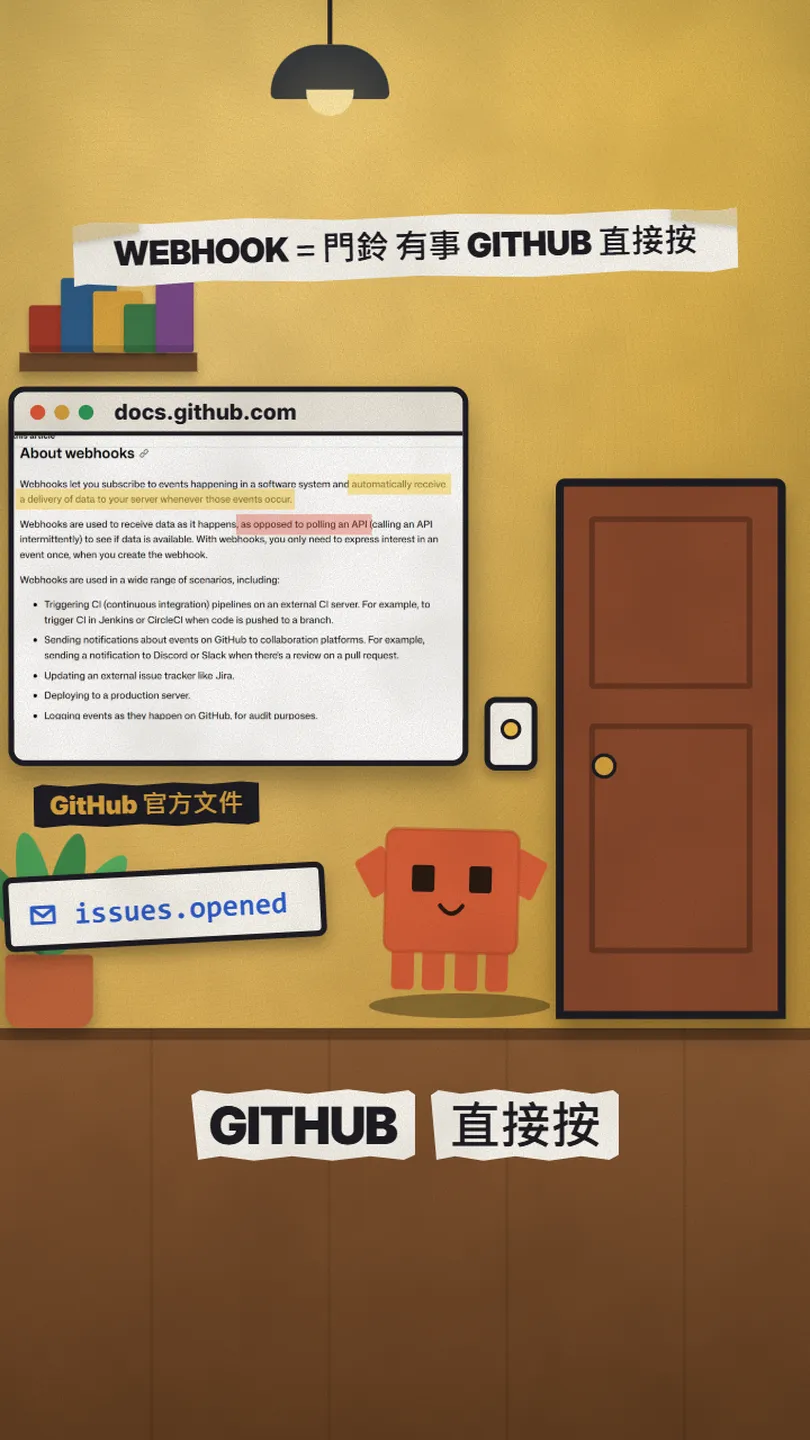
Asking again and again is called polling: your program calls an API every so often to see if there's anything new. Most of those calls come back empty, and asking too often can run you into the API's rate limit.
A webhook is the doorbell. You tell GitHub once which events you care about and which URL to send them to. After that, every time someone opens an issue, pushes code or opens a PR, GitHub sends an HTTP request with that event's data to your URL. Once your app has it, it can post to Discord, redeploy, write to a database, whatever you need.
03Prompt 1: open a /webhook URL that receives GitHub events
Open Claude Code in your project folder and paste this. Swap the parts in [] for your own setup:
Write a small app in [Node / Python / your language] (port [3000]): open a /webhook URL that receives GitHub [issues] events, and a home page that lists incoming events live (event type, title, time received).
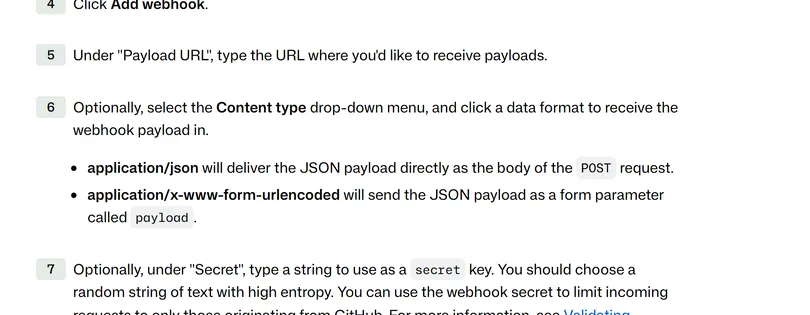
- In your repo, go to Settings → Webhooks → Add webhook.
- Payload URL: your URL (for local testing, the smee.io URL from below).
- Content type: application/json, so the event arrives as the body of the POST.
- Secret: a long random string. Prompt 2 uses it.
- Under "Which events", tick only what you need, for example Issues. GitHub recommends subscribing to as few events as possible.
04Prompt 2: check the signature with your secret, block the fakes
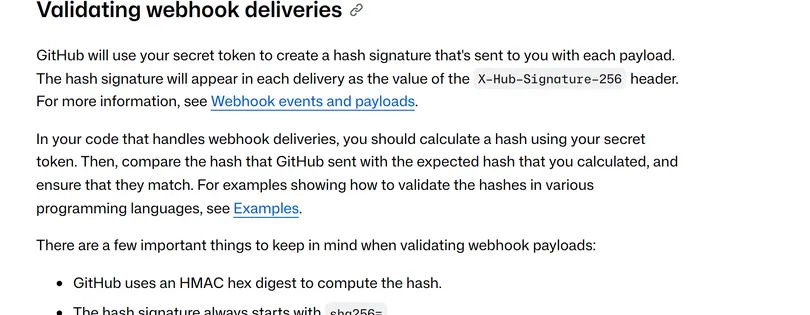
Your /webhook URL is public, so anyone can pretend to be GitHub. GitHub uses the secret you set to sign every delivery and puts the signature in the X-Hub-Signature-256 header. Your app computes it again with the same secret and only accepts the request if they match.
Verify every request's X-Hub-Signature-256 with my secret (HMAC SHA-256 over the raw body, constant-time comparison), and answer 401 if it doesn't match. Read the secret from the environment variable [WEBHOOK_SECRET]; don't hard-code it.
05Prompt 3: answer first, do the work after
GitHub waits only 10 seconds. If your server doesn't answer with a 2XX within that time, GitHub drops the connection and counts the delivery as failed. So answer "got it" first and do the real work (emails, deploys, database writes) afterwards.
When a webhook arrives, answer 202 right away and process it in the background, so GitHub never waits more than 10 seconds. Before processing, check X-GitHub-Event and the payload's action; only handle [issues.opened] and ignore the rest.
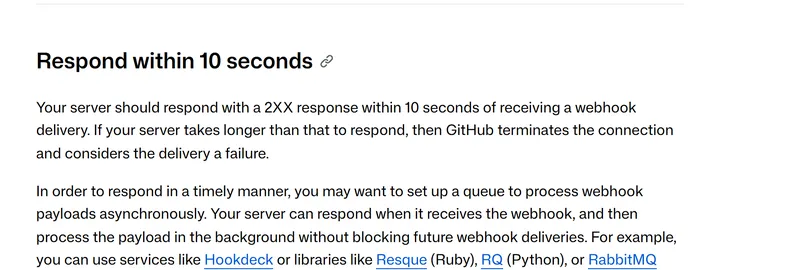
Two more best practices worth adding to the same prompt: check the event type and action before processing (GitHub keeps adding new events), and use the X-GitHub-Delivery header to recognise the same delivery so it isn't processed twice.
06Test on your own computer: smee.io forwards events to localhost
GitHub can't reach localhost on your computer, so GitHub's testing guide uses smee.io as a relay: GitHub sends to your smee.io URL, and the smee client passes it on to the app on your machine. That's exactly how the test in my reel ran.
- Open smee.io, click Start a new channel and copy the Webhook Proxy URL.
- Put that URL in your GitHub webhook's Payload URL.
- Start your app on your computer (for example on port 3000).
- In a second terminal, install the smee client and start forwarding (commands below).
- Open an issue in the repo and check that both the smee.io page and your app show it.
npm install --global smee-client
smee --url [your smee.io URL] --path /webhook --port [3000]
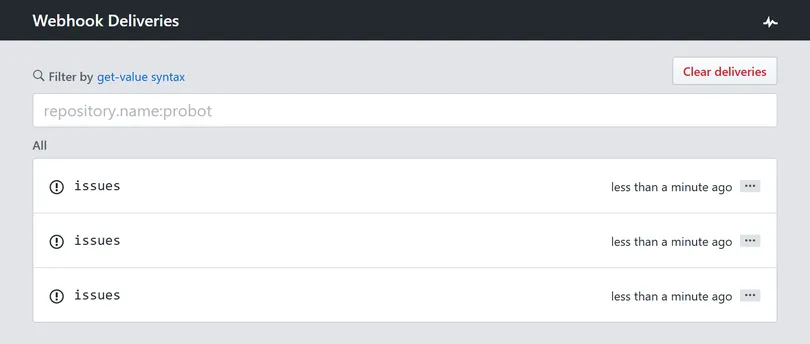
Changed your code and want to test again? You don't need a new issue: in the repo go to Settings → Webhooks → your webhook → Recent deliveries, open a delivery and click Redeliver. The docs say you can redeliver deliveries from the past 3 days if you have admin access to the repo, and that GitHub never redelivers failed deliveries on its own.
07Watch out for
- Keep the secret out of your code and out of GitHub; use an environment variable. Don't put passwords or API keys in the URL either (the docs warn about this).
- Use an HTTPS URL in production. GitHub verifies SSL certificates by default and recommends leaving that on.
- smee.io is a testing relay: anyone with the channel URL can see what goes through it. In production, point the webhook at your own server.
- The same event can arrive again (when you click Redeliver, or when your server didn't answer). Check X-GitHub-Delivery before processing.
- The events in the reel are test events I sent in GitHub's format, and the latency is one measurement through smee.io, not GitHub's speed.
Sources
- GitHub Docs: About webhooks
- GitHub Docs: Creating webhooks
- GitHub Docs: Validating webhook deliveries
- GitHub Docs: Best practices for using webhooks
- GitHub Docs: Testing webhooks
- GitHub Docs: Redelivering webhooks
- smee.io
- GitHub: probot/smee-client
- Stripe Docs: Receive Stripe events in your webhook endpoint
What should the next reel cover?
I test Claude and AI tools every day and turn the useful ones into reels. Follow @vivianlin.tech to catch each new guide.