~/guides/START.md
No app idea? Let Claude interview you first: 4 prompts from a daily hassle to your first app
Four prompts: Claude interviews you about daily hassles, picks an app idea and writes the plan; Claude Code builds it. Bonus: your first 100 users.
Watch the reel on InstagramComment #START to get this guide
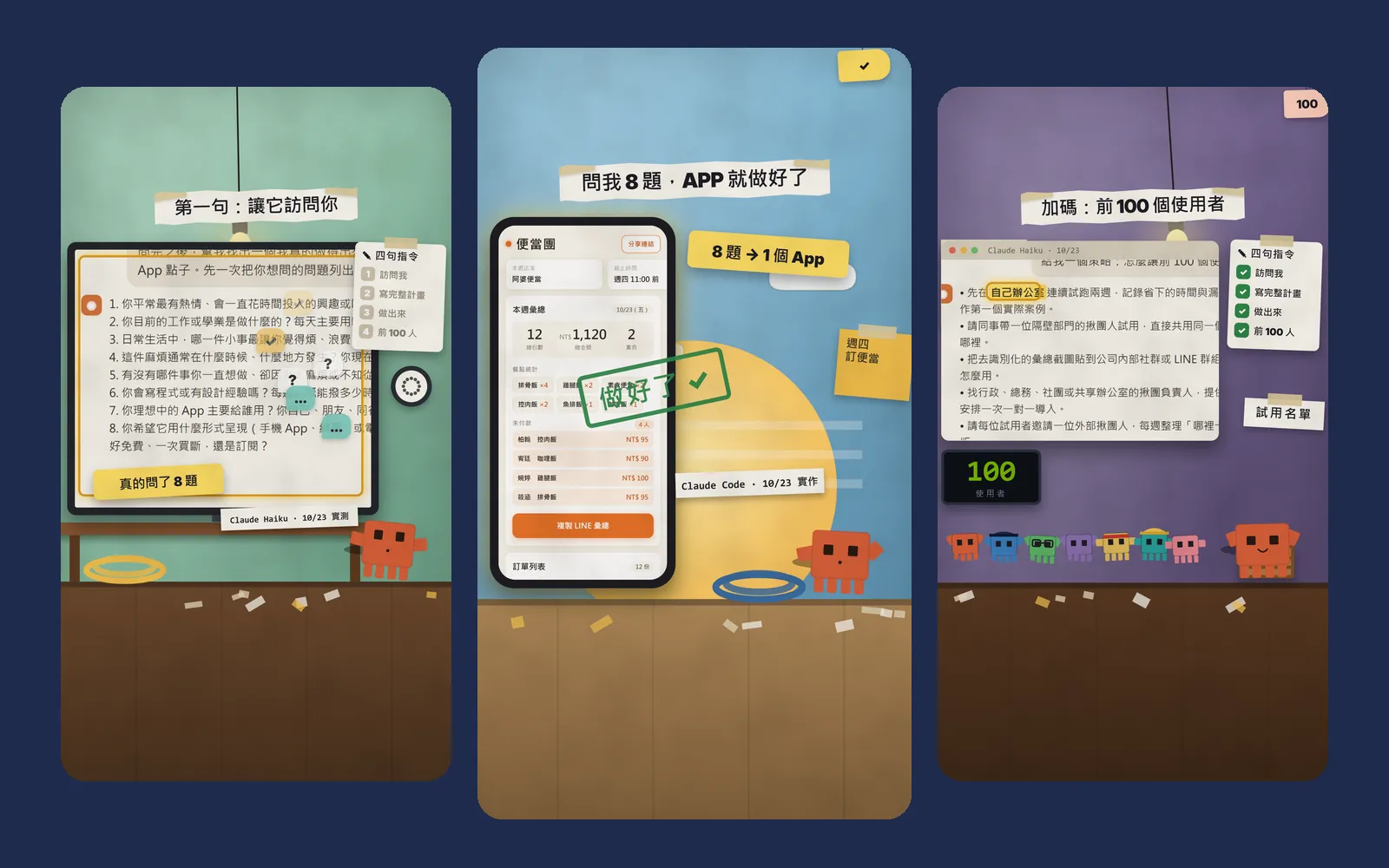
This lunch-box group-order app was built after Claude asked me 8 questions. It handles the weekly office lunch order: it counts portions, the total, who is vegetarian and who hasn't paid, and copies a ready-made summary for LINE in one tap. I didn't write a line of code. This guide gives you all 4 prompts from the Reel: let Claude interview you, pick an idea, write the plan, then hand it to Claude Code to build on your computer, plus a bonus prompt for your first 100 users. Every image here is real output: Claude's replies, the files Claude Code made, and the app itself.
01What you'll make: a lunch-order app that actually works
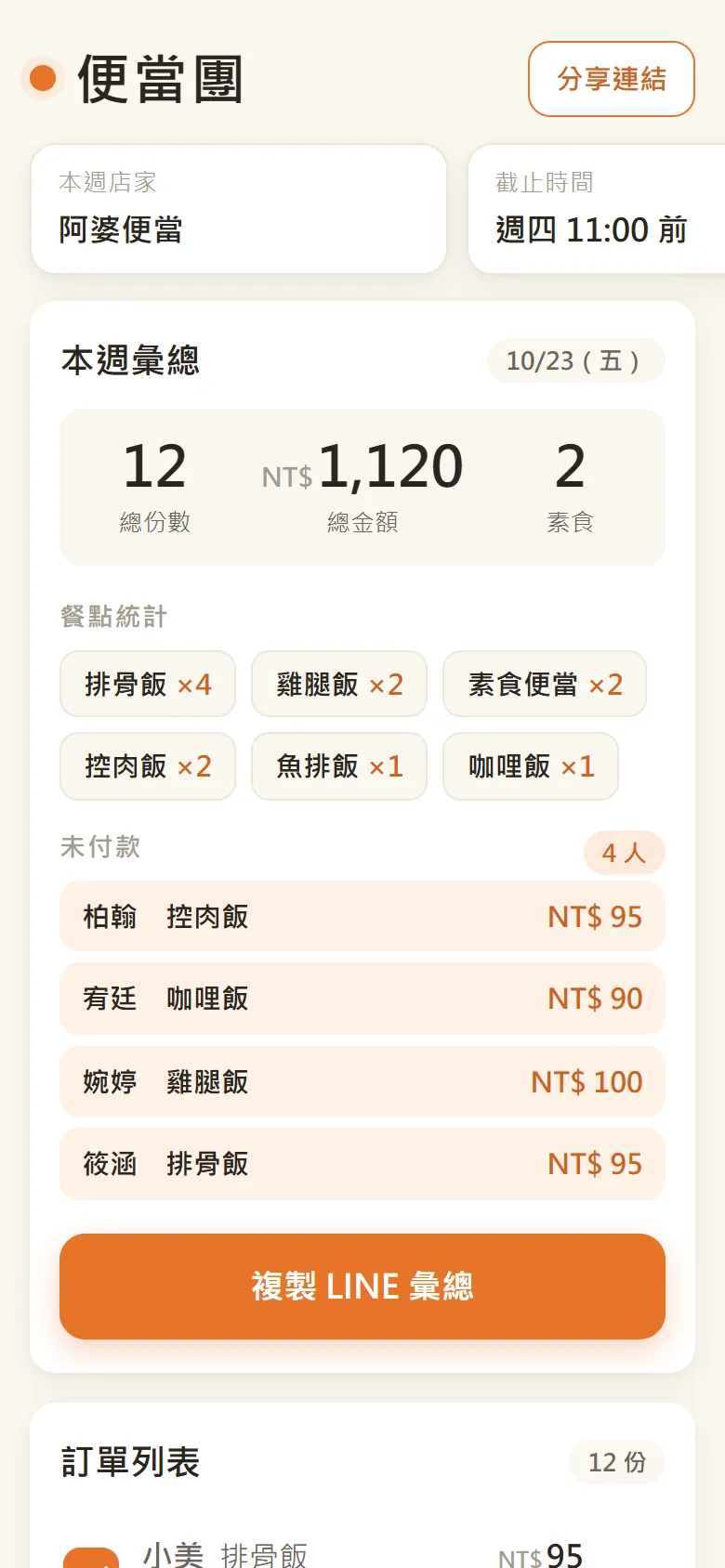
It fixes a small hassle that comes back every week: ordering lunch boxes for 12 people in the office. Who wants what, who is vegetarian, who still owes money: all of that used to mean scrolling through the LINE group and copying it into a spreadsheet by hand. Now one page shows the portions, the total, the vegetarian count and who hasn't paid. Tap "copy LINE summary" and the tidy message is ready to paste back into the group.
People say you can't build an app without an idea. The idea is hiding in your daily hassles. The trick is to let Claude ask you first instead of forcing an idea yourself.

- Prompt 1: let Claude interview you about your interests and daily hassles and find one app idea.
- Prompt 2: ask for the full plan: how it works, where the data lives, the weekly flow.
- Prompt 3: hand it to Claude Code to build it and run it on your computer.
- Bonus prompt 4: ask how to get your first 100 users.
02Before you start: what you need
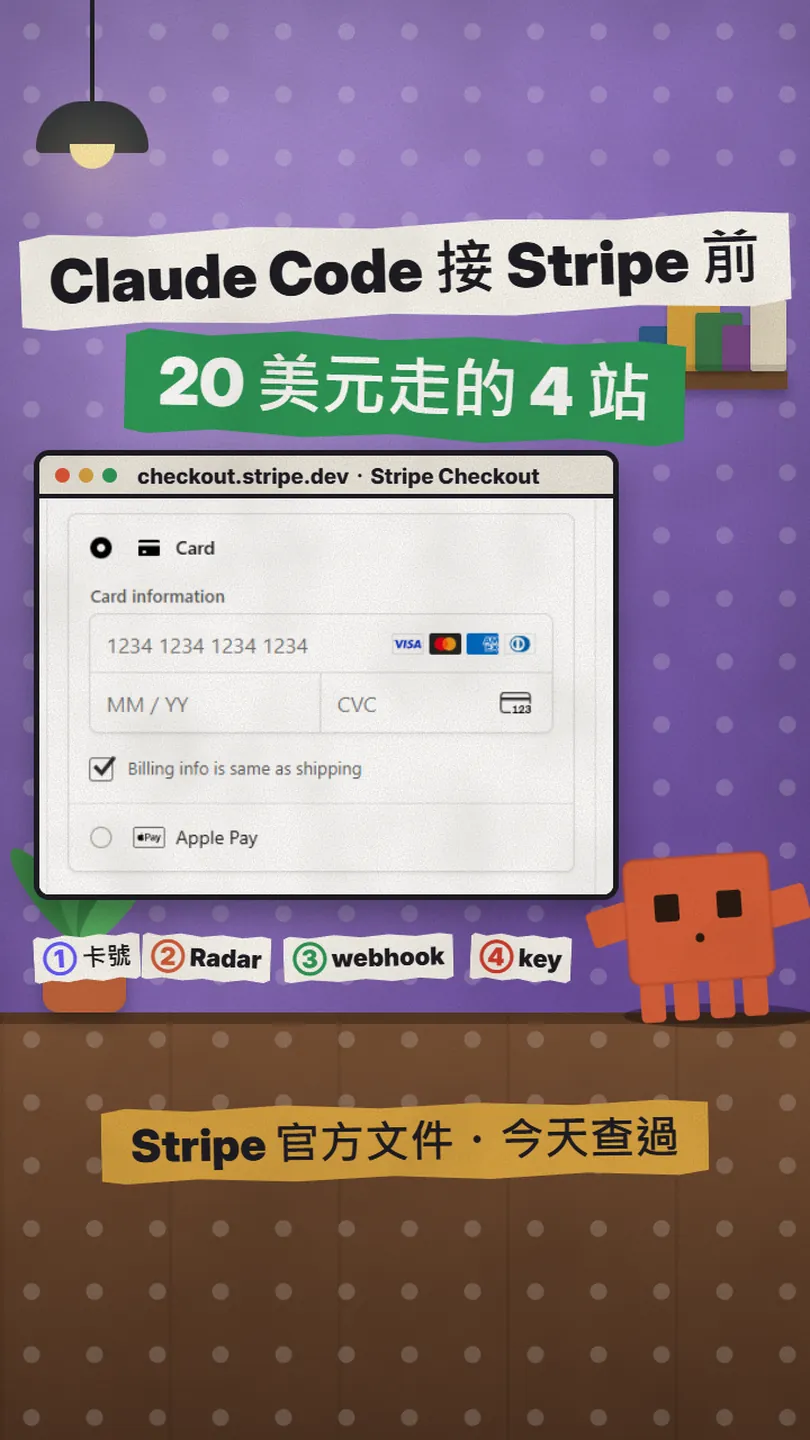
Prompts 1, 2 and 4 are just chat, so they work in Claude on the web, the desktop app or the mobile app. Prompt 3 needs Claude Code, which needs a paid plan. I checked the official pricing page on 23 October 2026: the Free plan shows "No" for Claude Code, and Pro and Max include it. Pro is $20 a month billed monthly, or $17 a month billed annually ($200 up front). Prices and plans can change, so check the official site.
The official Quickstart lists these ways to log in: a Claude Pro, Max, Team or Enterprise plan (recommended), or a Claude Console account (API access with pre-paid credits).
- A Claude account for prompts 1, 2 and 4.
- Claude Code: a Pro plan or higher, or a Console (API) account.
- A computer (macOS, Linux or Windows) where you'll install Claude Code.
- A new, empty folder for the files Claude Code creates.
03Prompt 1: let Claude interview you
Interview me: ask about my interests, my ideas and the hassles I run into every day. Then find me one app idea that I can actually build and that people would want to use. List all your questions at once first.
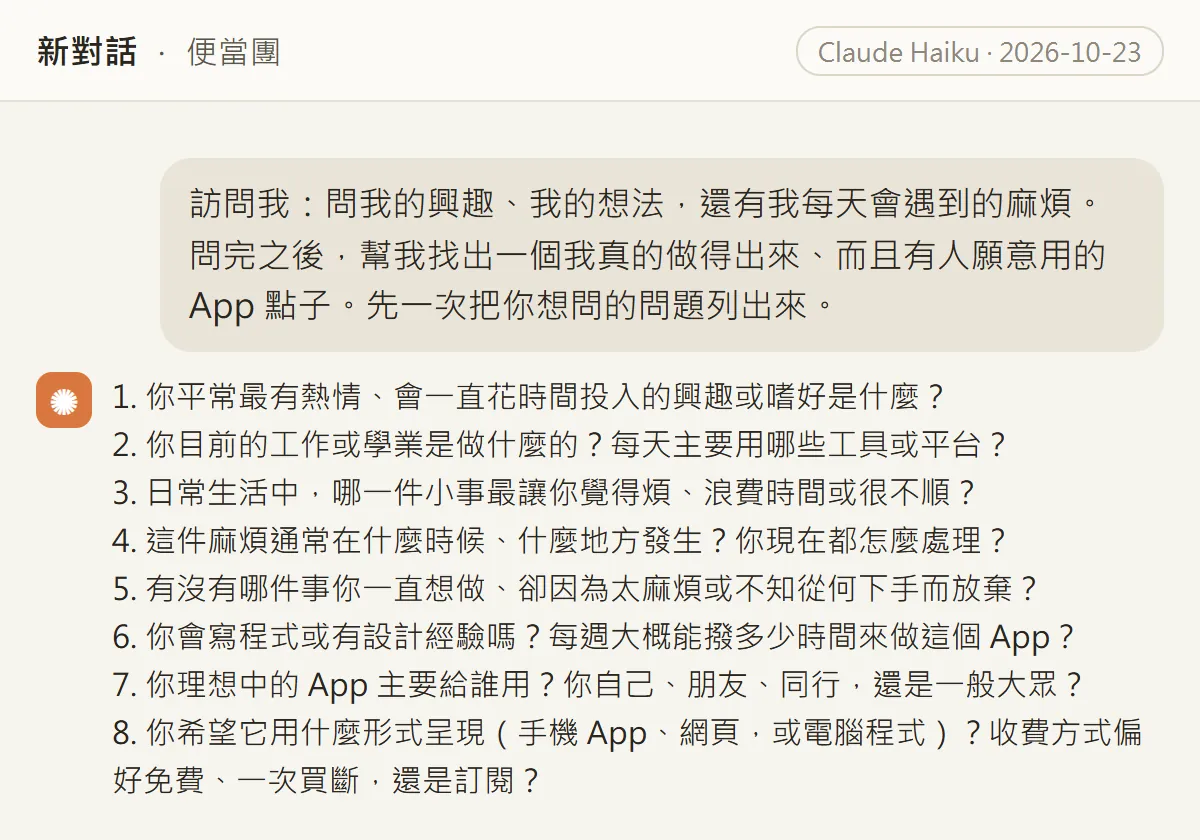
It asked about your interests, your job and the tools you use every day, the one small thing that annoys you most, when and where it happens, something you always wanted to do but gave up on, whether you can code and how many hours a week you have, who the app is for, and what form it should take and how to charge for it.
"List all your questions at once first" matters. Without it, Claude may ask one question at a time, or guess an idea before it knows enough.
04After you answer: it picks one idea
For the demo we used a made-up persona: a marketing planner who uses Google Sheets, LINE and Canva every day, can't code, and orders lunch for 12 colleagues every week. From those answers, Claude picked "便當團" (Bento Group, a lunch-box group order).
1. My interests: [e.g. pour-over coffee, weekend cycling]
2. My job and everyday tools: [e.g. marketing planner, spreadsheets and LINE every day]
3. The one small thing that annoys me most: [be specific: who, how often, where it gets stuck]
4. When it happens and how I handle it now: [e.g. Tuesday and Thursday before noon, copied into a spreadsheet by hand]
5. Something I always wanted to do but gave up on: [just one]
6. Can I code, and how many hours a week I have: [e.g. no, 3 to 4 hours a week]
7. Who it's for first: [e.g. me and my colleagues]
8. What form and how to charge: [e.g. a web page that opens on a phone, free for now]
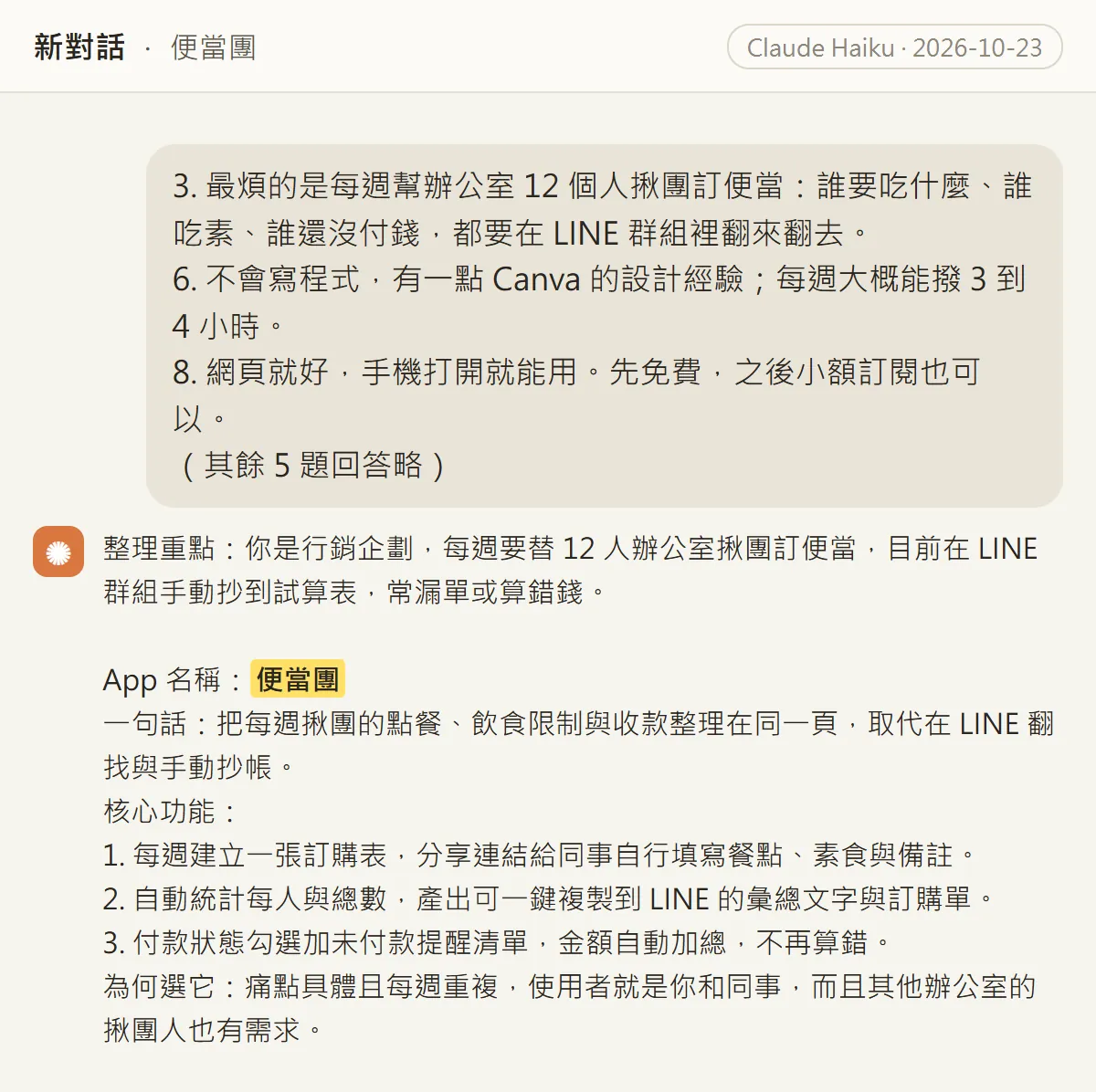
You get more than a name: a one-line pitch, 3 core features (a weekly order form, automatic totals with one-tap copy to LINE, payment check-offs with an unpaid list) and the reason: the pain is concrete and weekly, and the first users are you and your colleagues.
05Prompt 2: ask for the full plan
Write the full plan for this app: how it works, where the data is stored, and the weekly flow. Start with a minimum viable version that Claude Code can build.
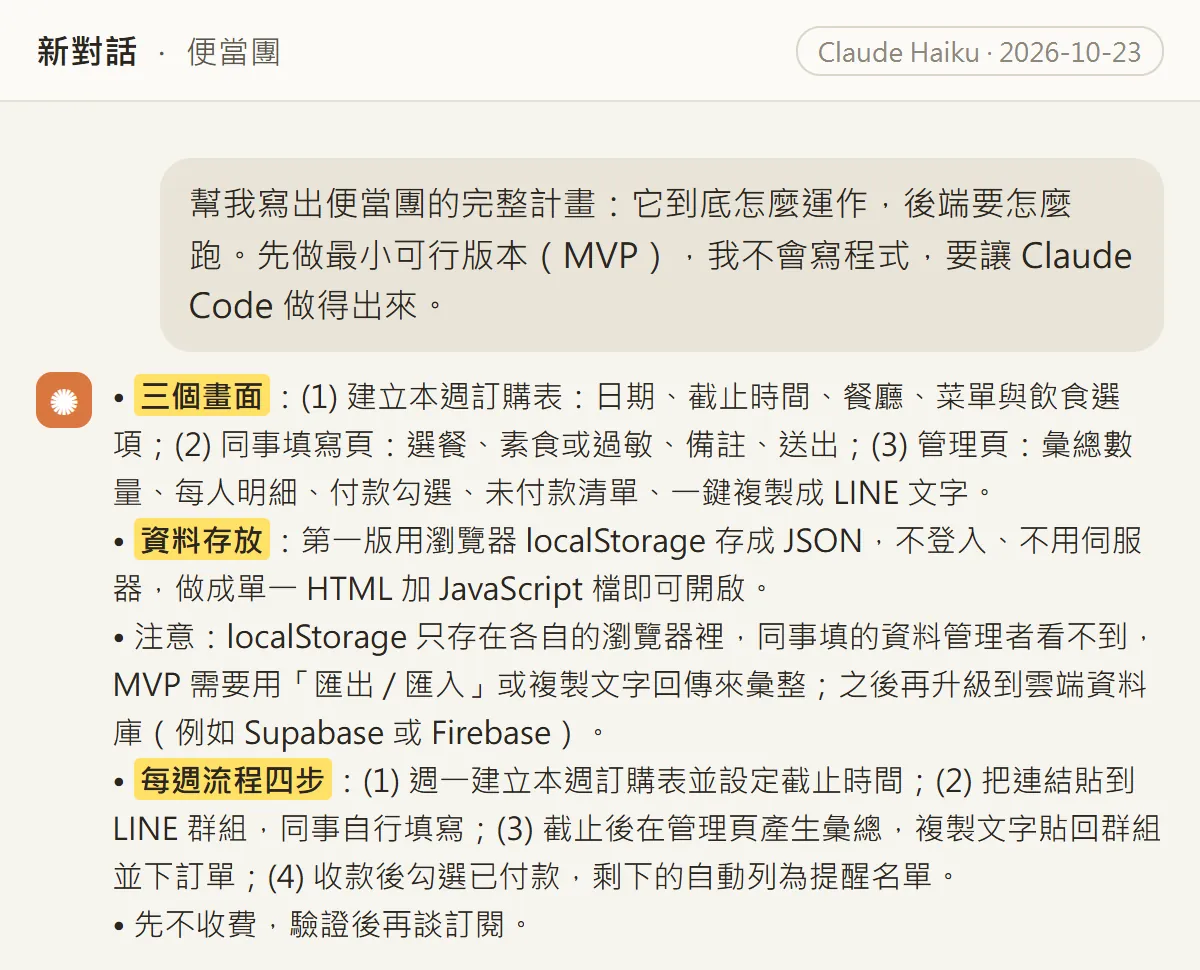
Our plan had 3 screens: create this week's order form, a page for colleagues to fill in, and an admin page. The first version stores data in the browser's localStorage, with no login and no server. The weekly flow has four steps: create the order form on Monday, post the link in the LINE group, after the deadline generate the summary, paste it back and place the order, then tick off payments as they come in.
Claude also pointed out a limit on its own: localStorage stays inside each browser, so what colleagues enter on their own phones doesn't reach you. The first version needs "export / import" or copy-paste to collect orders, and a cloud database later. Keep this in mind; you'll meet it right after prompt 3.
06Prompt 3: hand it to Claude Code
This step happens on your computer. These are the install commands from the official Quickstart (I checked them on 23 October):
- macOS, Linux or WSL: open a terminal and paste curl -fsSL https://claude.ai/install.sh | bash
- Windows PowerShell: paste irm https://claude.ai/install.ps1 | iex
- When it finishes, open a new terminal window and type claude --version. A version number means it worked.
- Make a new empty folder, e.g. bento-app. In the terminal, cd into that folder and type claude to open Claude Code. It asks you to log in the first time.
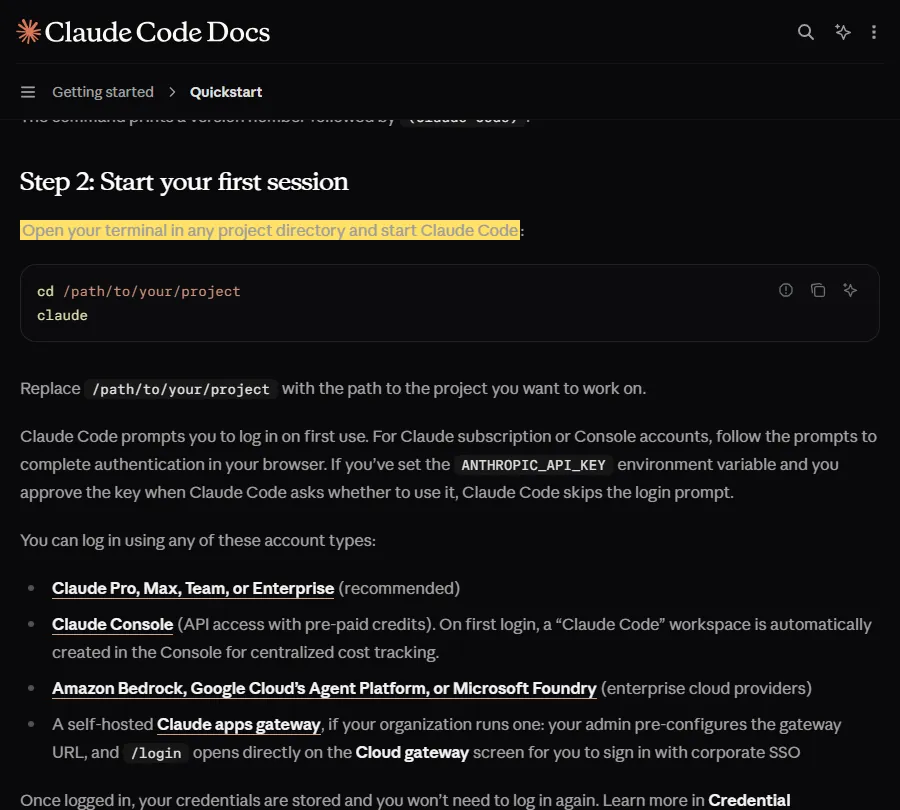
Then paste prompt 3 into Claude Code, followed by the full plan Claude gave you in prompt 2:
Build the MVP from this plan using HTML, CSS and JavaScript, with no login and no server. When you're done, tell me how to open it.

[Paste the full plan Claude gave you in prompt 2 here]
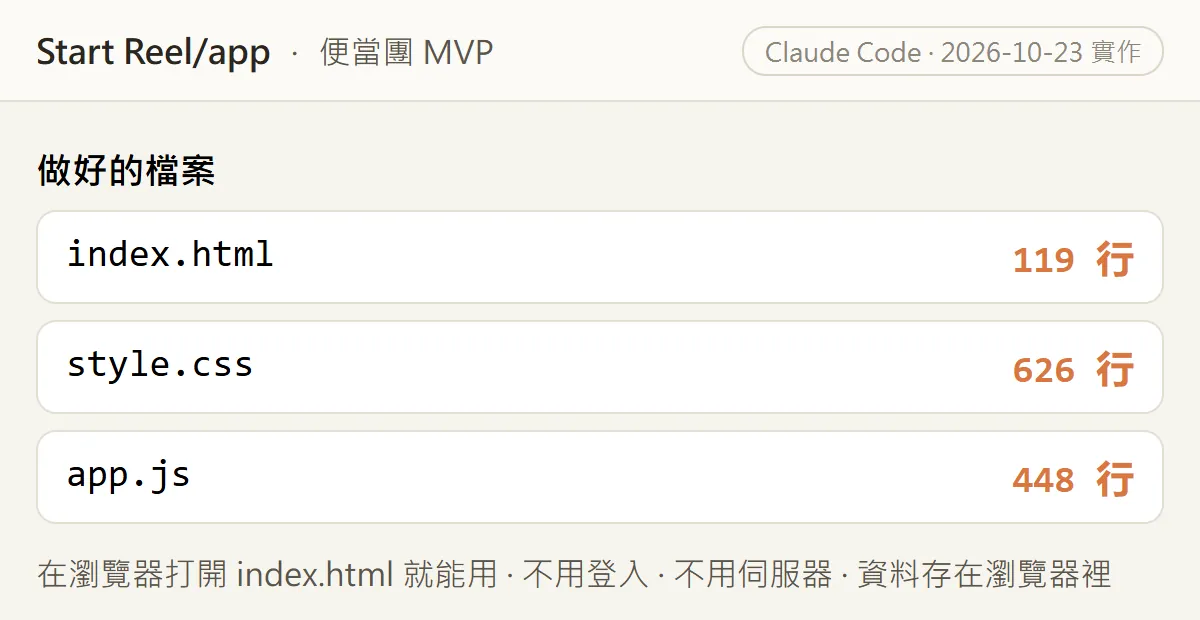
Our run produced 3 files. Open index.html in a browser and it works: no login, no server, and the data stays in that device's browser.
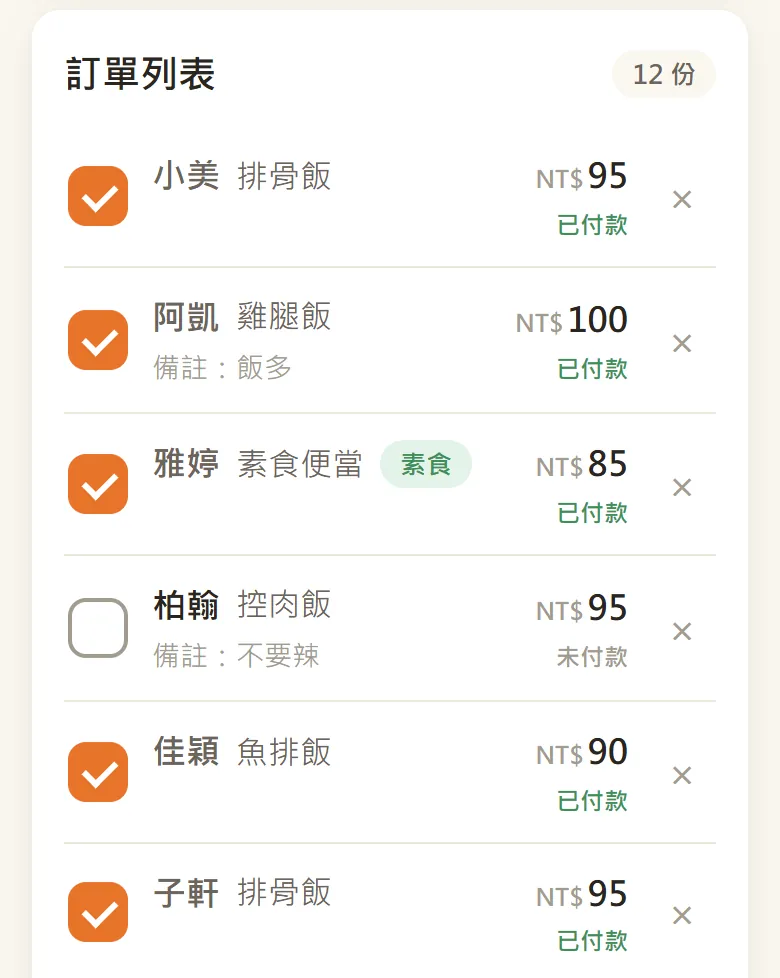
Once it's open you can add orders (name, dish, price, note, vegetarian), tick who has paid in the order list, and the summary at the top updates the portions, total and unpaid list. Tap "copy LINE summary" and the tidy text is on your clipboard, ready to paste into the group.
To be clear: in our version, the person organising the order types the orders in. The "share link" button only copies the address; a colleague who opens it on their phone sees their own browser's data, not yours. That's the limit Claude flagged in prompt 2. If you want colleagues to fill it in themselves, ask Claude Code to add "export / import" next, or connect a cloud database later.
07Bonus prompt 4: your first 100 users
An app nobody uses is wasted work. So I added one more prompt, back in the Claude chat from prompts 1 and 2:
Give me a strategy: how do I get the first 100 users to use [app name]?
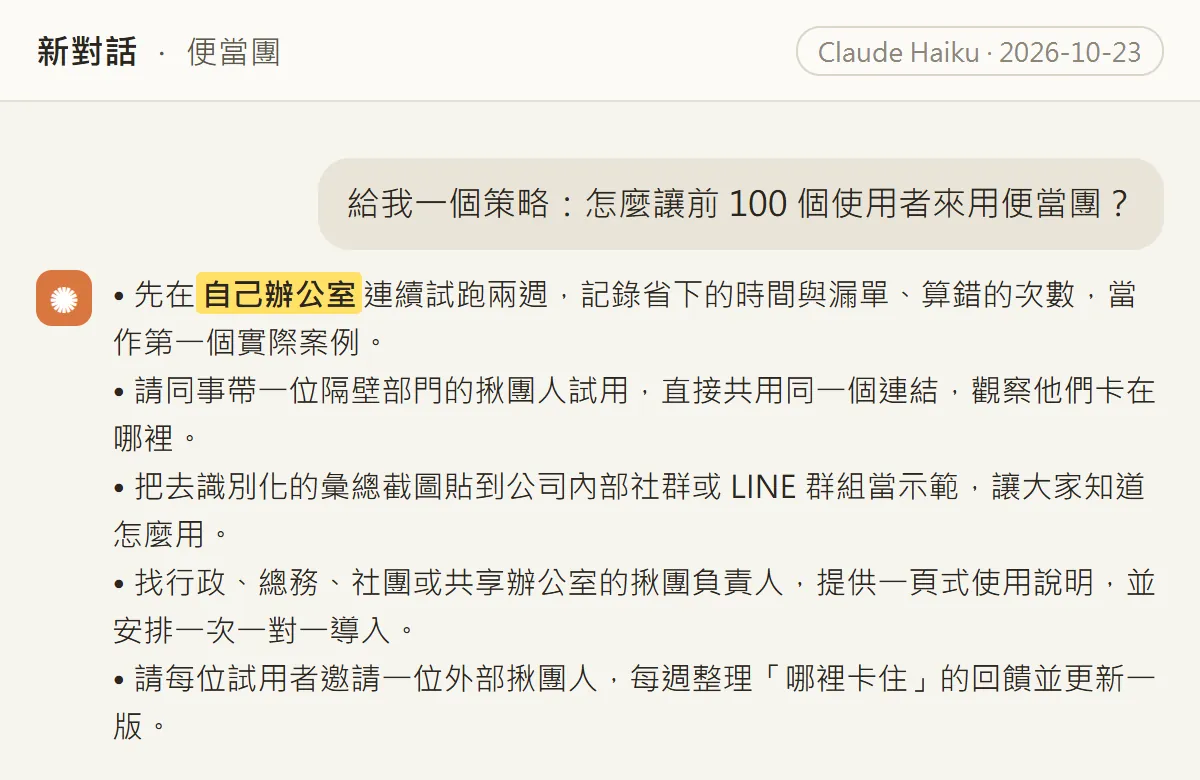
The strategy was down to earth: run it in your own office for two weeks in a row and note the time saved and the missed orders avoided; ask a colleague to bring in the organiser from the next department; share an anonymised summary screenshot in the company's internal group as a demo; find admin staff, office managers and club organisers and give them a one-page guide; and collect "where did you get stuck" feedback every week and ship an update.
08Watch out
- Every run is different. The questions Claude asks, the idea it picks and what Claude Code builds may all differ from mine. That's normal.
- The demo answers come from a persona we made up, and the colleague names and orders in the app are demo data. 便當團 is a practice project, not a published product.
- Our chat ran on Claude's Haiku model; Claude Code built the app on 23 October 2026.
- The app has only run on our own computer. It isn't online, so there's no link to share. Putting it online for colleagues needs hosting and a database, which this guide doesn't cover.
- The first version keeps data in one device's browser. Clearing browser data or switching phone or browser wipes it. Keep a separate record of anything important.
- Claude Code creates and edits files in the folder. Work in a new, empty folder, not one with important files.
- When you answer the interview, don't paste ID numbers, bank accounts or other sensitive data, or your colleagues' real personal details.
- Plans, prices and dictation languages follow the official pages; I checked them on 23 October 2026.
Sources
What should the next reel cover?
I test Claude and AI tools every day and turn the useful ones into reels. Follow @vivianlin.tech to catch each new guide.