~/guides/FAMILY.md
Ask Claude to draw a five-generation family tree: 4 prompts, from one round of questions to a Mermaid chart
4 prompts: ask for all the data at once, map the migration route, find what is missing, draw a Mermaid tree. Claude can't search records; the data is yours.
Watch the reel on InstagramComment #FAMILY to get this guide
I used 4 prompts to get Claude to draw a five-generation family tree. One thing first: Claude can't search household registration records, and it can't find long-lost relatives. Every name on the tree has to come from you. What it's good at is asking the right questions, organising your answers, telling you what's missing and drawing the chart. This guide gives you: ① all 4 prompts, ② Claude's real reply to each, ③ how to fill the gaps at a Taiwan household registration office, ④ how to paste the code into mermaid.live to get the picture, and ⑤ what not to paste into an AI. The demo "Lin family" uses made-up names and years. The chat screens are demo pages we laid out ourselves, not claude.ai screenshots, but the text in them is Claude Haiku's reply word for word from 23 October 2026. The other images are frames from our reel, starring our orange block mascot.
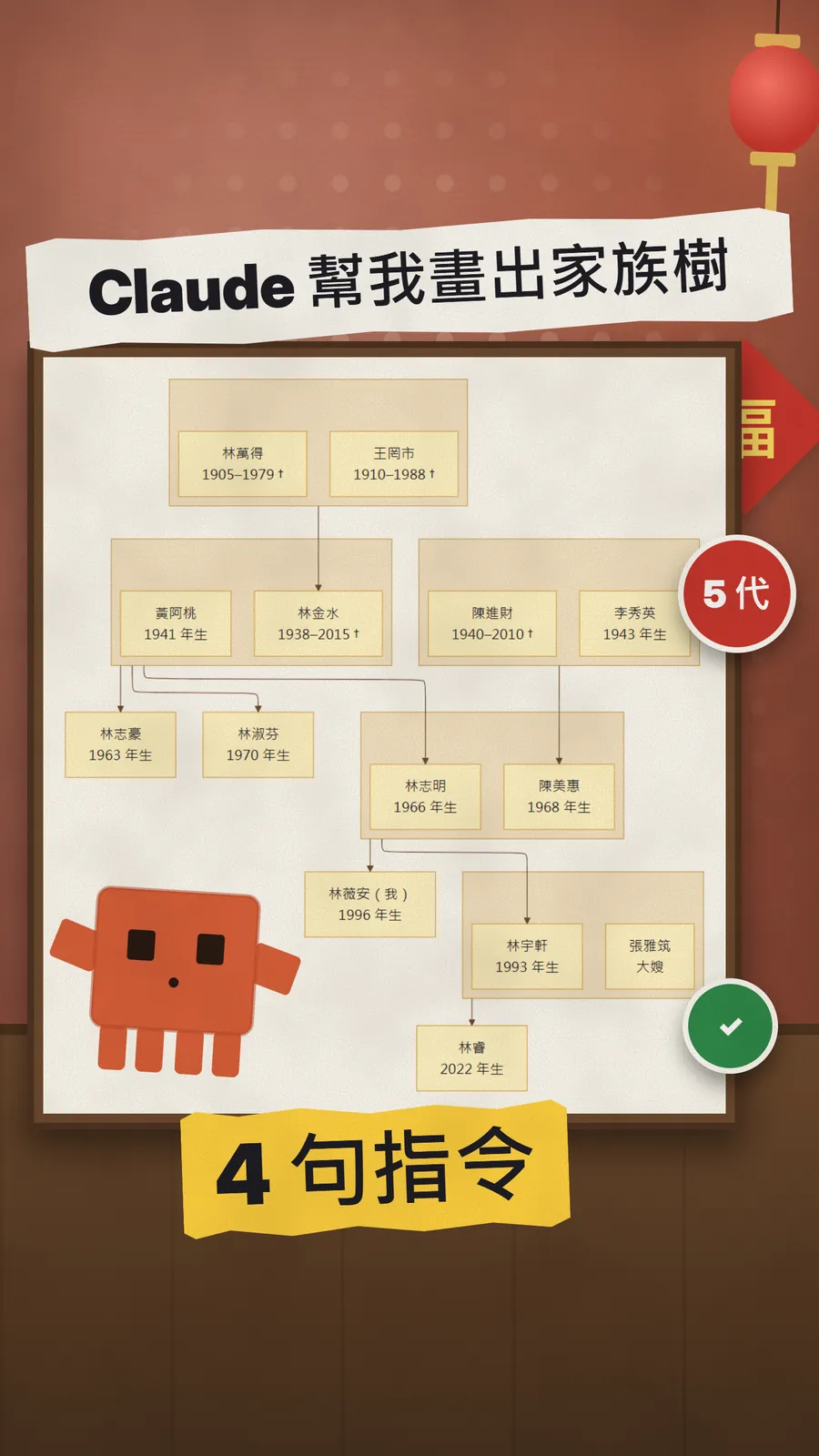
01The result first: a five-generation tree drawn by Claude
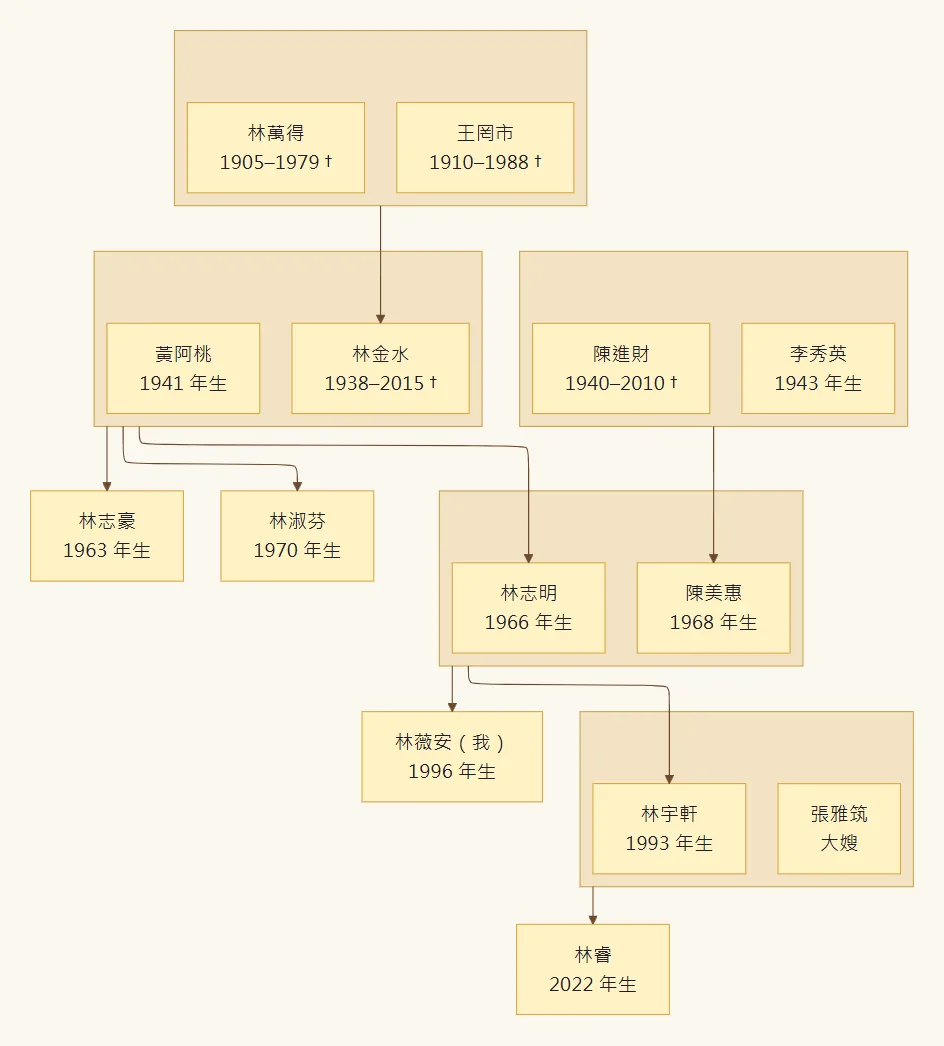
The tree runs from the great-grandparents down to the fifth generation: Lin Wan-de, Lin Jin-shui, Lin Zhi-ming, Lin Yu-xuan, Lin Rui. Each couple sits in one box, a † follows the names of those who have died, and the mother's side is joined in too. I didn't draw it. Claude wrote the code, and Mermaid, a free tool, turned it into a picture.
- Prompt 1: build a family tree, and ask for everything it needs in one go.
- Prompt 2: from the surname and hometown, map the migration route, marking guesses as "estimated".
- Prompt 3: list what data is still missing, and where in Taiwan to find it.
- Prompt 4: draw it as a Mermaid family tree, straight to a picture.
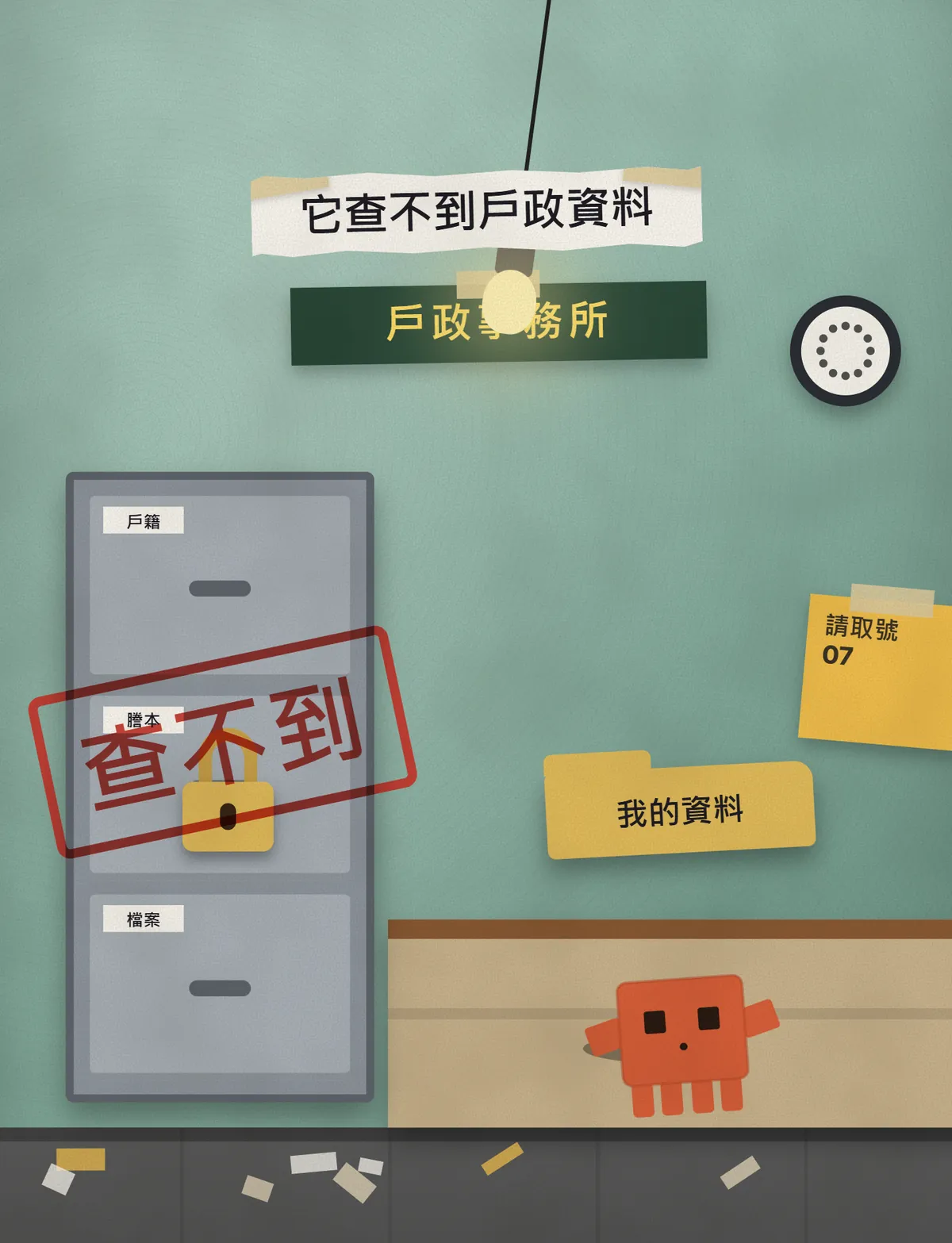
You often see claims that "AI found relatives I never knew existed". Chat AIs like Claude aren't connected to Taiwan's household registration system and can't look up anyone's records. They only use what you give them. So I flipped the order: let Claude ask you first, then tell you what's missing, fill the gaps through official channels yourself, and only then draw the tree.
02Prompt 1: get it to ask for everything at once
Help me build a complete family tree. Ask me for all the information you need in one go, and I'll answer it all at once.
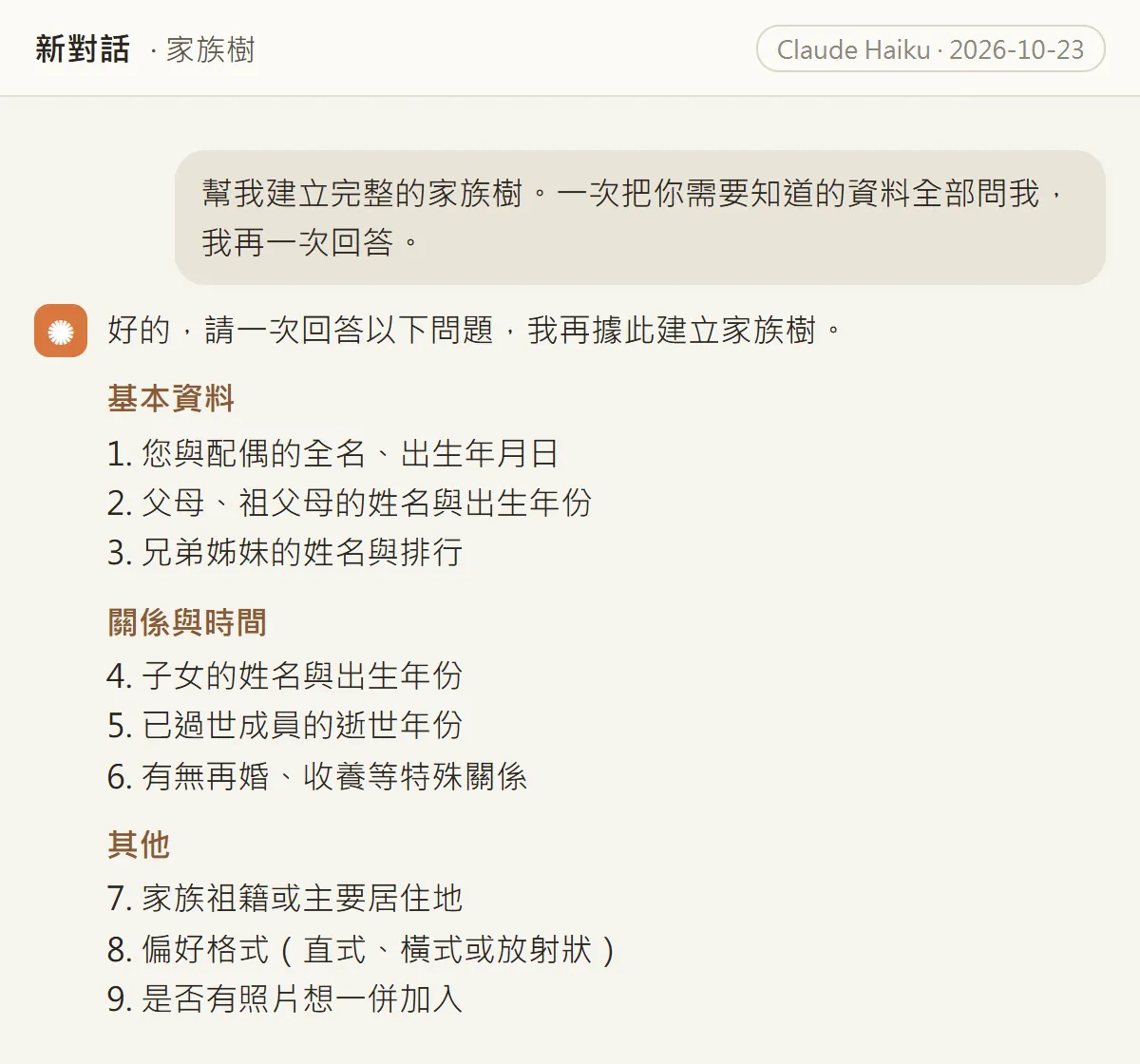
"In one go" is the key. Without it, Claude often asks one question at a time and you go back and forth for ages. With it, you get one checklist: names, birth years, who has died, any remarriage or adoption, and where the family comes from.
I turned its 9 questions into an answer sheet. Replace the [ ] parts with your family's details and paste it back.
My answers:
1. Me: [name], [birth year]; spouse: [name], [birth year]
2. Parents: [father's name, birth year], [mother's name, birth year]
   Grandparents: [names, birth years; add the year of death if they have died]
   Great-grandparents: [if you know them]
3. Siblings: [names, birth order, birth years]
4. Children: [names, birth years]
5. Family members who have died: [names, years of death]
6. Remarriage, adoption or other special relationships: [write "none" if none]
7. Ancestral home and places the family moved: [e.g. Quanzhou, Fujian → Lukang, Changhua → Taichung → Taipei]
8. Layout: vertical, older generations at the top
9. Photos: no
03Prompt 2: map the migration route from surname and hometown
Based on my surname and where my family comes from, map out the family's migration route and how far back we can trace it. Use only the information I gave you, mark anything uncertain as an estimate, and don't make up any names.
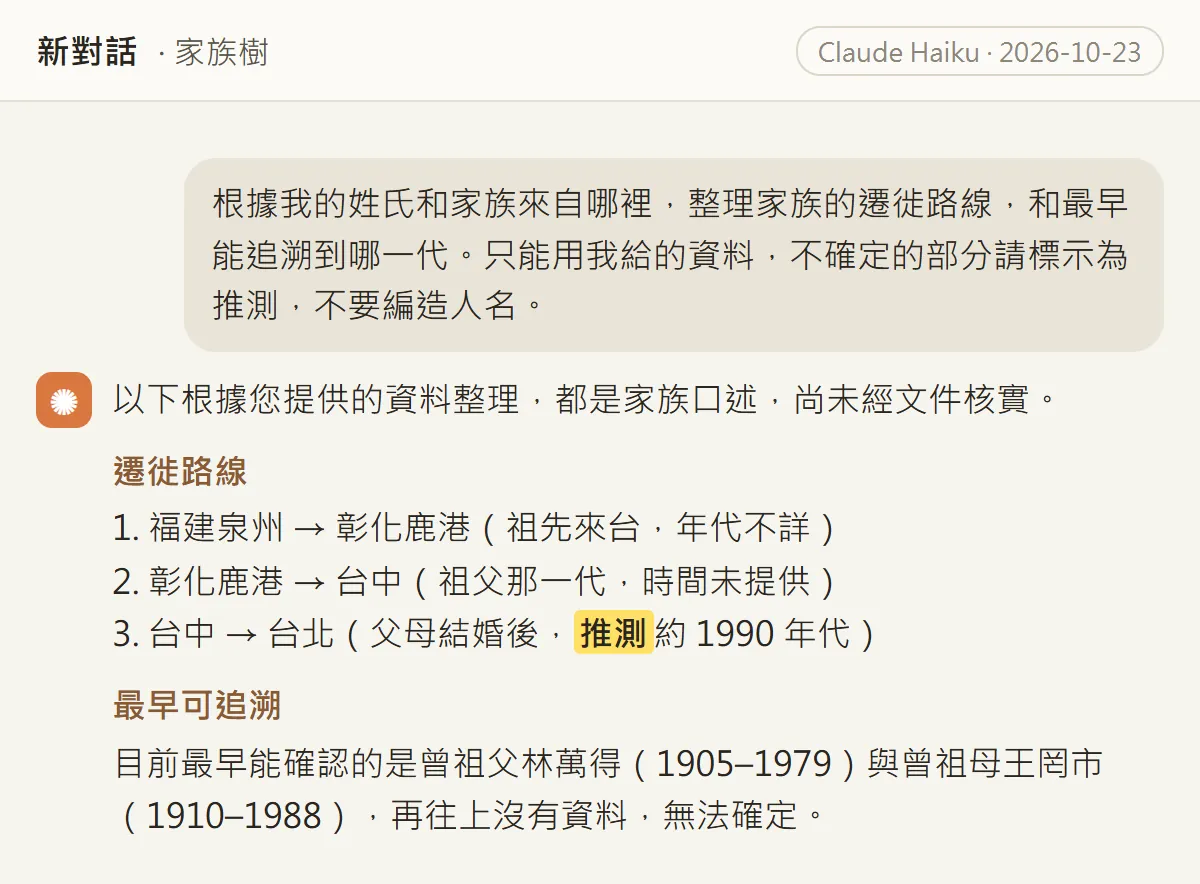
For the demo family I only wrote "our ancestors came from Quanzhou and lived in Lukang, Taichung and Taipei". Claude laid that out as a three-hop route, and marked the parents' move to Taipei as "estimated, around the 1990s" because I hadn't given a year. It also said plainly that the great-grandparents are as far back as the data goes.
04Prompt 3: what's missing, and where to find it
List what information this family tree is still missing, and where in Taiwan I can find it. Only list what's really missing, give one place to look for each item, and don't make up any relatives.
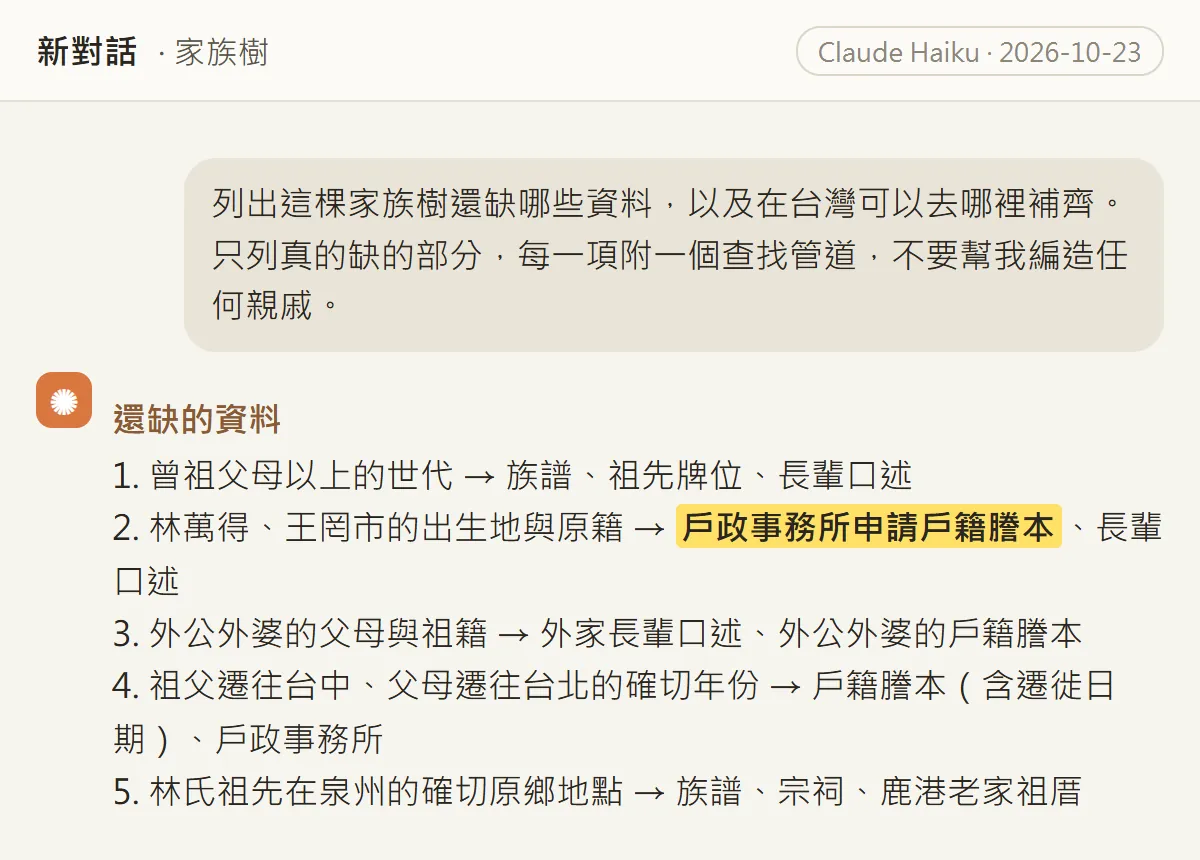
This prompt turns "AI finds your relatives" into "AI tells you where to look". The demo family was missing: generations above the great-grandparents, the great-grandparents' birthplaces, the mother's grandparents, the exact years of each move, and the home village in Quanzhou. The places it suggested were the family genealogy book, ancestral tablets, the clan hall, older relatives' memories, and the most concrete one: a household registration transcript (戶籍謄本) from a registration office.
05Filling the gaps: household registration transcripts
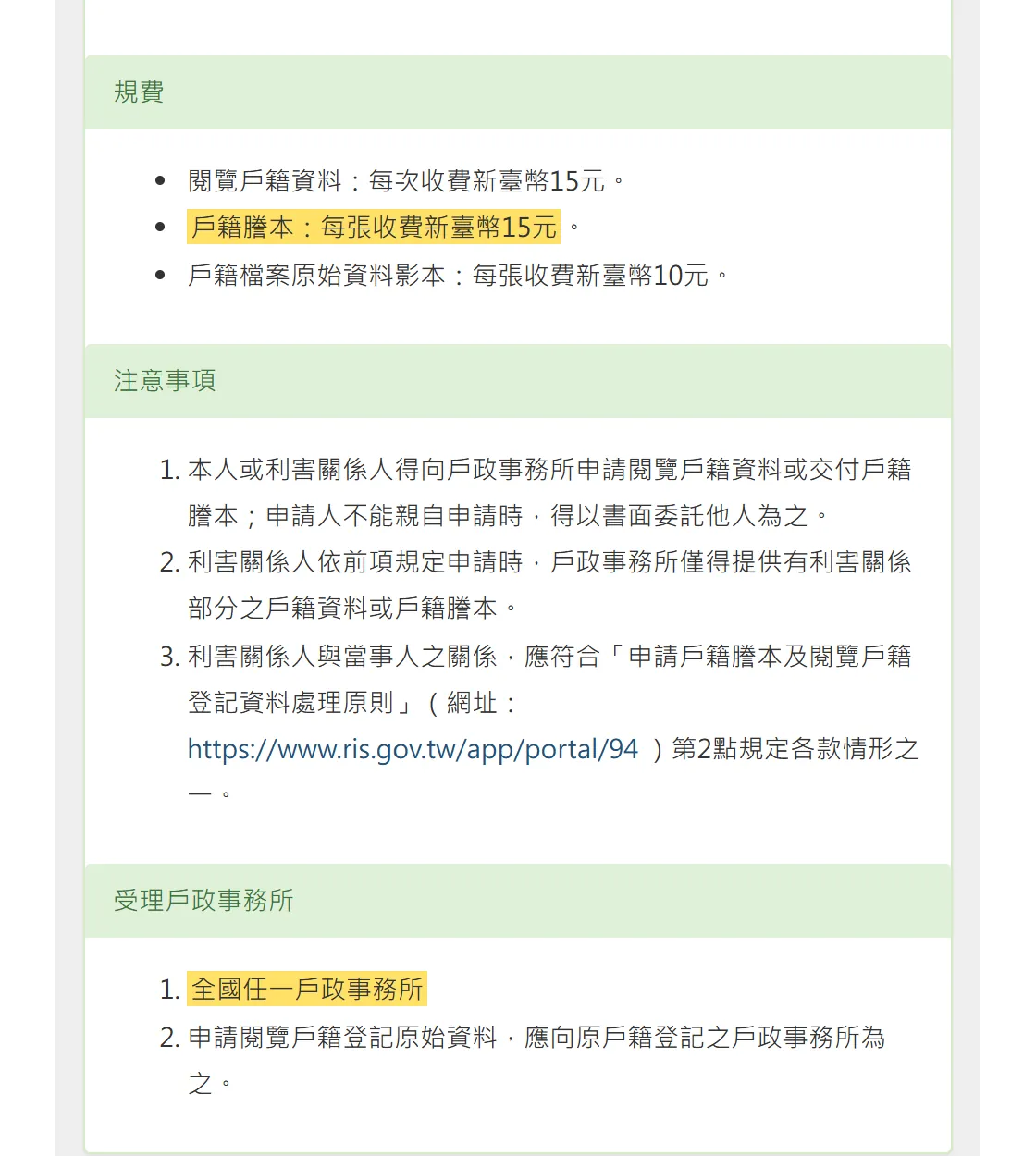
The Department of Household Registration (Ministry of the Interior) page on requesting household transcripts is clear. I checked it on 23 October 2026:
- Where: you can apply for a household transcript at any household registration office in Taiwan, not just the one where you're registered.
- Fee: NT$15 per page for a household transcript.
- Who can apply: the person themselves or an interested party; if you can't go in person, you can authorise someone in writing. An interested party only gets the part they have an interest in.
- Exception: to view the original registration records, apply at the office where they were originally registered.
- What to bring and how to authorise someone: follow the official page and check it before you go.
Records from the Japanese era exist too. Taipei City's procedures, for example, list a "Japanese-era household survey register transcript" (日據時期戶口調查簿謄本) among the types of household transcript: copies of the household survey registers from 1906 (Meiji 39) onward. Your great-grandparents' names and birthplaces are often in there.
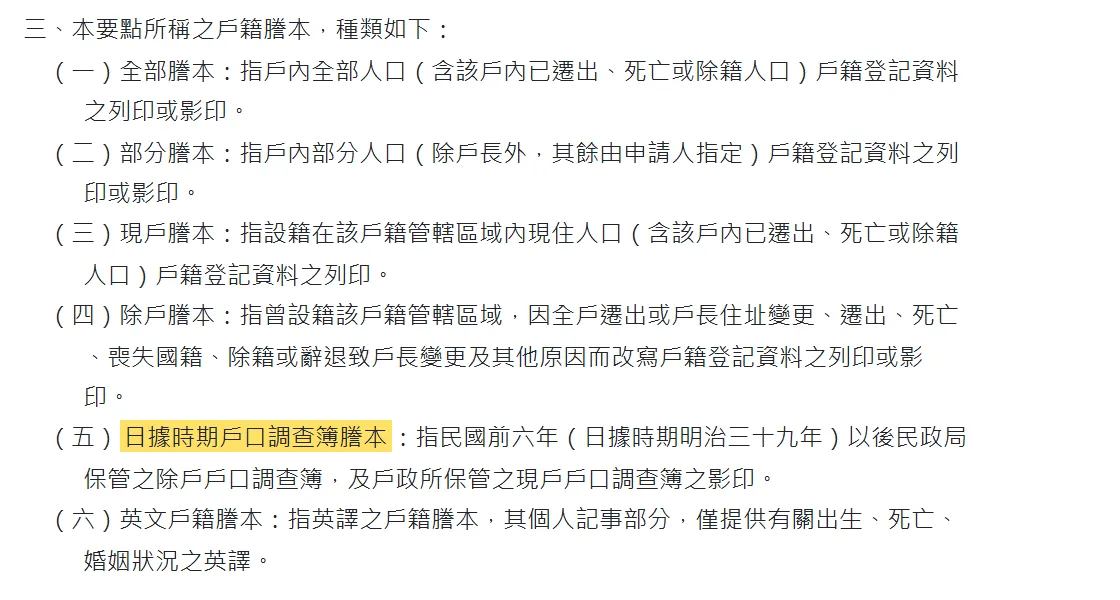
- Department of Household Registration: requesting (viewing) household transcripts and original records — Where to apply, fees, who can apply (in Chinese)
- Taipei City procedures for issuing household registration records — Types of transcript, including the Japanese-era register (in Chinese)
06Prompt 4: draw it as a Mermaid family tree
Draw this family tree as a Mermaid diagram (graph TD), older generations at the top, using the names and years I gave you, with † after anyone who has died, and only the information I gave you. Put each married couple in the same subgraph, then connect the couple to their children; order siblings left to right by birth year.
Mermaid is a way of drawing diagrams with text. Claude doesn't hand you an image; it gives you a block of code, and Mermaid's online editor turns that into a picture. Below is the code it actually gave me. Copy it and try it to see what you'll get.
graph TD
    subgraph GG[" "]
        direction LR
        LWD["林萬得<br/>1905–1979 †"]
        WGS["王罔市<br/>1910–1988 †"]
    end
    subgraph G1[" "]
        direction LR
        LJS["林金水<br/>1938–2015 †"]
        HAT["黃阿桃<br/>1941 年生"]
    end
    subgraph MG[" "]
        direction LR
        CJC["陳進財<br/>1940–2010 †"]
        LXY["李秀英<br/>1943 年生"]
    end
    LHZ["林志豪<br/>1963 年生"]
    subgraph P[" "]
        direction LR
        LZM["林志明<br/>1966 年生"]
        CMH["陳美惠<br/>1968 年生"]
    end
    LSF["林淑芬<br/>1970 年生"]
    subgraph C5[" "]
        direction LR
        LYX["林宇軒<br/>1993 年生"]
        CYZ["張雅筑<br/>大嫂"]
    end
    LVA["林薇安(我)<br/>1996 年生"]
    LRU["林睿<br/>2022 年生"]

    GG --> LJS
    G1 --> LHZ
    G1 --> LZM
    G1 --> LSF
    MG --> CMH
    P --> LYX
    P --> LVA
    C5 --> LRU
- Open mermaid.live. No login needed.
- Delete the sample code in the Code panel on the left.
- Paste Claude's code (from graph TD to the last line, without the explanation around it).
- The tree appears on the right straight away. If you can't see all of it, click the fit-to-view frame icon at the top right.
- To keep it, a screenshot is the quickest way.
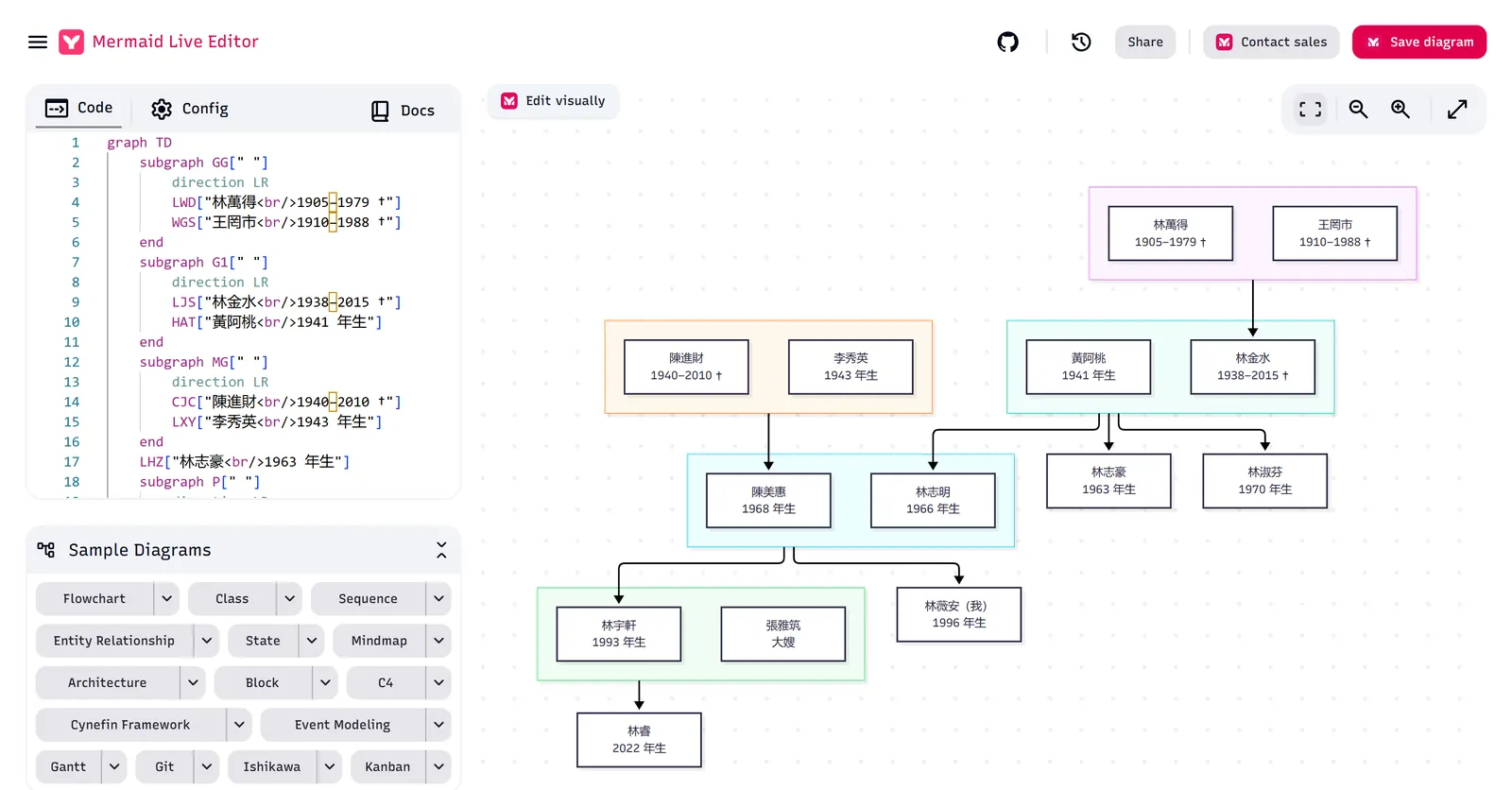
I only added "put each married couple in the same subgraph" after a few tries. Without it, Claude's first two attempts drew the spouse on the row below, which reads as parent and child, so the whole tree read wrong. With it, couples sit side by side in one box and the children hang below that box. It reads at a glance.
07Good to know
- Claude can't search household registration records or find long-lost relatives. Every name and year on the tree comes from what you give it.
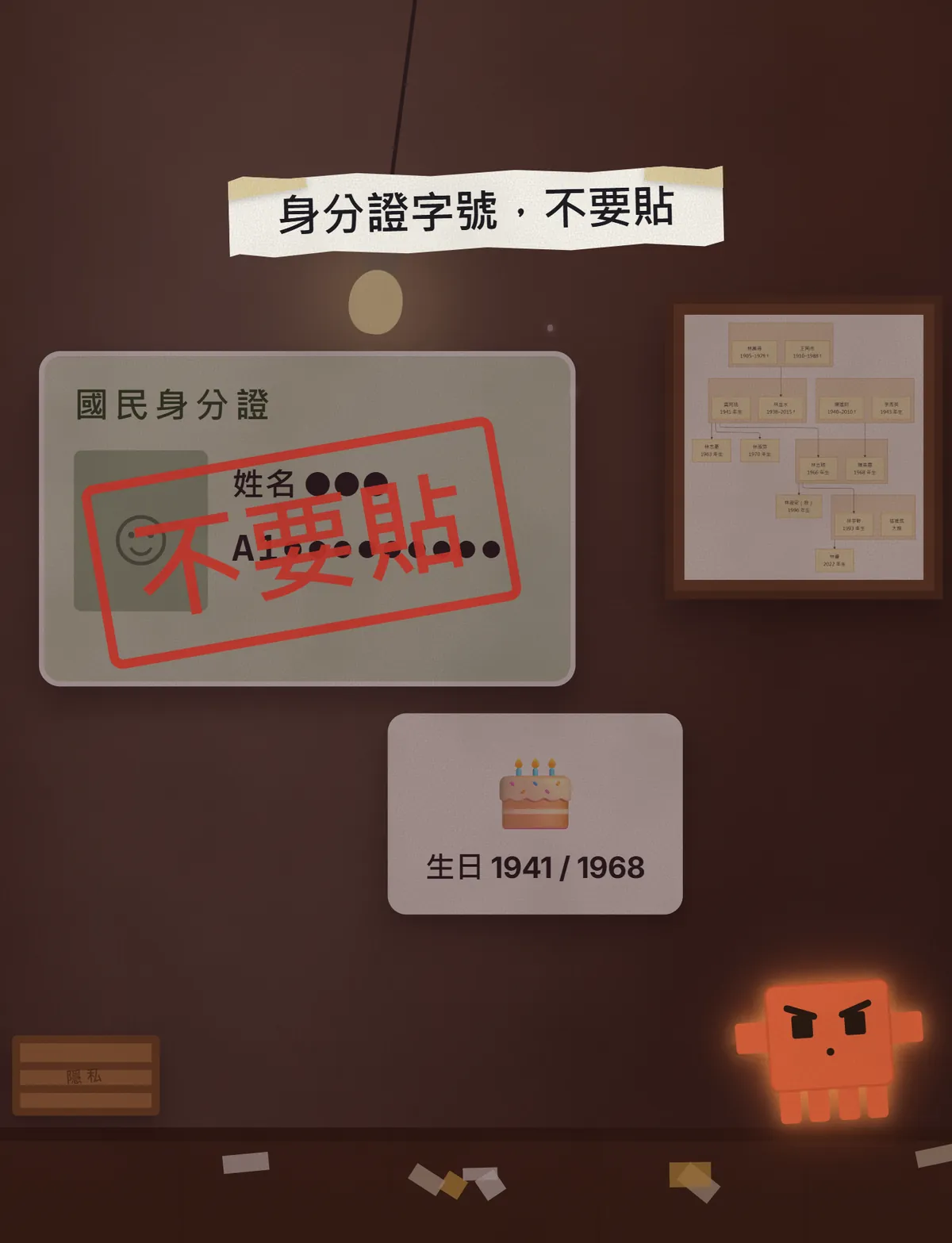
- Don't paste ID numbers, full addresses or living relatives' full birthdays. A family tree only needs names and years.
- Anything marked "estimated" is a guess. Don't write it into the family record as fact; check it against a transcript or the genealogy book first.
- Household transcripts aren't open to anyone: only the person, an interested party or someone they authorise can apply, and an interested party only gets the relevant part. The official page has the details.
- If the family has sensitive history such as adoption, remarriage or estrangement, ask your family before you draw it in or share it.
- Mermaid's layout can come out a little differently each time. What matters is that the people and relationships are right; if the layout bothers you, ask Claude to redraw it rather than editing the code.
Sources
- Department of Household Registration: household transcripts (where, fees, who may apply; checked 2026-10-23)
- Taipei City procedures for household registration records (Japanese-era register; checked 2026-10-23)
- Mermaid Live Editor (works without logging in; tested 2026-10-23)
- Mermaid docs: Flowcharts Syntax (subgraphs and Direction in subgraphs; checked 2026-10-23)
What should the next reel cover?
I test Claude and AI tools every day and turn the useful ones into reels. Follow @vivianlin.tech to catch each new guide.