~/guides/YOUTUBER.md
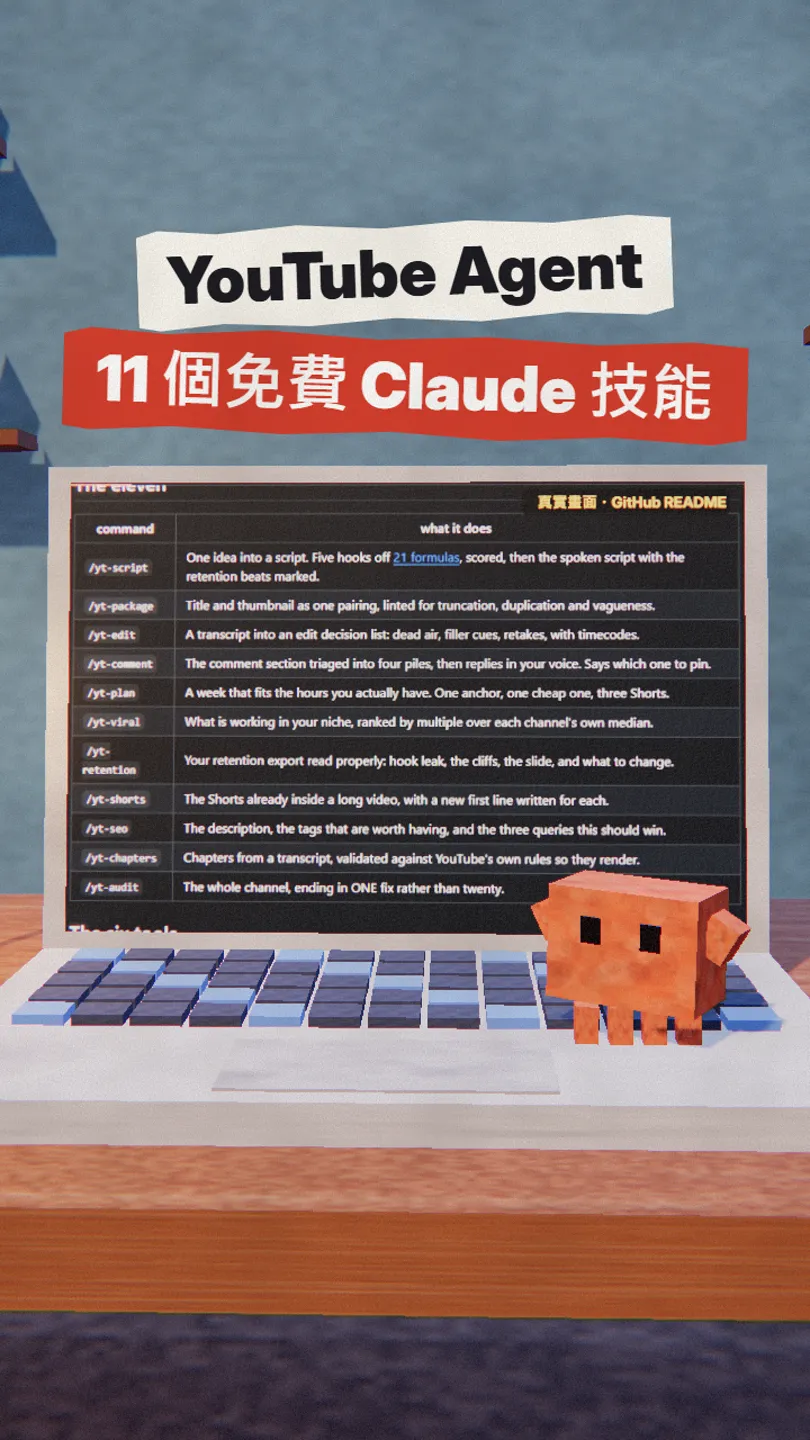
YouTube Agent: 11 free Claude skills for scripts, edit lists and viral topic ideas
An MIT open-source pack of 11 Claude skills for YouTube. How to install it with one link, and how I use yt-script, yt-edit and yt-viral.
The slow part of running a YouTube channel is often not filming, it's writing the opening, cutting the filler and finding the next topic. YouTube Agent is a free pack of 11 Claude skills on GitHub (MIT, no signup, no API key) that turns those jobs into commands. This is the full version of my YOUTUBER reel: what's inside, how to install it, the three commands I use most, and what to watch out for. Checked against the GitHub README on 16 Nov 2026.
01What it is: 11 skills, from topic to edit
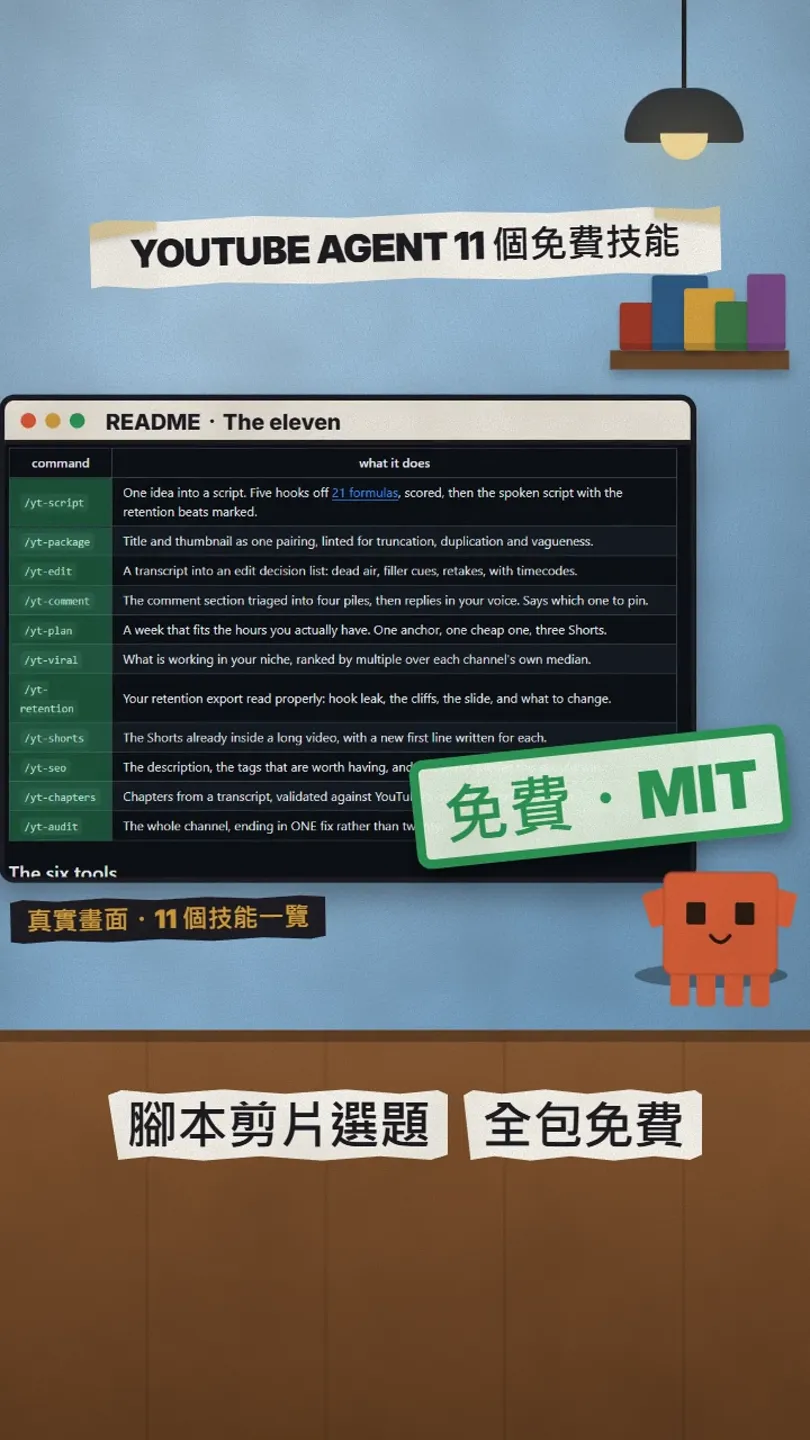
Once installed, Claude gets 11 commands starting with /yt-: yt-audit, yt-chapters, yt-comment, yt-edit, yt-package, yt-plan, yt-retention, yt-script, yt-seo, yt-shorts, yt-viral. This guide covers:
- Installing it in Claude with one link.
- yt-script: 5 hooks from 21 opening formulas, scored, then the full script.
- yt-edit: reads a transcript and lists pauses, filler and retakes with timecodes.
- yt-viral: finds videos in your niche doing several times better than that channel's usual.
02Install: paste the link into Claude
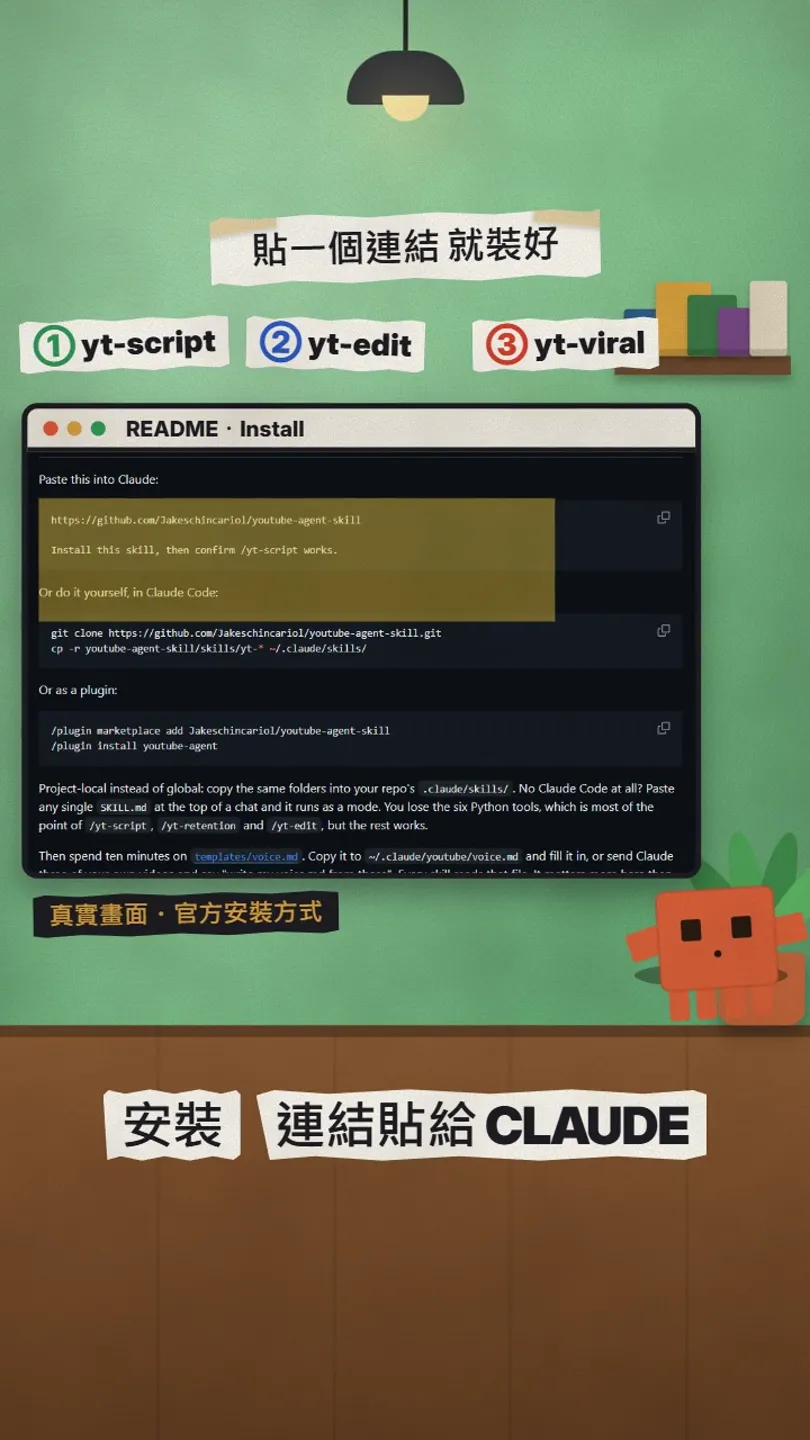
Open Claude (or Claude Code) and paste this whole block:
https://github.com/Jakeschincariol/youtube-agent-skill
Install this skill, then confirm /yt-script works.
03yt-script: 5 scored hooks, then the script
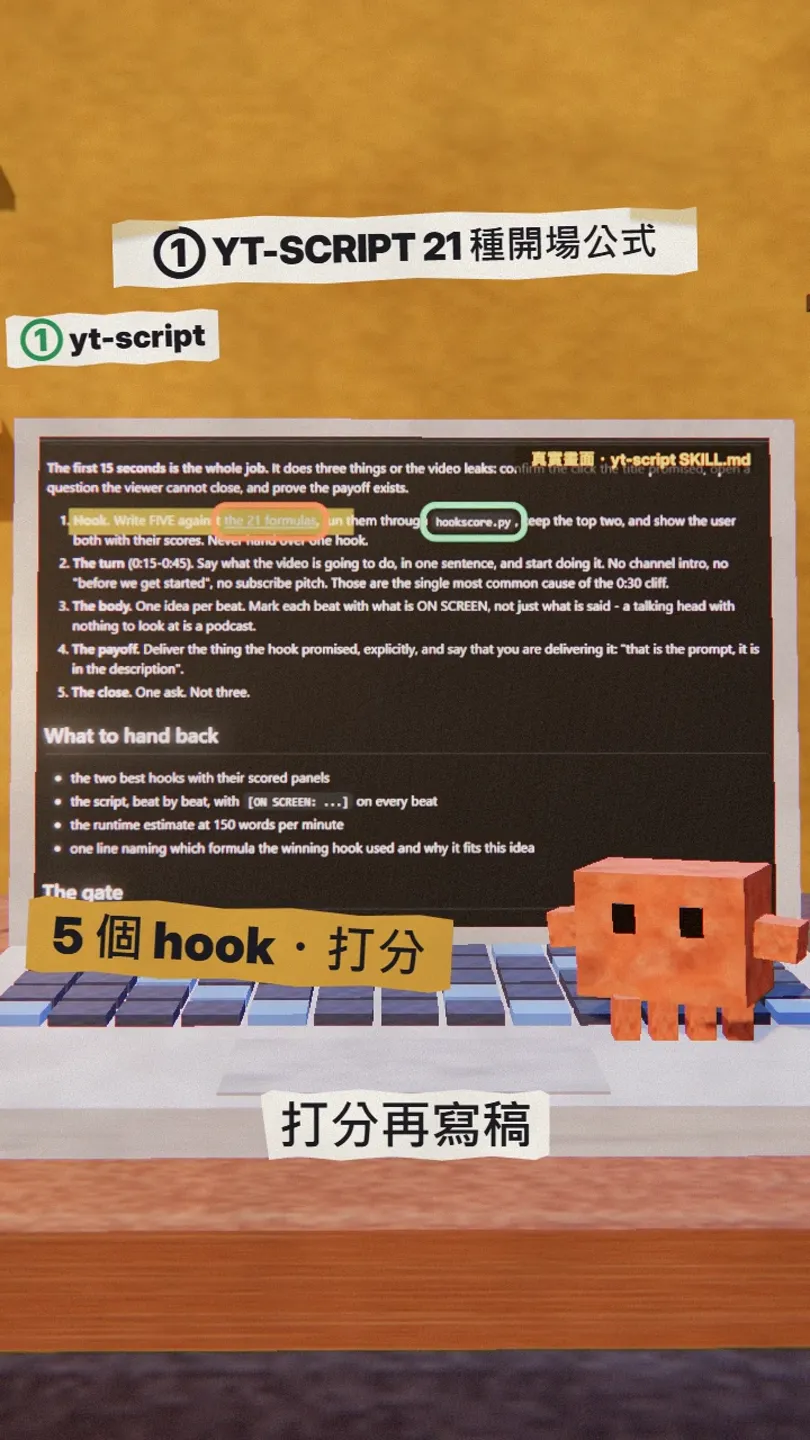
Give it a video idea and it writes 5 hooks from 21 opening formulas, scores each one, then writes the full script. Replace the [ ] parts:
/yt-script I want to make a video about [topic] for [audience], about [length] minutes long.
04yt-edit and yt-viral: edit list and topic ideas
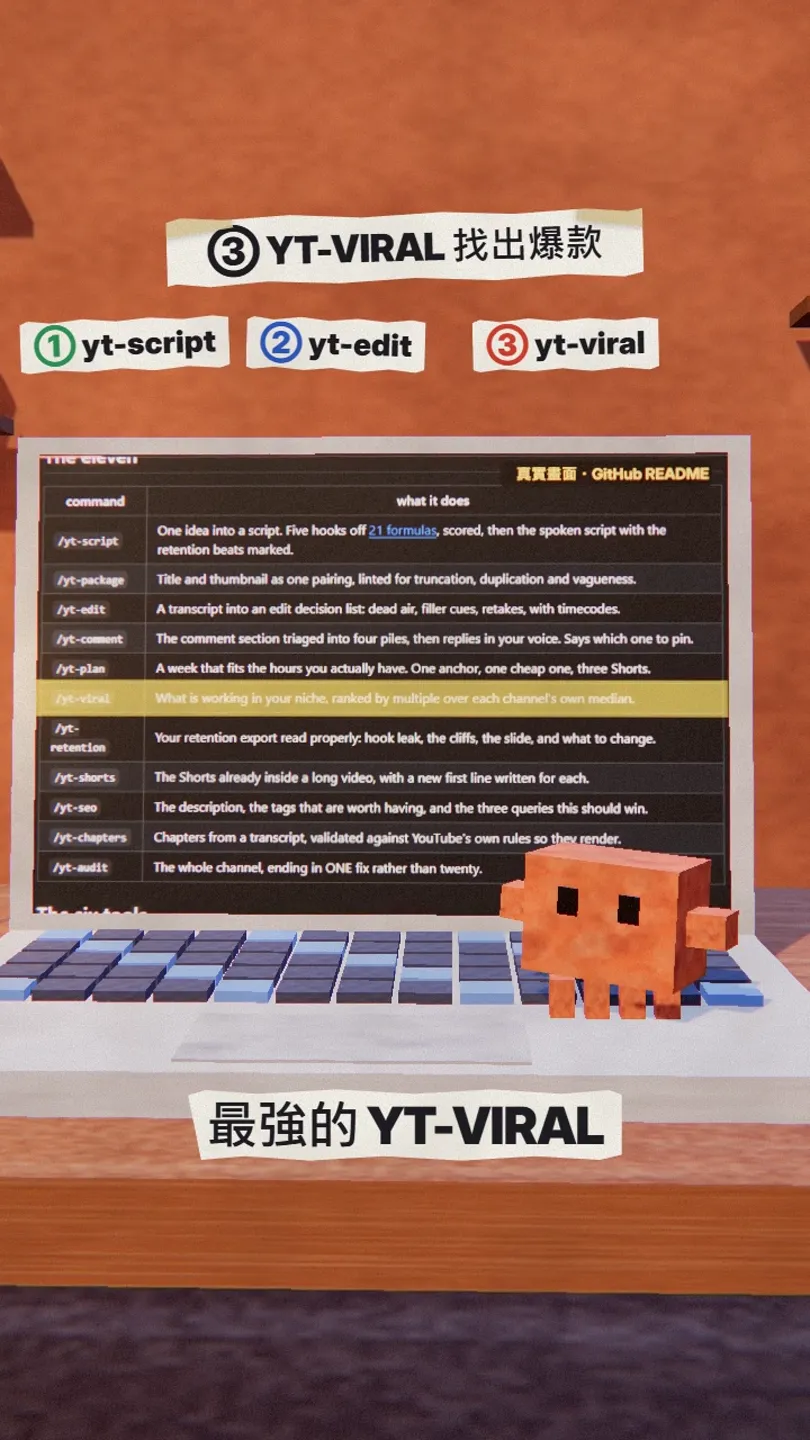
yt-edit: give it your transcript and it lists the pauses, filler words and retakes with timecodes, so you can cut straight from the list.
/yt-edit Here is my transcript (with timecodes): [paste transcript]
yt-viral: tell it your niche and it finds videos doing several times better than their channel's usual, a good source for your next topic.
/yt-viral My channel is about [niche]. Find recent videos that are doing unusually well.
05Good to know
- Fill in templates/voice.md (how you talk) first, so the scripts sound like you.
- It only writes and organises; it doesn't upload anything. You still publish the video yourself.
- It's a third-party open-source project, not an official Anthropic or YouTube tool; the GitHub README is the source of truth.
Sources
What should the next reel cover?
I test Claude and AI tools every day and turn the useful ones into reels. Follow @vivianlin.tech to catch each new guide.


