~/guides/CLASS.md
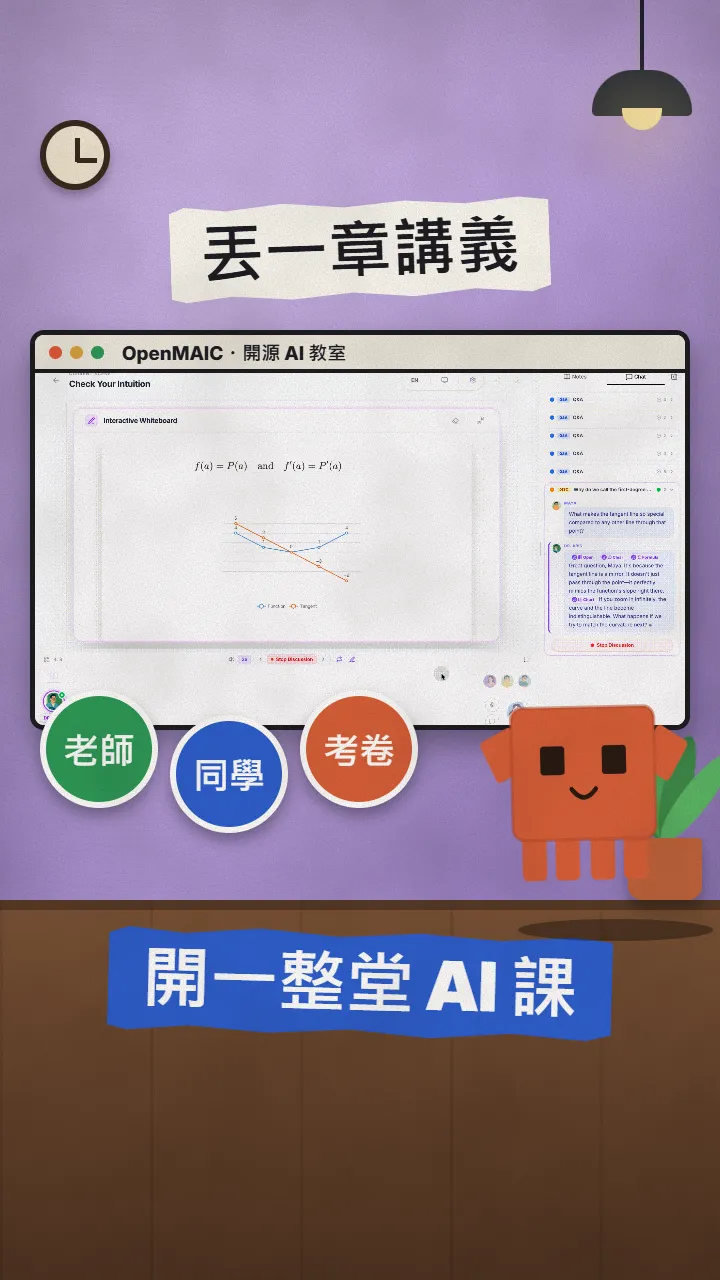
OpenMAIC: drop in one chapter, get an AI teacher, AI classmates and a graded quiz (open-source, 40K+ stars)
An MIT-licensed AI classroom: upload notes and get slides, a whiteboard AI teacher, AI classmates and AI-graded quizzes. Try the demo, then self-host.
Watch the reel on InstagramComment #CLASS to get this guide
Stuck on a chapter you just can't get through? OpenMAIC is an open-source project with over 40,000 stars on GitHub: give it a PDF, Word file or slide deck and it lays out a whole lesson, with slides, an AI teacher who talks and draws on a whiteboard, AI classmates who start discussions, and a quiz the AI grades at the end. This is the full version of the CLASS reel: what it makes, where to try it first, what you need to host it yourself, and a few prompts you can copy. Everything here comes from the official GitHub repo and website, checked on 10 November 2026.
01The result first: one chapter becomes a classroom with a teacher and classmates
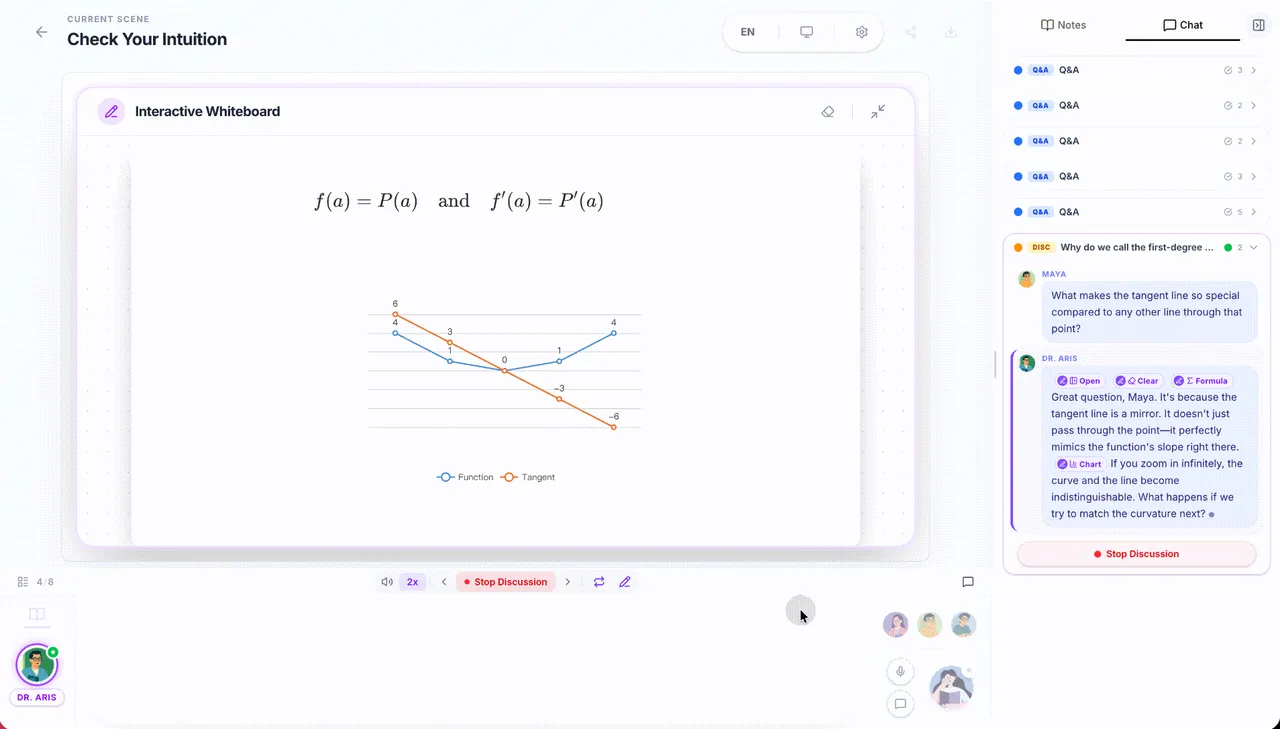
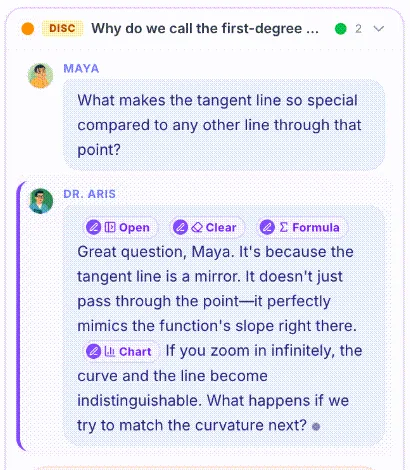
Every screen in the reel comes from the demo in OpenMAIC's official README, not a lesson I ran myself. It's a calculus lesson: formulas and a chart on the whiteboard, an AI classmate asking what makes the tangent line special, and the AI teacher answering while adding a chart to the board.
- The four things OpenMAIC makes for you: slides, an AI teacher, AI classmates and quizzes.
- The fastest way to try it: the official live demo, right in your browser.
- Hosting it yourself: what you need, the five official steps, and a prompt that has Claude Code set it up for you.
- How to word your request when you drop in your notes (prompts to copy).
- Cost and limits: the software is free, the AI usage is on you.
02What it makes: slides, an AI teacher, AI classmates, quizzes
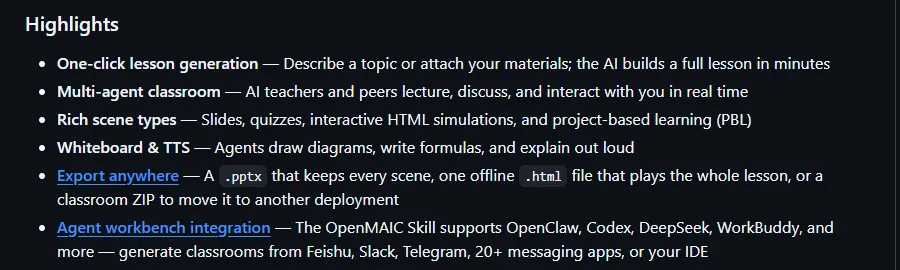
OpenMAIC stands for Open Multi-Agent Interactive Classroom: an interactive classroom run by several AI agents at once. You describe what you want to learn or attach your notes; it drafts a lesson outline first, then turns each part into a scene.
- Slides: the AI teacher narrates them, with spotlight and laser-pointer effects.
- Whiteboard: the AI teacher draws diagrams, writes formulas and solves problems step by step.
- AI classmates: they start discussions on their own; you can jump in any time, or get called on.
- Quizzes: single choice, multiple choice and short answer, graded by the AI on the spot with an explanation.
- Interactive simulations and project-based learning (PBL): physics simulators, or a project where you take a role.
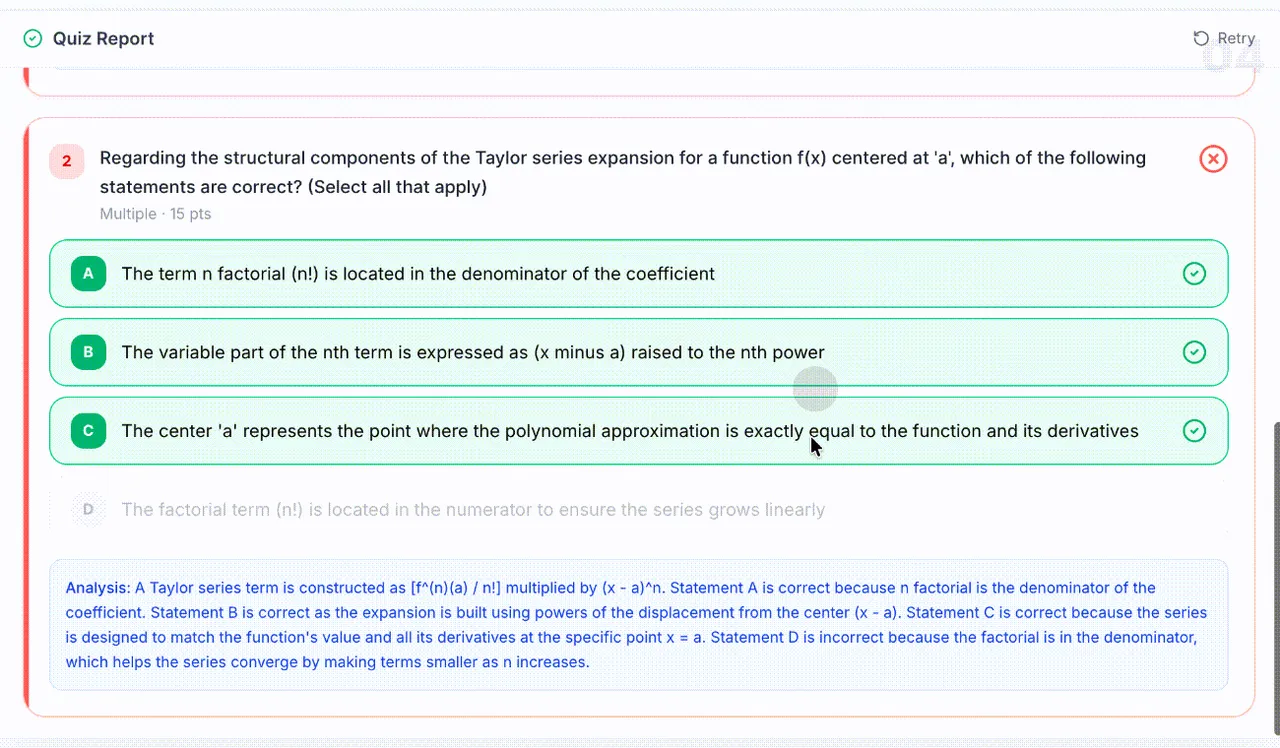
It takes lots of formats: the README lists PDF, Word, PowerPoint, spreadsheets, text, images, audio and video. A finished lesson can be exported as an editable .pptx, or as one .html file that plays offline.
03The fastest way to try it: the official live demo
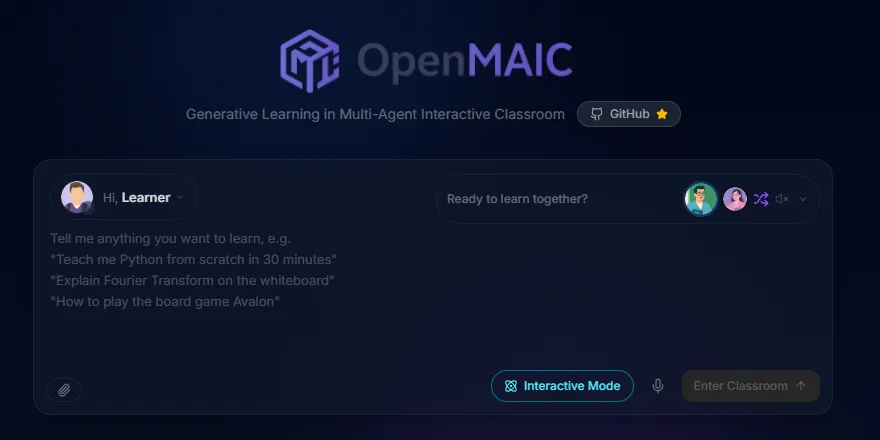
- Open https://open.maic.chat/ .
- Type what you want to learn in the box, or click the paperclip at the bottom left to attach your notes.
- Click Enter Classroom at the bottom right.
These are my notes for chapter [number] of [subject]. I'm stuck on [concept]. Draw it step by step on the whiteboard, have the AI classmates ask the questions I'd ask first, then give me a 5-question quiz with explanations for anything I get wrong.
Teach me [topic] in 30 minutes, starting from zero. Cover the three most important ideas first, draw each one on the whiteboard, and finish with a quiz.
04Hosting it yourself: the five official steps
Hosting it yourself keeps your notes on your own machine and lets you pick the AI provider. Install these three first: Node.js 22.19 or later, pnpm 10 or later, and PostgreSQL 16 (the project includes a one-line command that starts a database in Docker).
git clone https://github.com/THU-MAIC/OpenMAIC.git
cd OpenMAIC
pnpm install
cp .env.example .env.local
cp openmaic.example.yml openmaic.yml
3. Open .env.local and add your AI key. The example only needs OPENAI_API_KEY; to use Claude, add an anthropic provider in openmaic.yml (key ${ANTHROPIC_API_KEY}) and point the llm slot at a Claude model; the README has an example.

pnpm db:up
pnpm dev
After pnpm db:up, uncomment the DATABASE_URL line in .env.local; the server won't start without a database. Then open http://localhost:3000.
Set up OpenMAIC (https://github.com/THU-MAIC/OpenMAIC) on this computer. Follow the Quick Start in its README step by step: first check that my Node.js, pnpm and Docker versions are new enough, and tell me how to install anything missing. I'll use a [Anthropic / OpenAI / other] key. Once the config files are ready, stop and let me paste the key into .env.local myself; don't fill it in. Then start it and tell me which address to open.
05Good to know
- What's free is the software (MIT, commercial use allowed). Every lesson calls the AI you connect and that provider bills you; longer lessons and extra features (illustrations, narration, video) use more.
- The screens in the reel and here are the official demo; I didn't run a full lesson myself. "A full lesson in minutes" is the README's claim.
- The AI teacher can be wrong, especially with formulas and numbers; it's great for revision, but check against your textbook.
- Self-hosting needs a long-running server and PostgreSQL; for real use the project recommends running it in a container or under a process manager.
- The project moves fast (v1.4.2 came out on 9 November 2026); read the release notes before upgrading.
Sources
What should the next reel cover?
I test Claude and AI tools every day and turn the useful ones into reels. Follow @vivianlin.tech to catch each new guide.


