~/guides/CLIMB.md
Claude SEO: a free Claude Code plugin that audits your whole site, plus how to find your Google page-2 pages
Three install lines, then /seo audit with your URL. My real result on 160 pages, what it checks, and how to pull page-2 pages from Search Console for Claude.
Checking a site's SEO page by page takes forever. Claude SEO (claude-seo) is a free, MIT-licensed Claude Code plugin: install it, type /seo audit with your URL, and it checks the whole site and hands you a list of fixes sorted by severity. This is the full version of the CLIMB reel: the real result on this very site, how to install it (three commands), how to start an audit, and the one thing it doesn't do, finding the pages stuck on Google's page 2, plus how I fill that gap with Search Console. Everything follows the official README and code, checked on 12 November 2026.
01The result first: 160 pages of my site, 300 things to fix
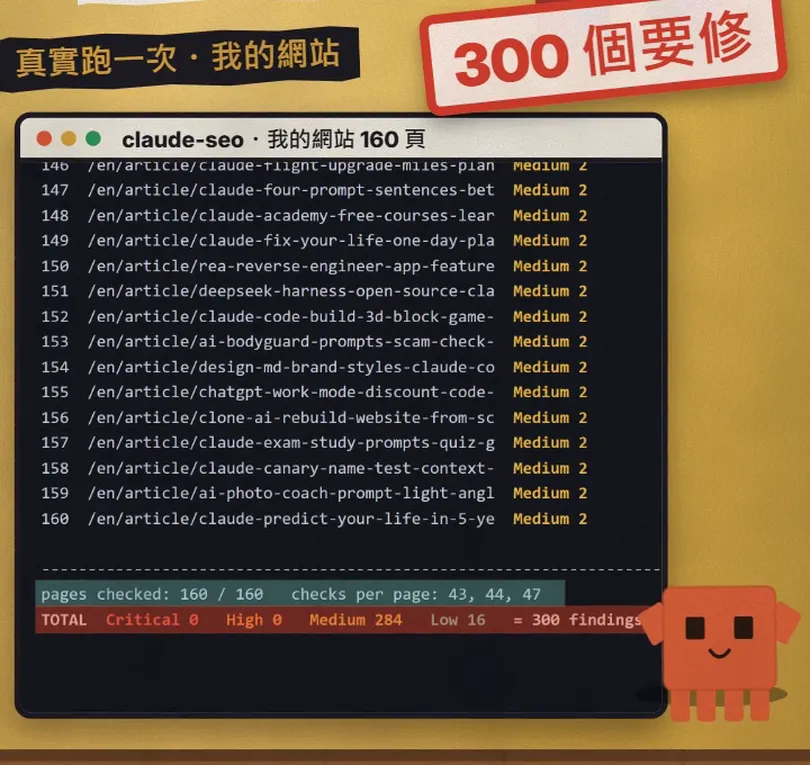
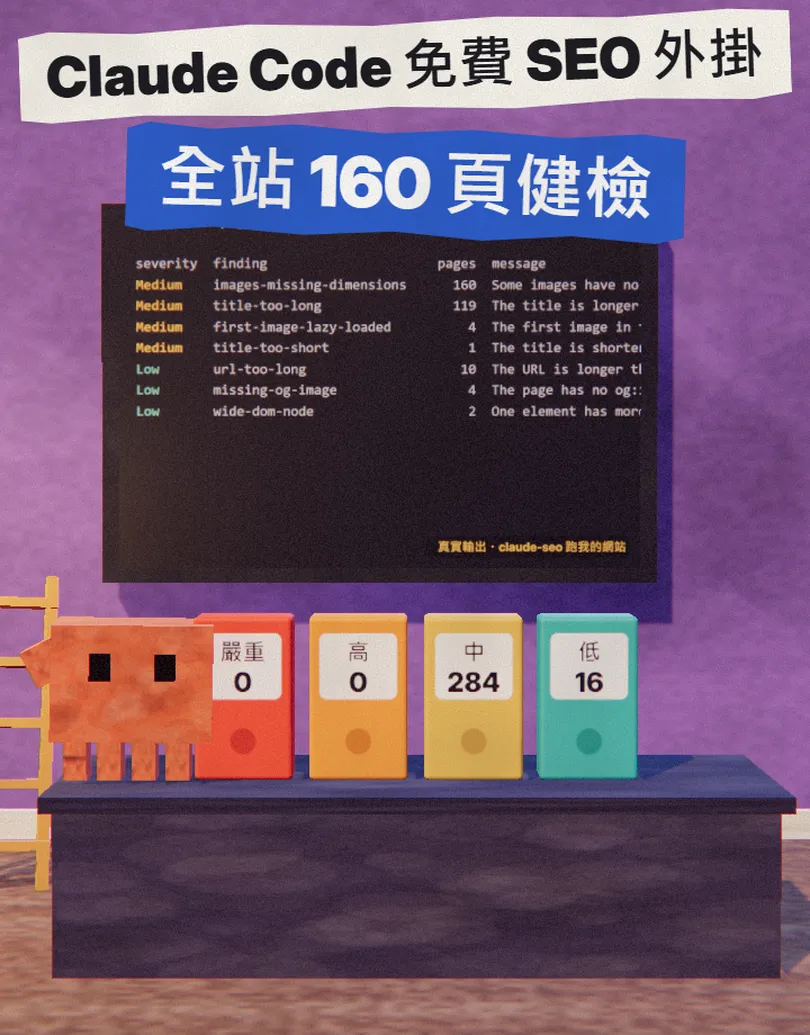
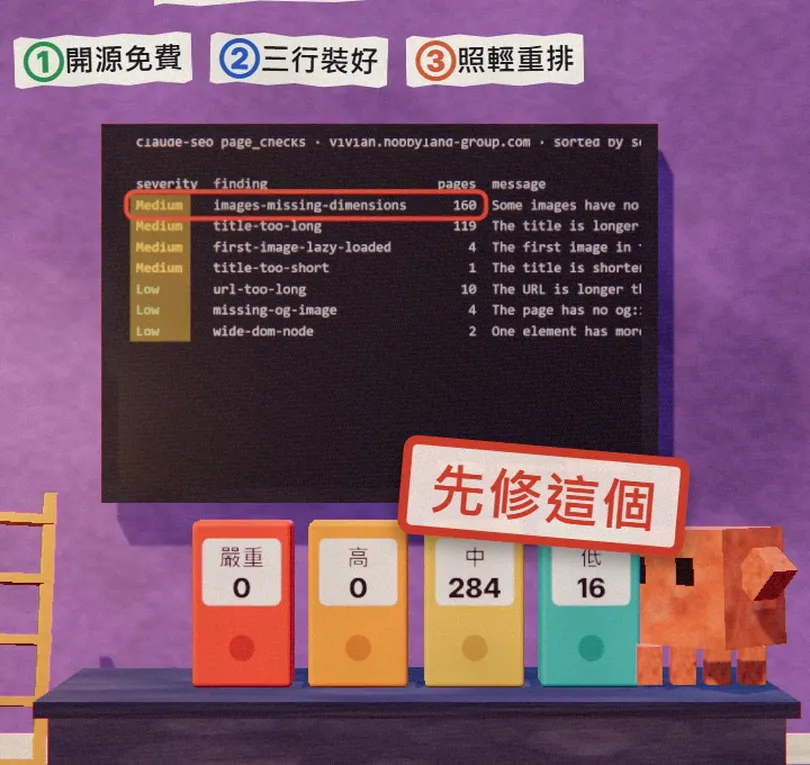
I ran claude-seo's built-in page checker (page_checks) on all 160 URLs in this site's sitemap. Each page gets 43 to 47 checks: title and description length, heading levels, canonical, images, links, URL, social share image, structured-data syntax and more. All 160 pages were checked, with 300 findings in total: 0 Critical, 0 High, 284 Medium, 16 Low.
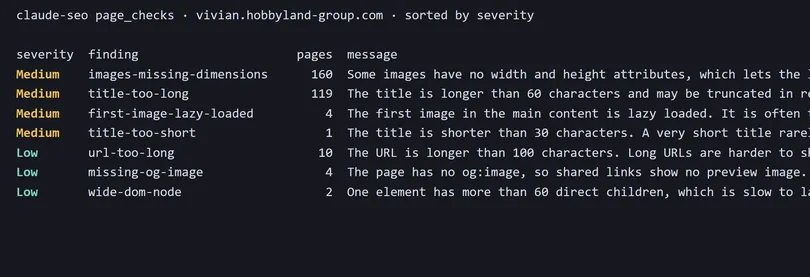
- What it is and what it checks.
- How to install it: three commands in Claude Code, ready to copy.
- How to start an audit, plus the single-page, AI search and structured-data commands.
- What it doesn't do: find your pages stuck on Google's page 2. I export them from Search Console and hand them to Claude, prompt included.
02What it is: a Claude Code plugin packed with SEO checks

Claude SEO is an open-source project by Agrici Daniel at AgriciDaniel/claude-seo on GitHub, MIT-licensed and free. The README says it is made of 26 sub-skills and 19 specialist agents, with up to 17 agents auditing your site at the same time; a full audit takes about 10 to 15 minutes according to the project, and ends with an action plan sorted by impact.
- Technical SEO: crawlability, indexing, sitemaps, robots.txt, redirects, speed and Core Web Vitals.
- Content: E-E-A-T (experience, expertise, authority, trust), thin pages and topic coverage.
- Structured data: finds, validates and writes Schema.org markup.
- AI search (GEO): whether AI crawlers can reach you and whether Google AI Overviews, ChatGPT and Perplexity are likely to cite your pages.
- Local and e-commerce: Google Business Profile, reviews, product pages, international sites.
03Step 1: install it in Claude Code (three commands)

You need Claude Code 1.0.33 or newer and Python 3.11 to 3.14 on your computer. Open Claude Code and type these three lines in order:
/plugin marketplace add AgriciDaniel/claude-seo
/plugin install claude-seo@agricidaniel-claude-seo
/seo setup
- The third line, /seo setup, gives the plugin its own Python environment and downloads a headless browser (Chromium) without touching the rest of your system.
- Run /seo doctor any time to check it's ready.
- To remove it: /plugin uninstall claude-seo@agricidaniel-claude-seo.
04Step 2: type /seo audit with your URL
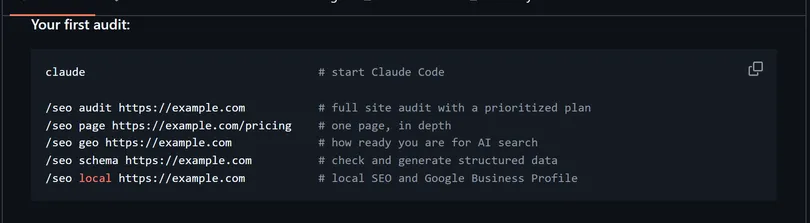
/seo audit https://[your URL]
- It looks at your home page first to work out what kind of site you are (SaaS, local business, e-commerce, publisher, agency) and adjusts its checks.
- Then it follows your internal links, up to 500 pages, respecting robots.txt.
- The agents check their own areas, then the findings are scored and sorted into FULL-AUDIT-REPORT.md and ACTION-PLAN.md (Critical → High → Medium → Low) in a domain-audit folder.
- If you want a PDF report, ask it to make one afterwards.
/seo page https://[your URL]/[a page]
/seo geo https://[your URL]
/seo schema https://[your URL]
05Step 3: find the pages stuck on Google's page 2 in Search Console, then hand them to Claude

Pages ranking 11 to 20, Google's page 2, are usually the best ones to improve: Google already thinks they are relevant, they just need a nudge. claude-seo doesn't list them for you: once connected to the Search Console API (/seo google) it looks for queries at positions 4 to 10 with many impressions, and that needs Google API keys first. The simplest way is to export them from Search Console yourself.
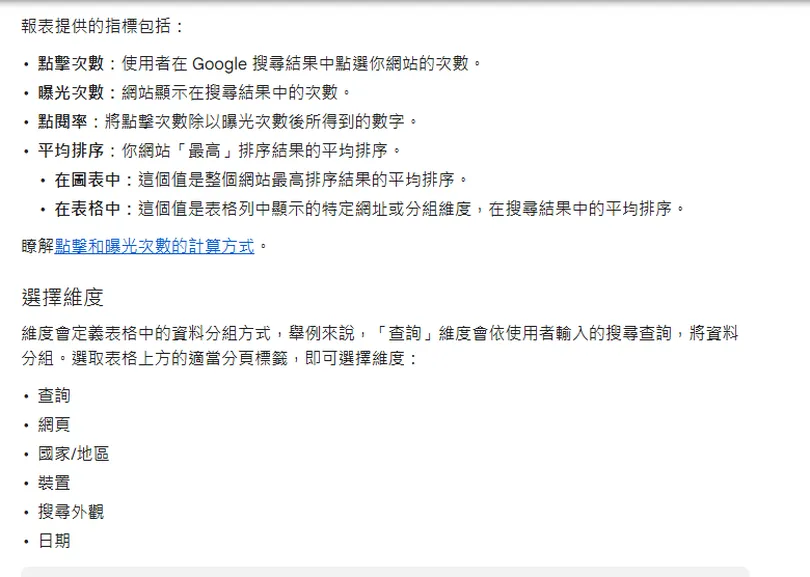
- Open Search Console, pick your site and go to the Performance report.
- Set the date range to the last 3 months and switch on Average position at the top.
- Switch the table to the Pages tab, click Export and download it as a Google Sheet or CSV.
- In the sheet, sort by Position from low to high and keep only the URLs between 11 and 20; you can also open the Queries tab to see which searches bring up those pages.
Paste the list and each page's URL into Claude (in Claude Code it can open and edit the files in your project directly):
These pages rank 11 to 20 on Google:
[paste: URL, main search query, average position, impressions]
Go through them one by one:
1. What is someone searching this query looking for, and does my page answer it directly?
2. Do the title and description include the query, and are they a sensible length?
3. Which sections, examples or FAQs are missing?
List the changes for each page for me to confirm first, then make them. Don't change the URLs.
06Good to know
- The plugin is free, but it runs inside your Claude Code and uses your Claude plan. The project says a full /seo audit runs five agents on Opus and costs much more than a single-page check, so try /seo page on one page first.
- The pages you audit are sent to Claude for analysis and the reports stay on your computer; no other SEO company sees them unless you connect a service yourself (official FAQ).
- Without Google API keys, Core Web Vitals are lab estimates and indexing is inferred from the page.
- It finds problems and sorts them; it doesn't guarantee rankings. After fixing, watch the numbers in Search Console, not just the report score.
- Only install the official AgriciDaniel/claude-seo repo; it is not an official Anthropic tool.
- The 160 pages and 300 findings in the video are my run of the plugin's built-in page checker on my own site (12 November 2026), not a full /seo audit report.
Sources
What should the next reel cover?
I test Claude and AI tools every day and turn the useful ones into reels. Follow @vivianlin.tech to catch each new guide.


