~/guides/CODES.md
Claude’s 5 "secret codes" are shortcuts you set up yourself: paste one block into Instructions
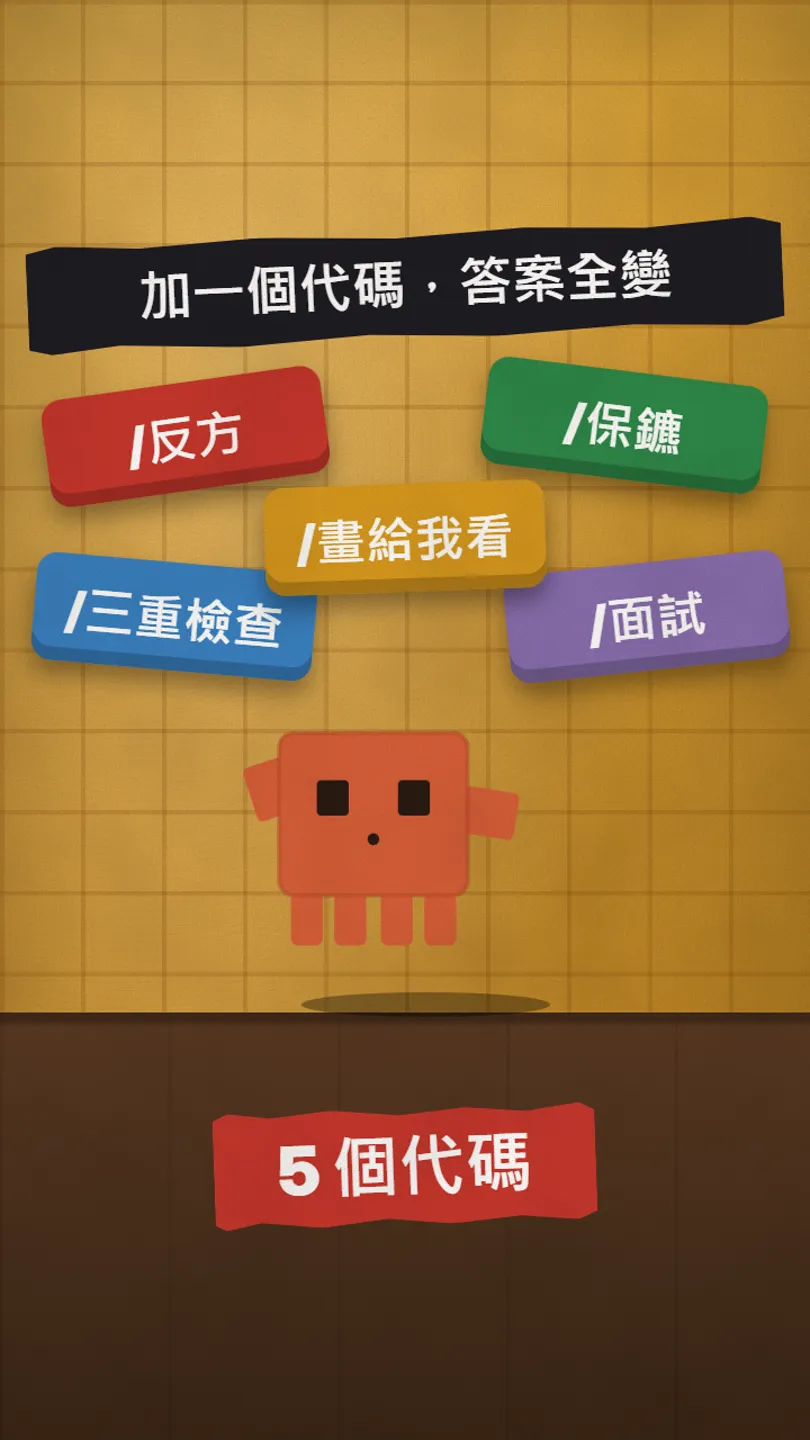
The codes aren’t built in. Paste one setup block into Instructions, then /devil, /triplecheck, /bodyguard, /showme, /interview work. Real before/after.
Watch the reel on InstagramComment #CODES to get this guide
Same question, one code in front, and Claude’s answer changes completely. But the honest part first: the "hidden codes" you see online are not built into Claude. They are shortcuts you set up yourself: paste one block into Instructions in Settings, once, and a code at the start of any chat works. This is the full version of the CODES reel: the setup block, where to paste it, how to use each of the 5 codes, and Claude’s real before/after answers from 27 October 2026. (The reel uses Chinese code names such as /反方; the English versions below work the same way.)
01The result first: same question, one code
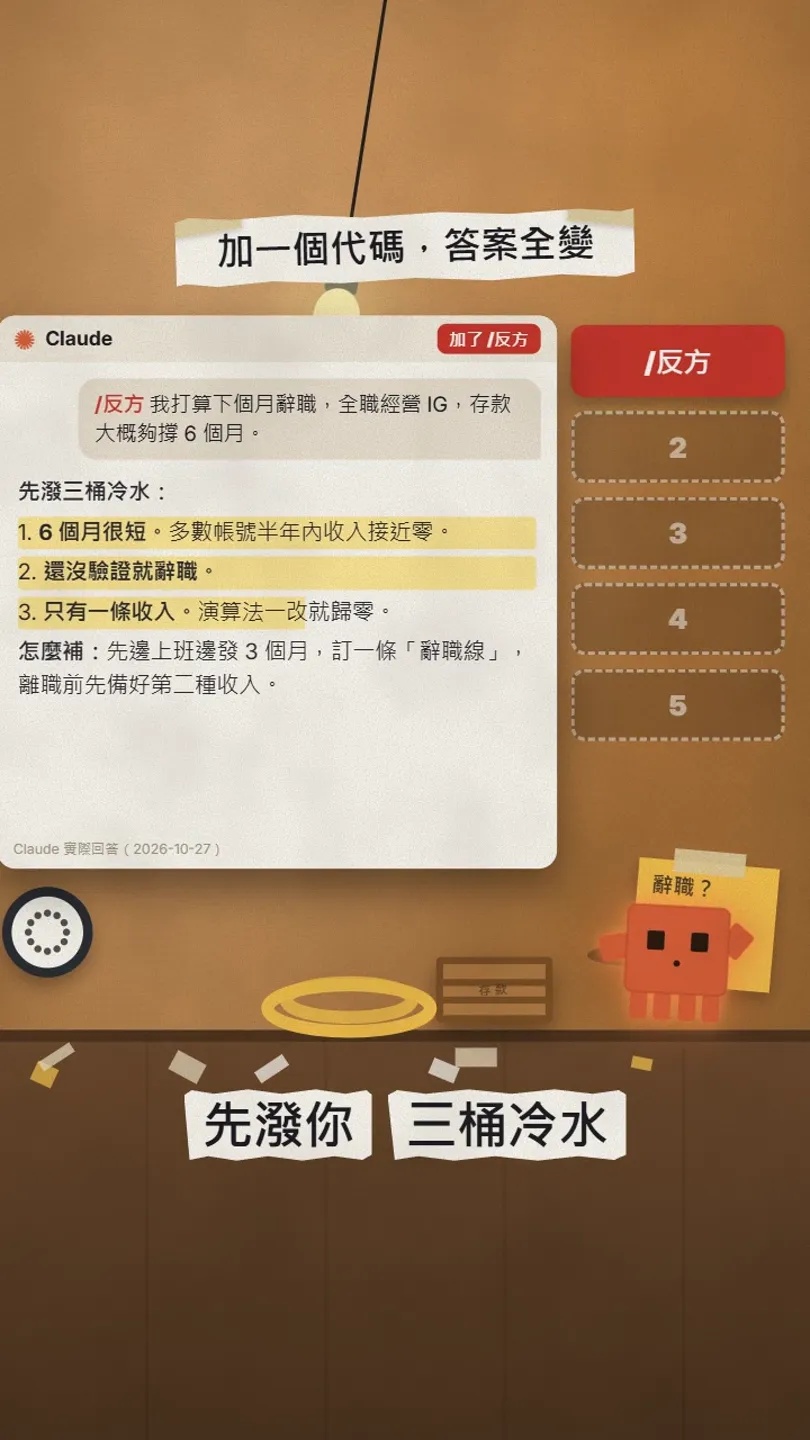
I asked Claude: "I plan to quit next month to do Instagram full-time; my savings last about 6 months." With no code it said this is many people’s dream, gave a few tips and ended with "Good luck!". With the code /反方 (devil’s advocate) in front, it poured cold water three times: 6 months is short, quitting before you’ve tested it, only one income stream; then it told me how to fix each.
These "codes" are not secret commands built into Claude. They are shortcuts you write yourself: paste one block of instructions into your settings once, and from then on a code at the start of any chat makes Claude follow it. In this guide you get:
- A ready-to-paste setup block with all 5 codes.
- Where to paste it, with the official settings path.
- How to use each code, with my before/after tests.
- How to turn them into your own codes.
02Why set them up first: codes aren’t built in
Type "/devil I want to quit" cold and Claude may or may not guess what you mean; it might treat the code as plain text. To make it work every time, tell Claude once what each code means. Claude has two places for standing instructions: Instructions, which apply to your whole account, and a Project’s instructions, which apply only inside that project.
03Step 1: paste this into Instructions
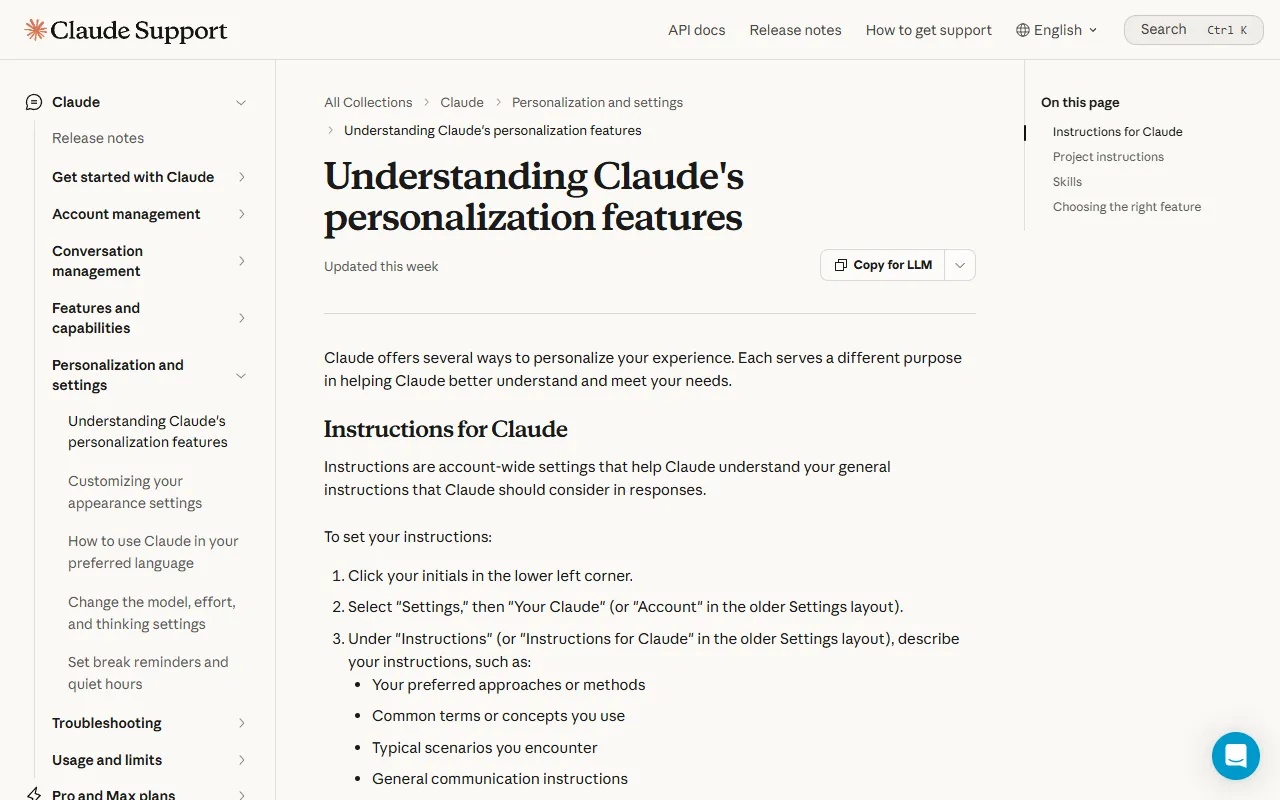
- Click your initials in the lower left corner of Claude.
- Select Settings, then Your Claude (Account in the older Settings layout).
- Under Instructions (Instructions for Claude in the older layout), paste the block below and save.
- Only want it in one project: paste it into that Project’s instructions instead; other chats aren’t affected.
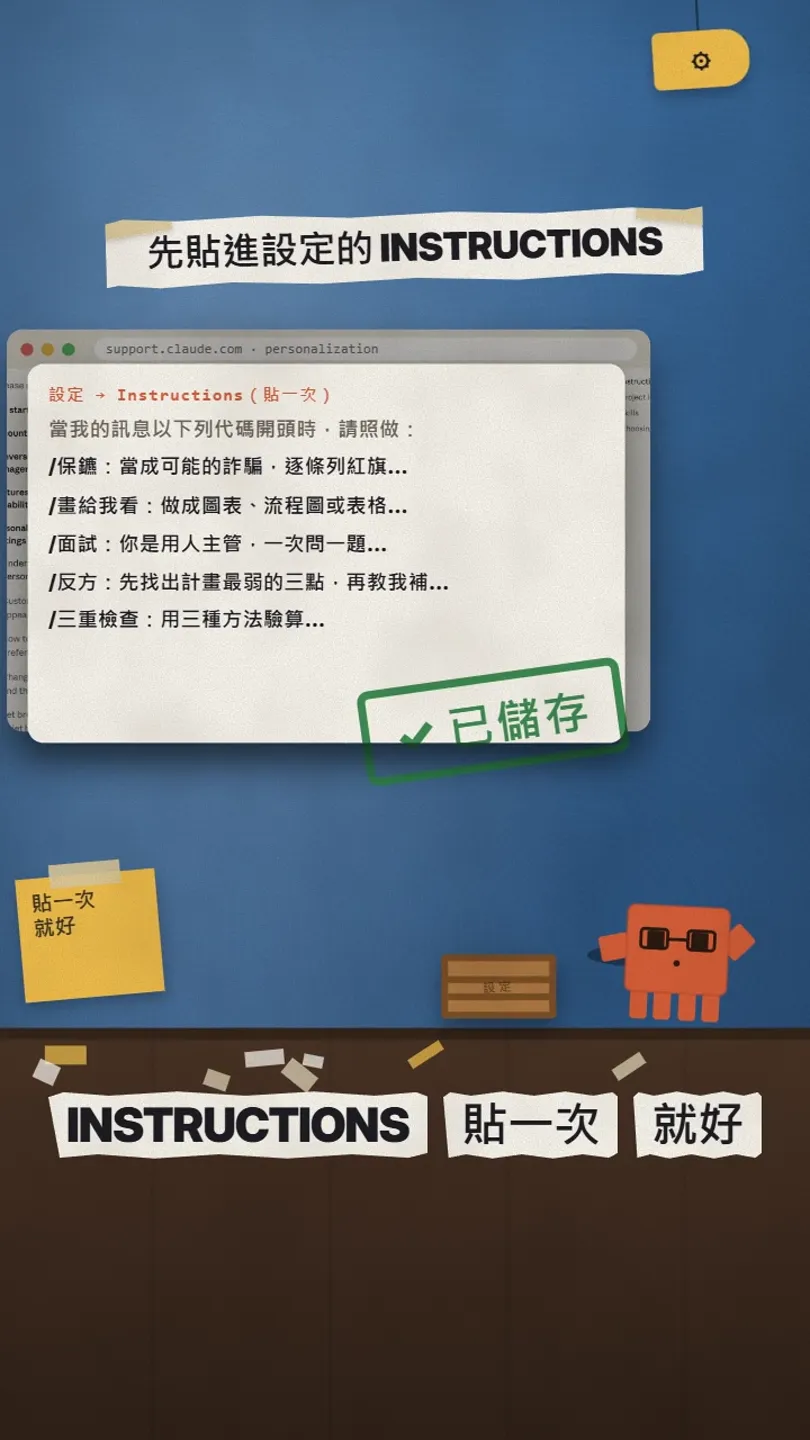
When my message starts with one of these codes, do this:
/bodyguard: treat what I paste (a message, link or contract) as a possible scam, list every red flag, say how risky it is, then tell me what to do next.
/showme: turn the answer into a chart, flowchart or table, not a block of text.
/interview: you are the hiring manager for this job; ask me one question at a time, comment on my answer, then ask the next.
/devil: first find the three weakest points of my plan, then tell me how to fix them.
/triplecheck: verify your answer three different ways and only give me a conclusion if all three agree.
04① /devil: weak spots first, then the fix
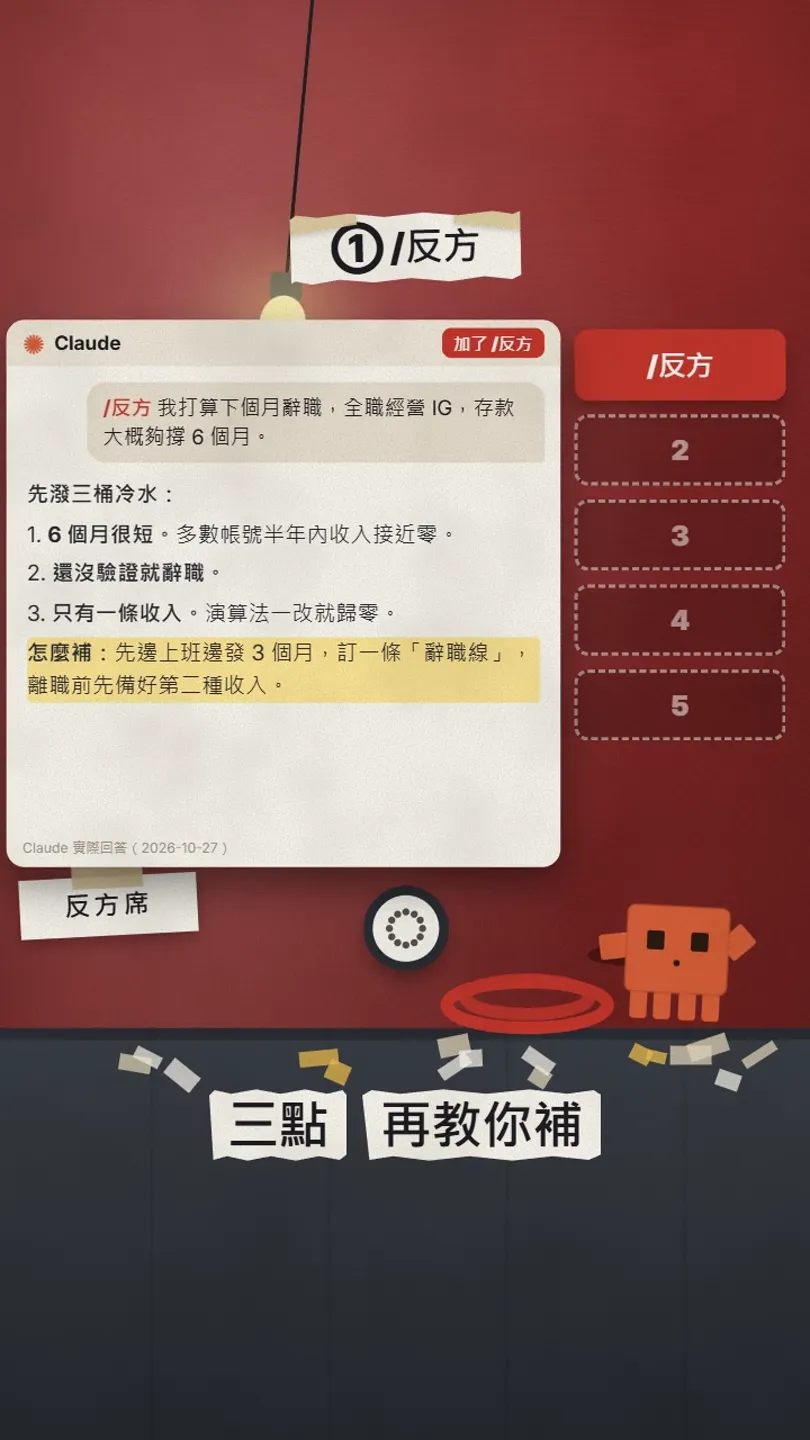
Use it before a decision: quitting, starting a business, moving, a big purchase. It won’t just cheer you on; it picks the three weakest points first. In my quit-my-job test the fix was: post for 3 months while still employed, 3 posts a week; set a "quit line" (say 10,000 followers or 10,000 a month in income); line up a second income before you leave.
/devil I plan to [quit next month to do Instagram full-time; my savings last about 6 months].
05② /triplecheck: verify three ways
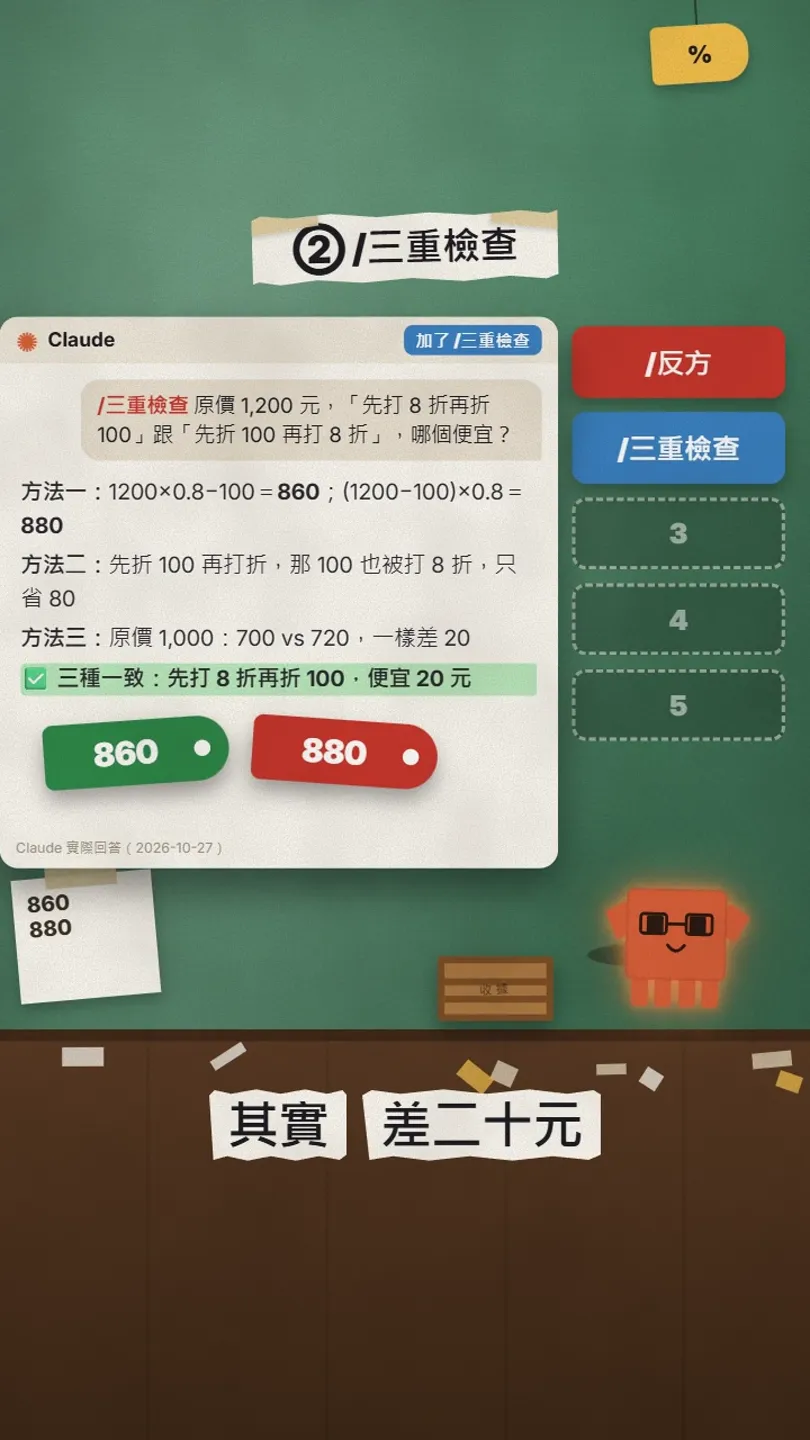
I asked: an item costs 1,200; is "20% off, then 100 off" cheaper than "100 off, then 20% off"? With no code it said "about the same" (its conclusion was right, but it showed no maths). With the triple-check code it calculated directly (860 vs 880), looked at the discount amount (the 100 gets discounted by 20% too, so it only saves 80), and re-checked with another price (1,000 gives 700 vs 720). All three agreed: 20% off first, then 100 off, is 20 cheaper.
/triplecheck [An item costs 1,200. Is 20% off then 100 off cheaper than 100 off then 20% off?]
06③ /bodyguard: a verdict on a suspicious text first
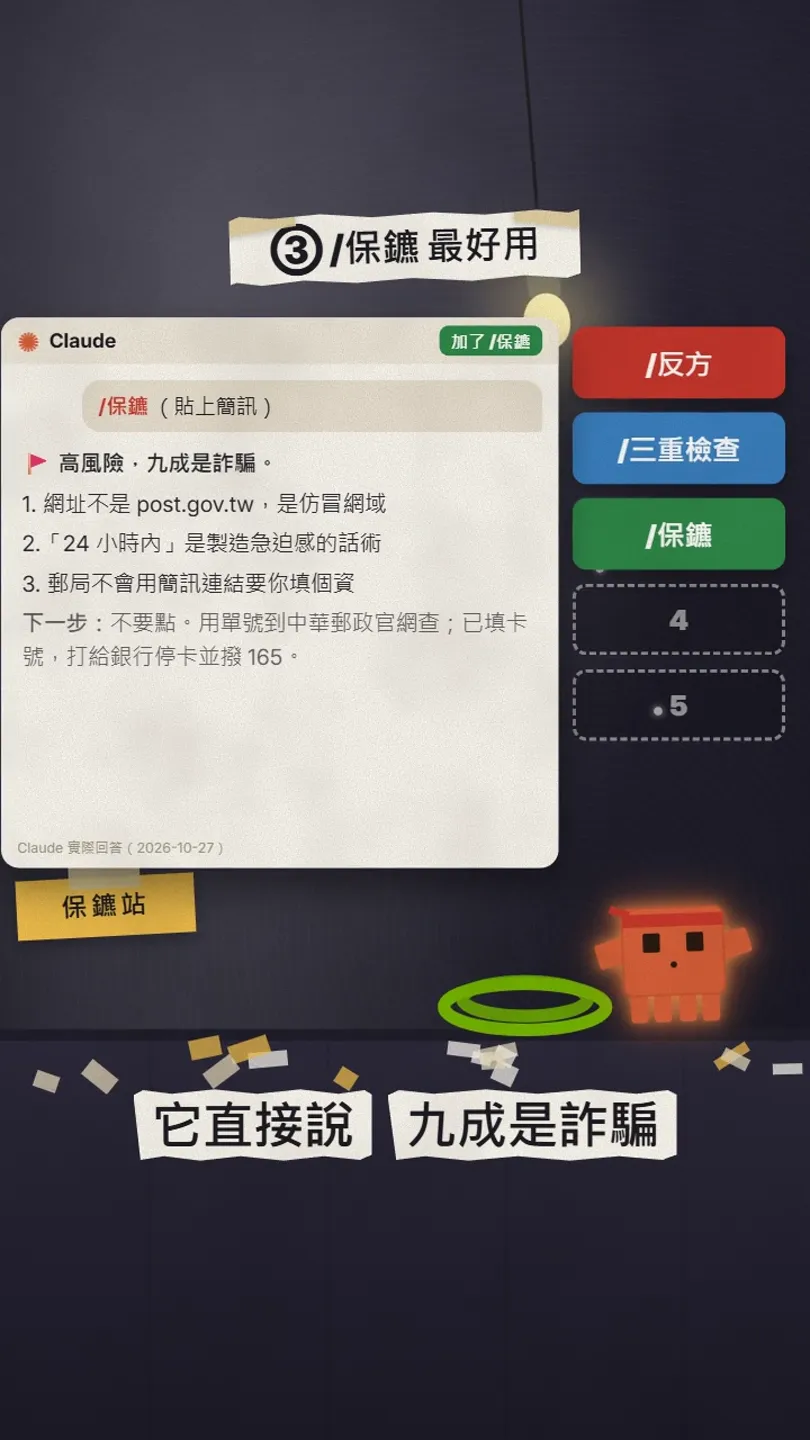
I pasted a fake demo text claiming to be from Chunghwa Post: the parcel address is incomplete, update it via the link within 24 hours. With no code, Claude treated it as a normal notice and suggested checking the sender. With the bodyguard code, its first line was "High risk", then the red flags: the link isn’t post.gov.tw, "within 24 hours" is a pressure tactic, the post office doesn’t ask for personal details through text links; then the next step: don’t tap; look up the tracking number on the official Chunghwa Post site or app; if you already entered a card number, call your bank to freeze it and call 165, Taiwan’s anti-fraud hotline.
/bodyguard [paste the suspicious text, link or contract clause]
07④ /showme and ⑤ /interview
/showme turns the answer into a chart, flowchart or table. I asked "How does the Pomodoro technique work?": with no code, one paragraph; with the code, a flow of "25 minutes focus → 5 minutes break ×4 → long break 15–30 minutes" and a four-step table.
/showme [How does the Pomodoro technique work?]
/interview: paste the job you’re applying for and it becomes the hiring manager, one question at a time. I pasted a marketing job; its first question was: of the accounts you’ve run, which post performed best, what were the numbers and why did it work? After your answer it comments, then asks the next one.
/interview [job title | duties | requirements]
08Good to know
- Codes aren’t a built-in feature; they work reliably only after you paste the setup. On another account, or anywhere without the setup, they do nothing.
- Instructions affect all your chats. The setup only triggers when a message starts with a code, so normal chats don’t change.
- /triplecheck reduces maths mistakes but doesn’t guarantee them away; re-check important numbers yourself.
- /bodyguard is a first check, not an official verdict. If you were scammed or entered your details, call 165 and your bank.
- The text message in this guide is a fake we made for the demo, and its link is invented; don’t open it.
Sources
What should the next reel cover?
I test Claude and AI tools every day and turn the useful ones into reels. Follow @vivianlin.tech to catch each new guide.