~/guides/JOBS.md
Don't let AI mass-apply to 500 jobs: have Claude find new openings on company career pages and keep a weekly tracker
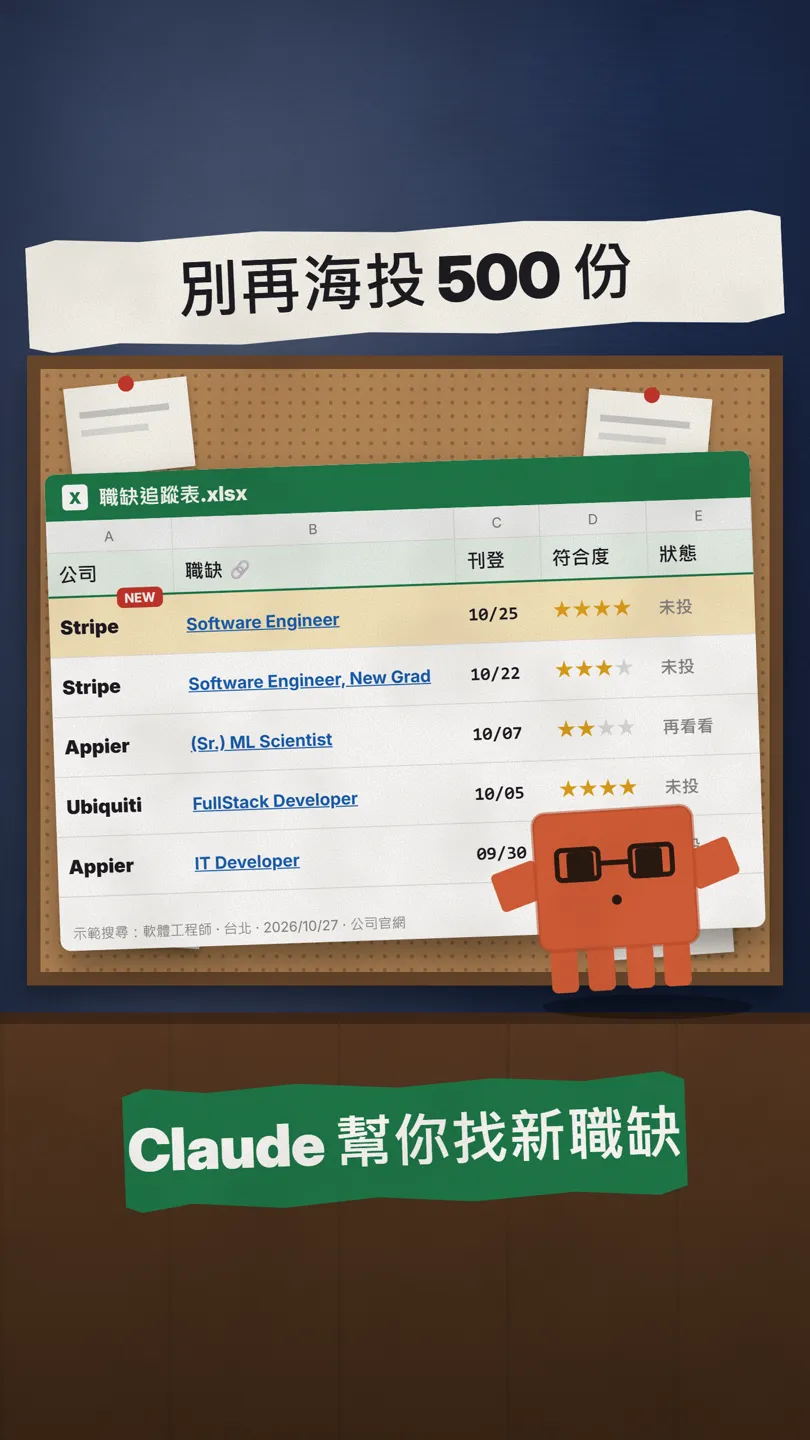
Get 10 titles from your resume, have Claude search company career pages for openings from the last 30 days, keep an Excel tracker, update it weekly, apply to 5.
Some reels tell you to have AI mass-apply to 500 jobs for you. I don't recommend it: LinkedIn's User Agreement explicitly bans bots, and mass applications rarely get you remembered. I do the opposite: have Claude find openings that just went up, especially on company career pages, put them in a tracker, update it once a week, then pick the 5 best and apply properly yourself. This guide has 5 prompts to copy; web search and Excel file creation both work on the free plan.
01What you get: a job tracker that updates itself
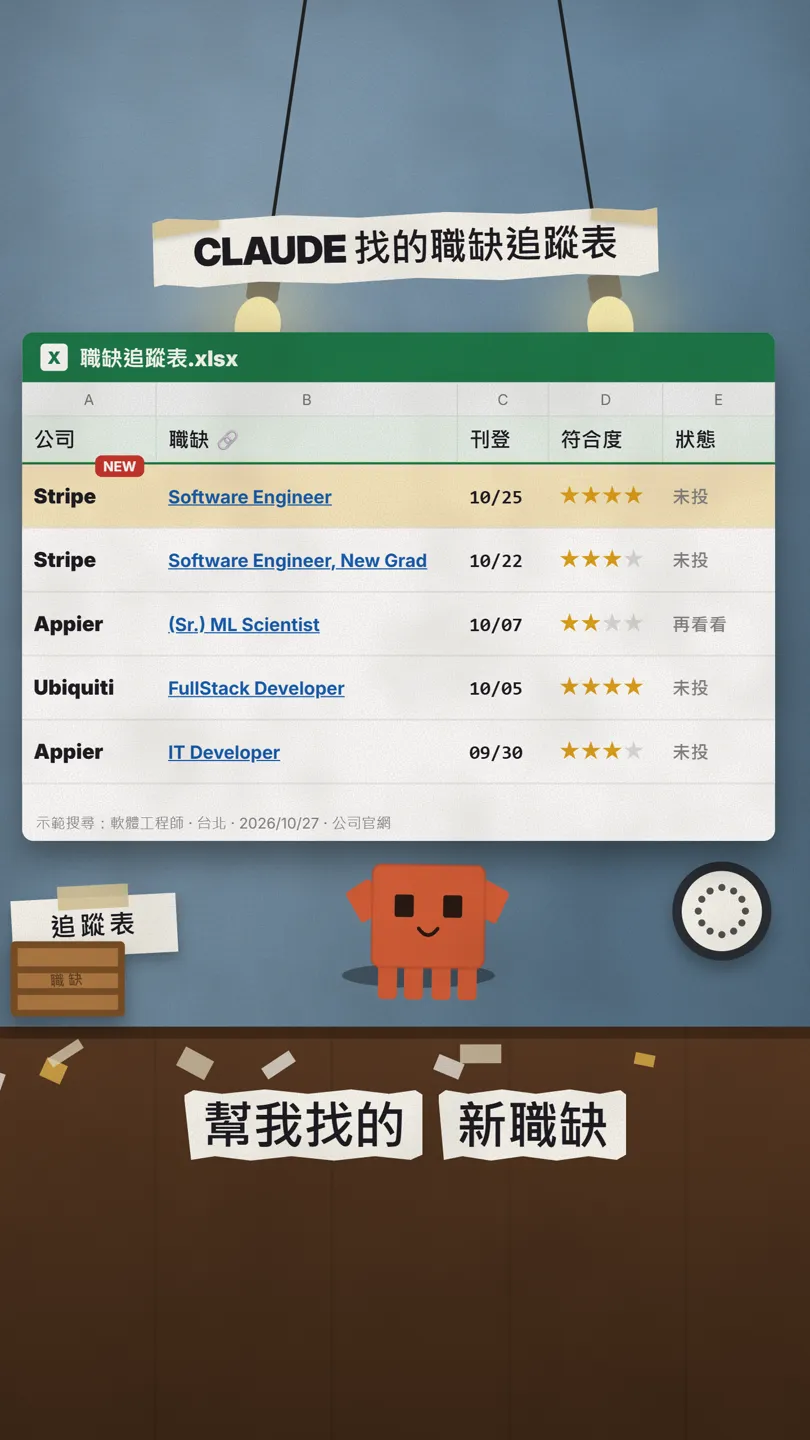
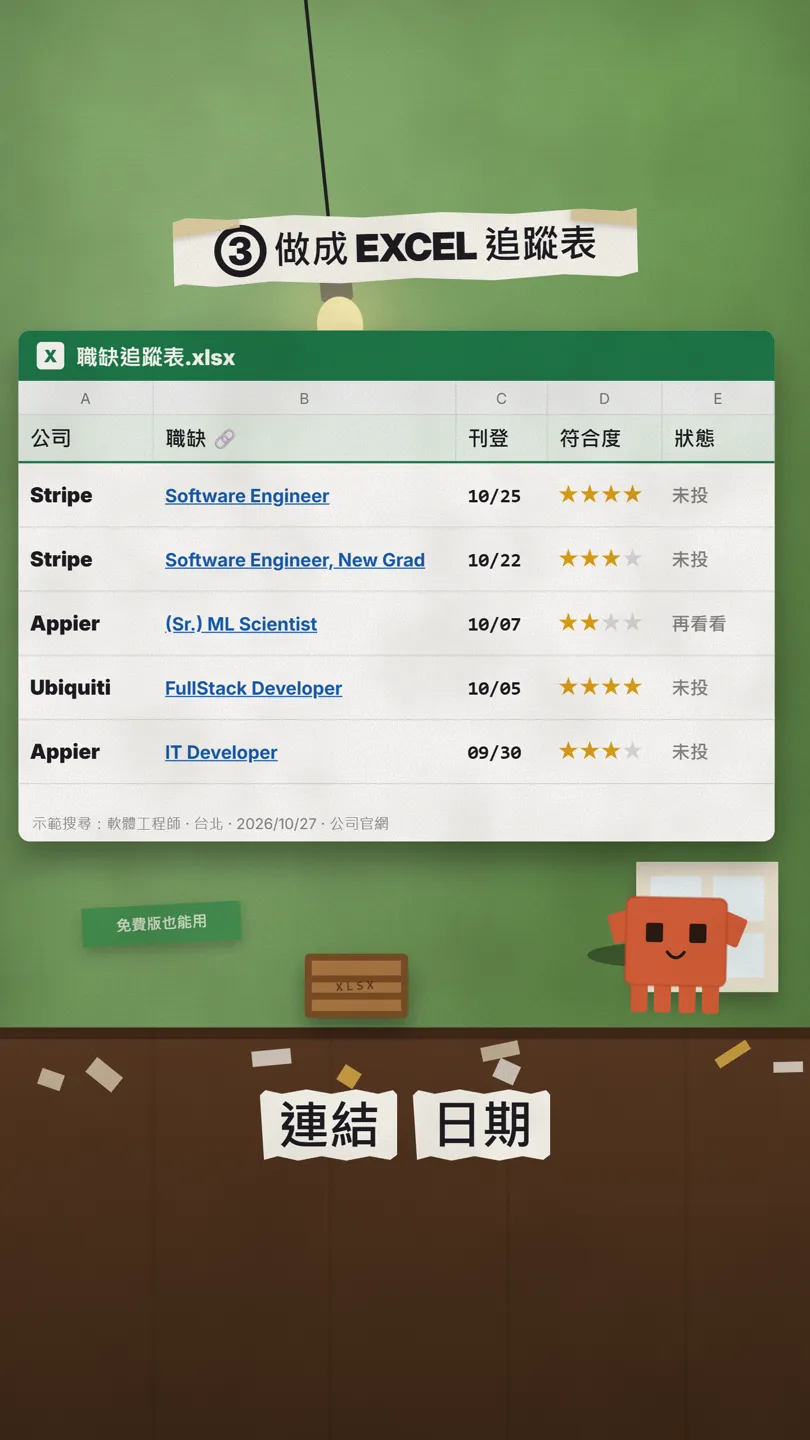
The end result is an Excel file: every opening has the company, link, posting date, match score and application status. The one below is a real search we ran on 27 Oct 2026 with a demo profile (software engineer, Taipei) on company career pages. Postings may close later; the linked page is what counts.
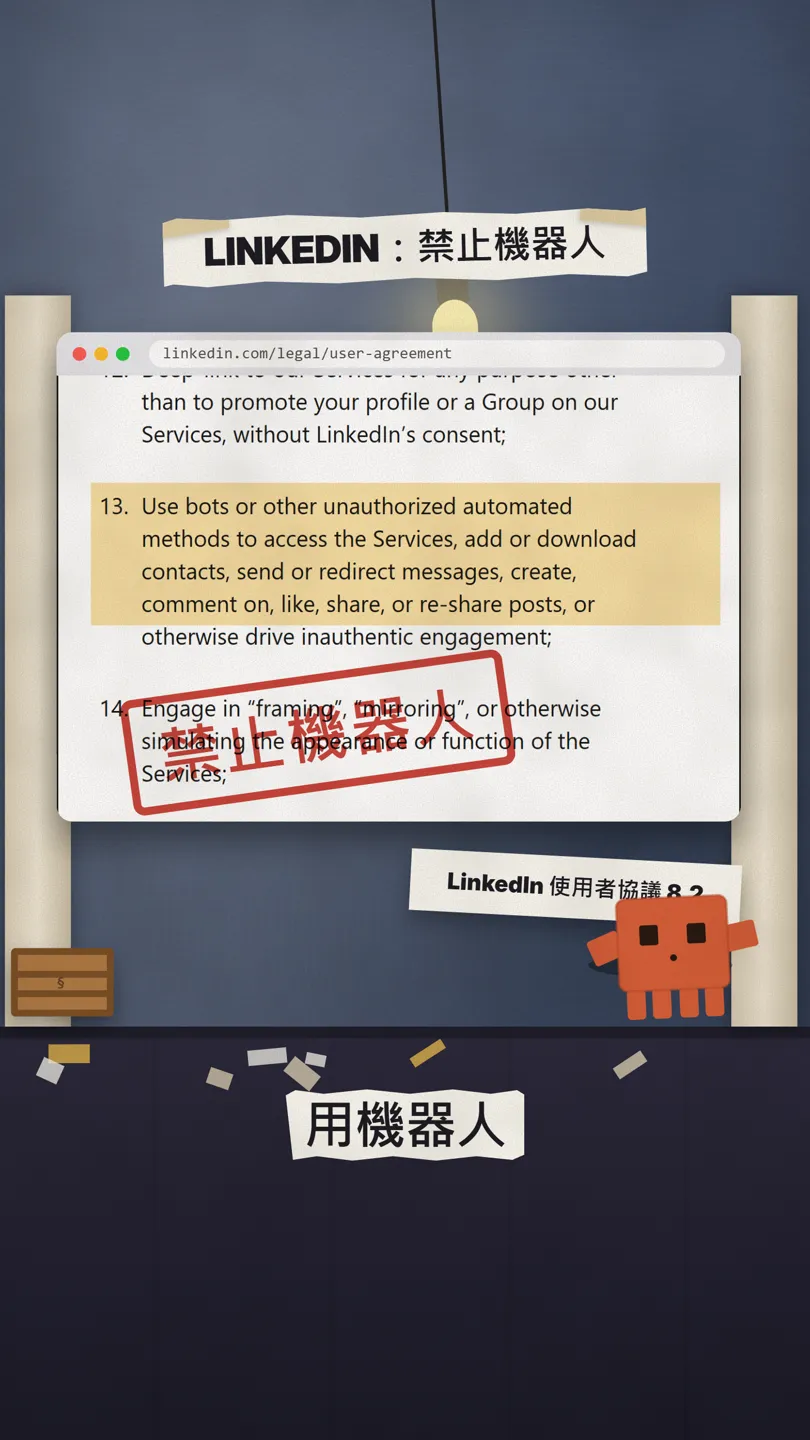
Why not mass-apply: section 8.2 of LinkedIn's User Agreement says you may not use bots or other unauthorized automated methods to access their services. Having an AI agent auto-apply in bulk puts your account at risk, and it doesn't work well anyway.
02Step 1: upload your resume and ask for your 10 best-fit titles
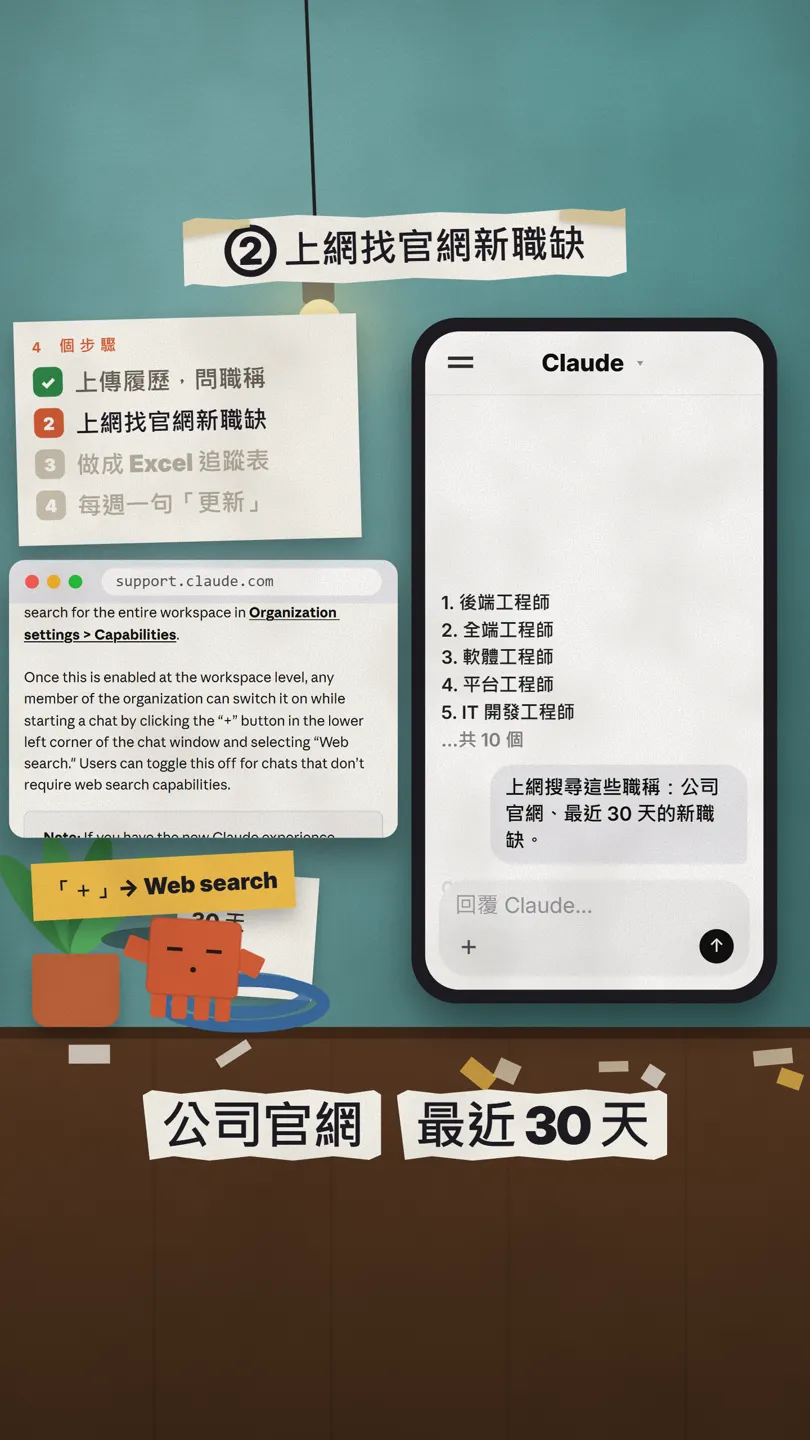
Open claude.ai or the Claude app, tap "+" in the message box to upload your resume (a PDF is fine), and paste this:
Act as a senior recruiter. Based on the resume I uploaded, list the 10 job titles I'm most qualified for. For each, give the 5 keywords ATS systems scan for, and one sentence on why it fits me.

03Step 2: have it search company career pages for new openings
Many companies post openings on their own careers page, and not every one shows up on the job sites you usually check. Ask Claude to search the web; every answer comes with source links, so you can click through and check.
Search the web for openings with these titles in [Taipei]: only on company career pages (for example Greenhouse, Lever or the company's own Careers page), posted in the last 30 days. For each, give the company, title, link and posting date; if there's no date, write "not shown" and don't guess.
04Step 3: turn it into an Excel tracker
Claude can create Excel files (.xlsx) on every plan. The first time, turn on file creation in Settings > Capabilities (called Create and edit files in the updated settings).
Turn these openings into an Excel file with the columns: company, job link, posting date, match (1–4 stars, based on my resume), status (not applied / preparing / applied), next follow-up date. Sort by posting date, newest first.
05Even better: say "update" once a week
Come back to the same chat once a week. Claude still has the table, so just ask for what's new:
Update: run the same search again and list only openings that aren't in the spreadsheet yet. Add them to the Excel file and mark them NEW. Mark any posting that has closed as "closed".

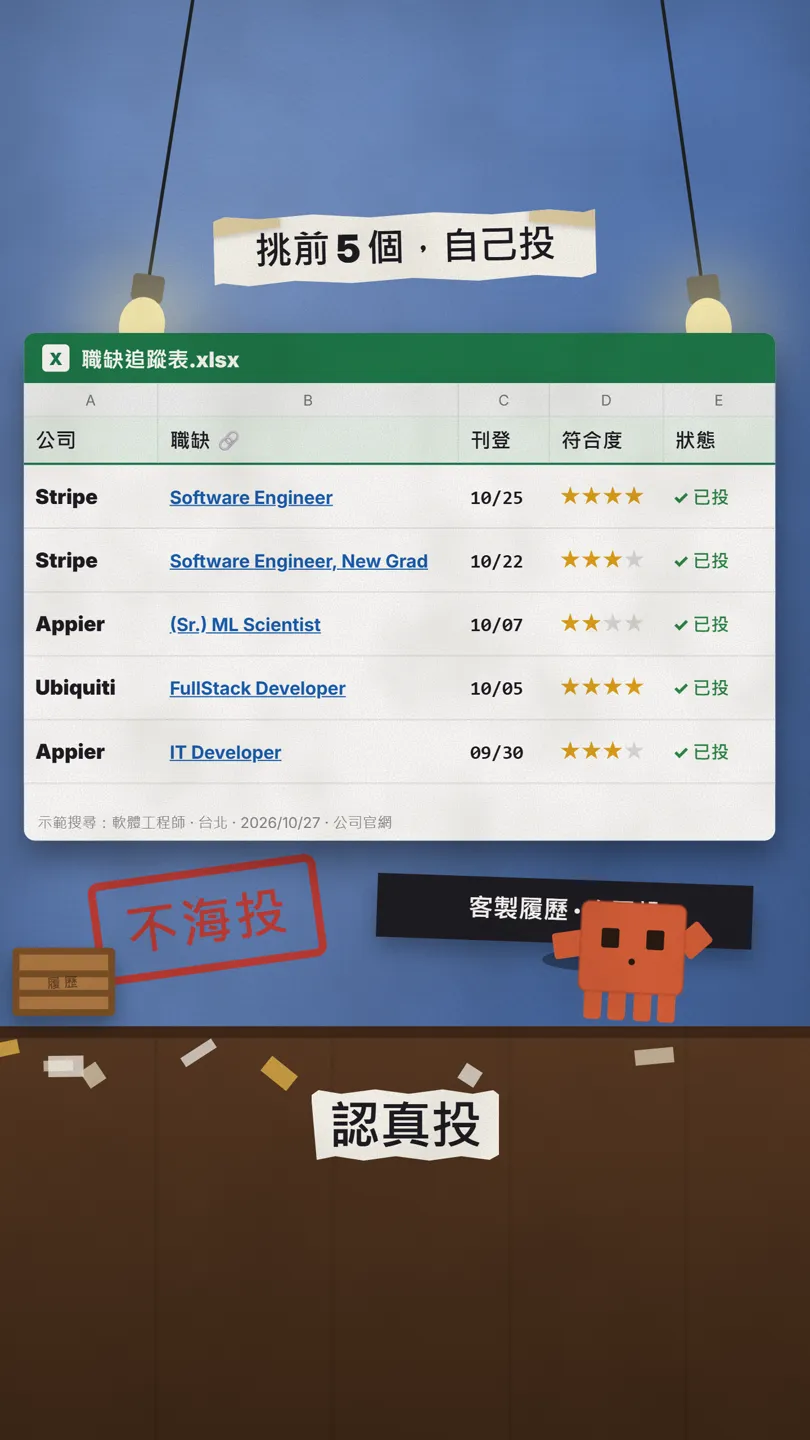
06Finally: pick the top 5 and apply yourself
You don't apply to everything in the sheet. Pick the 5 best matches, tailor your resume to each, and apply yourself. This prompt helps you prepare each one:
I'm applying for [role] at [company] (link: [paste the job link]). Compare it with my resume: tell me 3 things to change, and write a 3-sentence intro using this posting's keywords.
07Good to know
- Open every link to check: postings close, and AI can get a date wrong. If a date says "not shown", go by the company's page.
- The match score is the AI's estimate from your resume, not your chance of getting hired.
- Don't use AI agents or automation tools to apply in bulk. LinkedIn and other platforms ban bots in their terms, and your account may be restricted.
- Remove ID numbers, home address and other personal data from your resume before uploading it.
- The openings in this guide come from a demo search on 27 Oct 2026; they're not recommendations or partnerships.
Sources
What should the next reel cover?
I test Claude and AI tools every day and turn the useful ones into reels. Follow @vivianlin.tech to catch each new guide.