~/guides/FIX.md
Fix months of put-off tasks in one day: three sentences to Claude that interview you, plan your day and draft the rest
Three sentences to Claude: interview me into one list, make a one-day plan with quick fixes first, then draft what doesn't need me. Real replies inside.
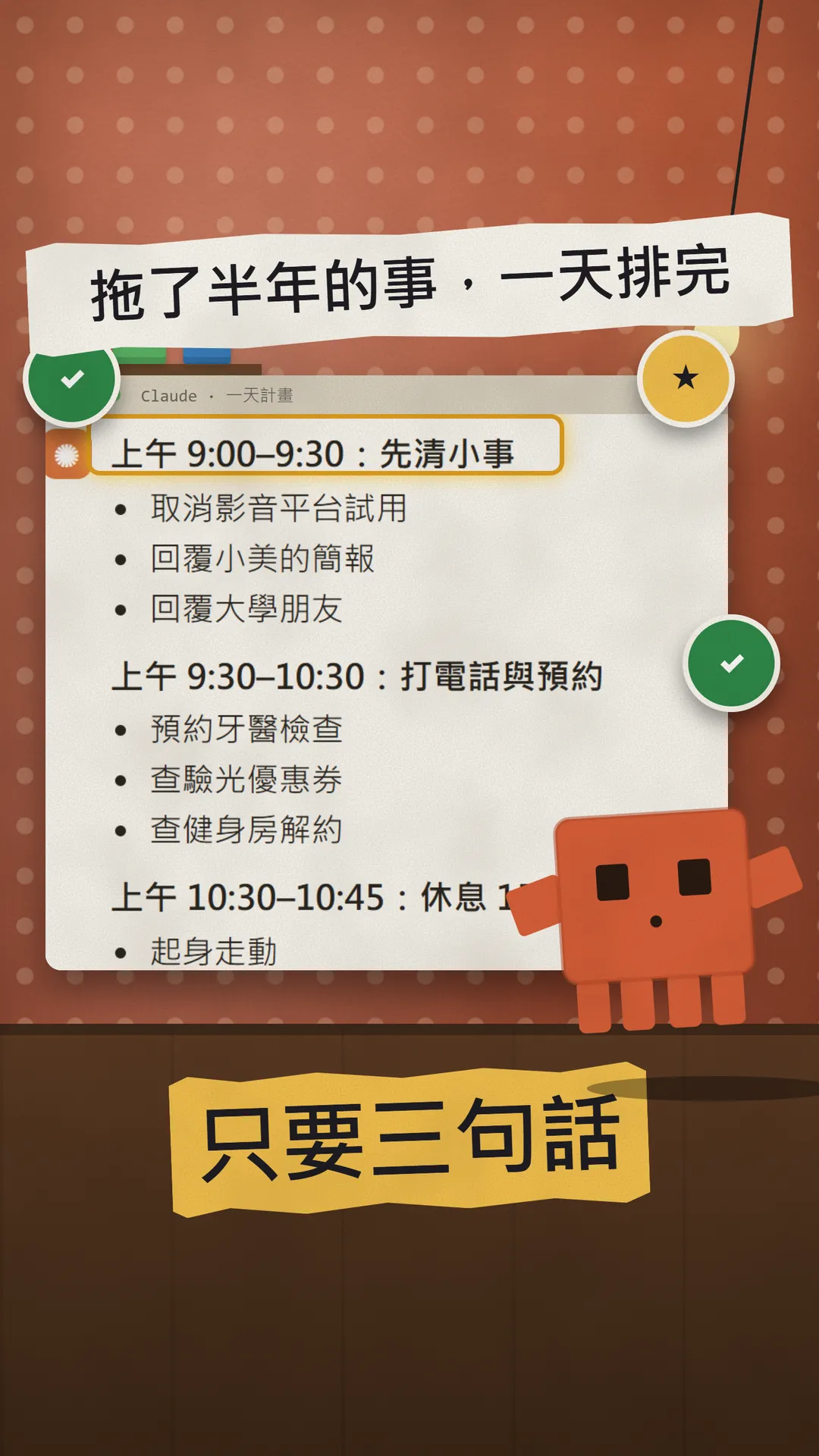
I let Claude fit the things I'd been putting off for six months into one day, with three sentences. First it interviews me, then it turns the list into a one-day plan, and finally it drafts everything that doesn't need me in person, so I only check it and press send. In this guide you get: 1) the three sentences from the reel plus a bonus line, ready to copy; 2) what you get back from each one (the replies below are real Claude output); 3) how to make it smoother with a Project and voice mode, and what Claude can't do. To be clear up front: Claude won't actually cancel or book anything for you. It gets things ready.
01The result first: a one-day plan, half of it already drafted
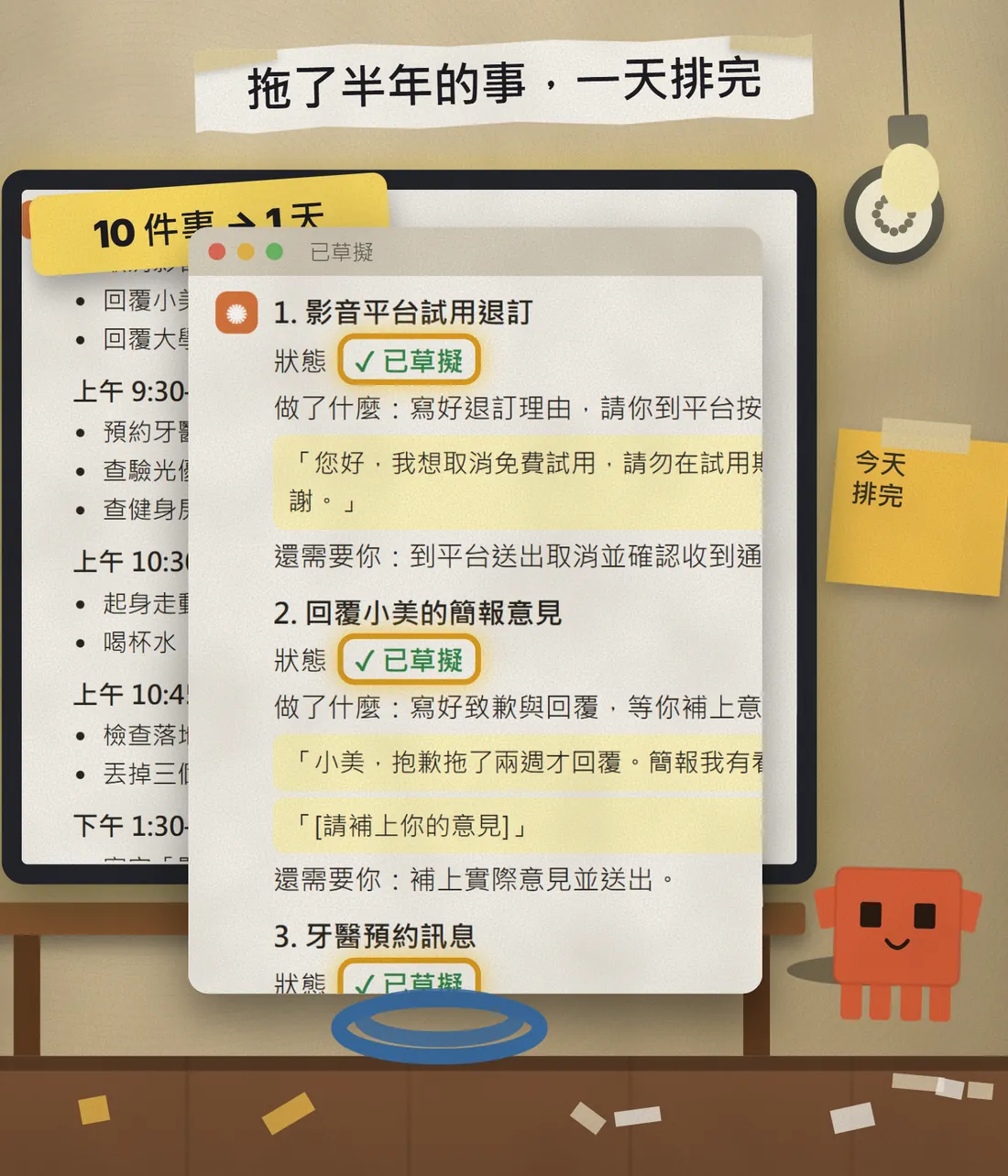
This is a real run we did on 23 October 2026 with Claude Haiku. The person being interviewed is made up, and the list is everyday stuff: a streaming free trial about to turn paid, a gym membership still charging, a dentist check-up four months overdue, a reply owed to a colleague, a broken floor lamp, tax receipts not sorted.
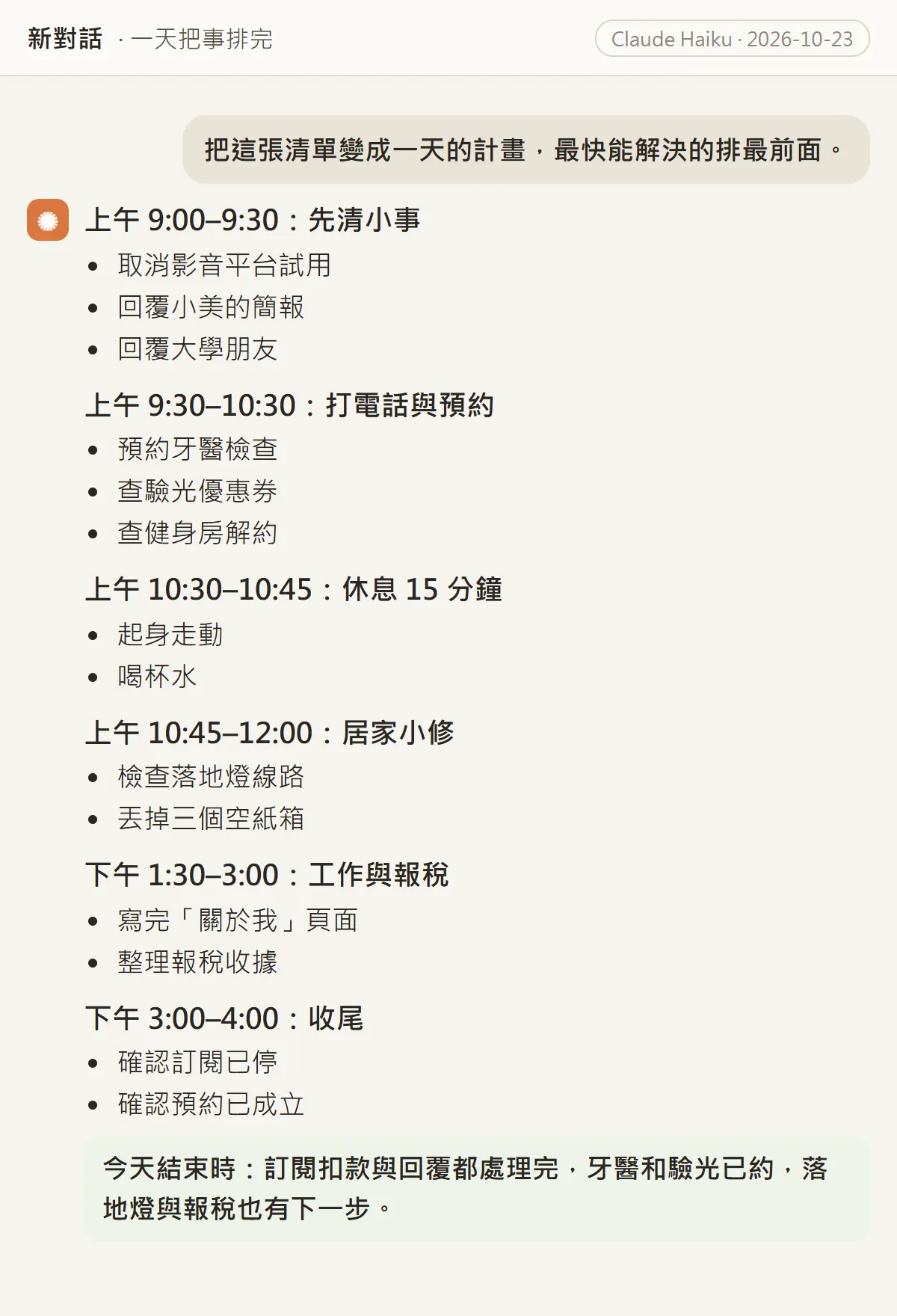
To be clear: these chat images are a demo page we laid out ourselves, not claude.ai screenshots, but the text is the reply word for word. We asked Claude to keep it short so it would fit on screen, so your own run will be longer and more detailed.
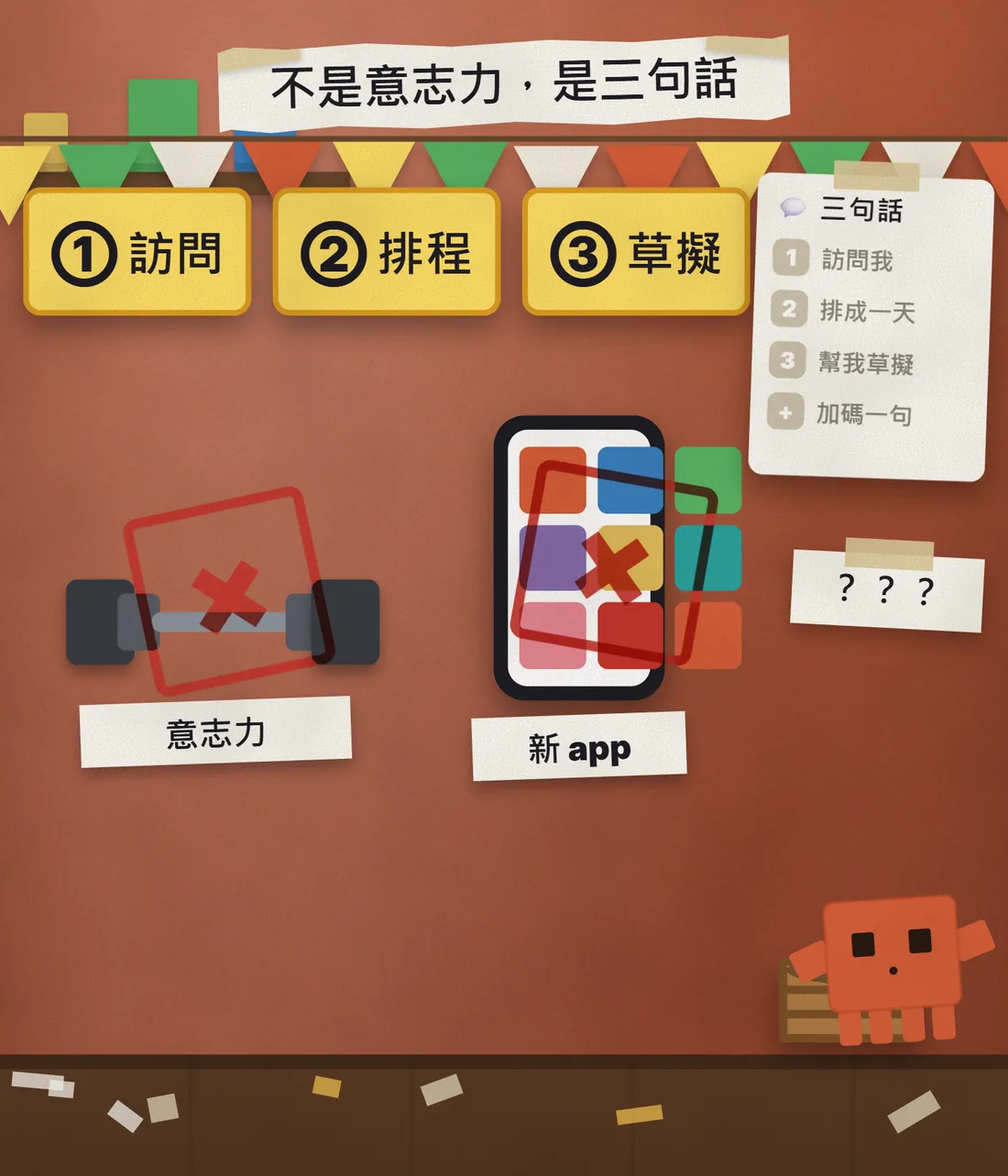
- Sentence 1: interview me and turn everything broken, unfinished or stressful into one list.
- Sentence 2: turn the list into a one-day plan, quickest fixes first.
- Sentence 3: draft everything that doesn't need me in person, ready for me to press send.
- Bonus line: which one thing, done today, would change my life the most.
Read on: the three sentences and the bonus line are all ready to copy, and each one comes with the reply we actually got, so you can compare it with yours.
02Before you start: open a Project, or just a new chat (2 minutes)
The simplest way is to open a new chat and paste the three sentences in order. If you want to come back and update the list later, I suggest a Project, used as a "life admin" folder. Claude's help centre is clear: Projects are available to everyone, including free accounts, and free users can create up to 5 projects.
- Open claude.ai and click "Projects" on the left, or go straight to claude.ai/projects.
- Click "+ New Project" in the upper right and give it a name, such as "Life admin".
- Click "Set project instructions", paste the text below and click "Save instructions". Every chat you start in this project will follow it.
- Start a new chat inside the project and paste sentence 1.
Answer briefly with clear bullet points. No opening line and no polite sign-off.
What I want to sort out: [the things I keep putting off / both work and life]
You can also talk instead of typing. Claude's voice mode is available on every plan (Free, Pro, Max, Team, Enterprise), on the web, Claude Desktop and the mobile apps, and the transcript is saved in your chat history. On web and desktop, tap the sound-wave icon in the lower right of the chat box; on mobile, tap the sound-wave icon next to the microphone in the input field.
03Sentence 1: interview me and make one list
Interview me: ask me about everything in my life that is broken, unfinished or quietly stressing me out, all in one go, then turn it into one list.
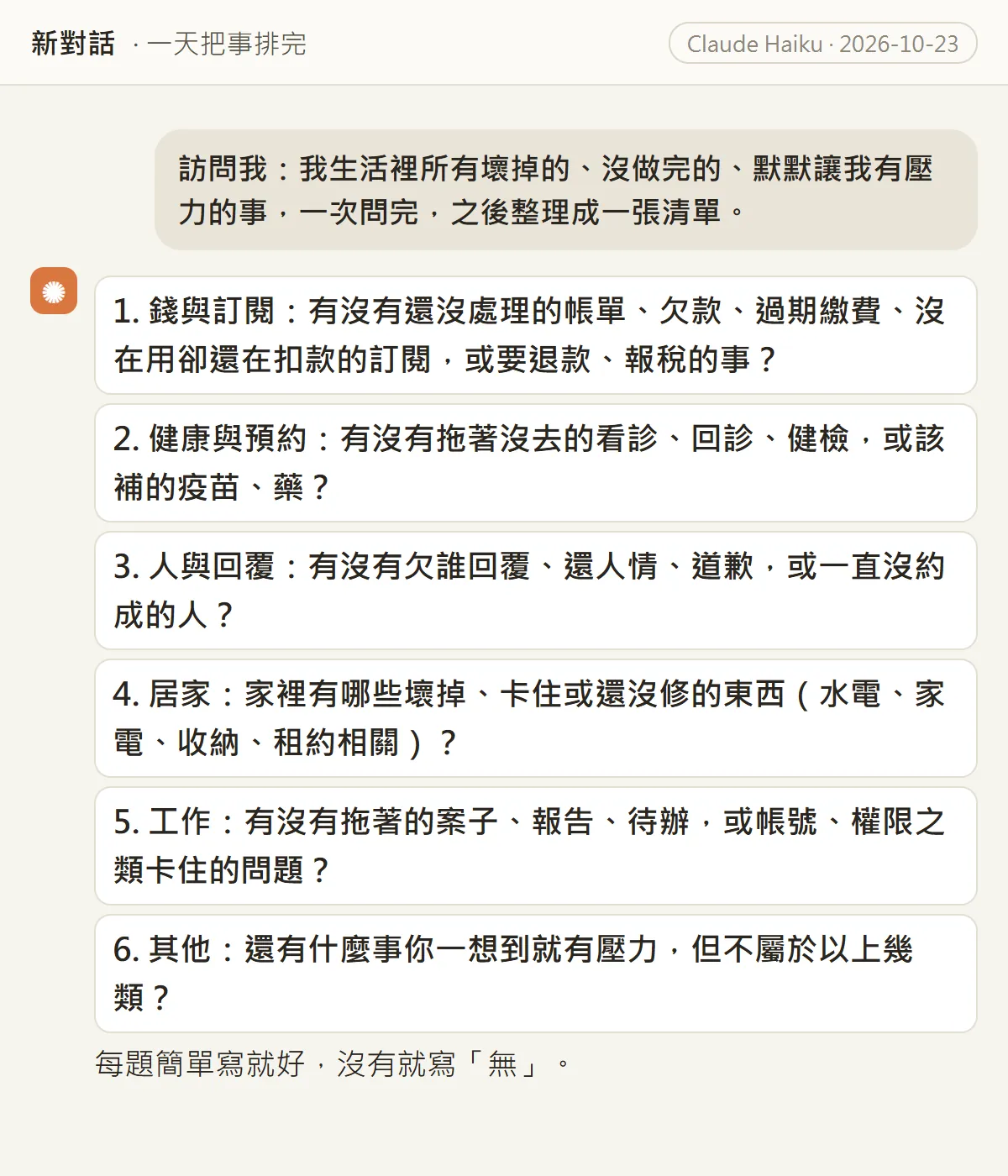
After you paste it, Claude asks you questions first instead of answering straight away. We got 6: money and subscriptions, health and appointments, people and replies, home, work, and "anything else". Keep each answer short, and write "none" if nothing applies.
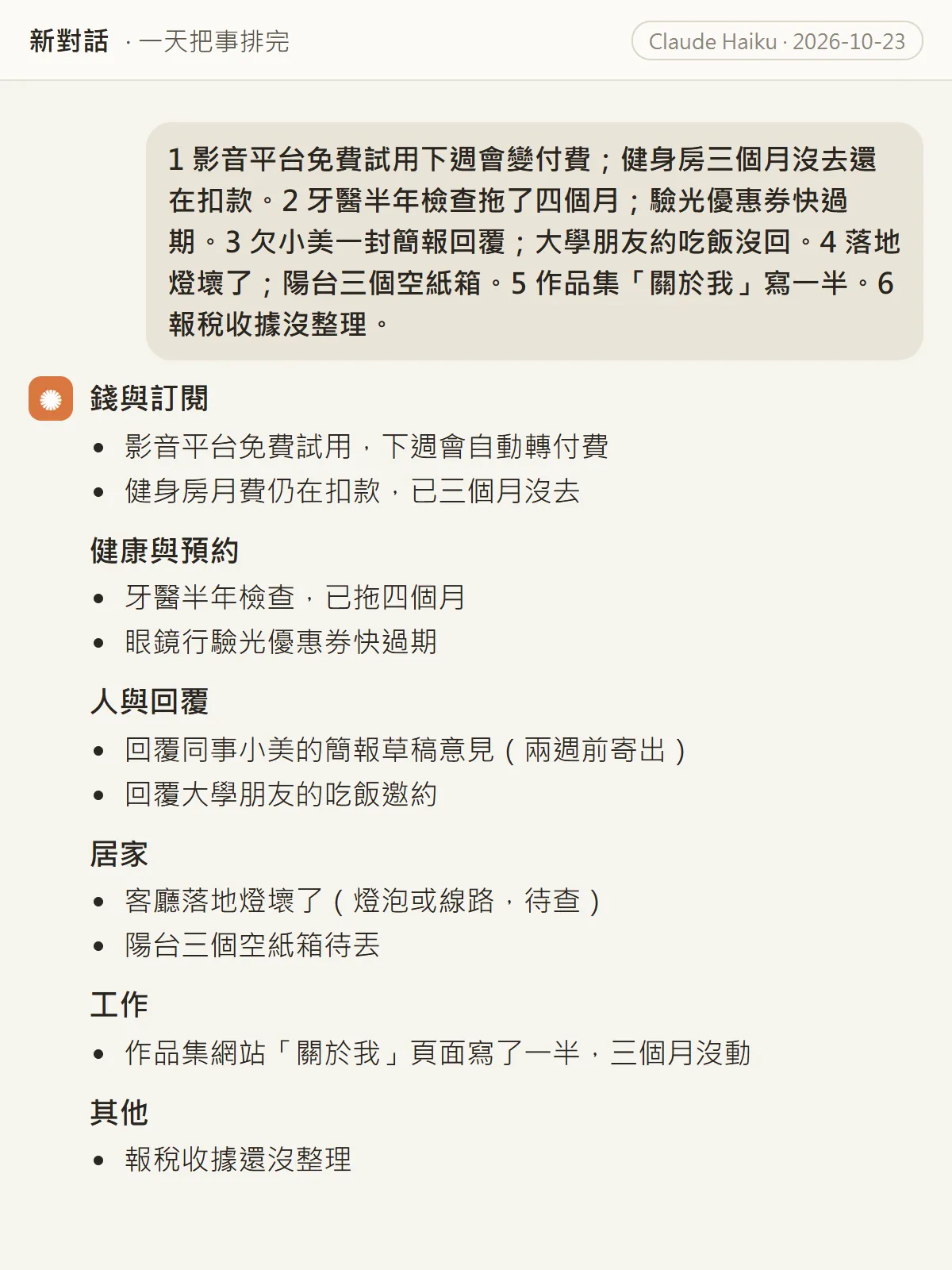
04Sentence 2: a one-day plan, quickest fixes first
Turn this list into a plan for one day, with the quickest fixes first.
The key words are "quickest fixes first". In our plan, 9:00 to 9:30 clears the three smallest jobs: cancel the streaming trial and answer two messages. Three things done, and the rest of the day feels easier. Claude also added a 15-minute break by itself.
On [Saturday] I only have [10:00-12:00 and 14:00-17:00]. Please fit the plan into that time and put anything that doesn't fit under "next time".
05Sentence 3: draft everything that doesn't need me
Draft and prepare everything on the list that doesn't need me in person. You can't actually cancel or book anything, so just get it all ready up to the point where I press send.
This is the sentence that matters most. We added the second half, "you can't actually cancel or book anything", on purpose: once it knows its job is only to prepare, it hands you the drafts straight away and tells you what's still left for you on each one.
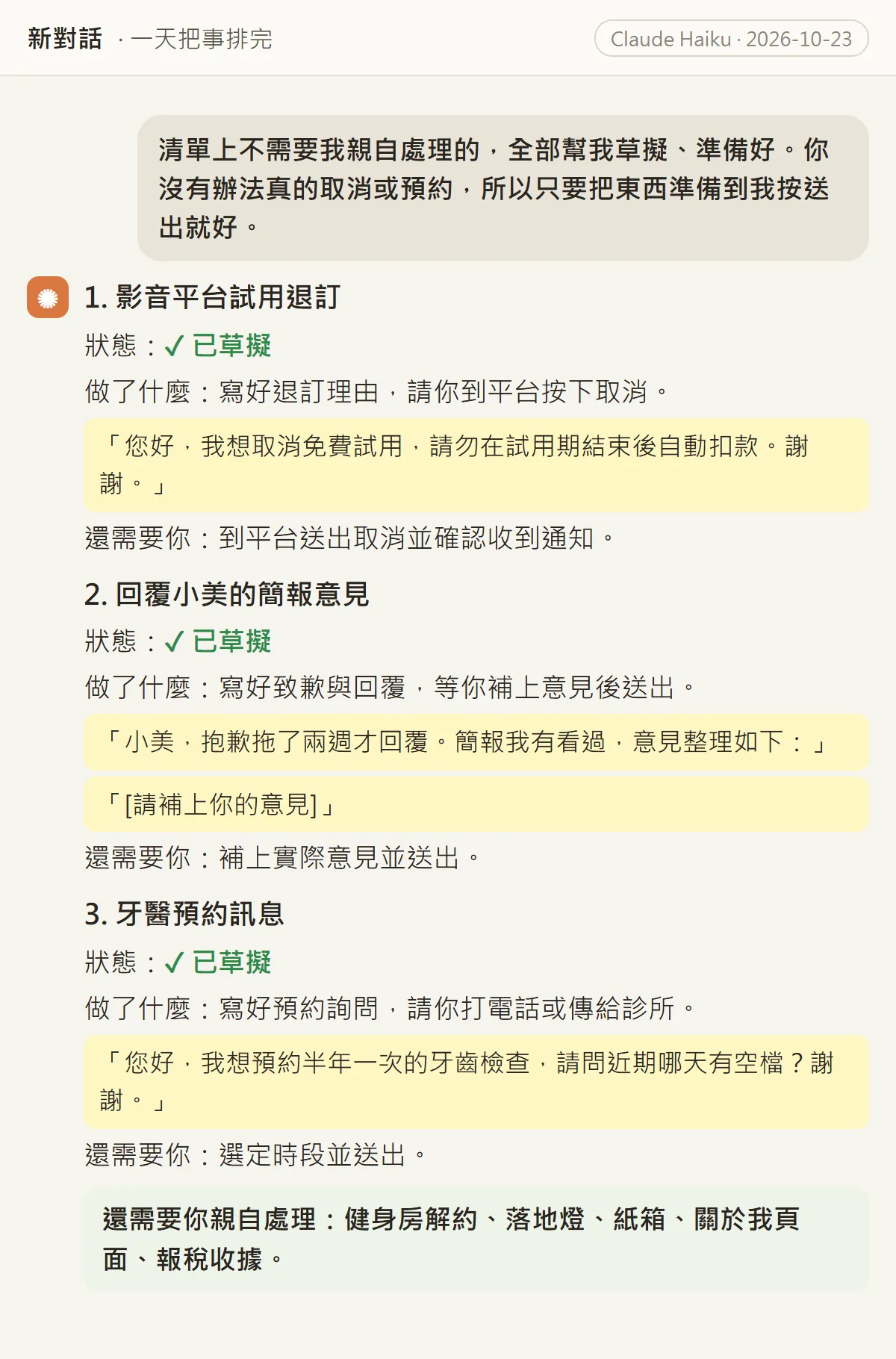
- Streaming trial: a cancellation note is written; you press cancel on the platform and check for the confirmation.
- Reply to the colleague: the apology and opening are written, with a "[add your feedback]" line left for you.
- Dentist: the booking enquiry is written; you pick a time and call or message the clinic.
- A final line lists what you still need to do in person: cancel the gym, fix the lamp, take out the boxes, finish the website page, sort the receipts.
06Bonus line: which one would you feel most today
Tell me which one thing on the list would change my life the most if I did it today.
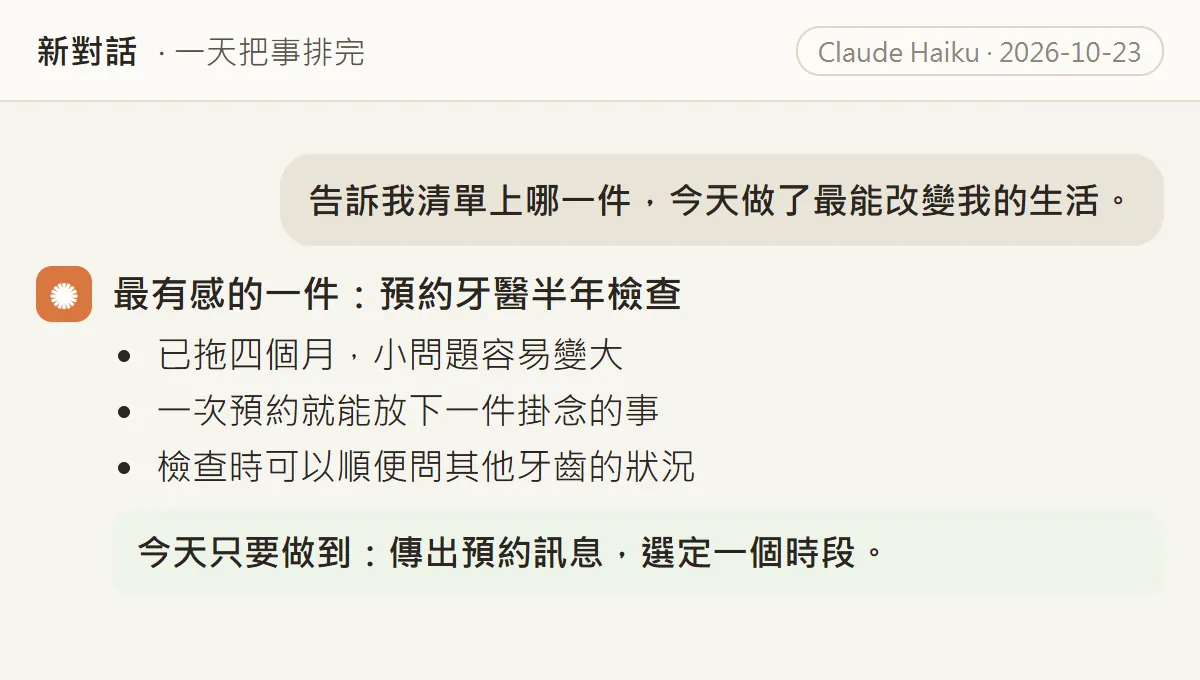
Ten items is a lot to finish. This line picks one for you, and doing just that one today still counts as a win. We got "book the six-month dentist check-up", because it was four months overdue and one message sorts it.
07Good to know
- Claude won't actually cancel a subscription, make a booking or send an email for you. This method only asks it for drafts; you are the one who presses send.
- Check before you send. It can get dates, names or business details wrong, and the real cancellation and refund rules are whatever the platform or shop says.
- Don't paste passwords, ID numbers, card numbers or bank details. You don't need them to cancel or book; leave any account fields in the drafts blank and fill them in yourself.
- For health, relationships and other personal things, share only as much as you're comfortable with. Claude is an organising tool, not a doctor or a counsellor; if something is really weighing on you, talk to someone you trust or a professional.
- The replies above came from Claude Haiku in our own run, and the person and list are made up. With a different model or different answers, your plan and drafts will look different.
- Where Projects and voice mode live, and which plans have them, was checked against Claude's help pages on 23 October 2026. The interface may change.
Sources
What should the next reel cover?
I test Claude and AI tools every day and turn the useful ones into reels. Follow @vivianlin.tech to catch each new guide.