
~/guides/APPLE.md
The Apple Design skill: one prompt and Claude builds a product page that feels like Apple's site
Apple Design is a free, open-source Claude skill built from Apple's WWDC design talks. Install line, product-page and review prompts, and the page I made.
Ask an AI to 'make it look like Apple' and you usually get a white template with big text. Apple Design is a free, open-source Claude skill that turns the design methods Apple teaches at WWDC into rules: spring motion, frosted glass, tracking and leading, and eight design principles. With it installed I wrote one prompt, and Claude built the product page below. This guide gives you the install line, the prompt I used, a prompt for reviewing a site you already have, and what to watch out for.
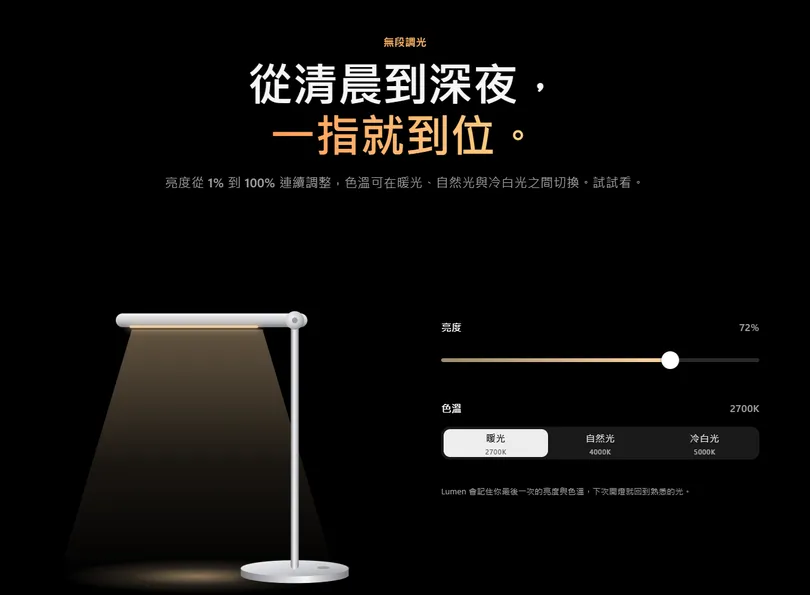
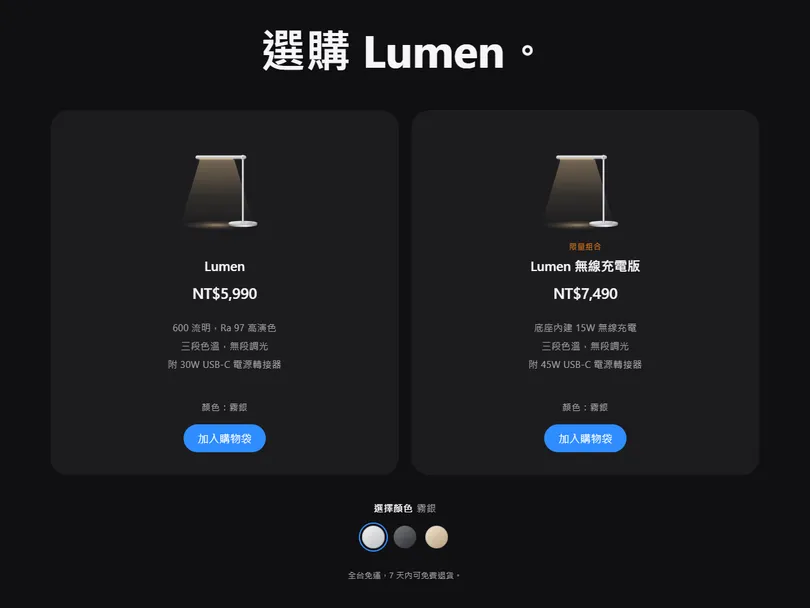
01The result first: a product page Claude made with this skill
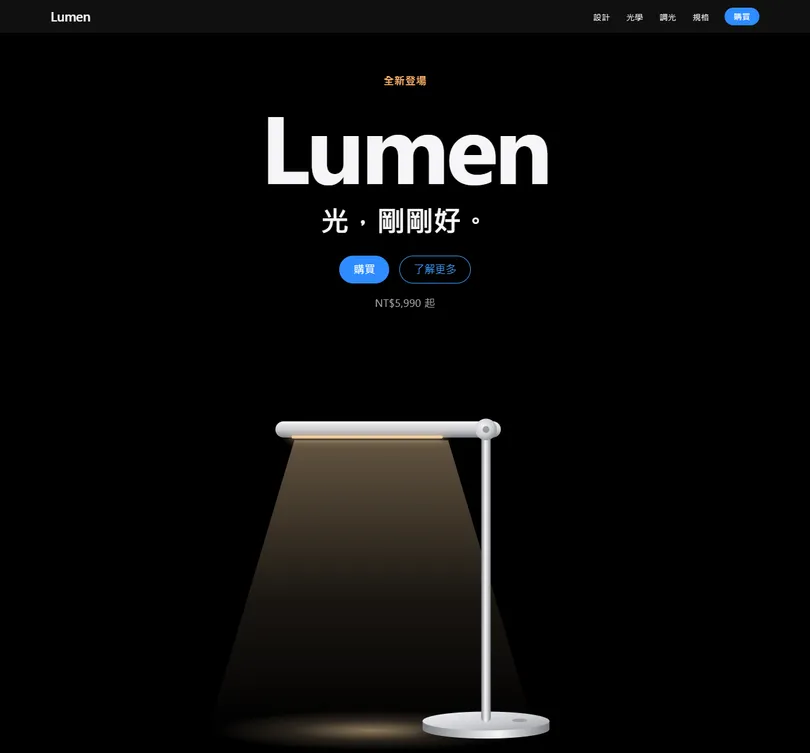
This is the full version of the APPLE reel. Follow it and you get:
- A product page that feels like Apple's site: a big headline, the product hero, a translucent nav bar, features, specs and price.
- Smooth details: instant feedback when you press, a slider that follows your finger, spring animations that never feel stuck.
- A prompt you can paste and adapt to your own product, plus one for reviewing a site you already have.
02Step 1: what the Apple Design skill is

Apple Design is a free, open-source skill (MIT licence) by design engineer Emil Kowalski, in his emilkowalski/skills repo on GitHub. It distils Apple's WWDC design talks (mainly Designing Fluid Interfaces, 2018) into rules Claude can follow, translated for the web (CSS, Pointer Events, spring animation). It is not an official Apple product.
- Spring motion: animate with springs instead of fixed durations, so motion can be interrupted and reversed and feels natural.
- Frosted glass: nav bars and panels are translucent and blurred (backdrop-filter), with content scrolling underneath.
- Tracking and leading: tighter letter-spacing and line-height on big headings; body text near 0 with looser leading.
- Eight design principles: purpose, agency, responsibility, familiarity, flexibility, simplicity, craft and delight, so every choice has a reason.
03Step 2: install it with one line
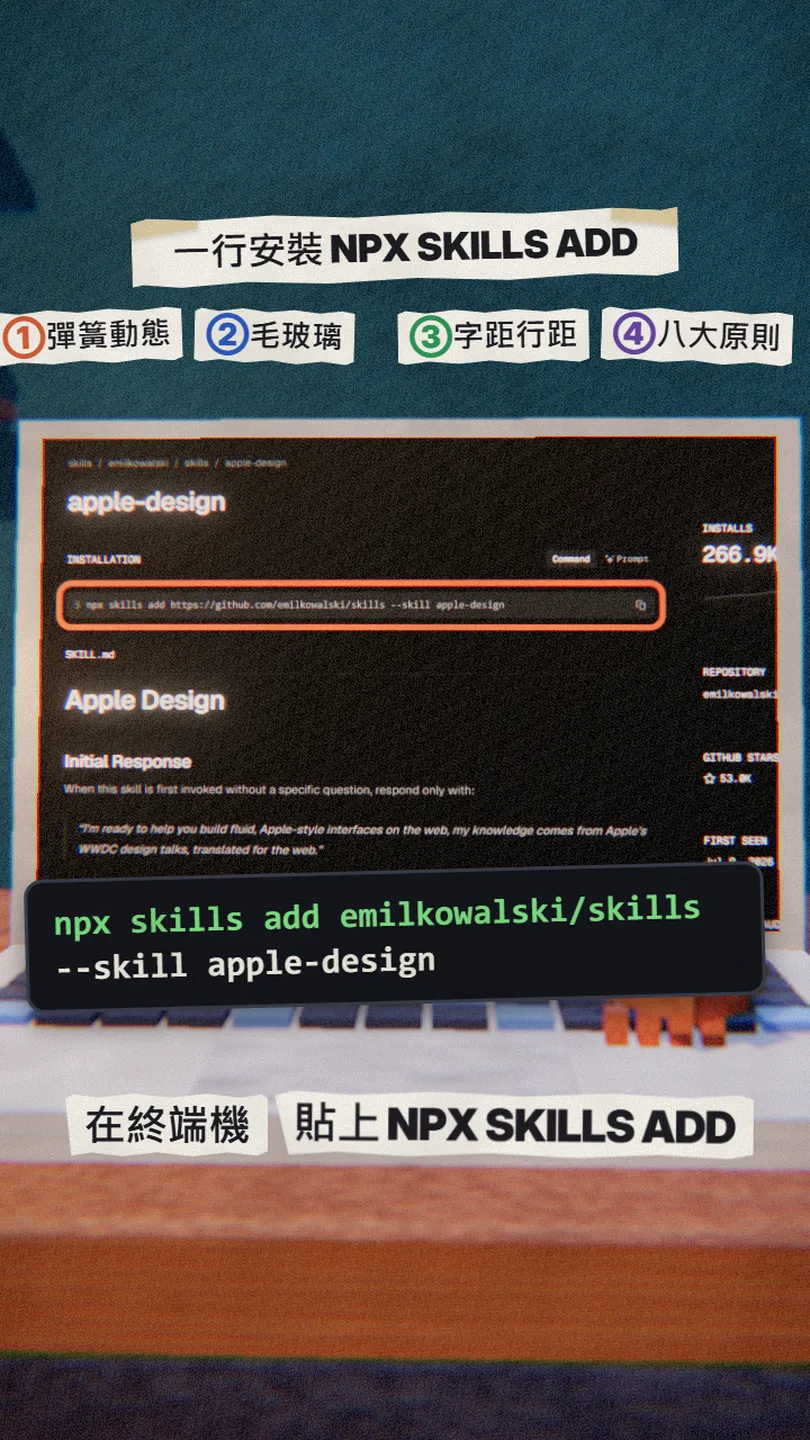
Open a terminal in your project folder and paste this line (needs Node.js 22.20 or later). -a claude-code installs it for Claude Code; leave it out and it asks you which agent.
npx skills add emilkowalski/skills --skill apple-design -a claude-code
To install Emil Kowalski's whole set (animation, animation review, mobile details and more), leave out --skill and tick the ones you want:
npx skills@latest add emilkowalski/skills
04Step 3: one prompt for the product page
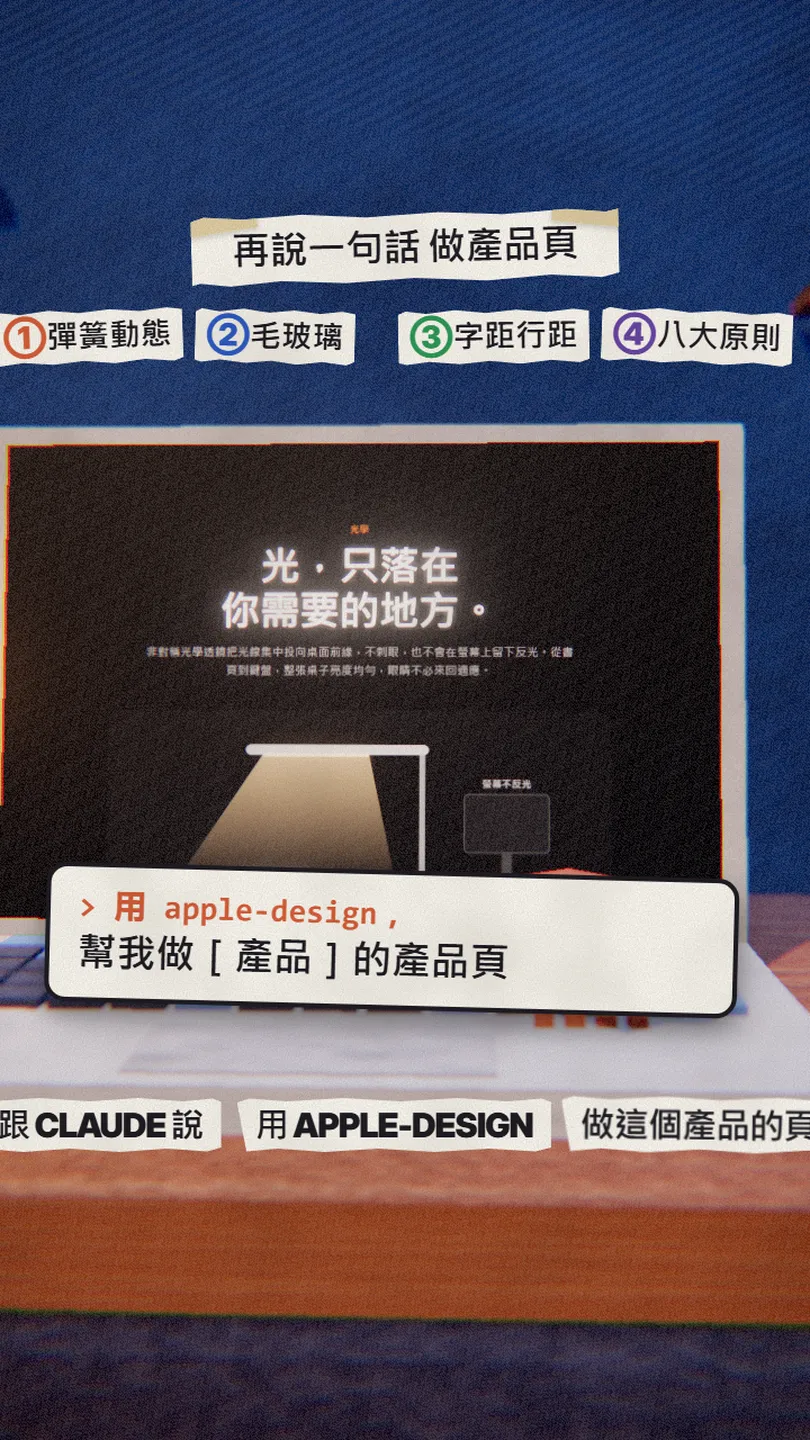
Open Claude Code and swap in your own product in the [ ]. This is (almost word for word) the prompt I used for the Lumen page:
Use the apple-design skill to build a product page for [your product, e.g. a minimalist aluminium desk lamp] that feels like an Apple product page. One index.html with the CSS and JS inside. Include a translucent sticky nav, a big product hero, a features section and specs with the price. Don't use Apple's name or logo.
05Step 4: use it to review a site you already have
The skill also reviews. If you already have a site or app, let it find the problems, then ask it to fix them:
Use the apple-design skill to review [your page or component, e.g. the home page index.html]. List what doesn't follow Apple's approach (motion, press feedback, tracking and leading, translucency, spacing), why, and how to fix each one. List first, and wait for my OK before changing anything.
06Good to know
- This is a third-party skill by Emil Kowalski, not Apple's, and not endorsed by Apple.
- Don't put Apple's logo, name or product photos on your own site as branding; learn the method, not the look.
- The skill is a text file (SKILL.md); you can read it on GitHub before installing.
- The author's site sells his course; that is separate from this free skill, which works without it.
- You found this guide by typing APPLE in the bio link; there is no DM.
Sources
What should the next reel cover?
I test Claude and AI tools every day and turn the useful ones into reels. Follow @vivianlin.tech to catch each new guide.


