~/guides/MAGIC.md
21st MCP (formerly Magic MCP): stop Claude Code's pages looking AI-made, set up in two steps
21st MCP lets Claude Code pick one of 21st.dev's 12,000+ React components and write it into your project. Key, one-line install, plugin, prompts, free limits.
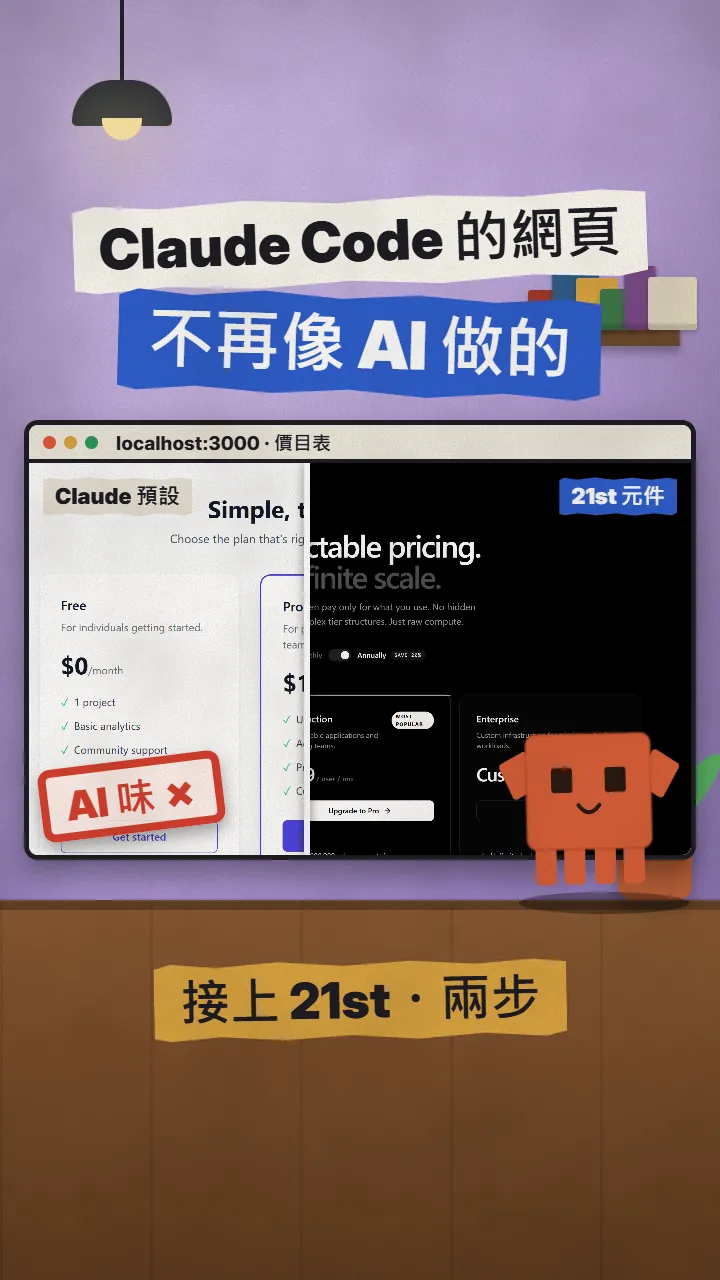
Pages made by Claude Code often look AI-made at first glance. 21st MCP (formerly Magic MCP) has it use ready-made components built by people on 21st.dev instead: once it is installed, say "add a pricing table with 21st" and it searches, picks one and writes it into your project. This is the full version of the MAGIC reel: the before / after first, then how to get an API key, install it in Claude Code with one command (or the plugin), prompts you can copy, and what to watch out for: the free limit, paid AI generation, the rename and licences.
01The result first: one pricing table, Claude's default vs a 21st component
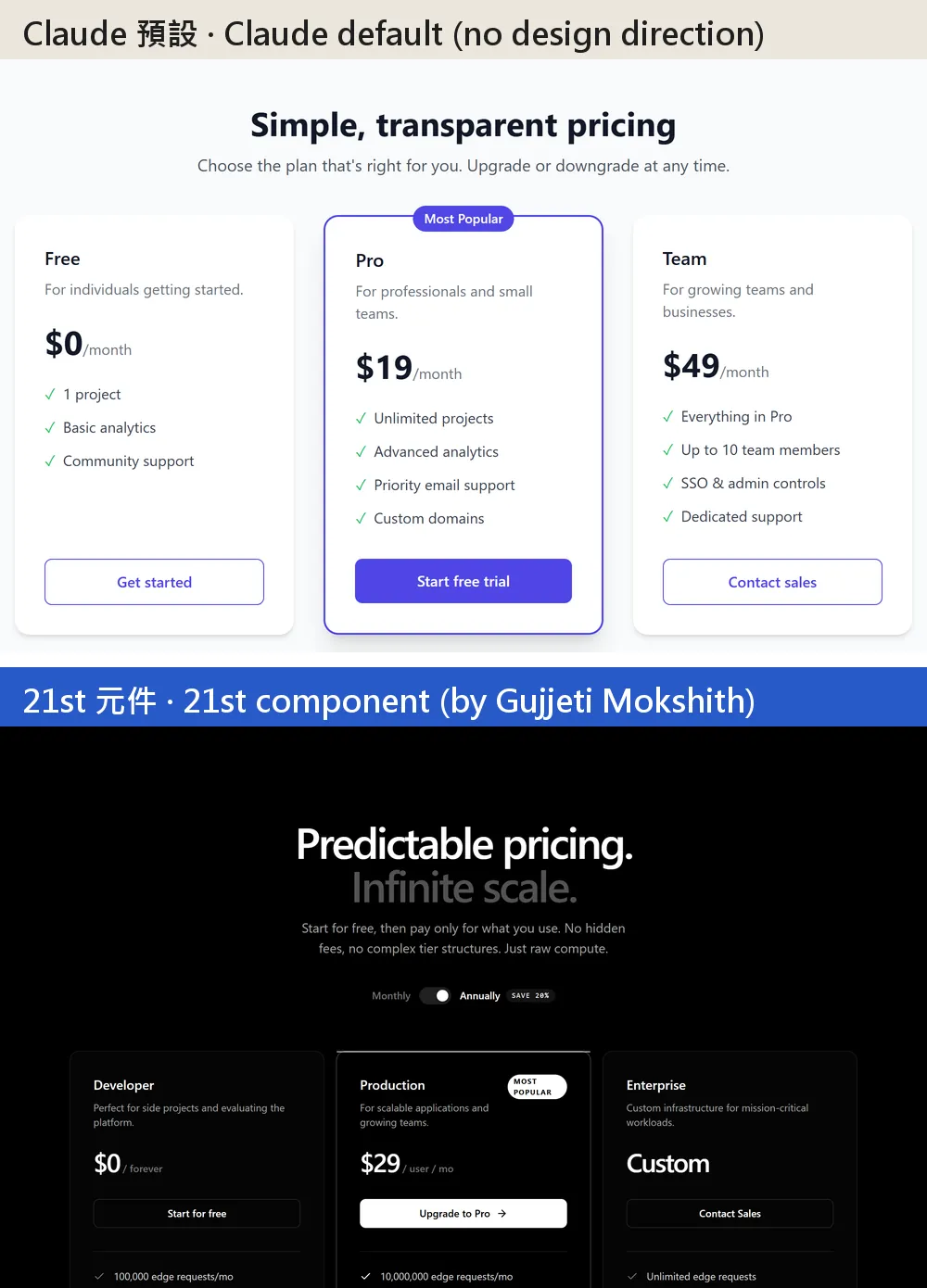
Ask Claude Code for a web page and you can often tell AI made it: white background, three rounded cards, a purple "Most Popular" in the middle. 21st MCP (formerly Magic MCP) works differently: it lets Claude Code pick a human-made component from 21st.dev's 12,000+ React + Tailwind components and write it into your project.
When you are done, you will have:
- A 21st API key (a free account can create one).
- 21st installed in Claude Code with one command, or with the official plugin instead.
- No commands to memorise: tell Claude Code in a normal sentence, "add a pricing table with 21st", and it searches, picks a component and writes it into your project.
- Prompts you can copy; replace the [ ] parts with your page and component.
- An honest warning: a free account gets only 2 components a day, generating with AI costs money, and you have to check each component's licence yourself.
02Step 1: Create a 21st account and an API key
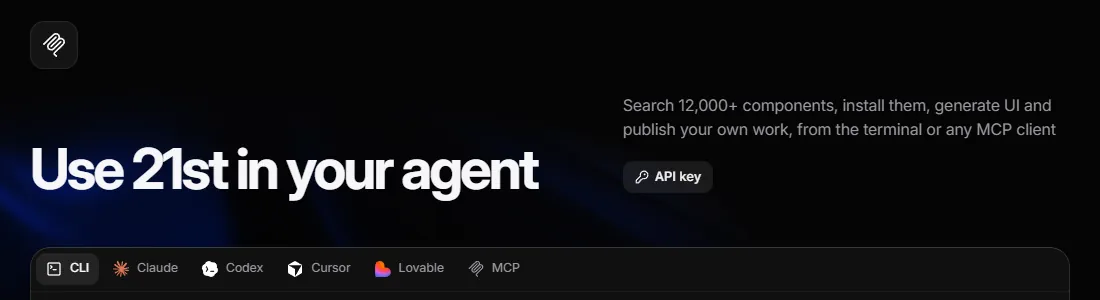
- Open 21st.dev/mcp.
- Log in at the top right; if you have no account, click "Get 21st free" to create a free one.
- Click "API key" on the page, create a new key and copy it.
- Once you are logged in, the install commands on that page include your key, so you can copy them as they are.
- Official 21st MCP setup page — Create an API key, install commands for each tool
03Step 2: Install it in Claude Code with one command (or the plugin)
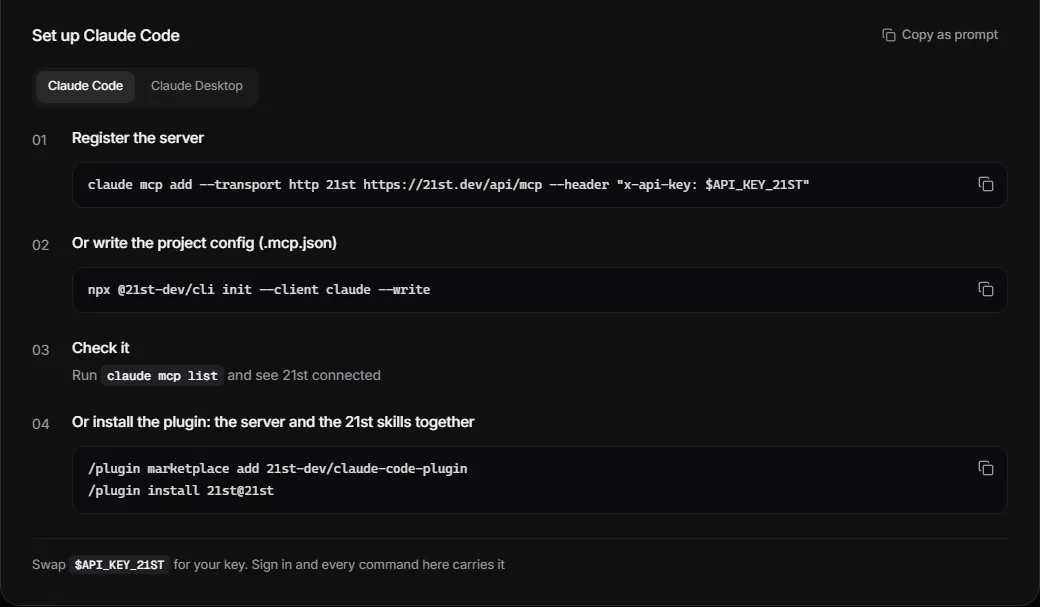
Paste this line in your terminal (not in the Claude Code chat) and replace the [ ] part, brackets included, with your API key:
claude mcp add --transport http 21st https://21st.dev/api/mcp --header "x-api-key: [paste your API key]"
- Paste it and press Enter. By default it is installed for the project folder you are in.
- To use it in every project, add --scope user after 21st (as in Claude Code's official docs).
- Run claude mcp list; when 21st shows as Connected, it worked.
- Type claude in your project folder and start.
claude mcp list
The other way is the official plugin: it installs the 21st server and the 21st skills together. Type these two lines inside Claude Code:
/plugin marketplace add 21st-dev/claude-code-plugin
/plugin install 21st@21st
- Official 21st MCP setup page (Claude tab) — The claude mcp add command and the plugin commands
- Official plugin: 21st-dev/claude-code-plugin — Apache-2.0, server + skills
- Claude Code official docs: MCP — --scope, claude mcp list, /mcp
04Step 3: Ask in a normal sentence, no /ui
Magic MCP used to need /ui; not any more. The official advice is to use plain language and ask the agent to search 21st for components. Mention "21st" in the sentence and Claude Code knows to use it. These are the ones I use most:
Use 21st to add a [component, for example a pricing table] to [page, for example the home page app/page.tsx], in a [style, for example dark and minimal, matching the site's current colours] style.
Just search first: list 3 candidates, their authors and how they differ, and wait for me to pick one before installing.
Use 21st to find a [component, for example an FAQ accordion] to replace the current version in [file, for example components/faq.tsx].
Keep my existing text, and use the project's current colours and fonts.
Replace the content of the [component name] you just installed from 21st with mine: [plan names, prices, the key points of each plan].
Then run [npm run build] and tell me only when there are no errors.
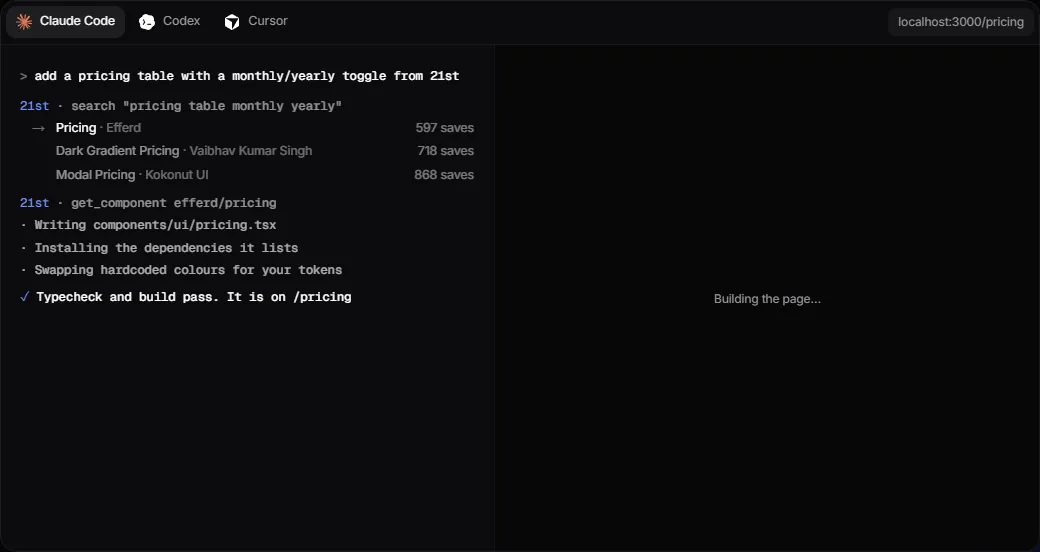
Behind the scenes it does this (the flow in 21st's own demo):
- search: looks up components on 21st from your description. Search is free and unlimited.
- get_component: fetches the code of the component you picked. This is what the free account's 2 a day counts.
- Writes the component into a file (components/ui/pricing.tsx in the demo), installs the packages it needs and swaps hard-coded colours for your project's settings.
- Runs the type check and build, and tells you which page it is on when they pass.
05Good to know
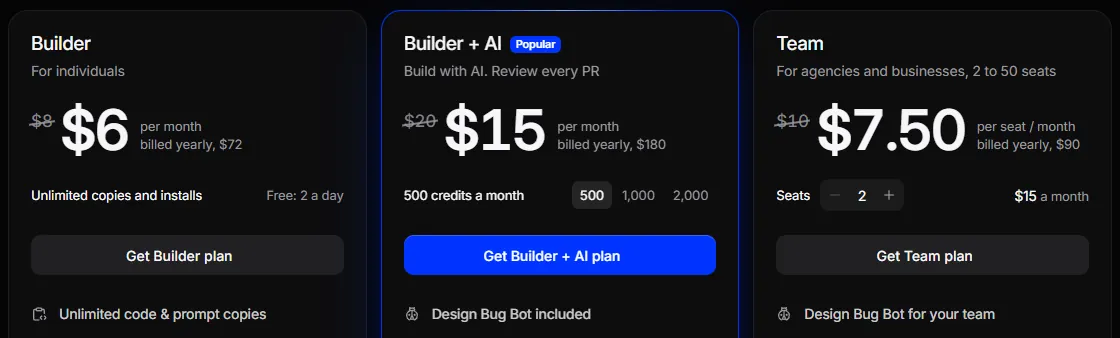
- Free account: unlimited search; 2 component-code retrievals a day, counted across the website, the MCP and the CLI together (copies and installs both count).
- Builder: $6 a month billed yearly, $8 a month billed quarterly. Unlimited component installs, but no AI credits.
- Generating components from scratch with AI (the generate tool) needs Builder + AI: from $15 a month for 500 credits (yearly; $20 quarterly), $30 for 1,000 and $60 for 2,000 (yearly). Without AI on the account, Claude Code doesn't even see the generation tools.
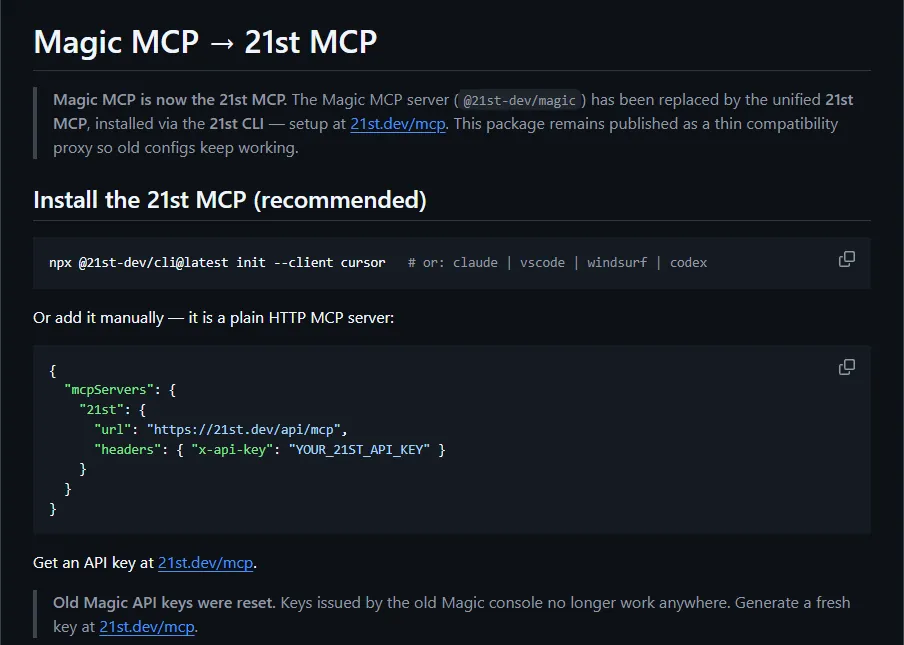
- Magic MCP is now called 21st MCP and all old Magic API keys were reset, so create a new one. The /ui and /21 commands in older tutorials are gone; just use normal sentences.
- Component licences: 21st's terms say Marketplace code belongs to its authors (and 21st Labs); the terms give no general licence, and you may not resell or republish it without permission. Open-source components keep their original licence and need visible credit to the author. Before using one in a commercial project, check the licence on the component page and from its author; the component page I used here doesn't state a clear licence, so ask the author first.
- Your API key is your account's quota; keep it out of public repos and screenshots.
- Prices and the daily limit were checked on the official pages on 5 Nov 2026 and may change; 21st.dev/pricing is the reference.
- You found this page by typing MAGIC in the link in bio; there are no DMs.
- 21st pricing — Free, Builder, Builder + AI, Team
- 21st terms — Ownership and licensing of component code (updated 2026-07-20)
- The component in this guide: pricing section — By Gujjeti Mokshith
Sources
- Official 21st MCP setup page 21st.dev/mcp (Claude Code command, plugin, free-limit FAQ; checked 2026-11-05)
- 21st pricing 21st.dev/pricing (checked 2026-11-05)
- 21st llms.txt (free daily limit, 12,000+ components)
- GitHub: 21st-dev/magic-mcp (rename, old keys reset, /ui FAQ, ISC license)
- GitHub: 21st-dev/claude-code-plugin (plugin install, API_KEY_21ST)
- 21st terms (updated 2026-07-20)
- 21st.dev component: pricing section (Gujjeti Mokshith)
- Claude Code official docs: MCP (--scope, claude mcp list, /mcp)
What should the next reel cover?
I test Claude and AI tools every day and turn the useful ones into reels. Follow @vivianlin.tech to catch each new guide.


